DB Dataflow
Overview
ETL operators in a Dataflow Node typically run on Spark compute. DB Dataflow converts ETL logic into SQL supported by the database and pushes the computation down to the database so that warehouse compute resources can be used directly.
Supported Data Warehouses
Supported databases include StarRocks, GaussDB, Doris, SelectDB, MySQL, and PostgreSQL.
Procedure
Entry Points
You can either drag a DB Dataflow node directly onto the canvas or convert a regular Dataflow Node into a DB Dataflow.
-
Drag
DB Dataflowdirectly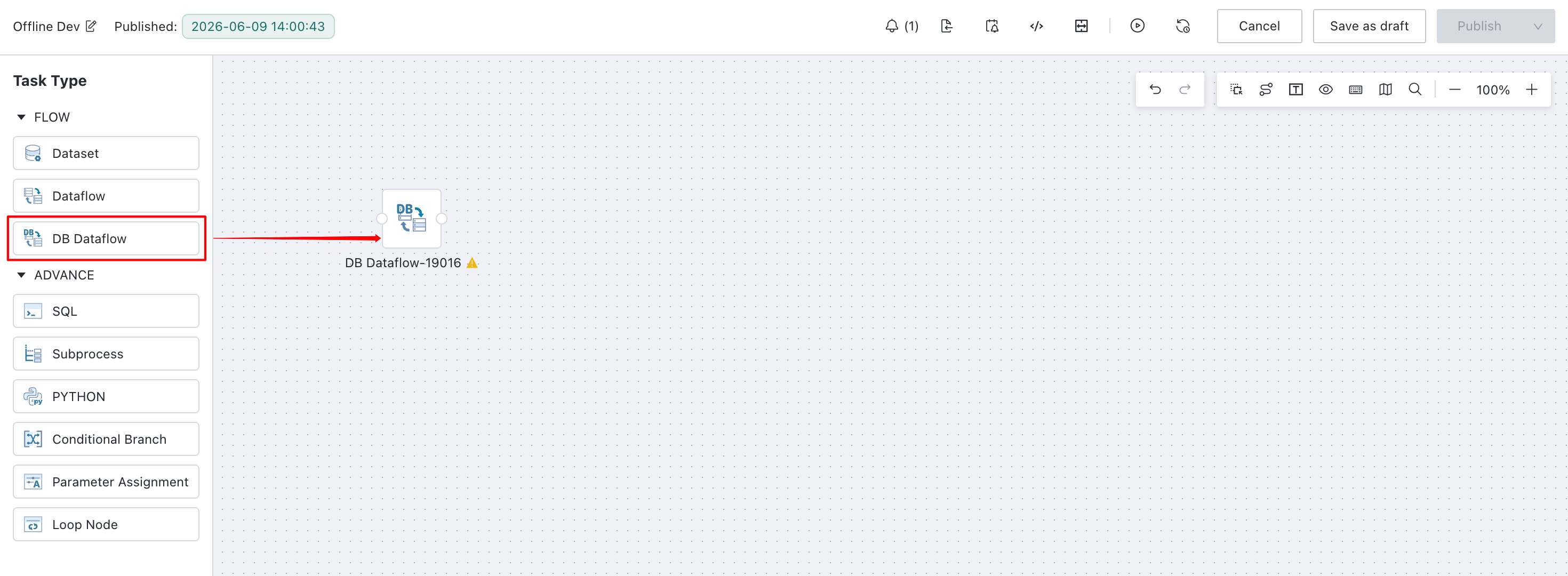
-
Convert a regular
Dataflow NodeintoDB Dataflow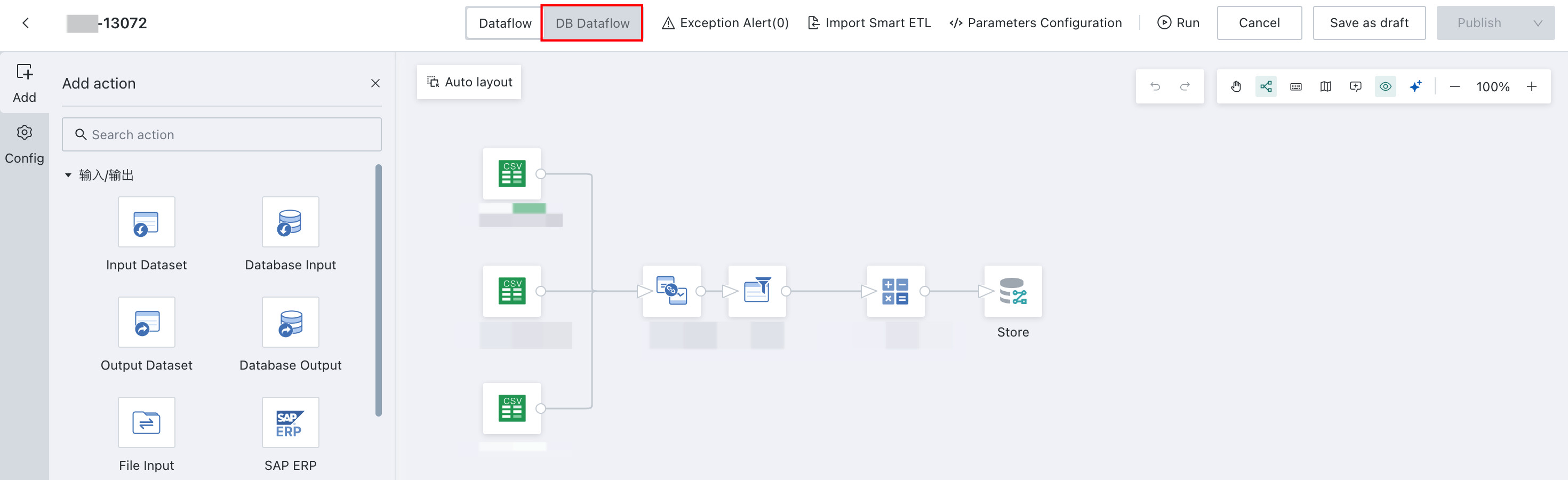
Develop Data in DB Dataflow
The DB Dataflow node includes the following operators. Refer to the corresponding documentation as needed.
To ensure that tasks can be pushed down and run in the database, DB Dataflow supports database sources only. Database Input and Database Output nodes must use the same data account. Configure dataset, file, ERP, and other source types in a standard Dataflow instead.
When editing SQL in DB Dataflow, use functions and statements supported by the target database. Do not use Spark functions or statements, because pushdown execution will fail.
Input and Output
| Operator | Reference |
|---|---|
| Database Input | Database Input |
| Database Output | Database Output |
Column Editing Operators
| Operator | Reference |
|---|---|
| Add Calculated Column | Add Calculated Column |
| Merge Columns | Merge Columns |
| Group Aggregate | Group Aggregate |
| Select Columns | Select Columns |
| Pivot Rows to Columns | Pivot Rows to Columns |
| Unpivot Columns to Rows | Unpivot Columns to Rows |
Data Editing Operators
| Operator | Reference |
|---|---|
| Filter Data Rows | Filter Data Rows |
| Deduplicate | Deduplicate |
| Replace Values | Replace Values |
| Replace Null Values | Replace Null Values |
Dataset Combination
| Operator | Reference |
|---|---|
| Append Rows | Append Rows |
| Join Data | Join Data |
Advanced Calculation
SQL operator: SQL Input
Operator Lineage Analysis
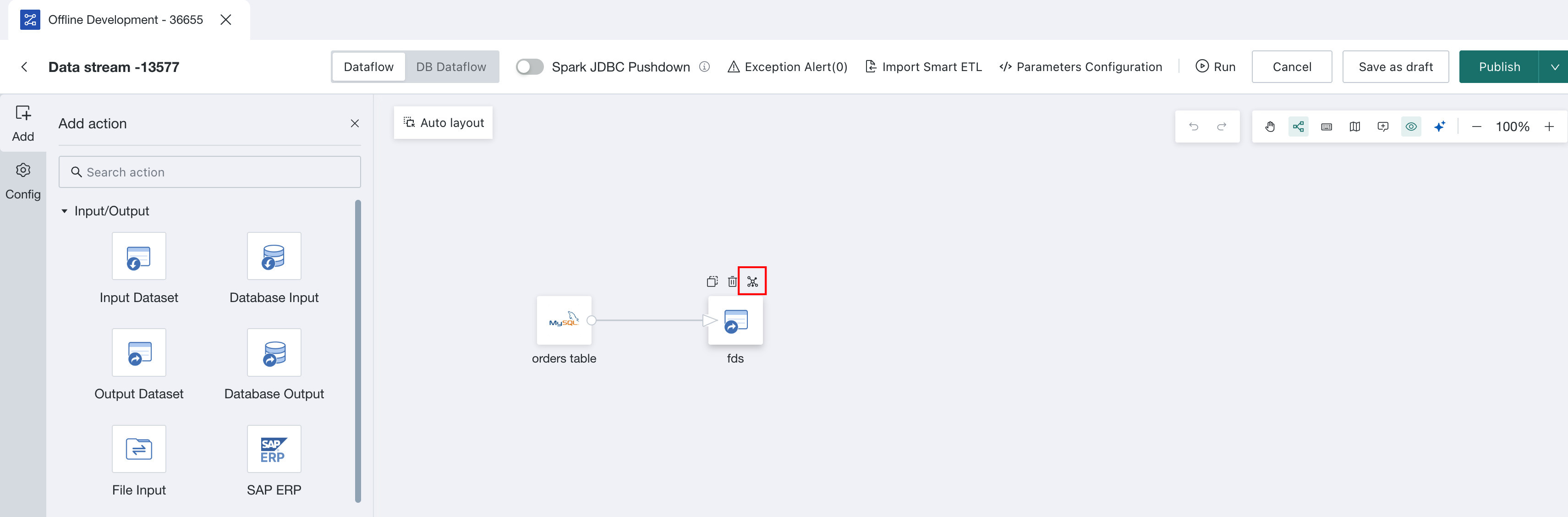
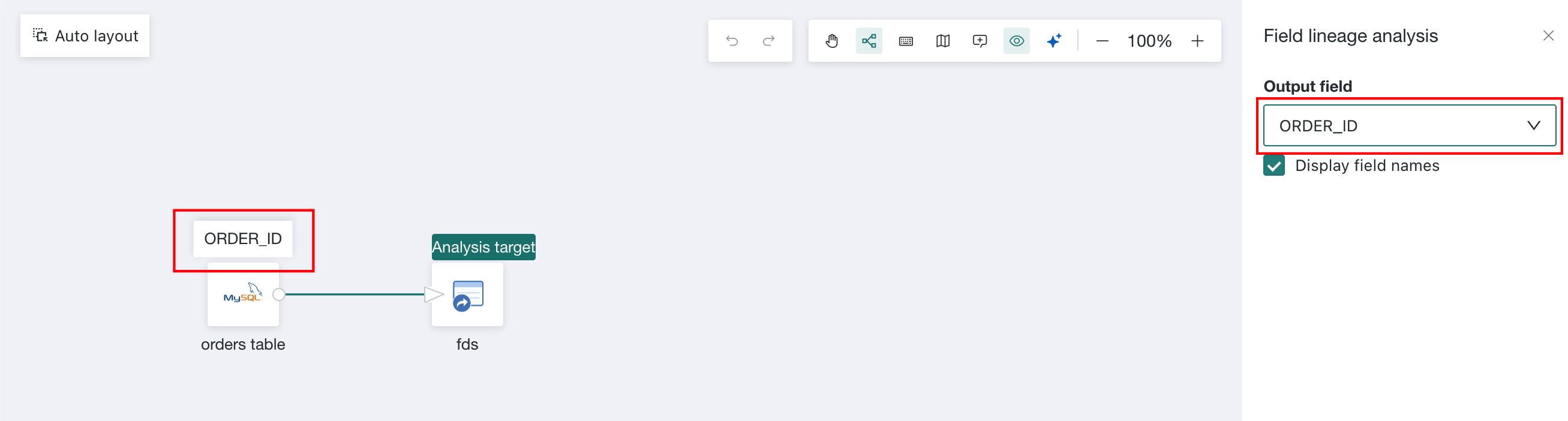
Click the lineage icon on an operator and select a field to trace its upstream operator.
Split DB Dataflow Calculation Logic
Use Case
When the logic in DB Dataflow is complex, and ETL splitting is not enabled, the platform converts the entire flow into one complex SQL statement and pushes it directly to the database. If the SQL becomes too complex, the database may fail to execute it efficiently.
Steps
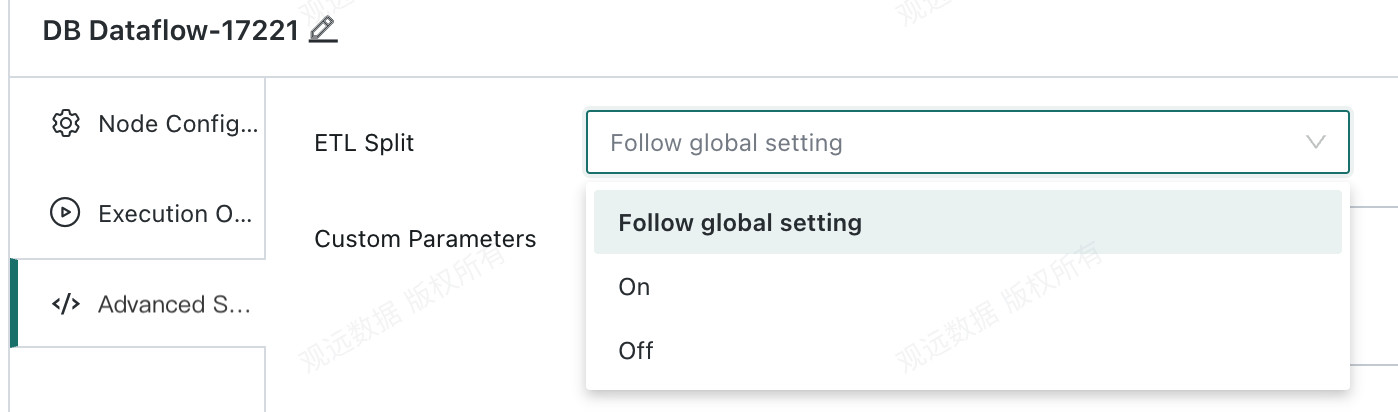
In this case, enable ETL Split. The system automatically divides the logic in DB Dataflow into multiple SQL statements and pushes them to the database for execution, improving task reliability.
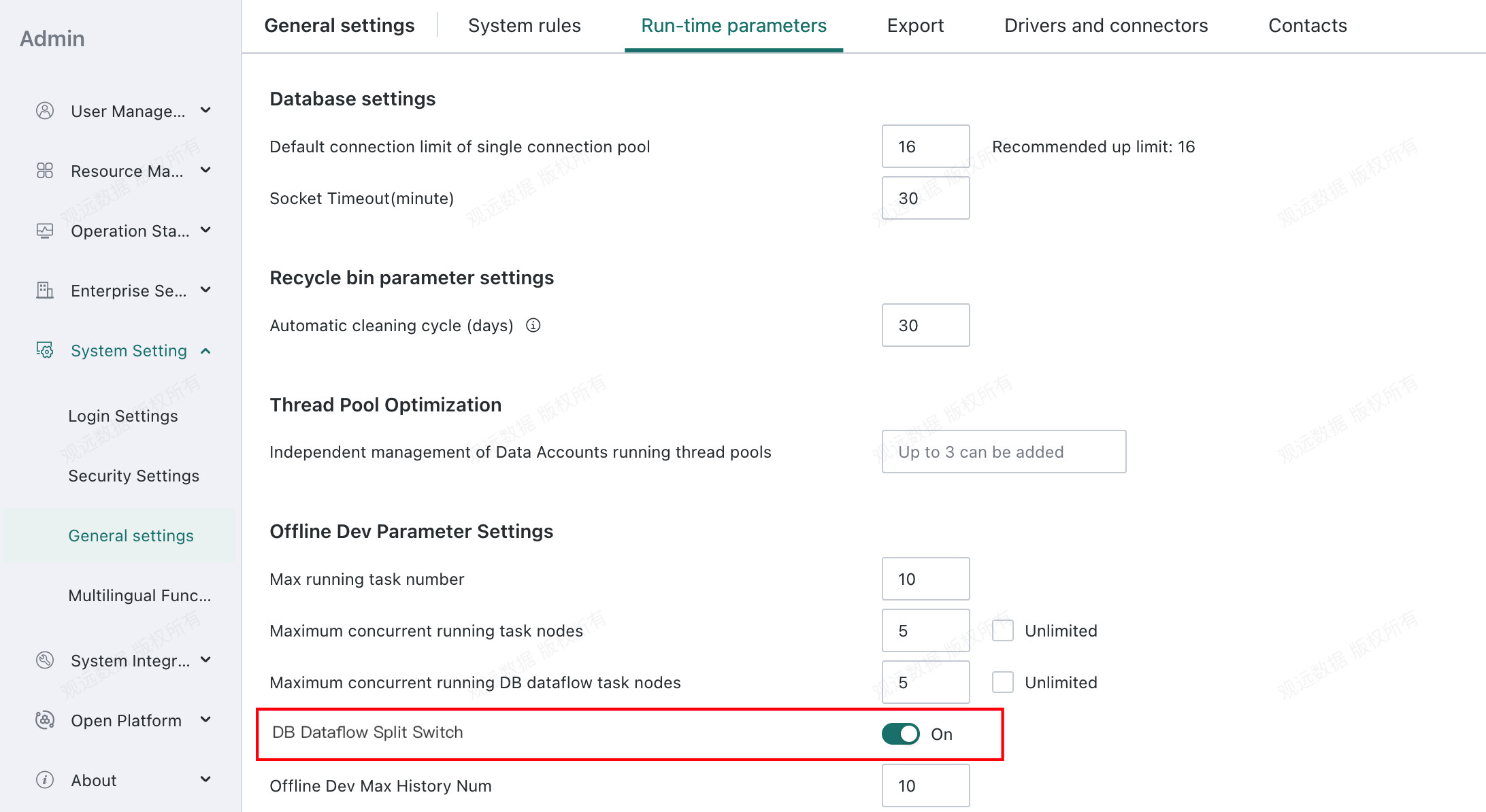
ETL Split can also be configured globally in Management Center:
Advanced Operations
Manually Configure Split Points
Use Case
For complex DB Dataflow logic or large data volumes, database memory overflow may occur during execution and cause task failures.
Solution
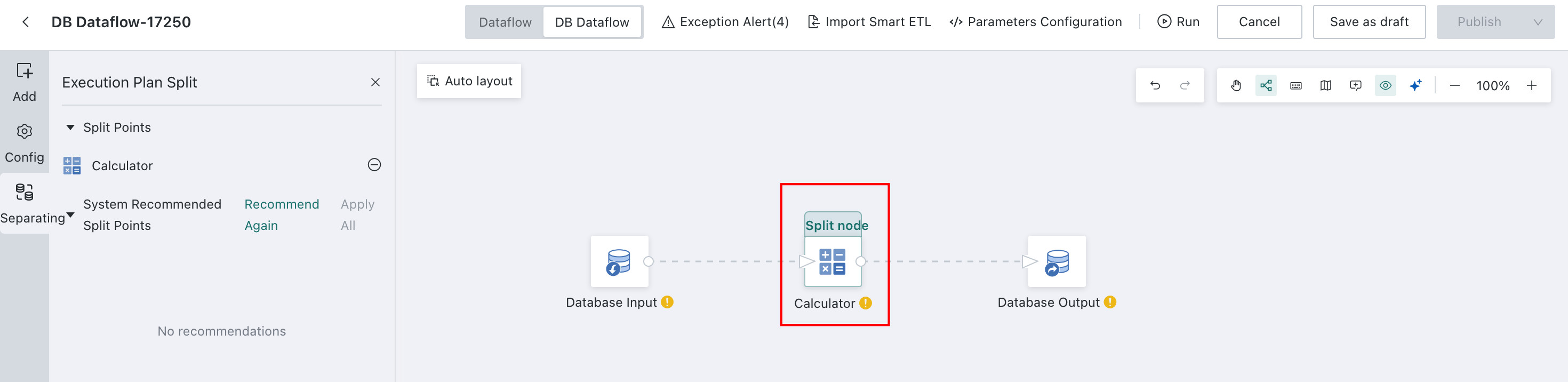
You can manually configure split points so the platform parses and executes SQL in segments, helping avoid failures caused by complex SQL or large volumes of data.
Steps
-
Edit
DB Dataflow->Split-> Select a node and click+to use it as a split point.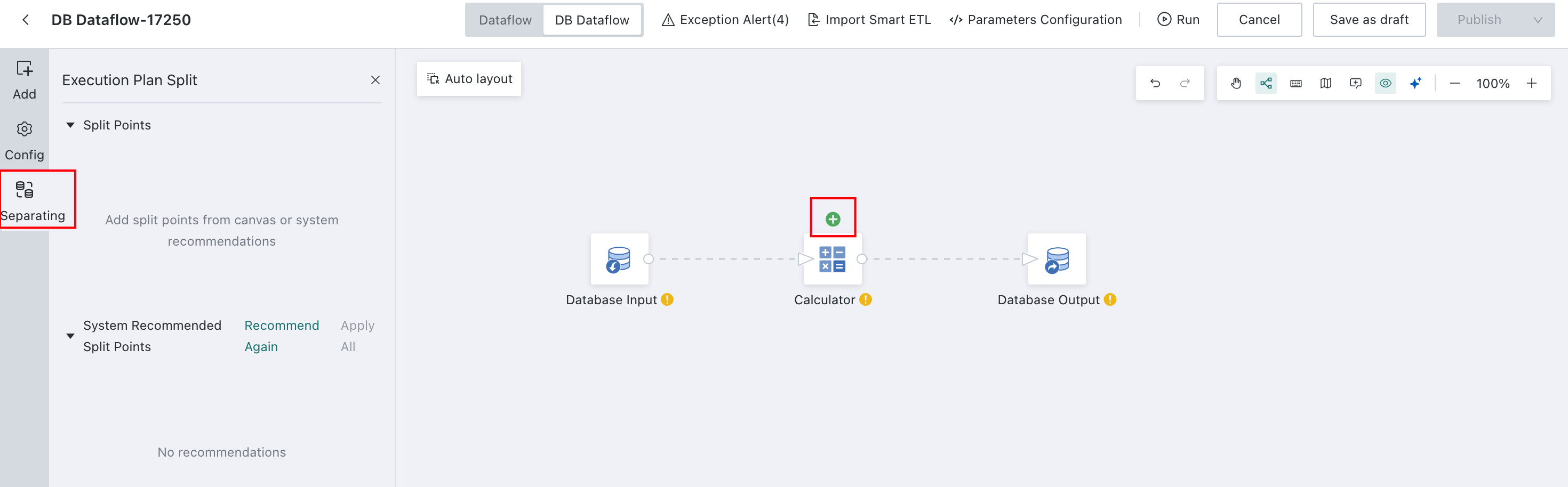
-
Run the
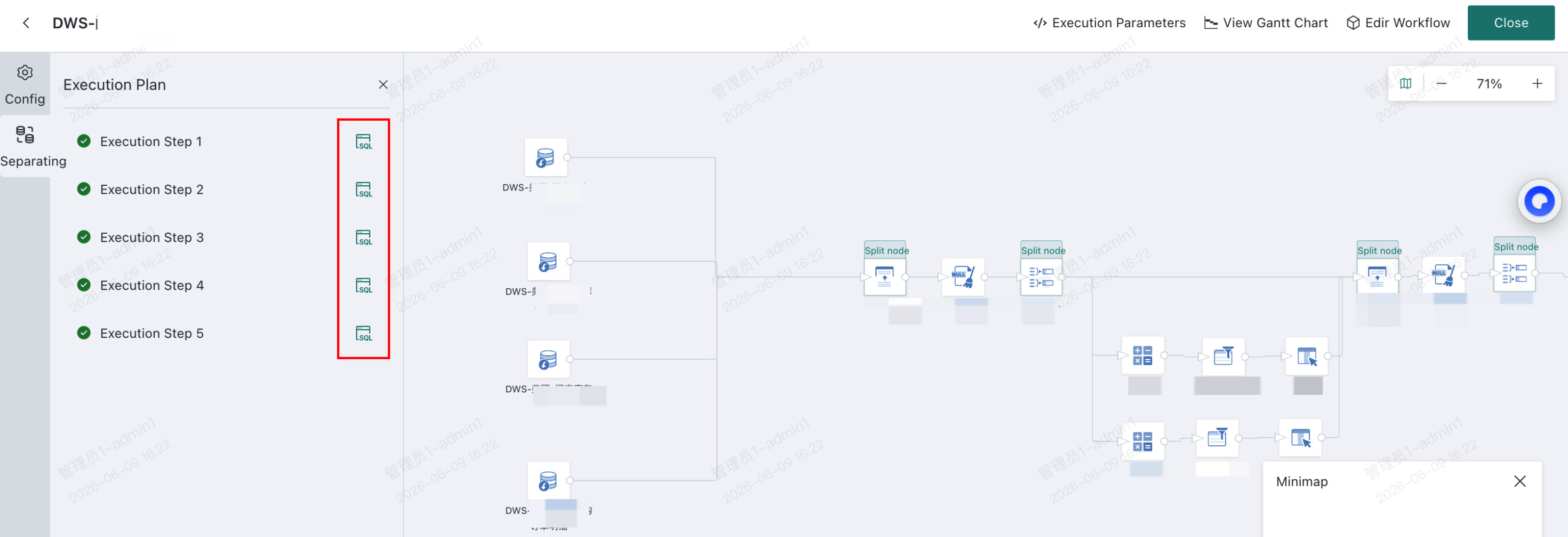
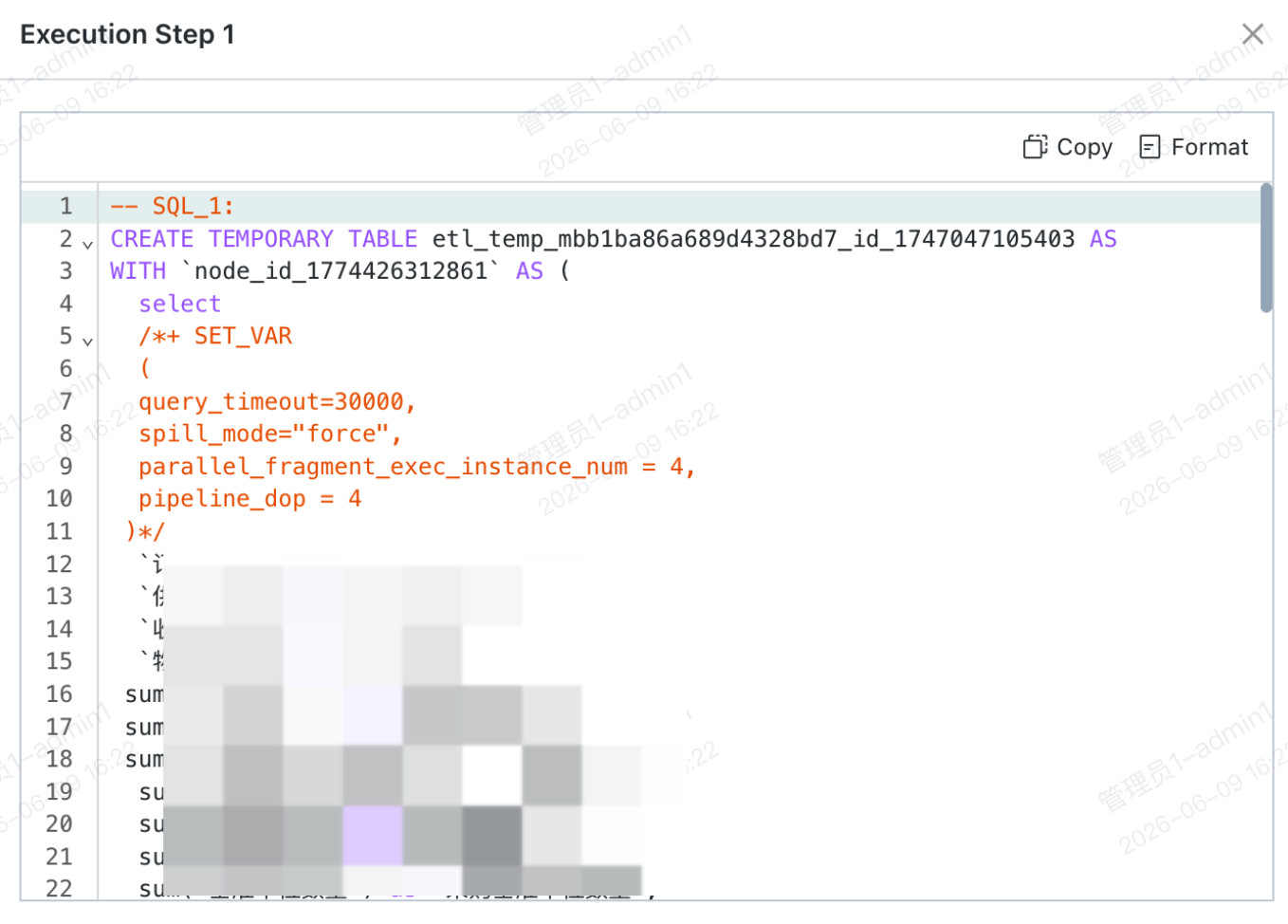
DB Dataflow, open the instance details, and enter theDB Dataflowinstance view to see the SQL generated for each split point, along with execution status and error messages from the database.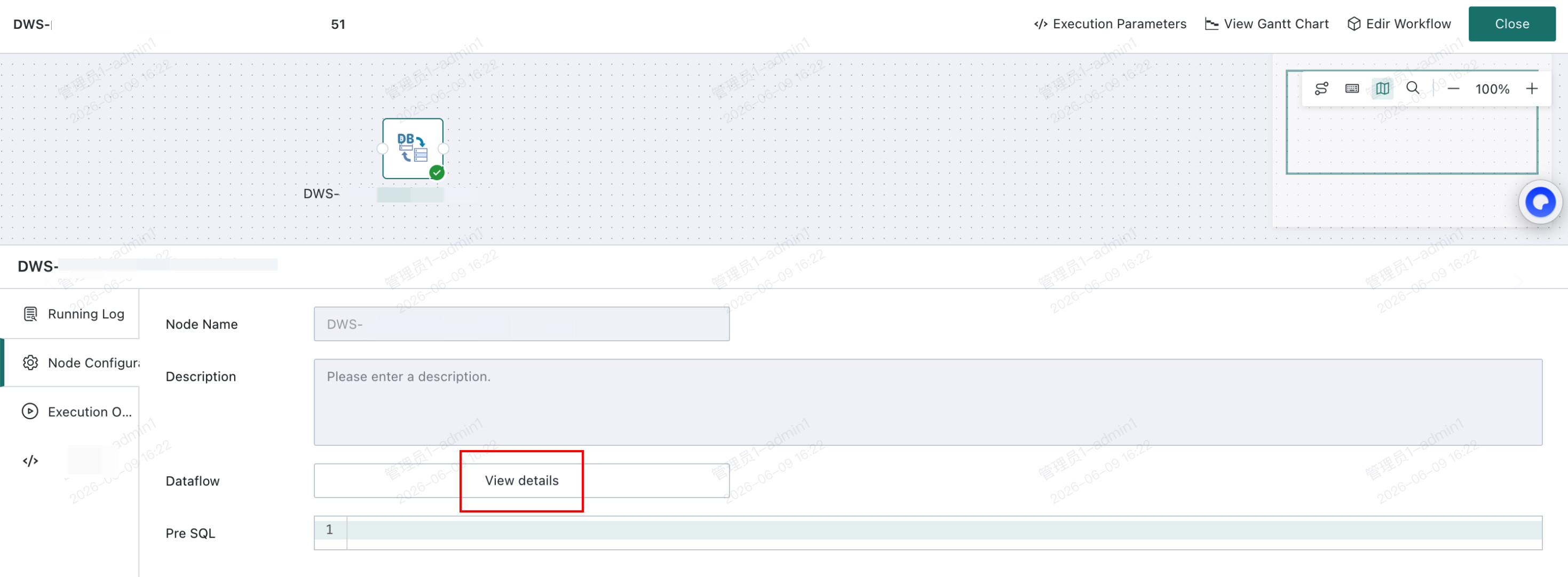
Pre-SQL
Use Case
If a Join Data node or Group Aggregate node processes too much data, even splitting that node separately may still cause database memory overflow.
Solution
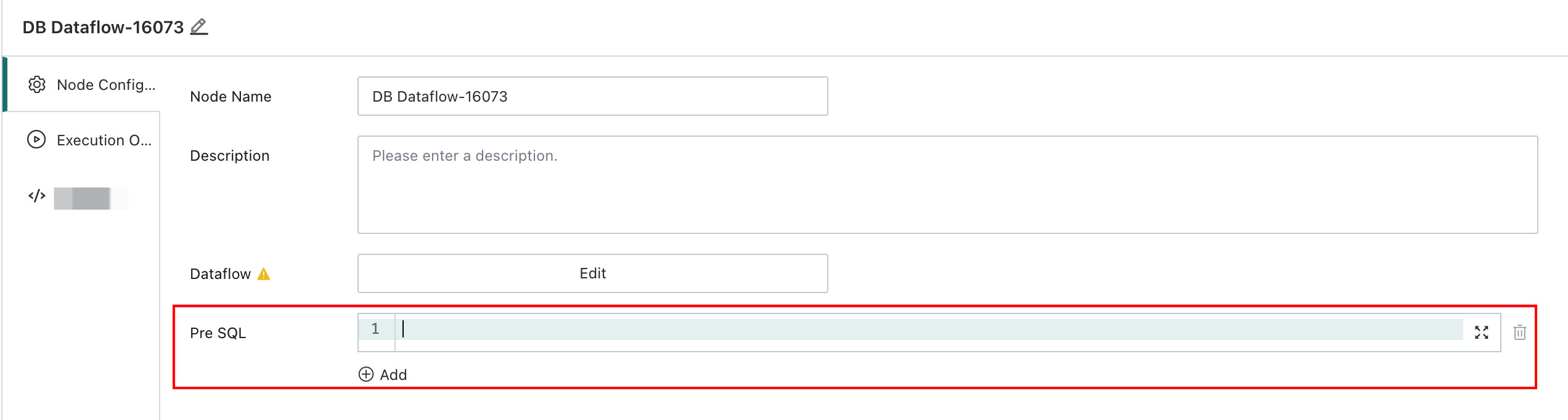
Configure Pre-SQL in the DB Dataflow node to limit concurrency or force data to disk, reducing memory usage.
Steps
In DB Dataflow -> Pre-SQL, configure the SET parameters for SQL execution. Consult your DBA for recommended settings.