Python Node
Overview
The Python Node can run Python scripts and supports specifying Input Dataset and Output Dataset for those scripts.
Node Configuration
Configure Python Images
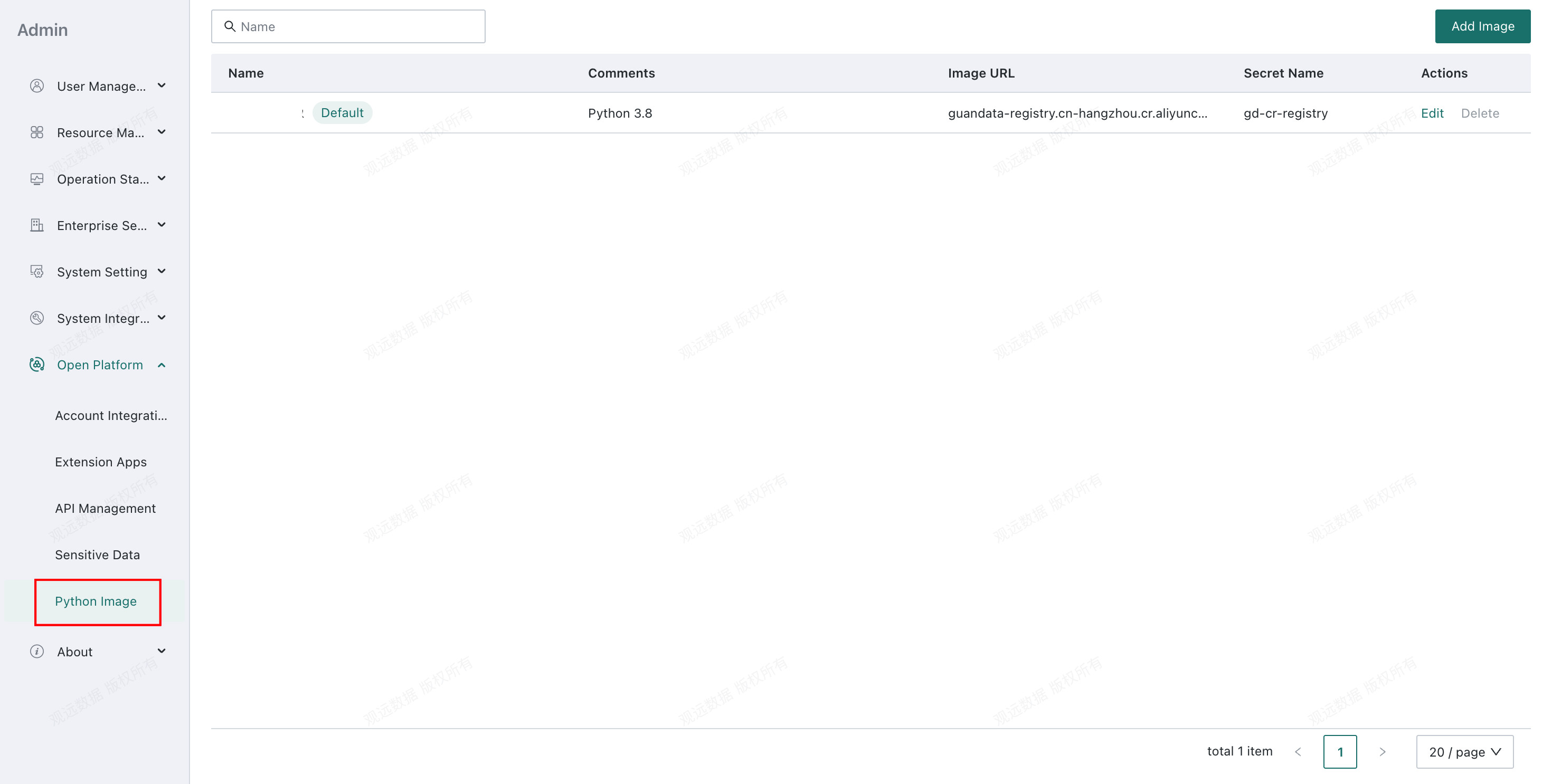
You can configure enterprise custom images in Management Center > Open Platform > Python Images, allowing the Python Node to use your own Python versions and packages.
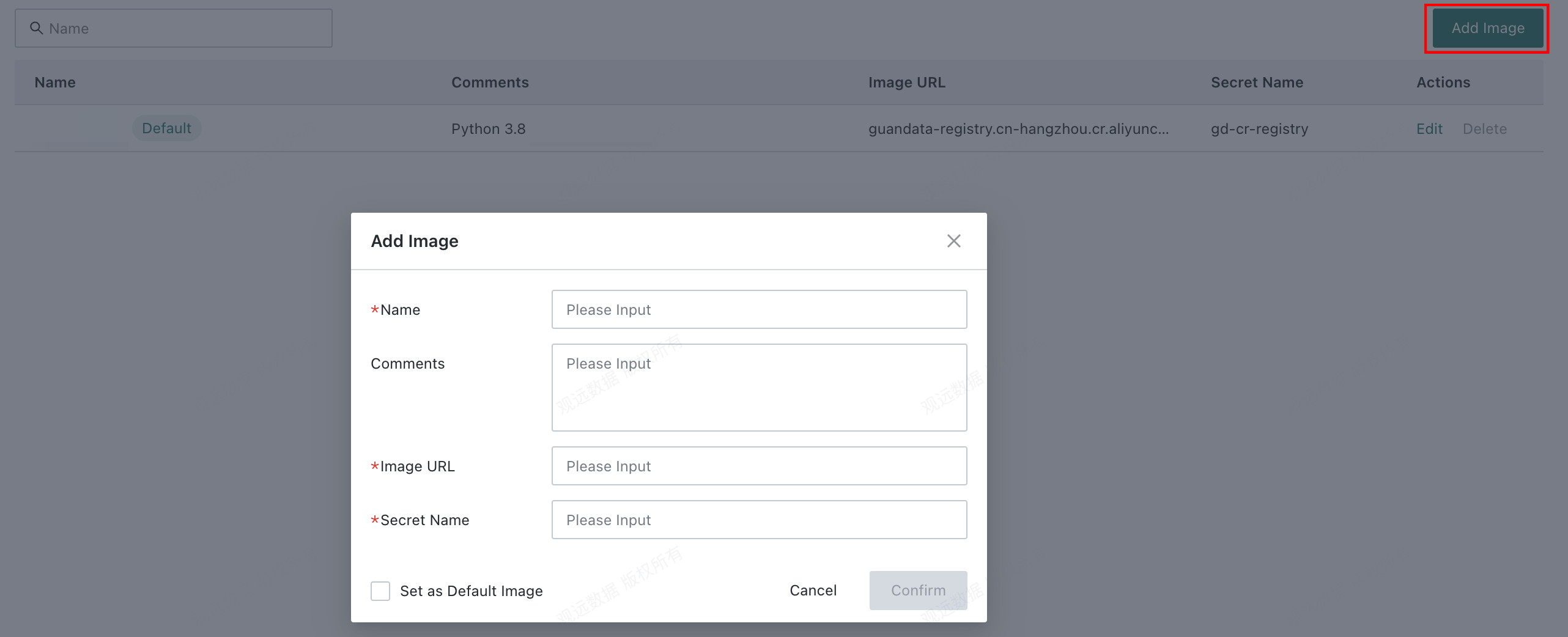
| Configuration Item | Description |
|---|---|
| Image Name | Use the image in the Python Node by image name. |
| Remarks | Description of the image. |
| Image Address | Address of the Python image. |
| Image Registry Key | Use the address and key to pull the Python image. |
| Set as Default Image | When enabled, subsequent Python Node instances use this image by default. |
Process Data in the Python Node
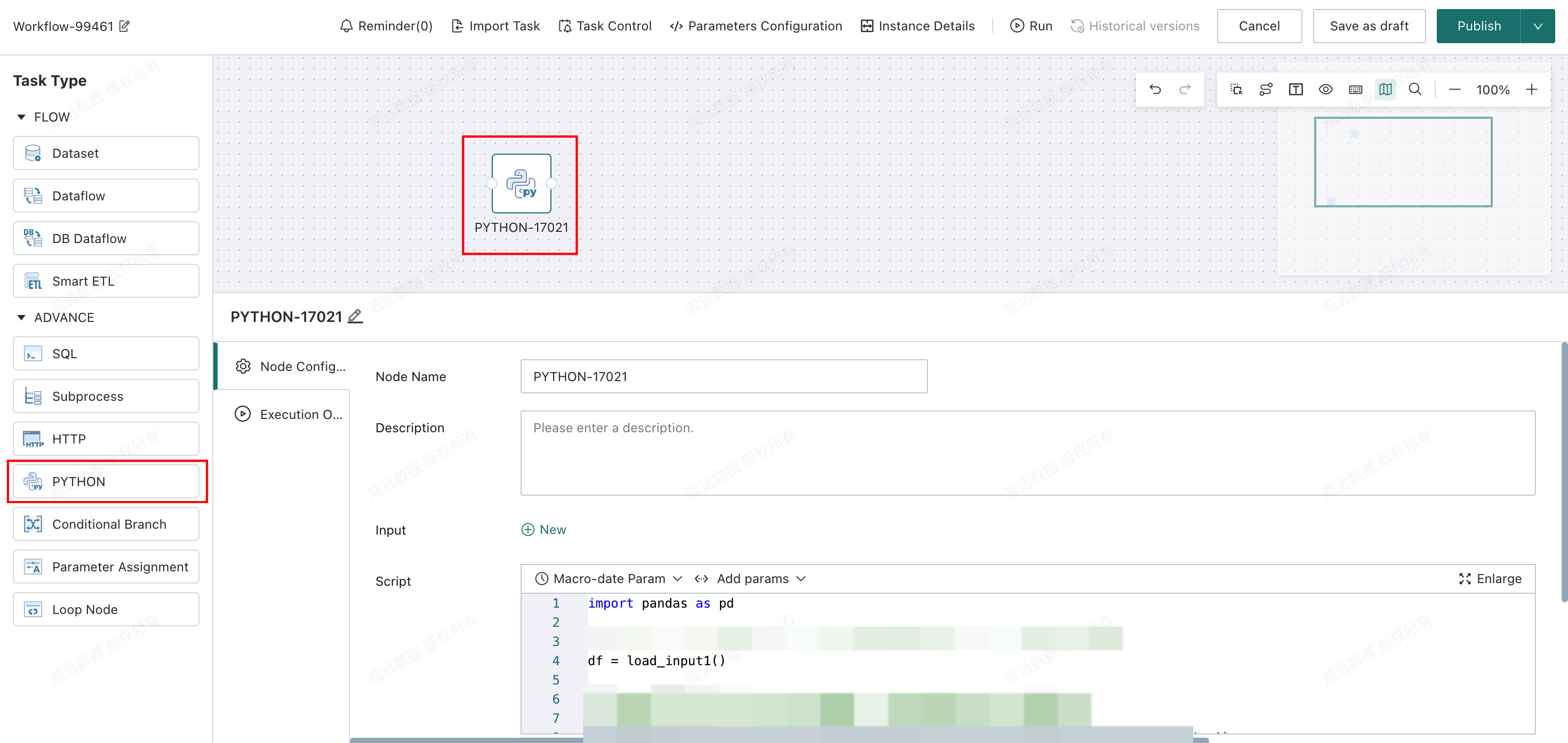
In Offline Dev > Python Node, you can process data through a Python script.
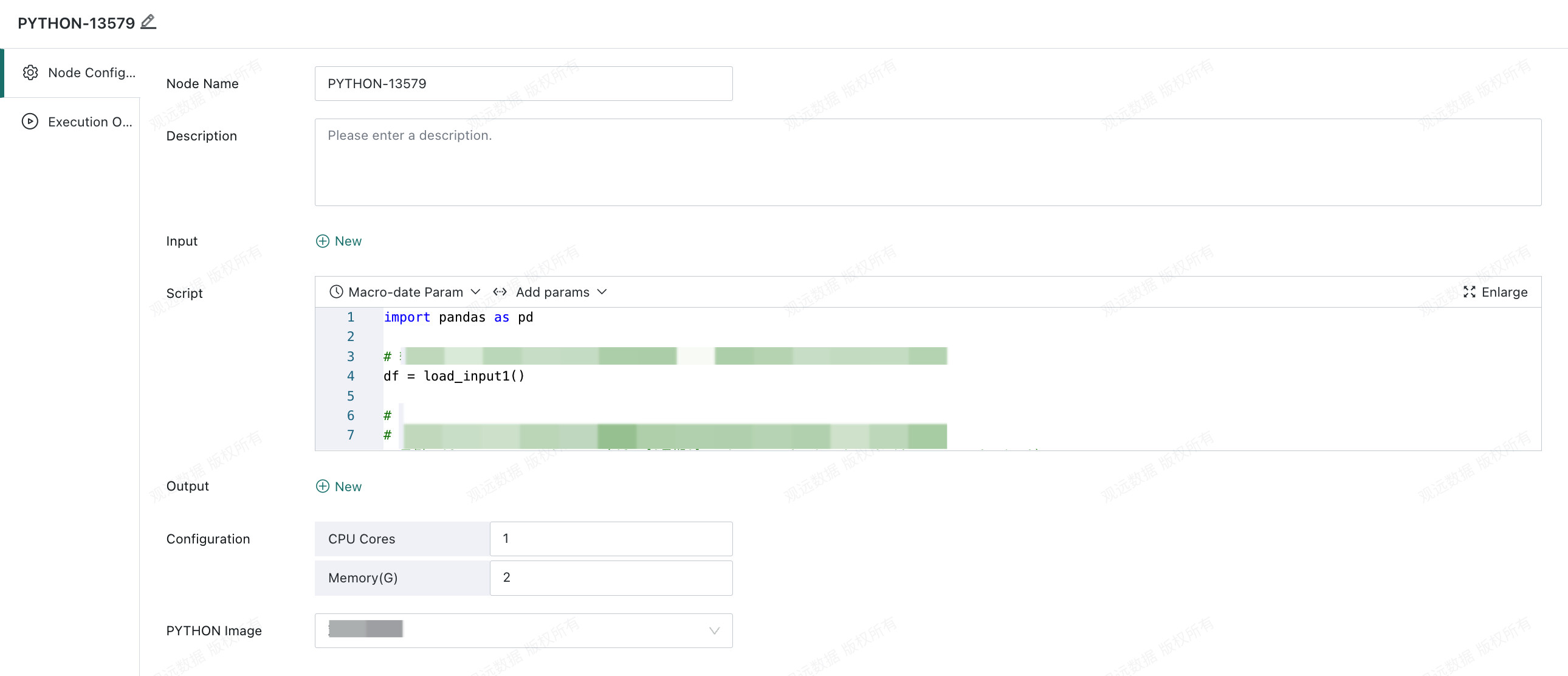
- Script: Edit the Python script to be executed.
- Default Python version:
3.8 - Built-in packages in the Python environment:
numpy,pandas,pyarrow,matplotlib, andscikit-learn - Additional packages are supported by deploying an extended Python environment.
- The script supports parameter references, including workflow parameters, time macro parameters, and task parameters.
- Default Python version:
- Input: Select the input dataset. Input data can be loaded into a Pandas DataFrame through
load_input1(),load_input2(), and similar methods. - Output: After the script processes the data, you can call
save_output1(),save_output2(), and similar methods to write results to outputs for later storage into datasets. Both full and incremental output modes are supported. - Python Image: Select an image configured in
Management Center. The default image is used unless another image is selected.
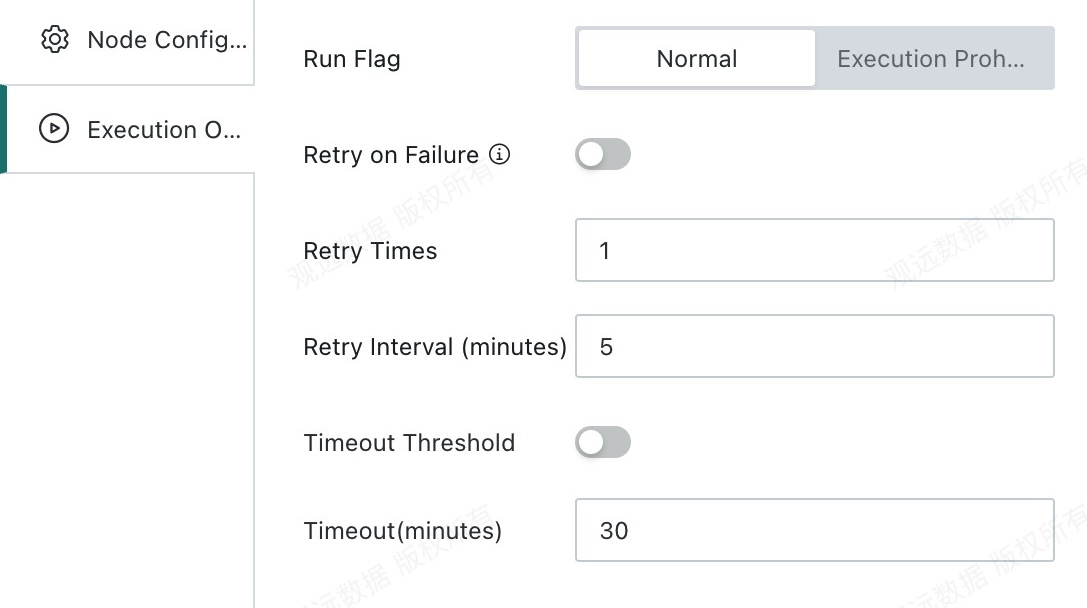
Runtime Options
- Run status
Do Not Execute: When the workflow reaches this node, execution is skipped directly. This is commonly used for temporary data troubleshooting and partial task execution control.Normal: The node runs according to the existing scheduling strategy. This is the default run status.
- Retry on failure
- Retry count: The number of automatic retries after node failure. The default is
1. - Retry interval: The interval before each retry is triggered. The default is
5minutes.
- Retry count: The number of automatic retries after node failure. The default is
- Timeout limit
- Timeout duration: The timeout limit for a single node. The node fails automatically if the limit is exceeded.