Calculator
Feature Description
Calculator introduces a new column into the original dataset and generates its value based on specific calculation or transformation rules. It supports mathematical operations, conditional logic, string concatenation, and more based on existing columns.
By extending or combining existing columns, you can create new analytical metrics based on the existing data and build a more complete data view.
For example, in a product sales table, you can add a new Total Sales field whose value equals Sales Amount * Sales Quantity. You can also use time functions such as DATE_TRUNC(week,[Order Time]) to return the first day of the week corresponding to the Order Time field.
Procedure
-
Drag the
Calculatoroperator from the dataflow operator panel into the canvas on the right.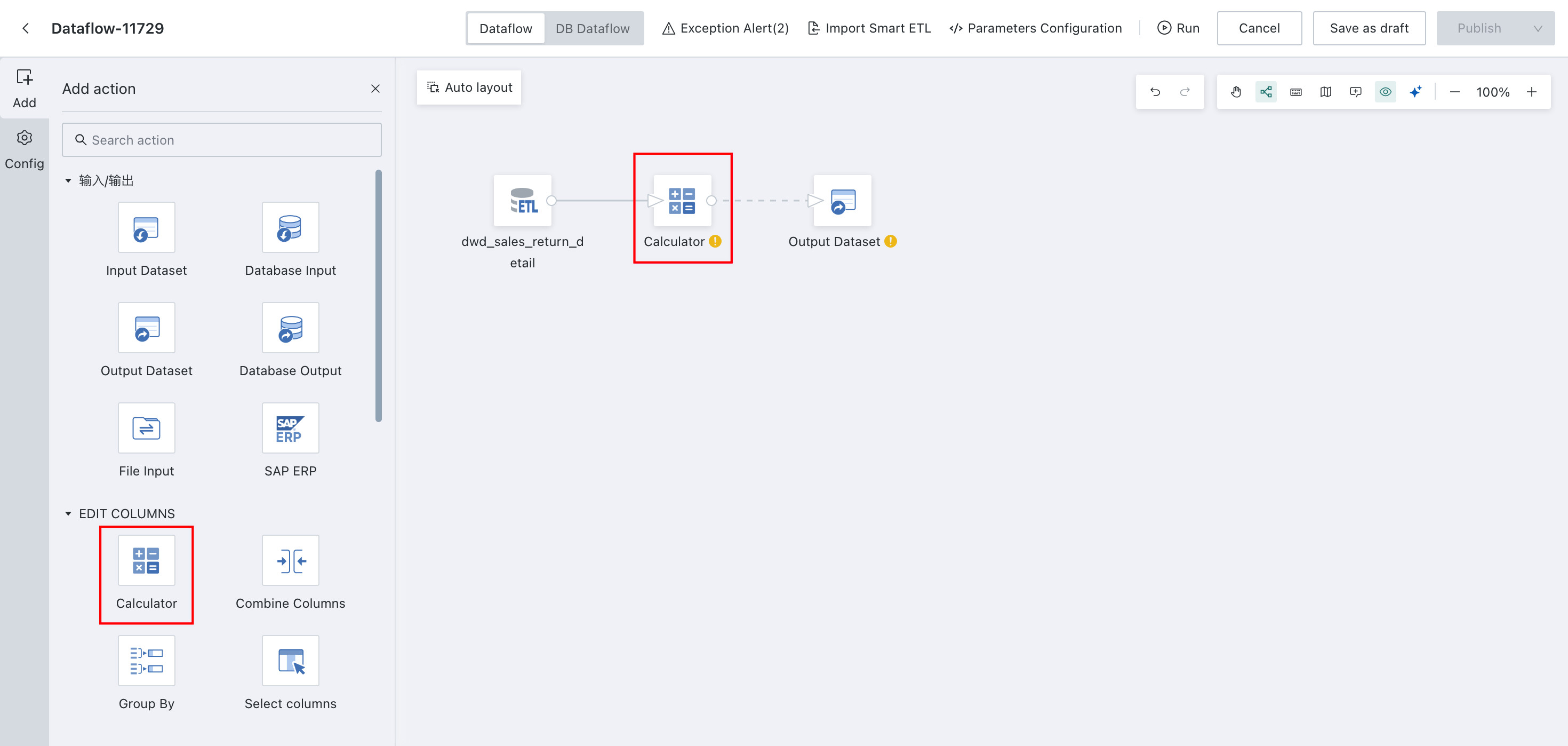
-
Click the
Calculatoroperator, then clickAdd Calculated Field. Multiple fields are supported.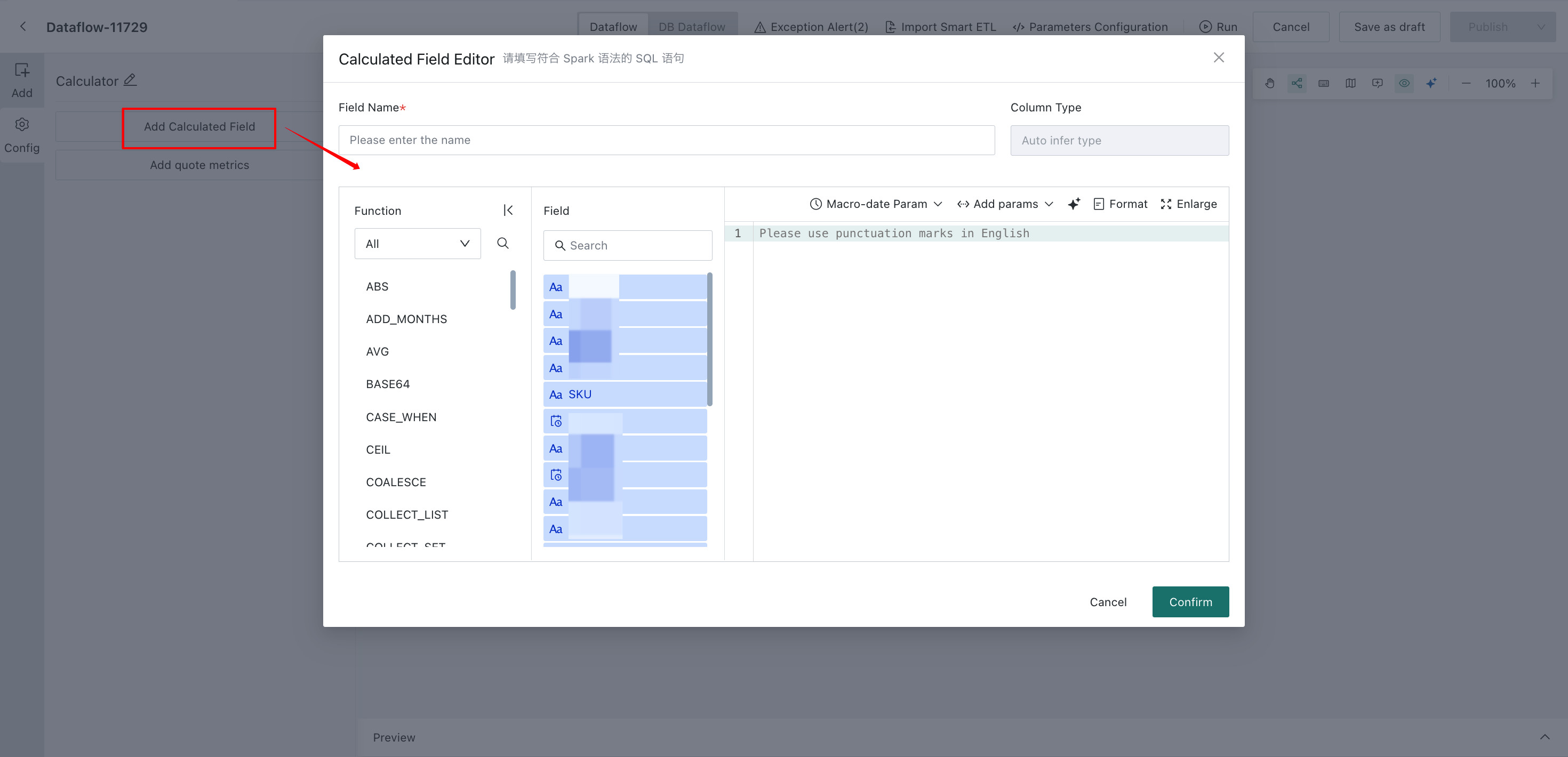
- Enter the field name, choose the field type, and write the calculation formula.
- Supported field types are
Numeric,Text,Date,Date and Time, andBoolean. - Calculation formulas support basic arithmetic operations and can be combined with functions as needed.
-
Time macro parameters, global parameters, and workflow parameters are supported.
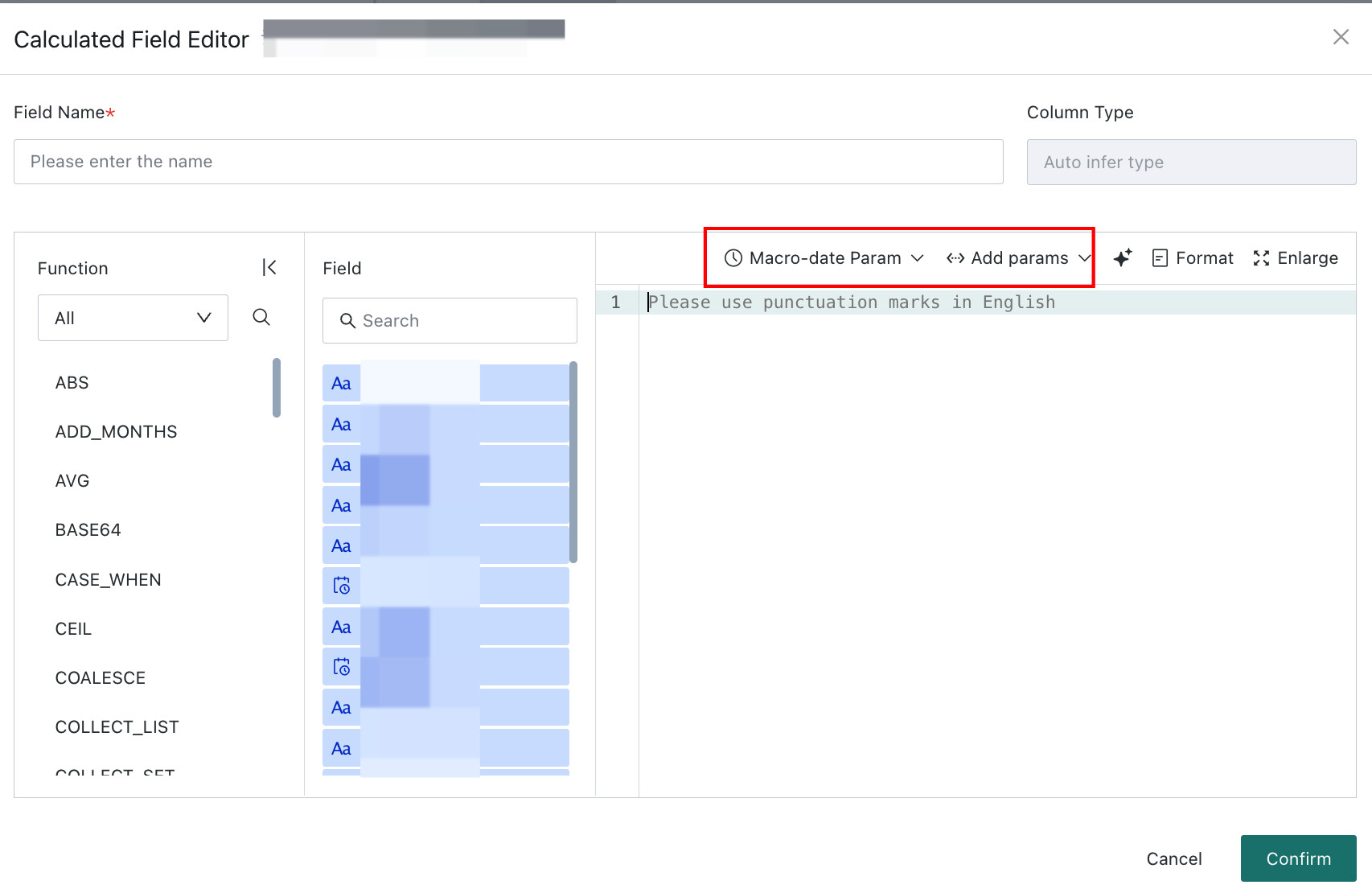
-
Click
Confirm, then clickPreviewon the current node to verify the result.