Dataflow Node
Overview
A Dataflow node reads, transforms, and writes data through operators. This guide covers node creation, previewing output, field lineage, and operator references.
Create a Dataflow Node
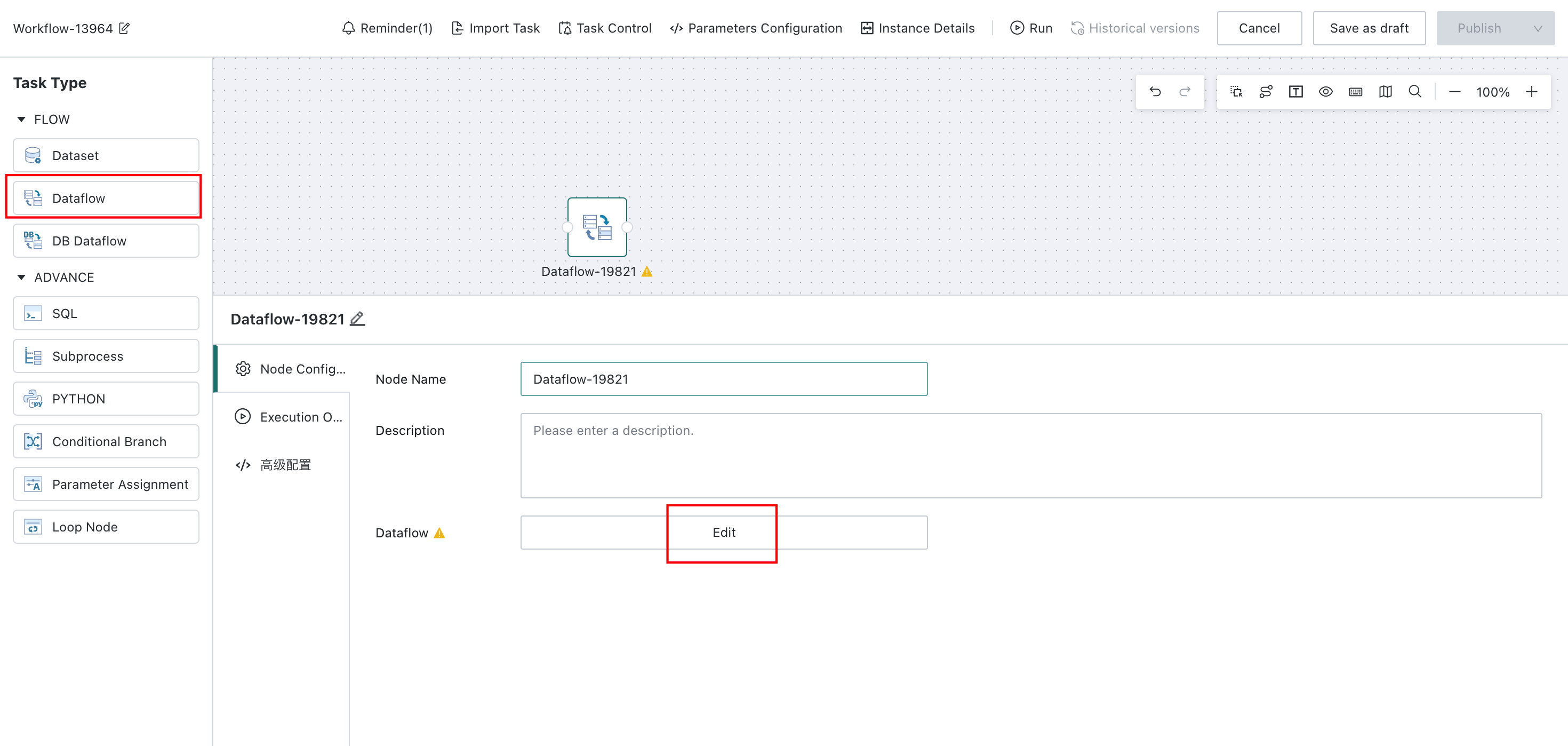
In the Offline Dev task editor, drag a Dataflow node from the left panel to the canvas. Select the node, then click Edit to open the operator editor.
Preview Node Data
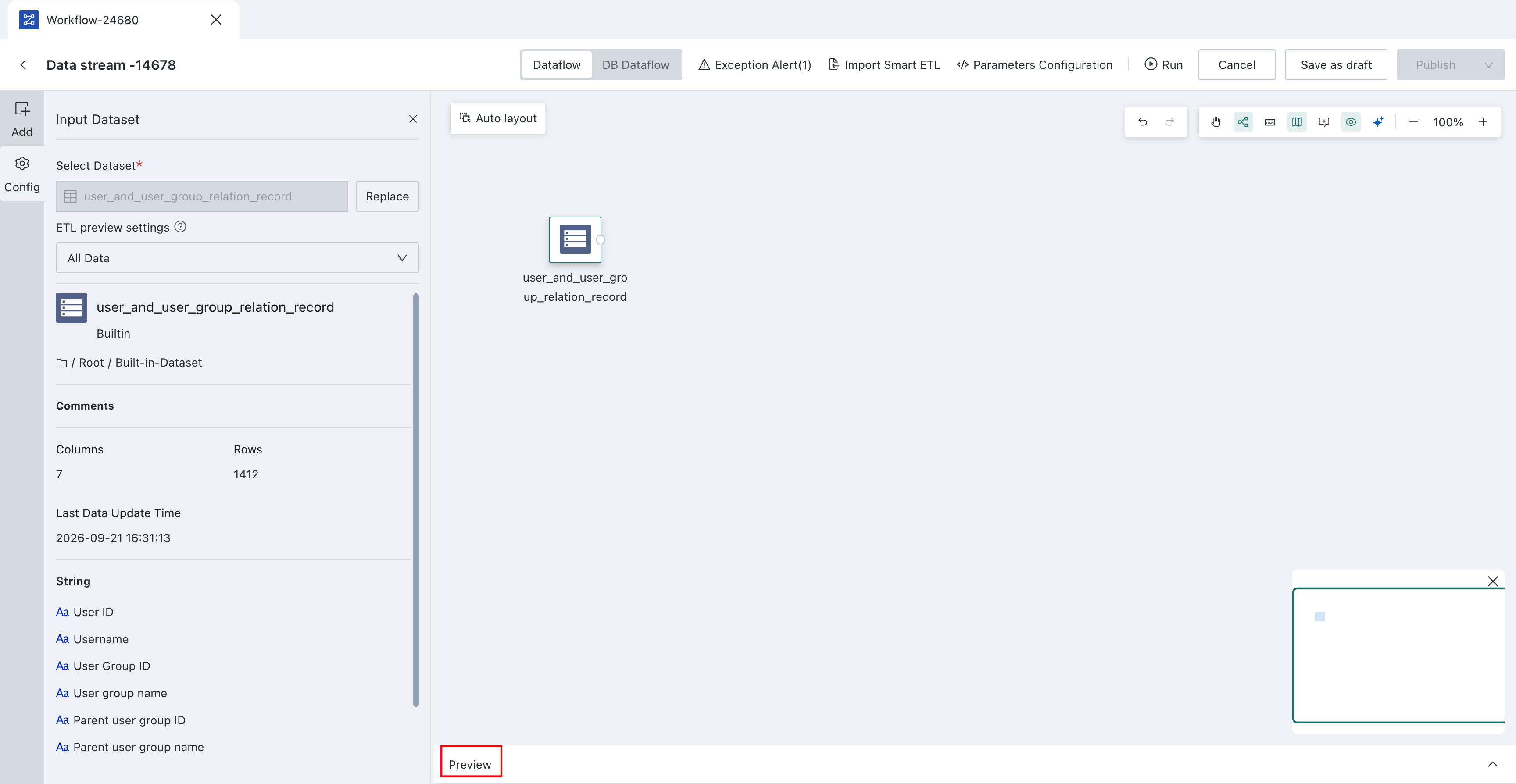
Select a node in the operator editor and click Preview. The system executes the node and its upstream logic, then displays output fields and a limited set of rows.
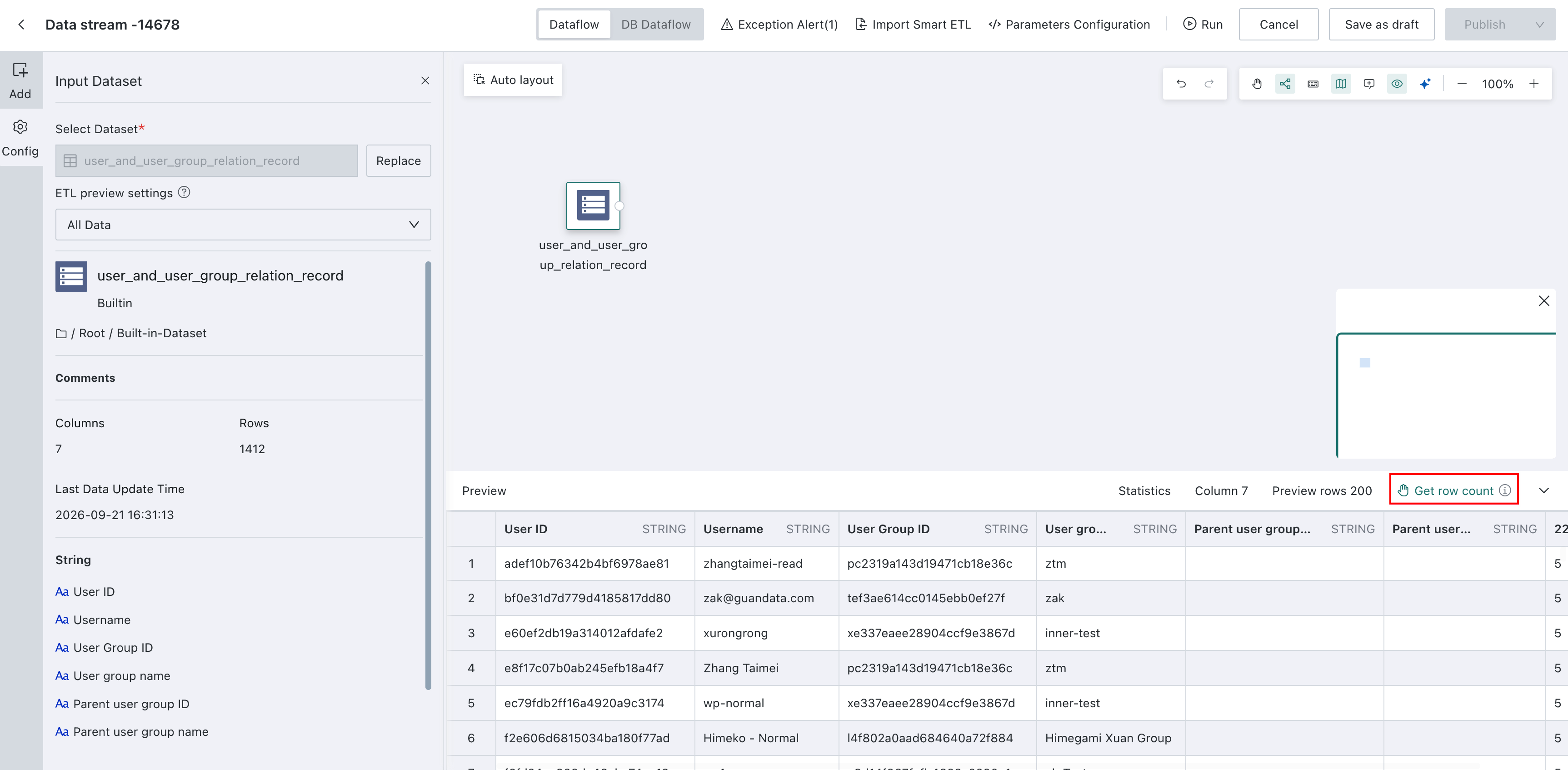
Click Get row count to calculate the total number of output rows. When complete, Full row count displays the total; this does not load all rows into the preview table.
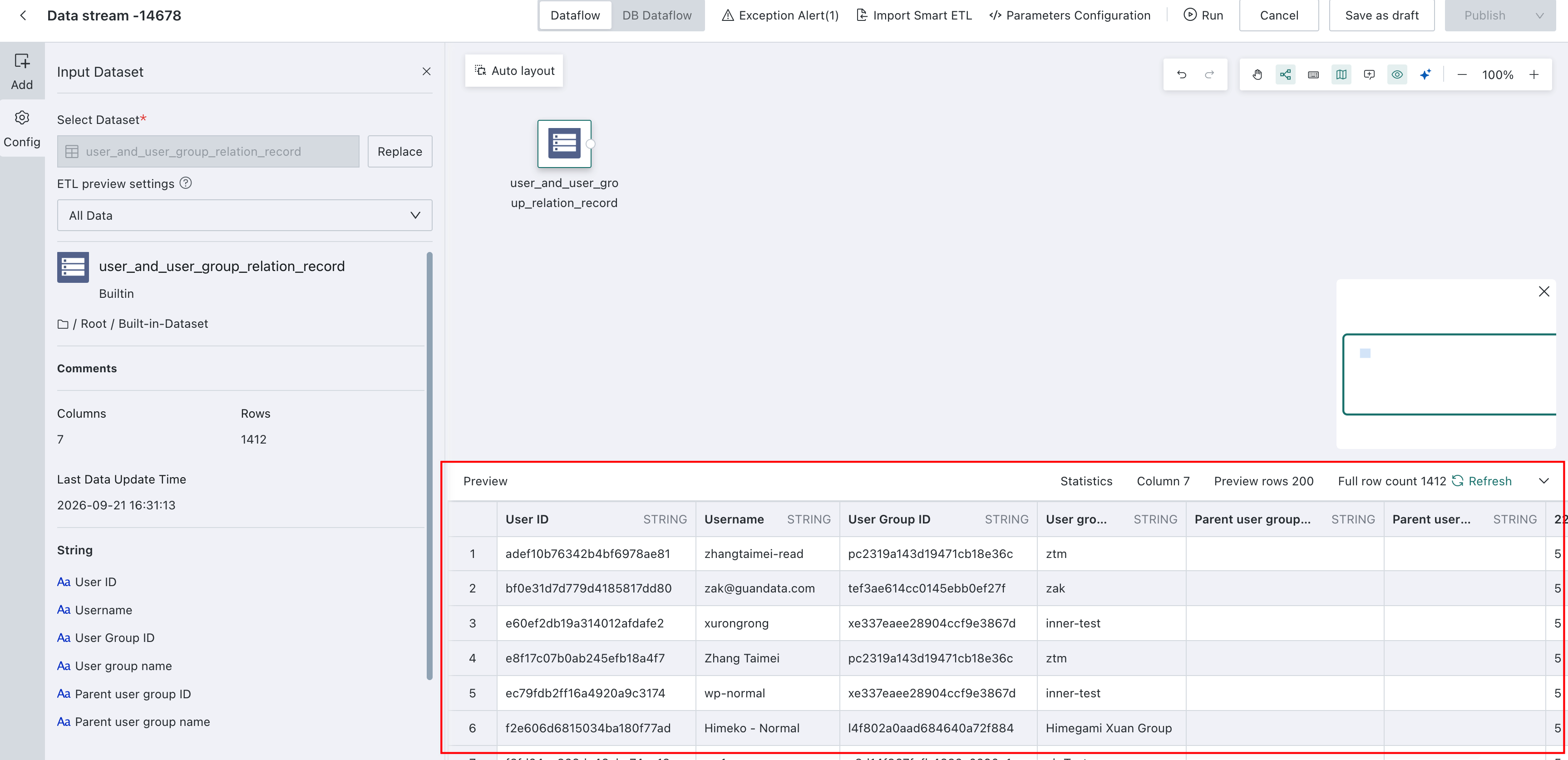
After changing the node or its upstream configuration, click Preview again to refresh the results. The preview displays a limited sample, not the complete results of a formal run.
Operator Lineage Analysis
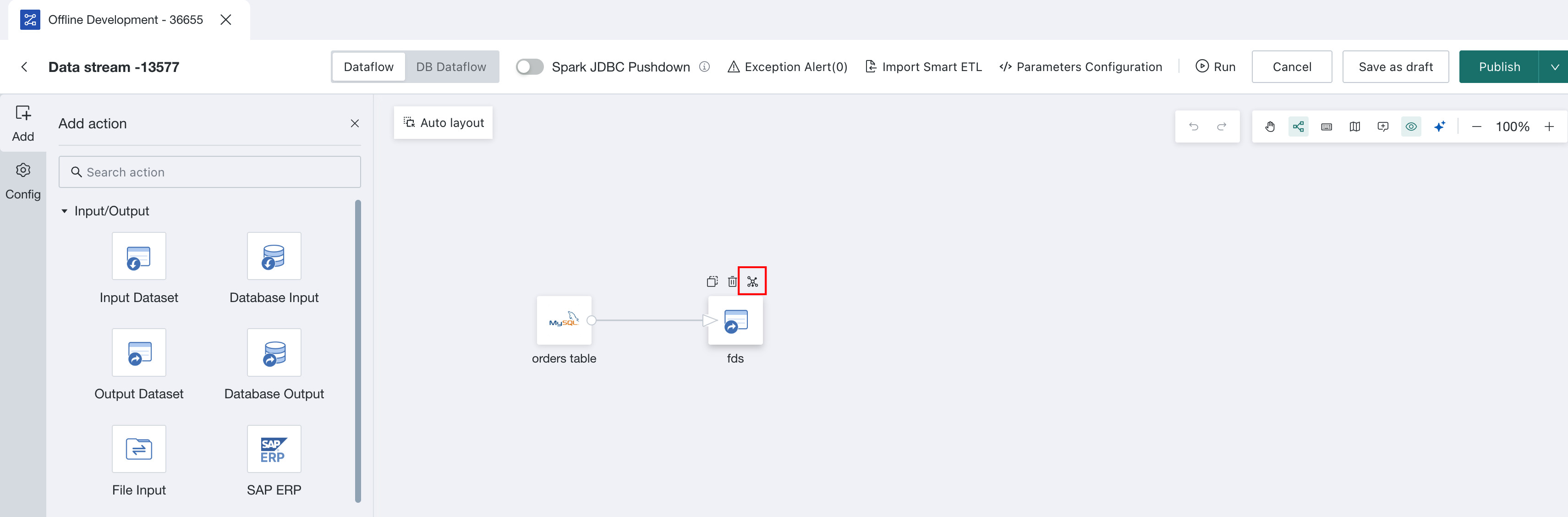
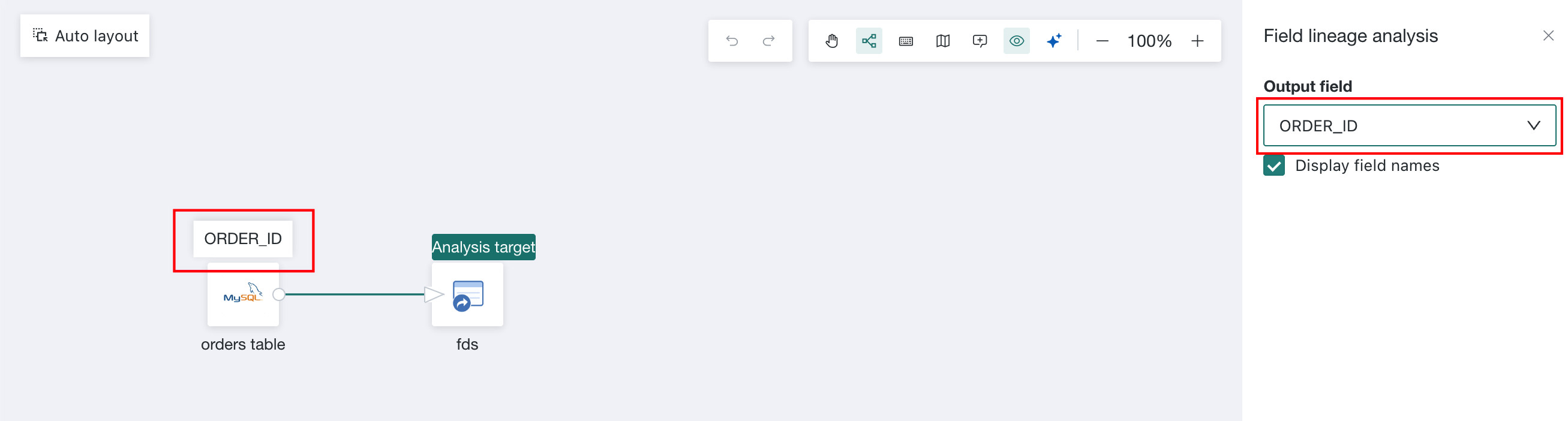
Click the lineage icon on any operator, then select a field to view its upstream operator.
Execution Engine
Version 8.3 and later use the Gluten engine, an enhanced Spark engine, to run Dataflow by default and improve performance.
Detailed Description
Dataflow Node includes the following operators. Refer to the corresponding documents as needed.
Dataset Operators
| Operator | Reference |
|---|---|
| Input Dataset | Input Dataset |
| Output Dataset | Output Dataset |
| Database Input (Advanced) | Database Input (Advanced) |
| Database Output (Advanced) | Database Output (Advanced) |
Column Editing Operators
| Operator | Reference |
|---|---|
| Add Calculated Column | Add Calculated Column |
| Merge Columns | Merge Columns |
| Group Aggregate | Group Aggregate |
| Select Columns | Select Columns |
| Pivot Rows to Columns | Pivot Rows to Columns |
| Unpivot Columns to Rows | Unpivot Columns to Rows |
Data Editing Operators
| Operator | Reference |
|---|---|
| Filter Data Rows | Filter Data Rows |
| Deduplicate | Deduplicate |
| Replace Values | Replace Values |
| Replace Null Values | Replace Null Values |
Dataset Combination
| Operator | Reference |
|---|---|
| Append Rows | Append Rows |
| Join Data | Join Data |
Advanced Calculation
SQL operator: SQL Input