SQL Input
Feature Description
The SQL Input operator helps data analysts who prefer SQL generate output datasets directly through SQL statements and shortens the configuration process.
Procedure
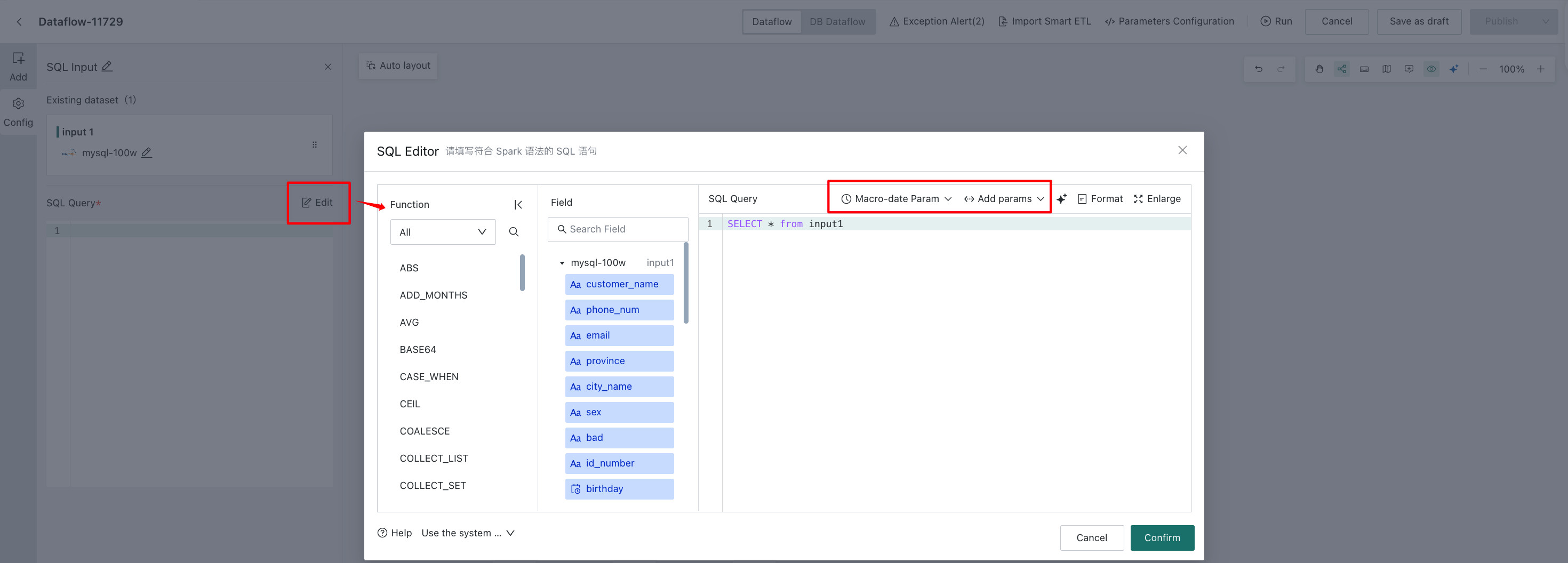
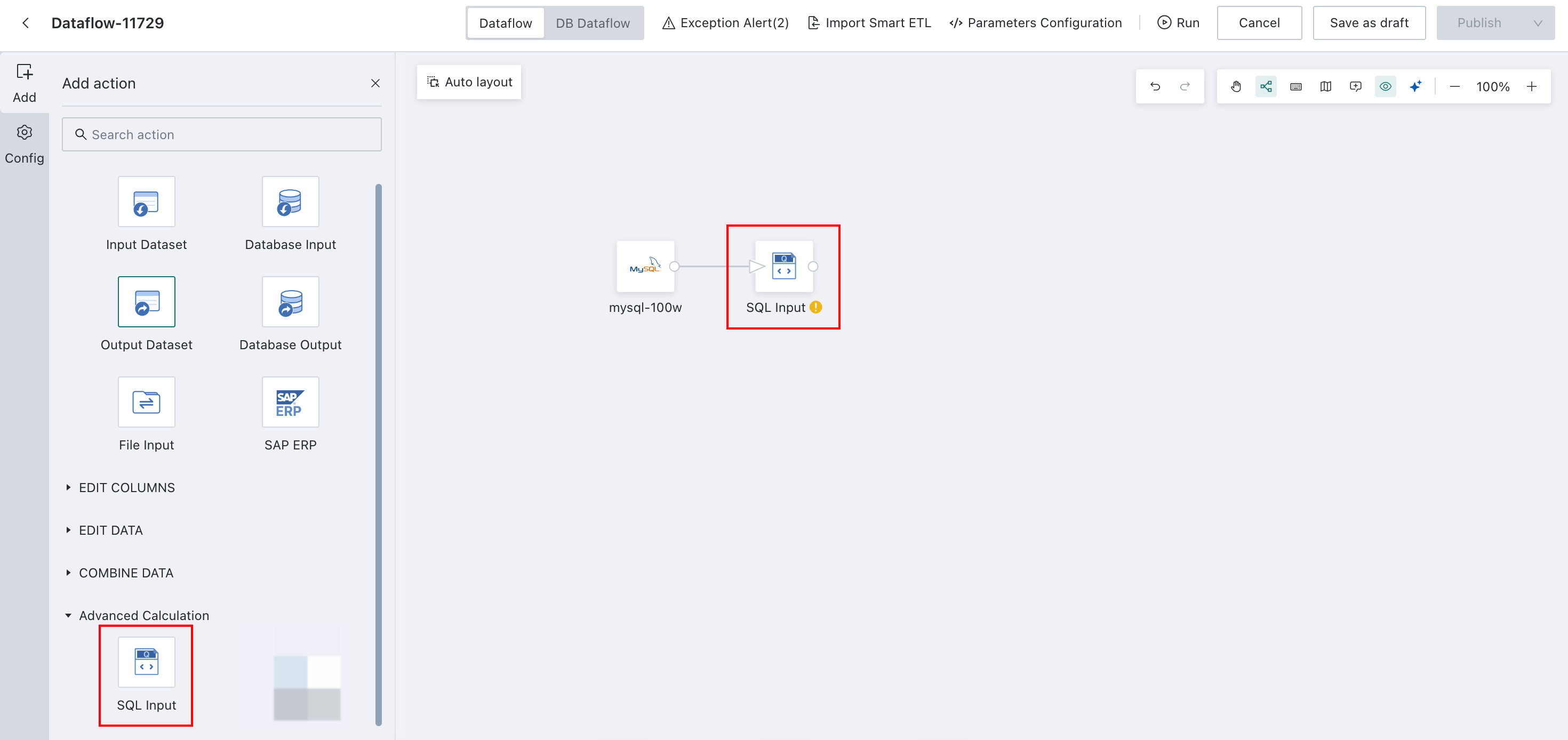
Drag the SQL Input operator onto the canvas, select the node, and click Edit. You can then reference related examples, introduce functions, fill in field names, and click Confirm.
Tip: When adding fields to the SQL editor, multiple fields can be selected at once. Shift supports consecutive multi-selection, and Command supports non-consecutive multi-selection. In the Fields panel, click the first input field, then hold Shift and select another field to insert multiple fields into the query box automatically with separators. The same applies when using Command.
SQL statements support time macro parameters, global parameters, and workflow parameters.