Alert Notification
Alert Notification Overview
When a task enters an abnormal state such as failure or timeout, the system can automatically send alert messages through multiple notification channels, including email, WeCom, DingTalk, and other common OA systems, as well as API-based delivery methods such as group bots, so that the responsible users can respond quickly and reduce operational risk.
How to Use Alert Notification
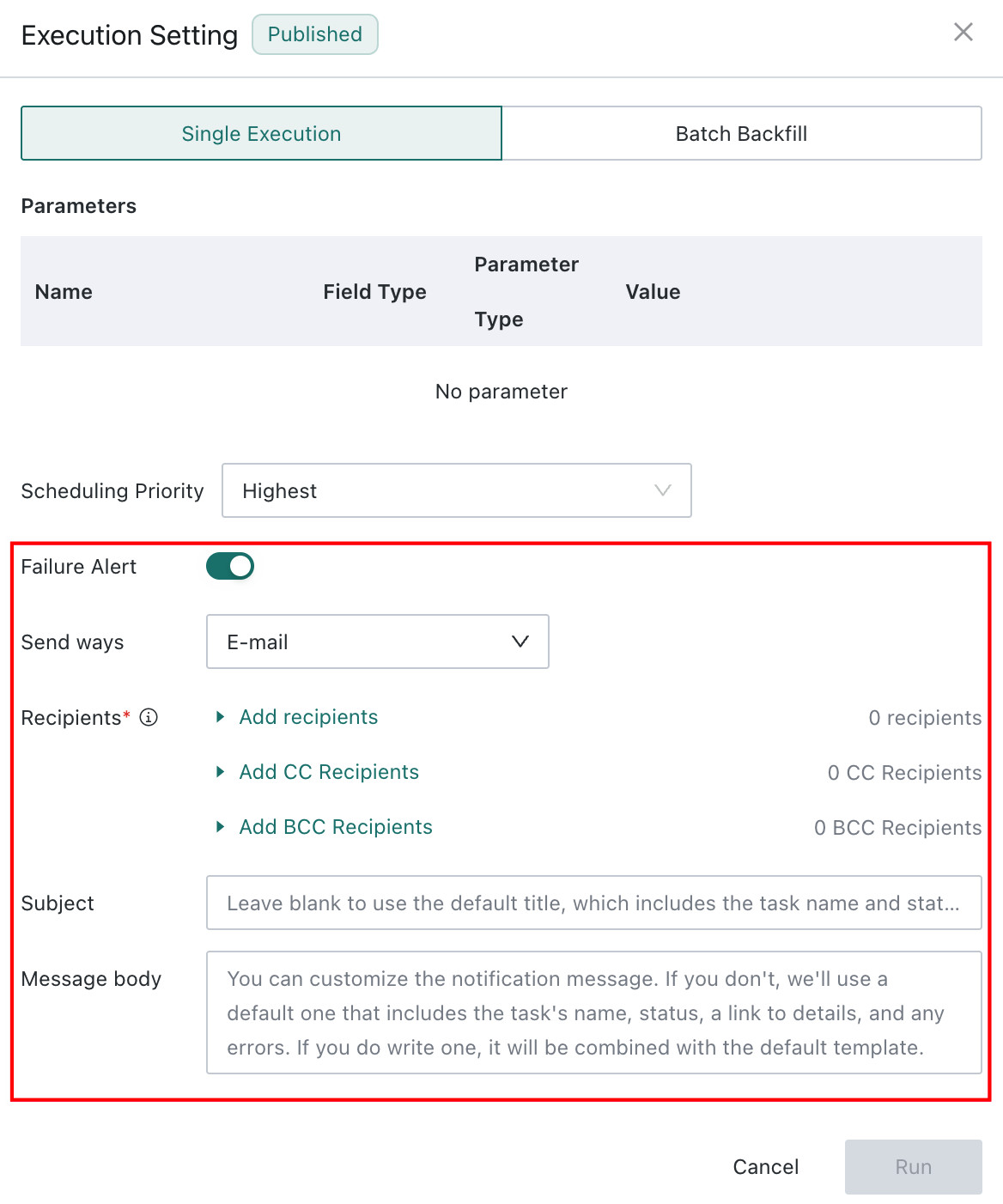
Task failure notifications can send success or failure messages through specified channels. Supported notification channels include email, DingTalk, Feishu, and other mainstream OA tools, with some channels supporting group-bot Webhook delivery. Alert information can also be pushed to external systems through Webhook interfaces.
- Go to the
Offline Devtask details page. - Click the
Editbutton in the upper-right corner. - Select the notification channel, add recipients, and fill in the notification title and message content.
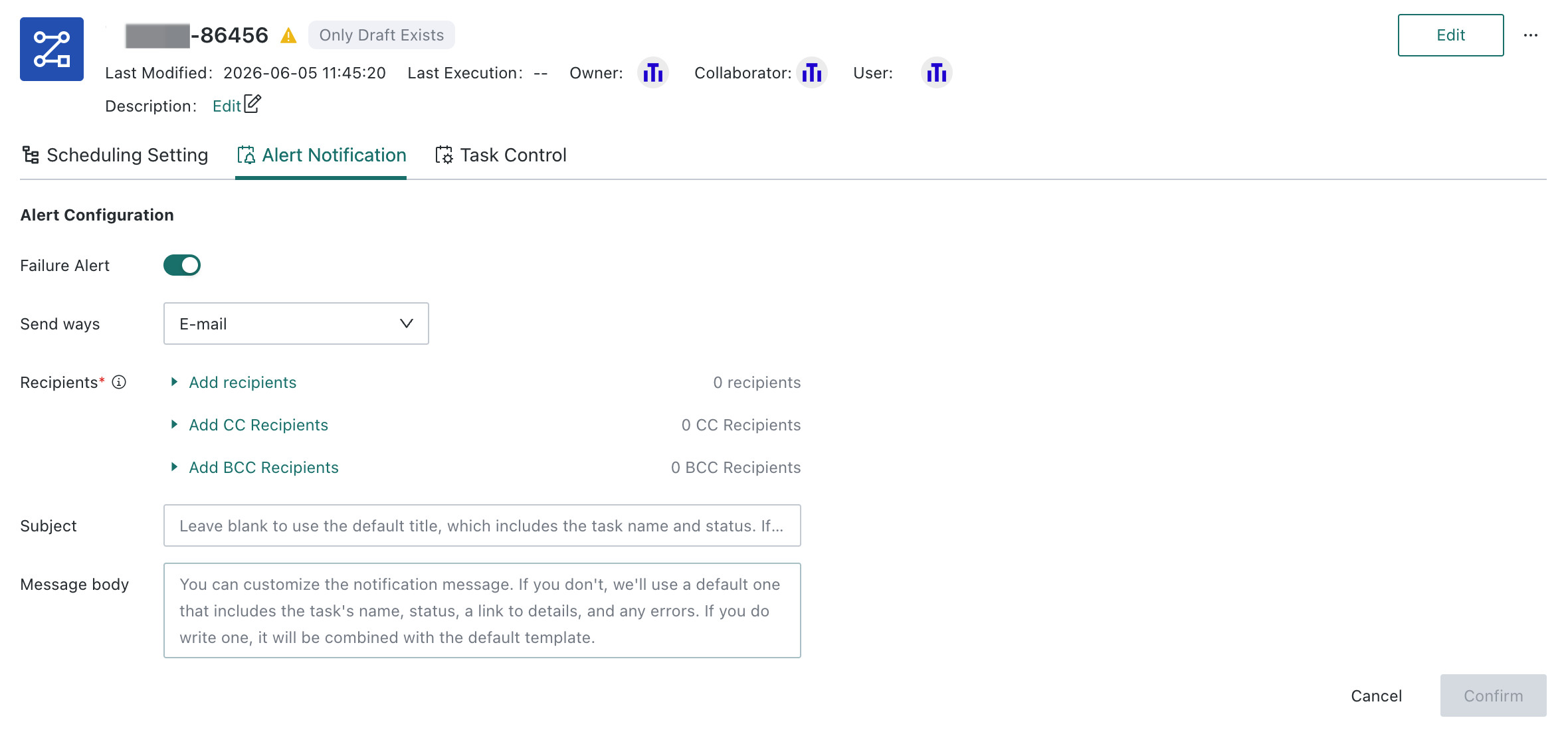
Batch Alert Configuration Is Supported
Select multiple Offline Dev tasks and configure alerts for them in batches.
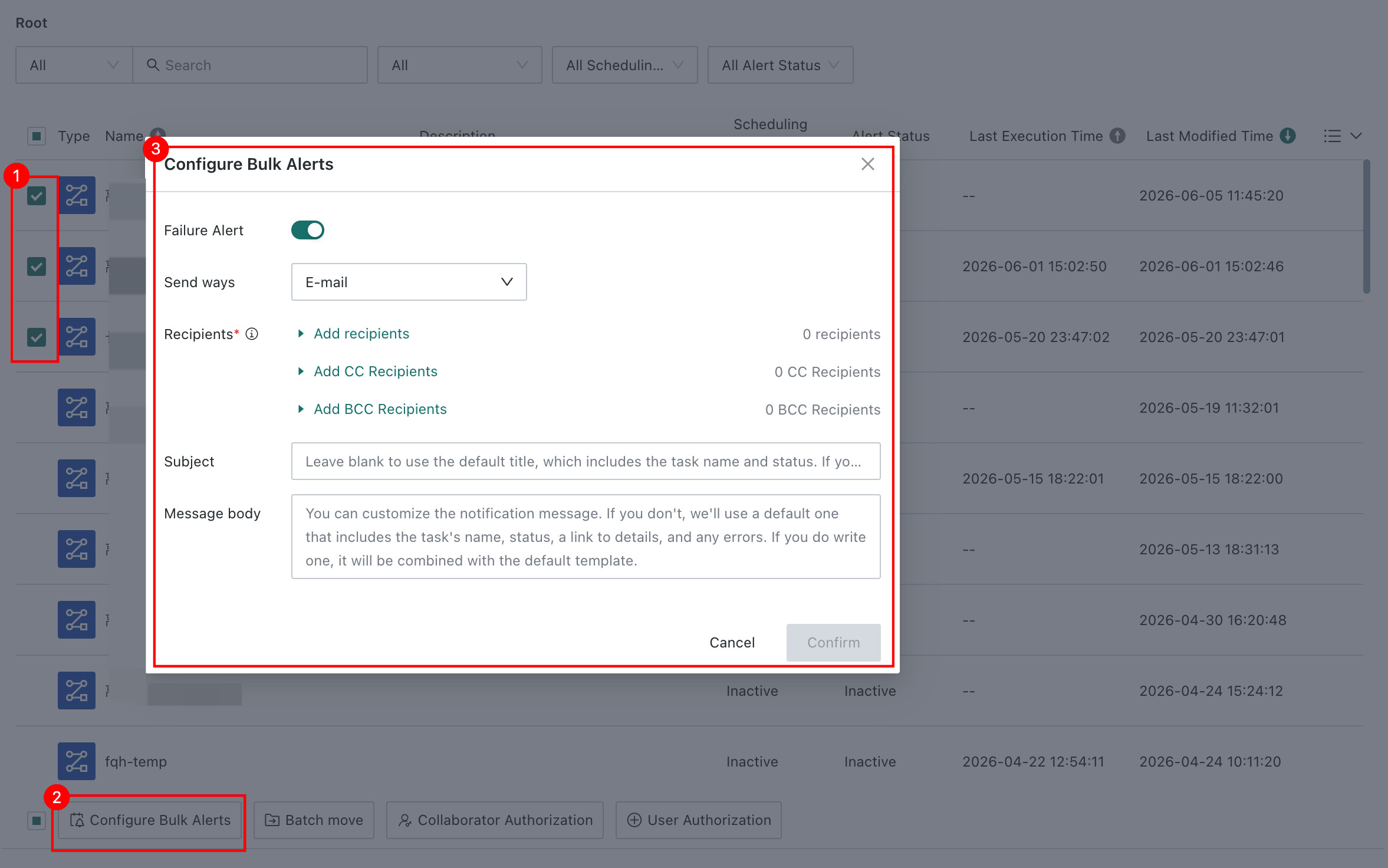
Manual Task Runs Can Be Configured with Separate Alerts
When running a task manually, you can choose whether to send failure notifications and separately configure the notification channel, recipients, and message content.