Conditional Branch
Overview
In data development scenarios, you may need to execute different downstream logic based on the value of a variable. The Conditional Branch node provides if-style control logic to manage downstream execution flexibly.
Node Configuration
-
Drag the
Conditional Branchoperator from the operator panel into the canvas on the right. AConditional Branchusually connects to two or more downstream nodes.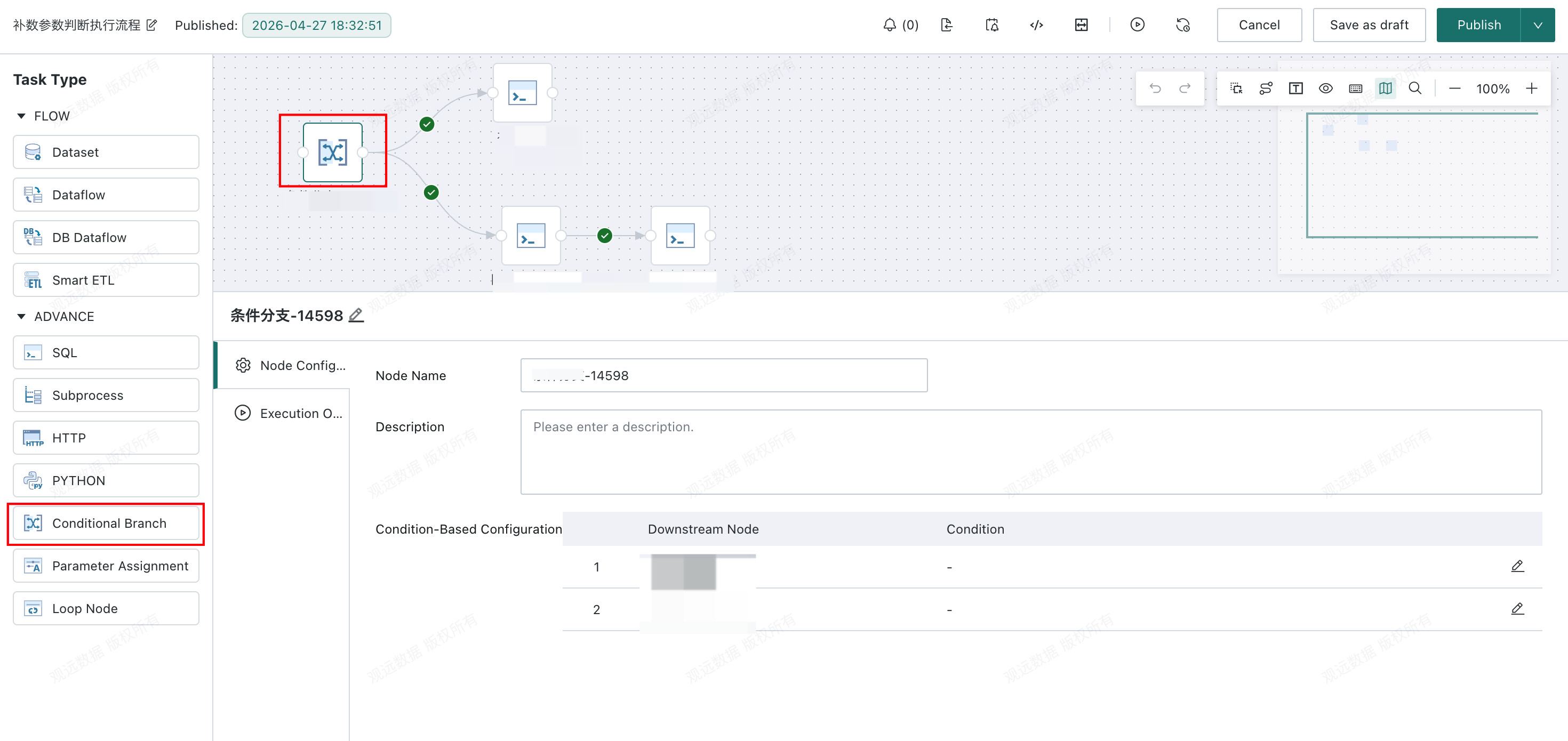
-
Conditional Branchis typically used together with parameters. Configure the run condition for the node:- If the condition evaluates to
true, downstream nodes run. - If the condition evaluates to
false, downstream nodes do not run. - If no condition is configured, downstream nodes run by default.
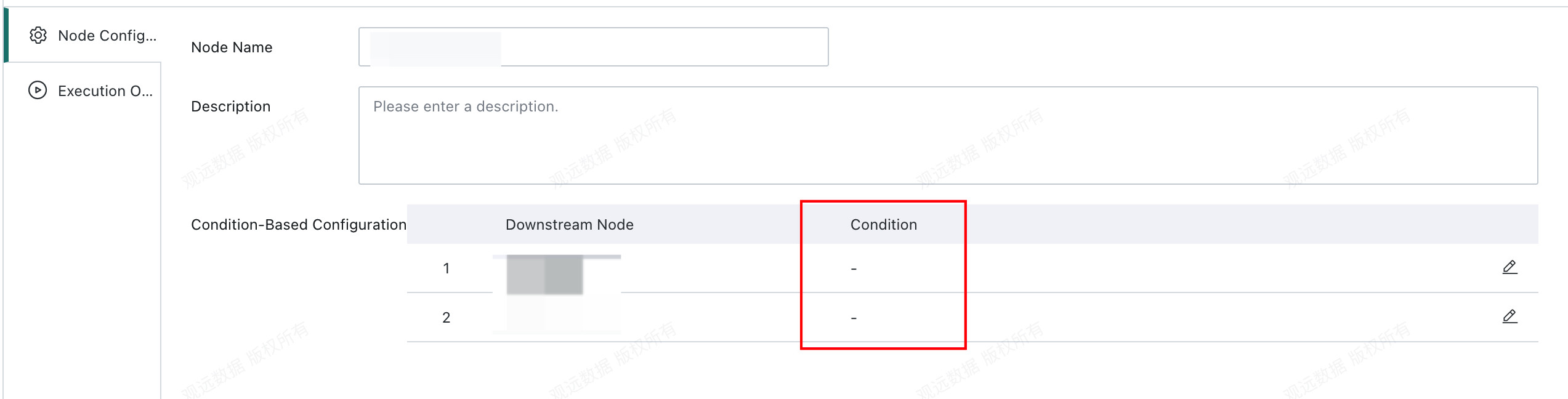
- If the condition evaluates to
Add Conditions
Click Add Condition to configure branch conditions.
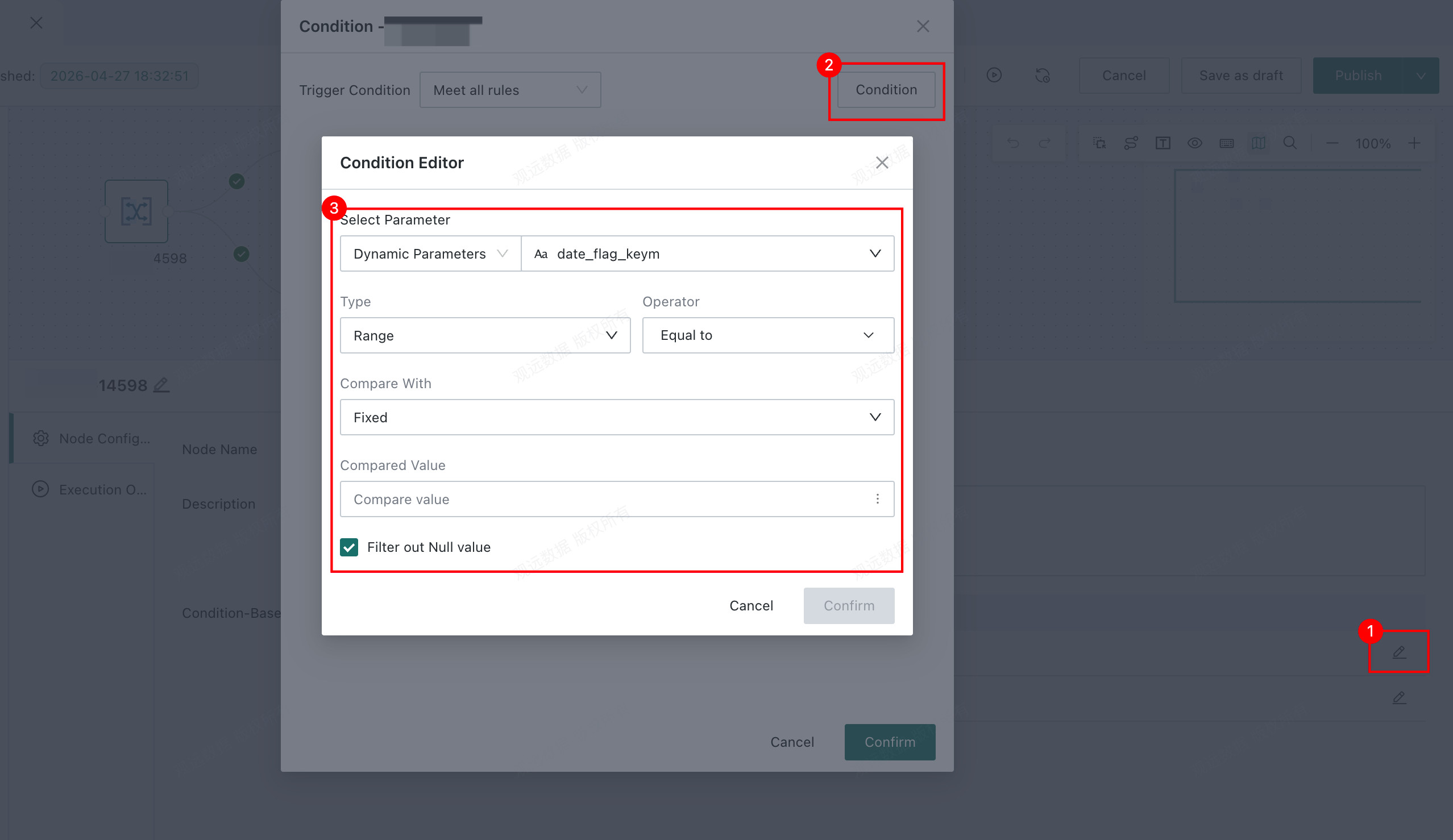
- Select parameter: Global parameters, time macros, and task parameters are supported.
- Type:
RangeandConditionare supported. Numeric and date types only supportRange; text supports bothRangeandCondition. - Operators:
| Parameter Type | Type | Operator |
|---|---|---|
| Numeric | Range | Less than, less than or equal to, greater than, greater than or equal to, equal to, not equal to, between, equal to Null, not equal to Null |
| Date | Range | Less than, less than or equal to, greater than, greater than or equal to, equal to, not equal to, between, equal to Null, not equal to Null |
| Text | Range | Less than, less than or equal to, greater than, greater than or equal to, equal to, not equal to, between, equal to Null, not equal to Null |
| Text | Condition | Equal to, not equal to, contains, does not contain, starts with, ends with, does not start with, does not end with |
- Comparison item: Compare against a fixed value or another parameter.
- Comparison value: Enter a fixed value or choose a parameter.
Configure Multiple Conditions
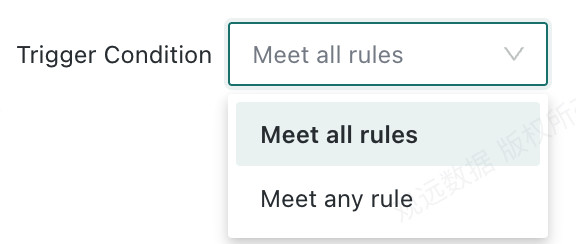
When multiple conditions exist, configure the trigger rule:
Meet all rules: Returnstrueonly when all conditions aretrue.Meet any rule: Returnstruewhen any condition istrue.
Runtime Options
You can enable or disable the node. When disabled, the workflow skips the Conditional Branch and runs downstream nodes directly.