Remove Deduplicates
Overview
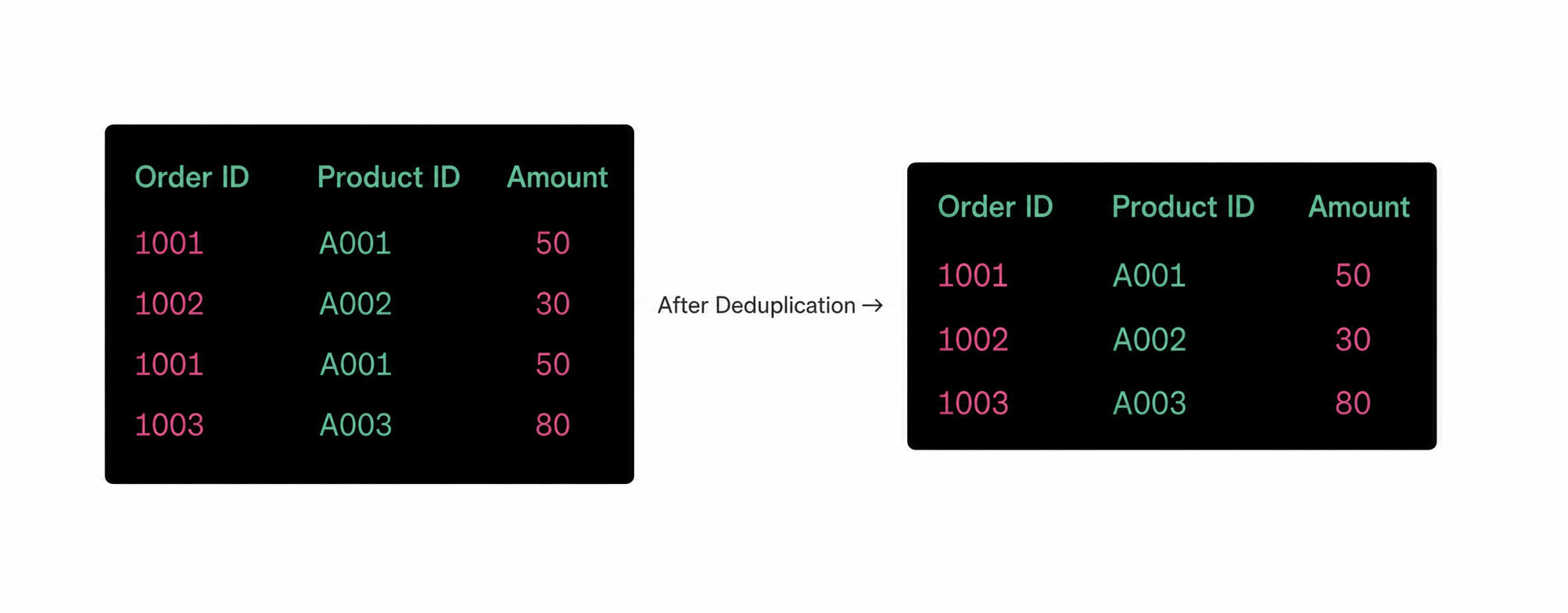
Deduplication means detecting and removing duplicate records in a dataset so that every output record is unique. By deduplicating based on one or more columns, you can avoid analysis errors caused by duplicated records.
For example, in e-commerce order processing, duplicate order records may exist because of system issues or user mistakes. Deduplication ensures that each order number appears only once, avoiding misleading sales and inventory statistics.
Procedure
-
Drag the
Remove Deduplicatesoperator from the dataflow operator panel into the canvas on the right.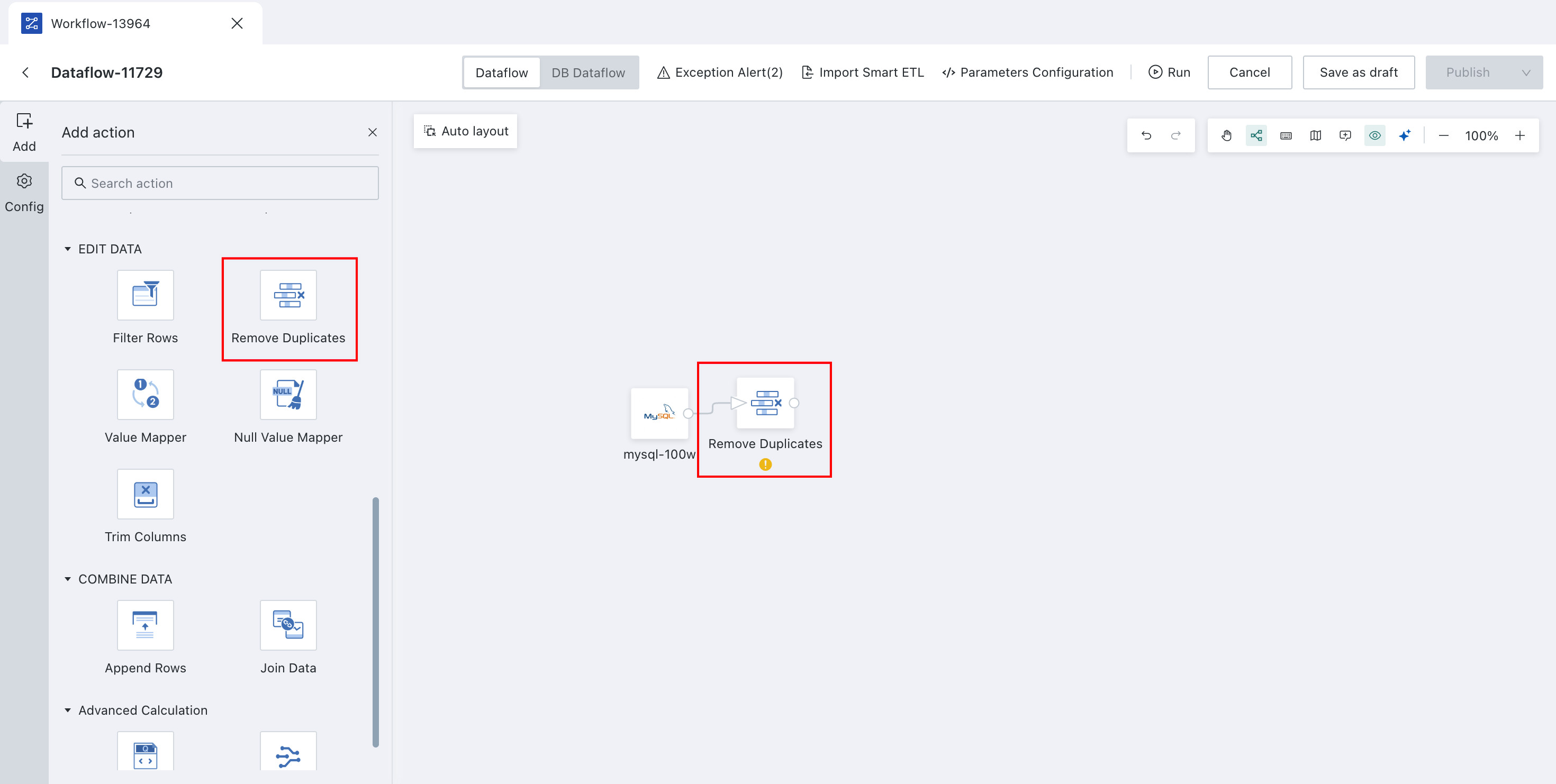
-
Click the
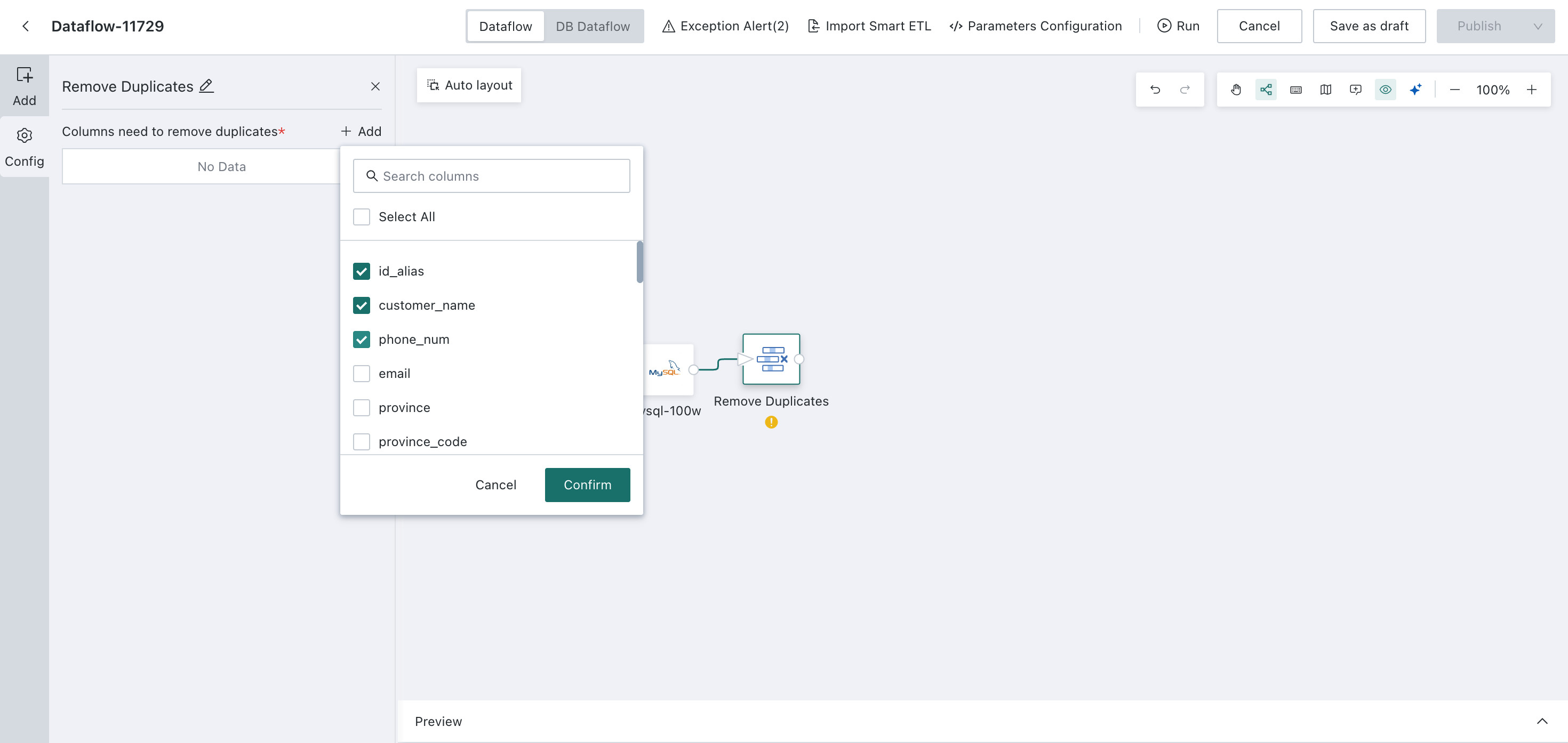
Remove Deduplicatesoperator and clickAdd.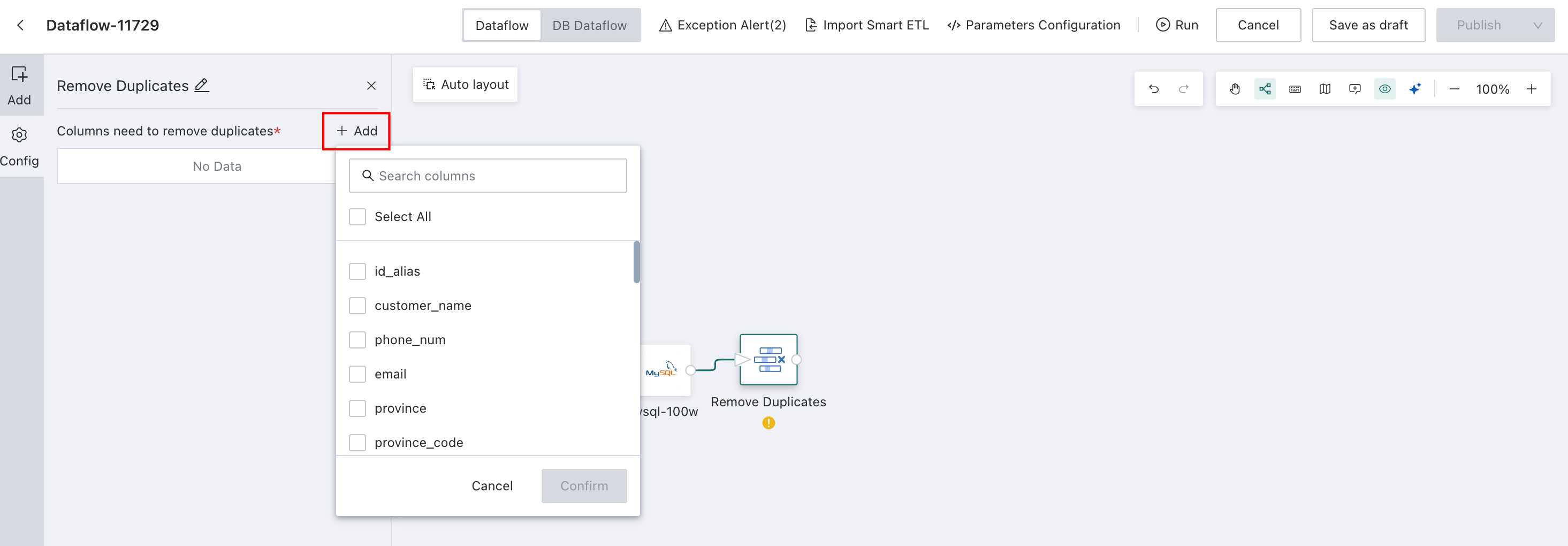
-
Select the deduplication key fields. Multiple fields are supported.
-
Click
Confirm, then preview the result.
Example
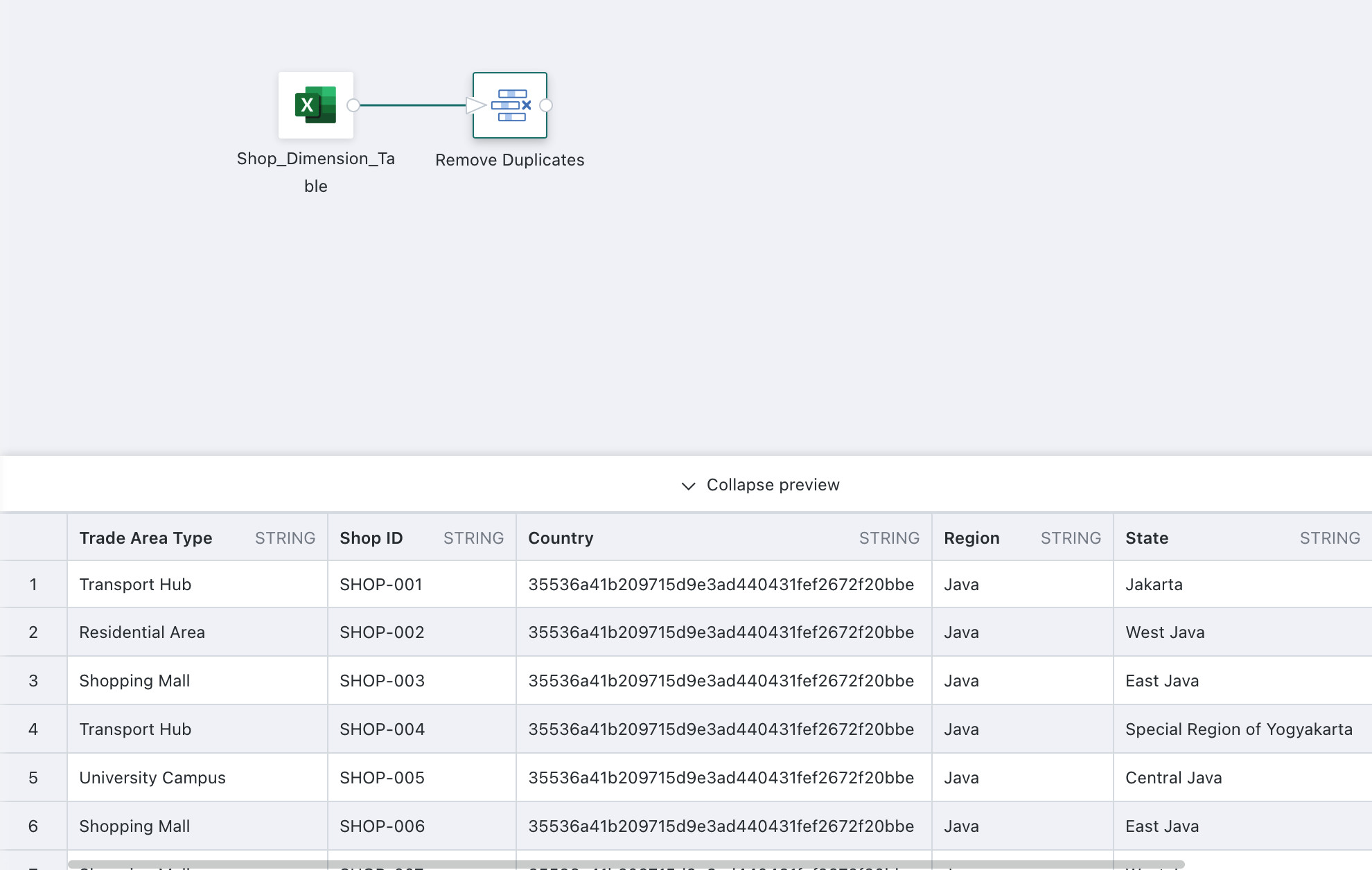
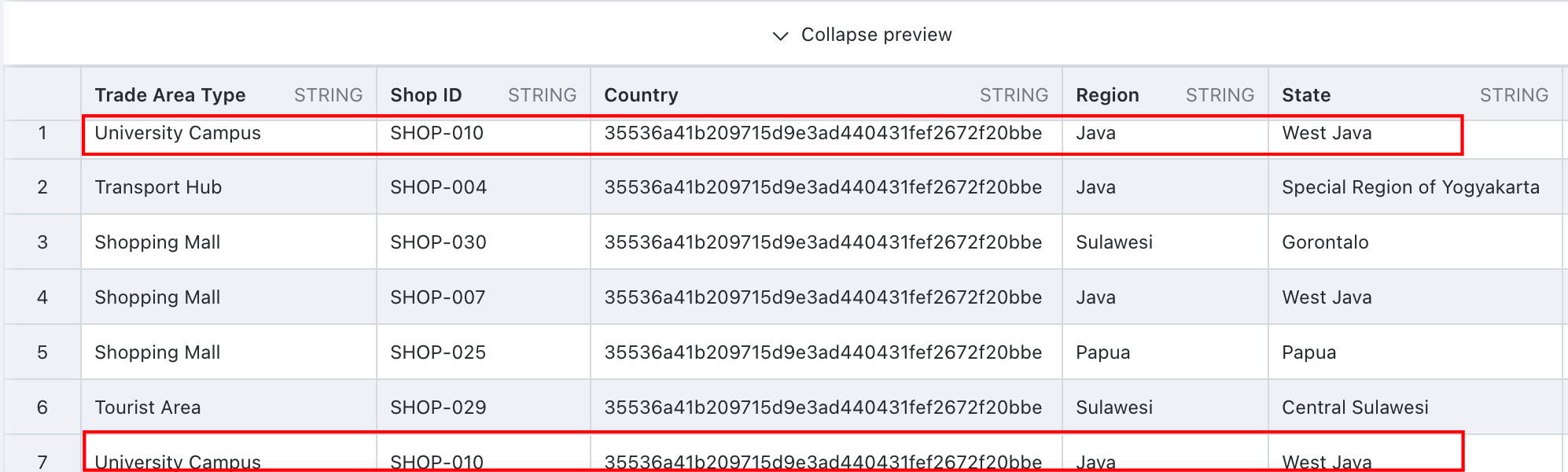
The following example shows how to configure Shop ID Deduplication.
Prerequisite: The upstream node is a product demo dataset containing duplicate records.
-
Drag the
Remove Deduplicatesoperator from the ETL operator area to the canvas on the right and connect it to the upstream node.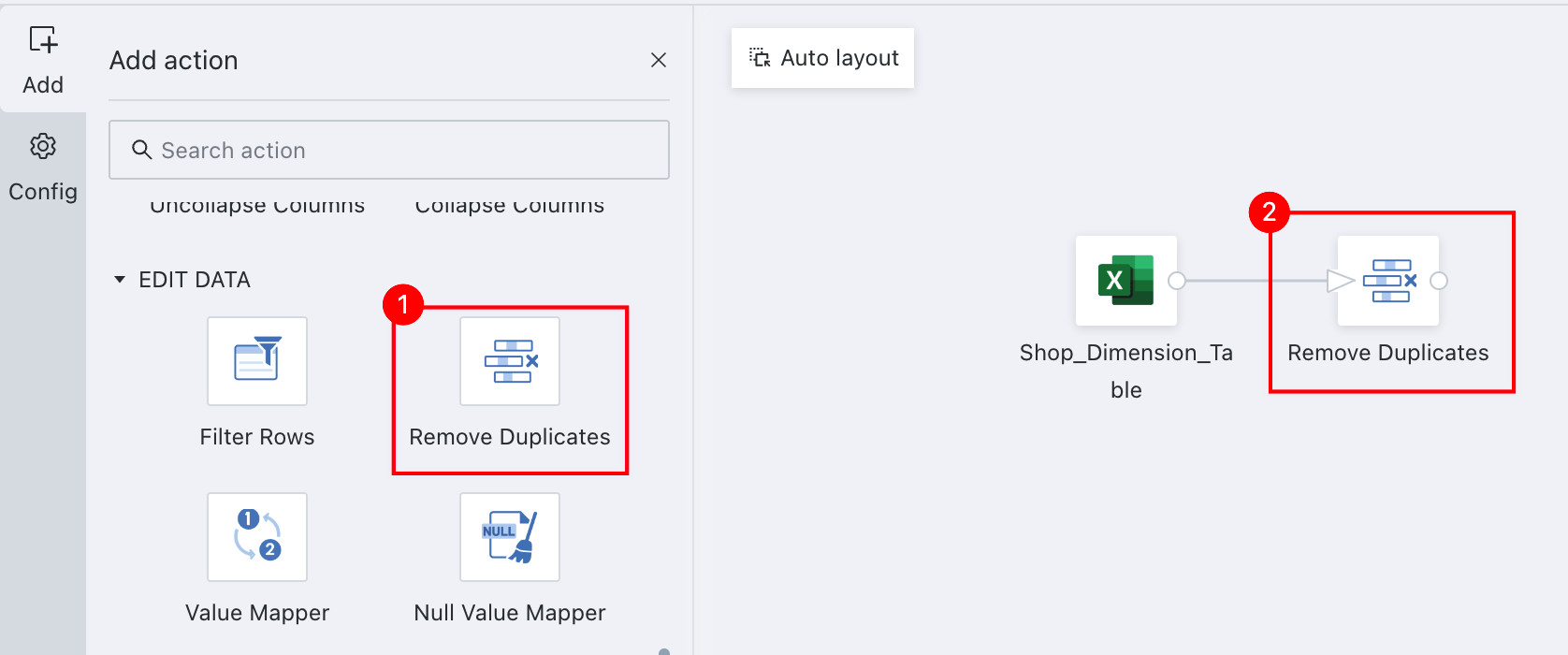
-
Click the
Remove Deduplicatesoperator. The left panel becomes the current operator configuration area. ClickAddand select the target fields for deduplication.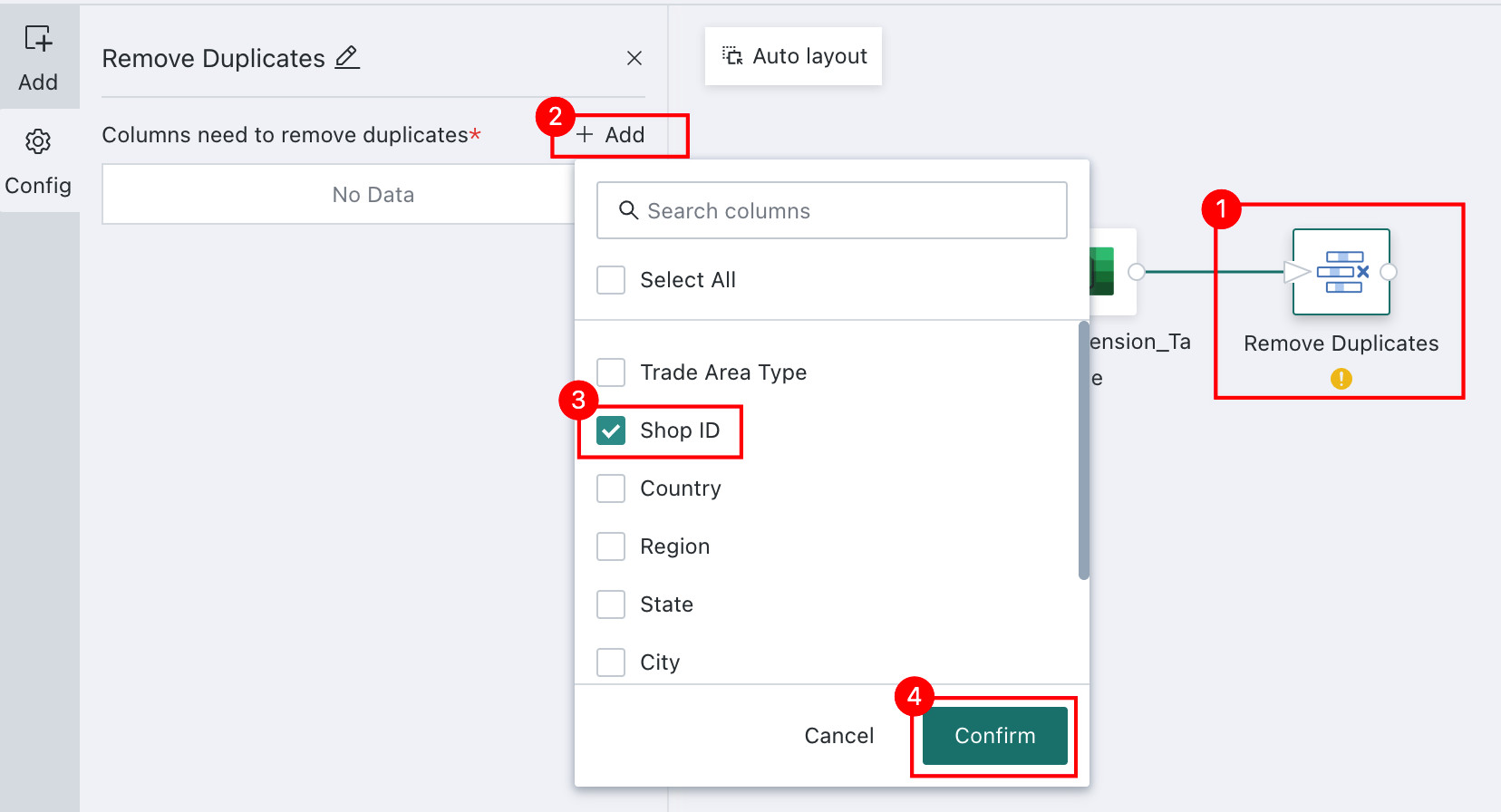
Notes
The primary key of the Input Dataset is usually used as the deduplication column. A primary key is one or more fields whose values uniquely identify a record in the table.
-
Click
Confirm. After configuration is complete, preview the processed data result to confirm that deduplication has succeeded.