Create a Data Model
Overview
This feature is designed to optimize the table-creation workflow when configuring data writeback to a database. When the corresponding target table does not yet exist in the target database, the system can automatically generate a CREATE TABLE statement based on the schema of upstream nodes, while still allowing users to customize field length, primary keys, and table parameters.
Steps
-
In the
Offline Devdataflow editor, drag aDatabase Outputnode into the canvas. Click the node to open the node configuration page, then clickCreate Table.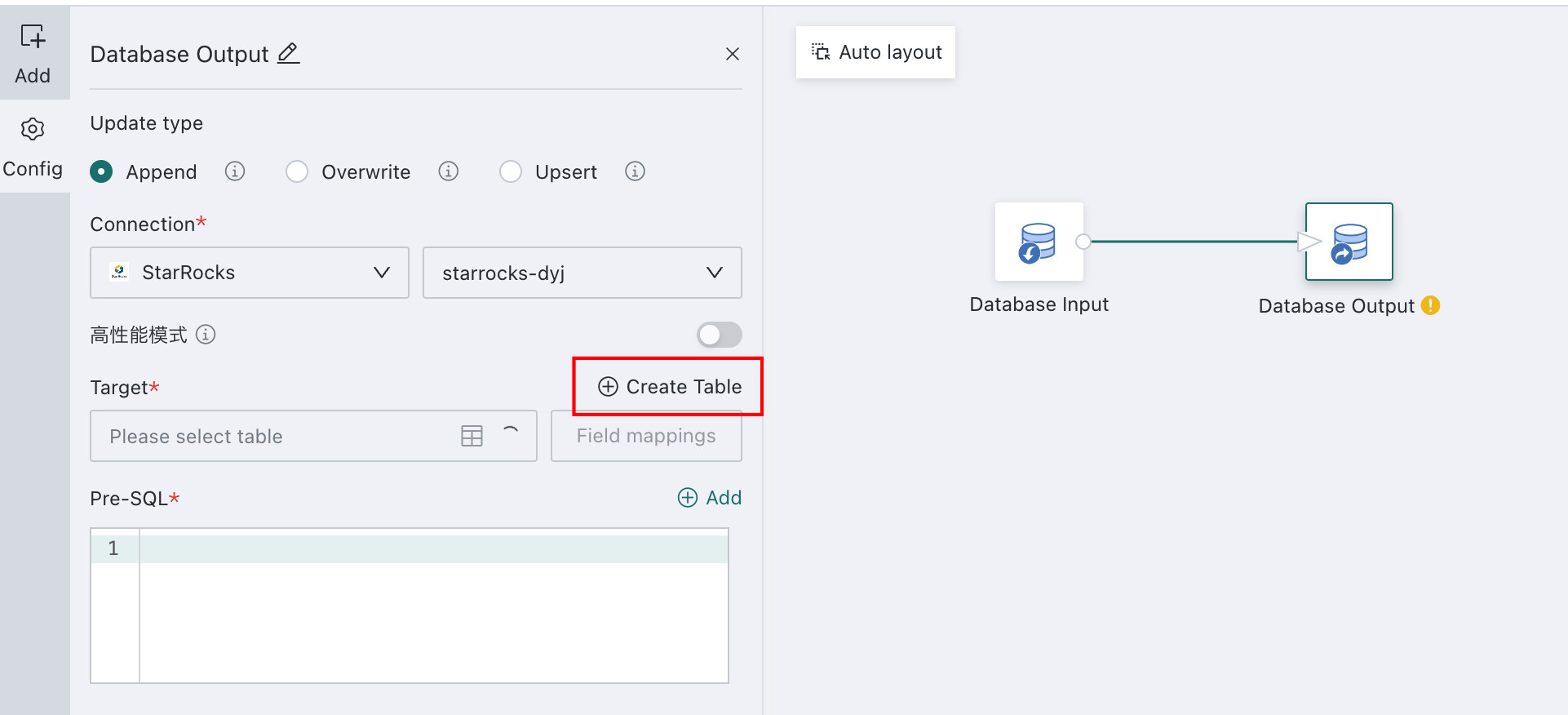
-
Set the table-creation parameters. In the
Execute Table Creationdialog, fill in the relevant parameters according to the database type.- When
Data Connectionis set toStarRocks (SR), configure the following:
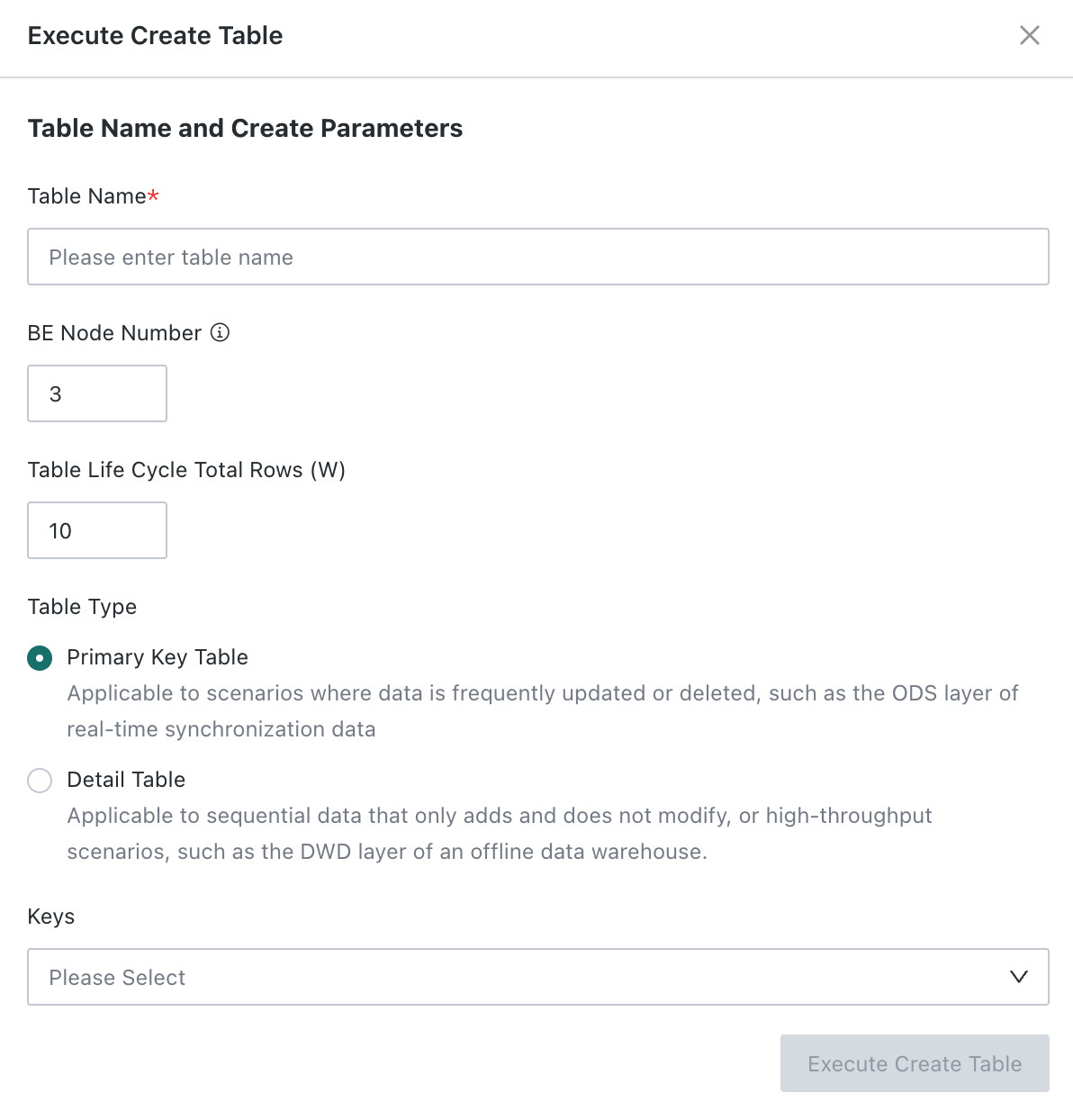
- Table name: required. Enter the database table name. For some common data warehouses, you can generate a more appropriate table statement by configuring dedicated parameters.
- Number of BE nodes: default value is
3. - Total number of rows during the table lifecycle: the system uses this parameter together with the number of nodes to automatically calculate a reasonable replication factor and bucket count.
- Table type:
Primary Key Tableis suitable for scenarios in which data is frequently updated or deleted, such as a real-time sync ODS layer. You must specify the primary key field.Detail Tableis suitable for append-only transaction data or high-throughput scenarios.
- When
Data Connectionis set toDoris,SelectDB, orGaussDB, configure the following:
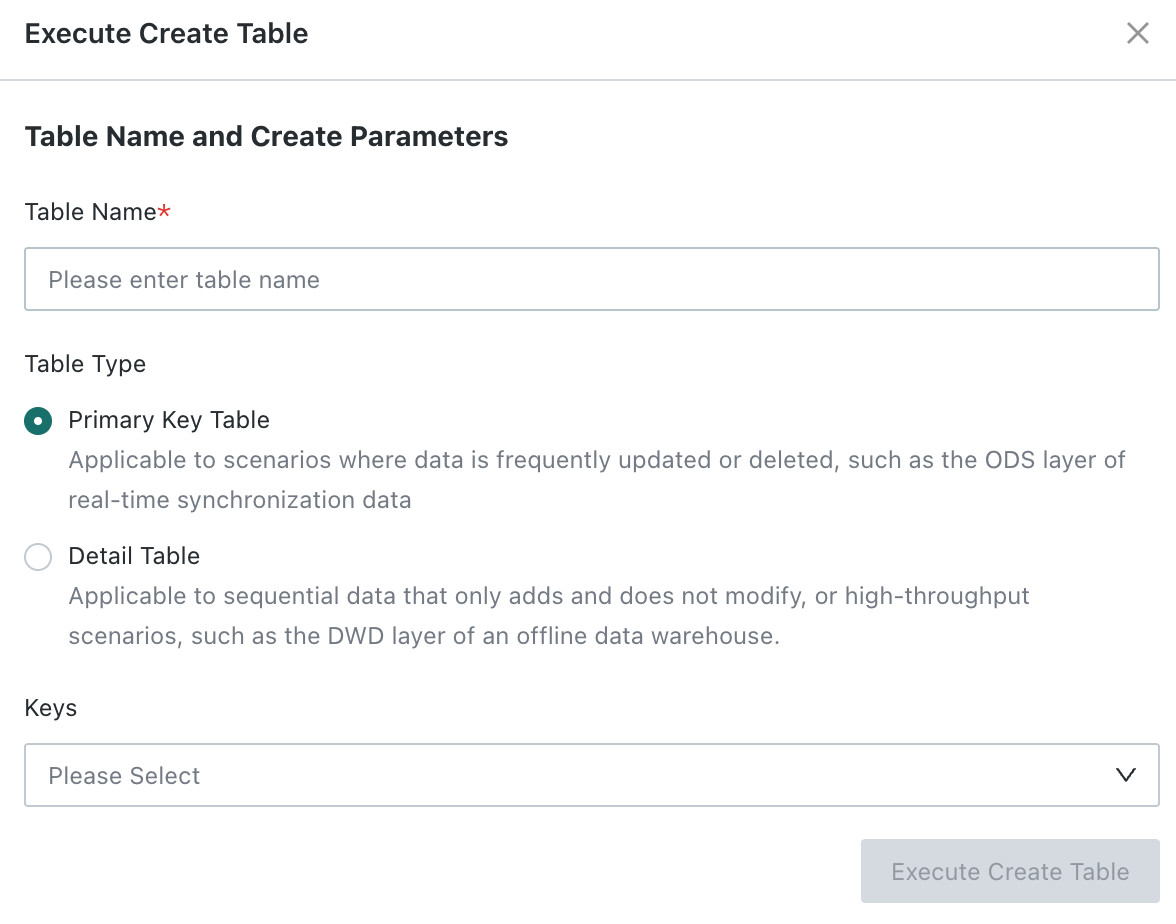
- Table name: required. Enter the database table name. For some common data warehouses, you can generate a more appropriate table statement by configuring dedicated parameters.
- Table type:
Primary Key Tableis suitable for scenarios in which data is frequently updated or deleted, such as a real-time sync ODS layer. You must specify the primary key field.Detail Tableis suitable for append-only transaction data or high-throughput scenarios.
- When
-
Click
Excute Create Table. The system automatically generates theCREATE TABLEstatement based on the table name, table-creation parameters, and upstream schema.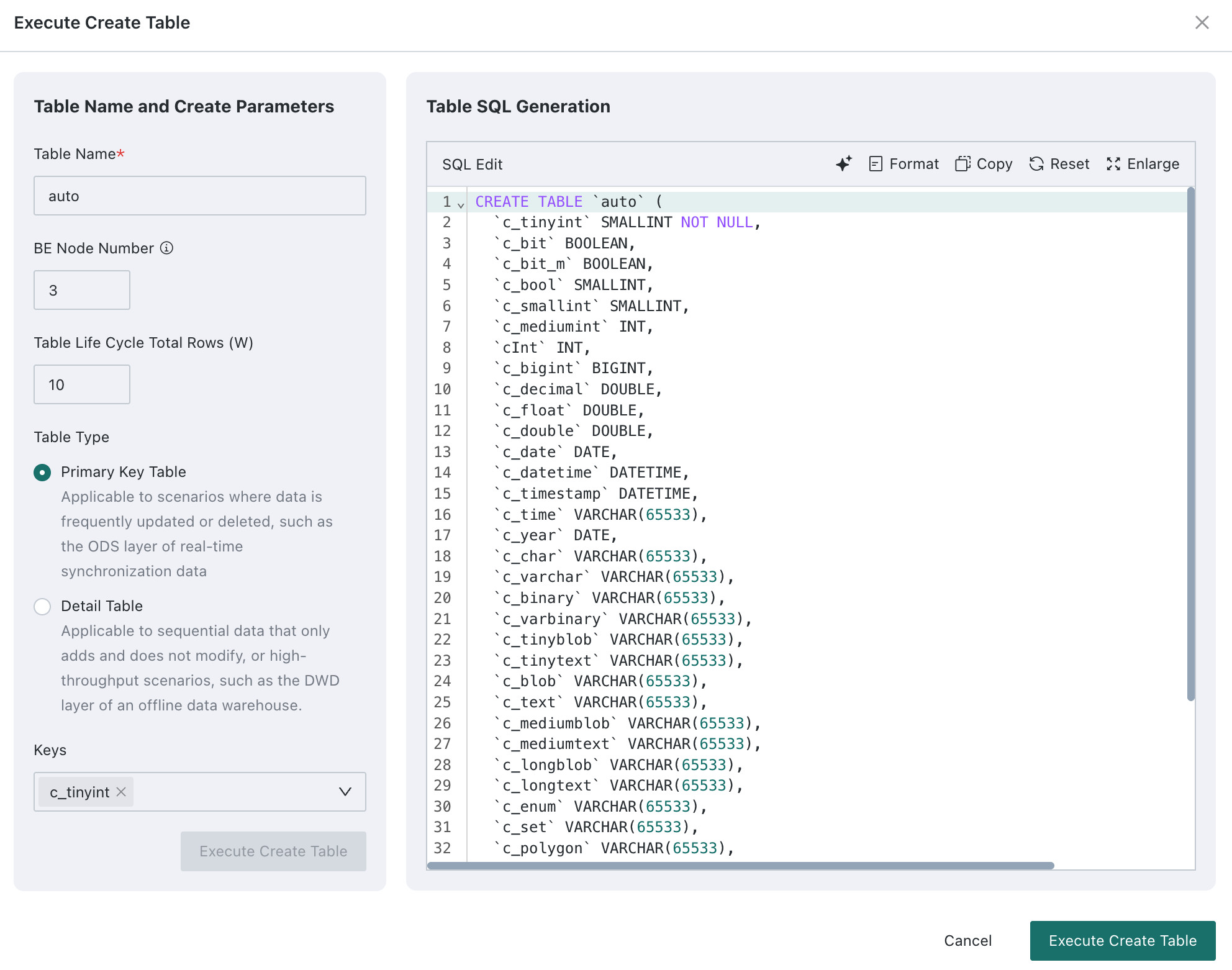
- For StarRocks, the default storage medium type is
HDD, which you can modify according to actual needs. - For GaussDB, the system creates a column-store table by default. The default compression type is
low, and the default compression level is0. Higher numeric values save more space but generally reduce query performance.
- For StarRocks, the default storage medium type is
-
Modify the custom SQL if needed. During editing, you can format, copy, reset to the auto-generated original SQL, and enlarge the editor.
-
After confirming the SQL is correct, click
Execute Table Creation. The system pushes the SQL to the target database for execution. -
Review the execution result.
- Success: the dialog closes automatically, and a success message is shown in the upper-right corner. The newly created table can then be used as the target table.
- Failure: the page remains open and displays the failure reason. You can correct the issue and run it again.