Real-time Sync Overview
Overview
Use Cases
When enterprises build a data warehouse, offline synchronization may not meet business timeliness requirements when data volume is large. Full synchronization is also not the best option when business data is frequently inserted, updated, or deleted. In scenarios with large database volumes or standardized table structures, the Real-time Sync feature can synchronize source-side data changes to the target database in real time, keeping the target data continuously consistent with the source.
Supported Database Types
| Source Database |
|---|
| MYSQL |
| PostgreSQL |
| Oracle |
| Sql server |
| DB2 |
| Target Database |
|---|
| StarRocks |
| GuassDB |
| Doris |
| Hologres |
Core Capabilities
| Capability | Description |
|---|---|
| Real-time Sync | Supports synchronizing data from a single source table to a single target table using either incremental sync only or full sync followed by incremental sync. See Configure a Real-Time Sync Task. |
| Resume from Breakpoint | If a task fails or is paused manually, running the task again resumes synchronization from the breakpoint, ensuring that no data is lost during the interruption. The source database binlog must remain available during this time, otherwise data loss may occur. |
| Task Alerts | When a task fails or becomes abnormal, the system automatically sends notifications to the corresponding users. See Real-Time Sync Task Operations and Maintenance. |
Usage Limits and Notes
Usage Limits
- The source table and target table must both be primary-key tables.
- A StarRocks target table cannot be a partitioned table and cannot have an auto-increment primary key.
- Foreign key relationships and constraint relationships are not recommended on the target table, otherwise there is a risk of data loss.
- During execution of a
Real-time Synctask, do not perform DDL changes on the source or target table. If you need to change synchronized fields between the source and target tables, stop the running task, remap the fields as needed, and then restart the task. - Avoid synchronizing null values into non-nullable fields, otherwise data loss may occur.
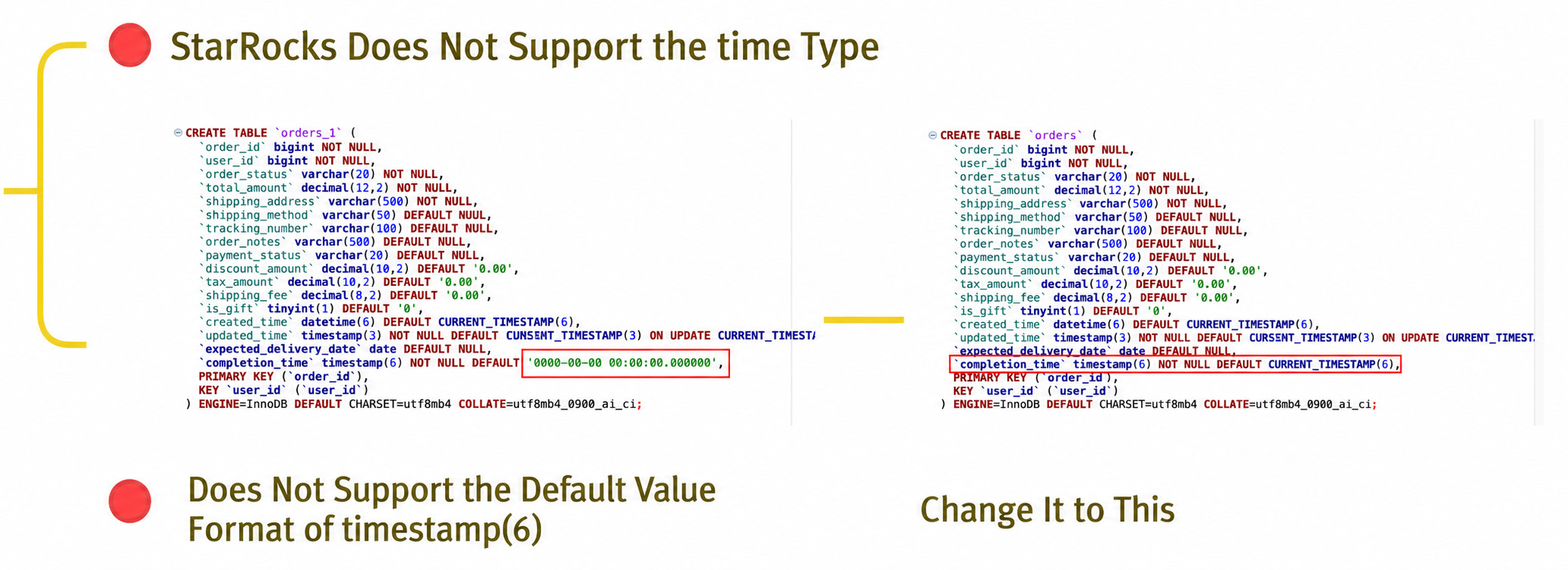
- Avoid setting default values in JSON format in the
CREATE TABLEstatement, as this can cause task errors.
StarRocksCREATE TABLEstatements do not support the default timestamp format, so it is recommended to assign a default value.
Notes
- For the first synchronization, it is recommended to use full sync followed by incremental sync. If you choose incremental sync only, data is synchronized based on the binlog captured when the Flink task starts.
- It is recommended that source and target field lengths remain consistent, or that the target side be larger than the source side.
- It is recommended that source and target data type mappings remain consistent, or that the target side be broader than the source side.
- Source table names do not support Chinese characters, spaces, or other special characters. Field names do not support special characters such as
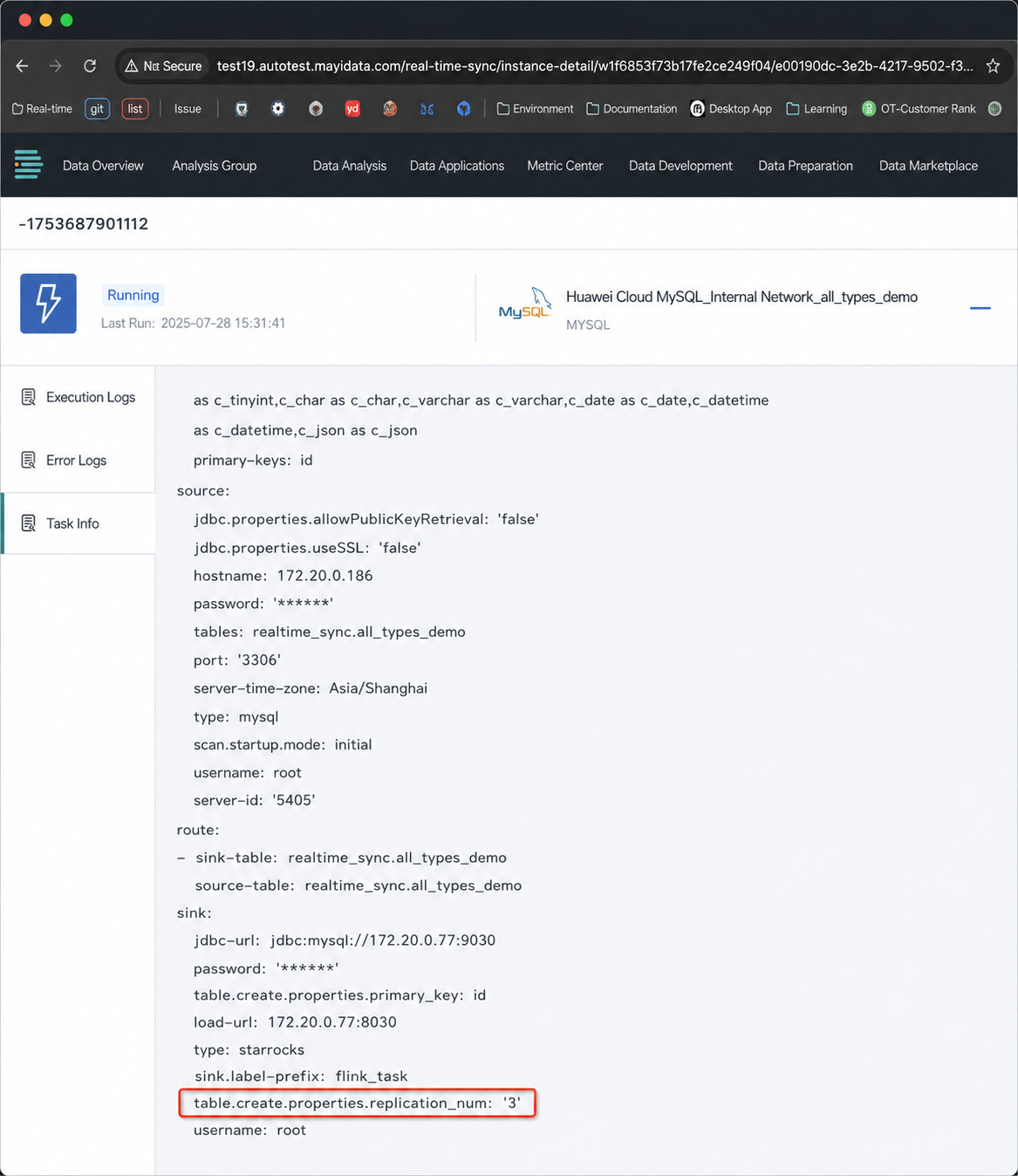
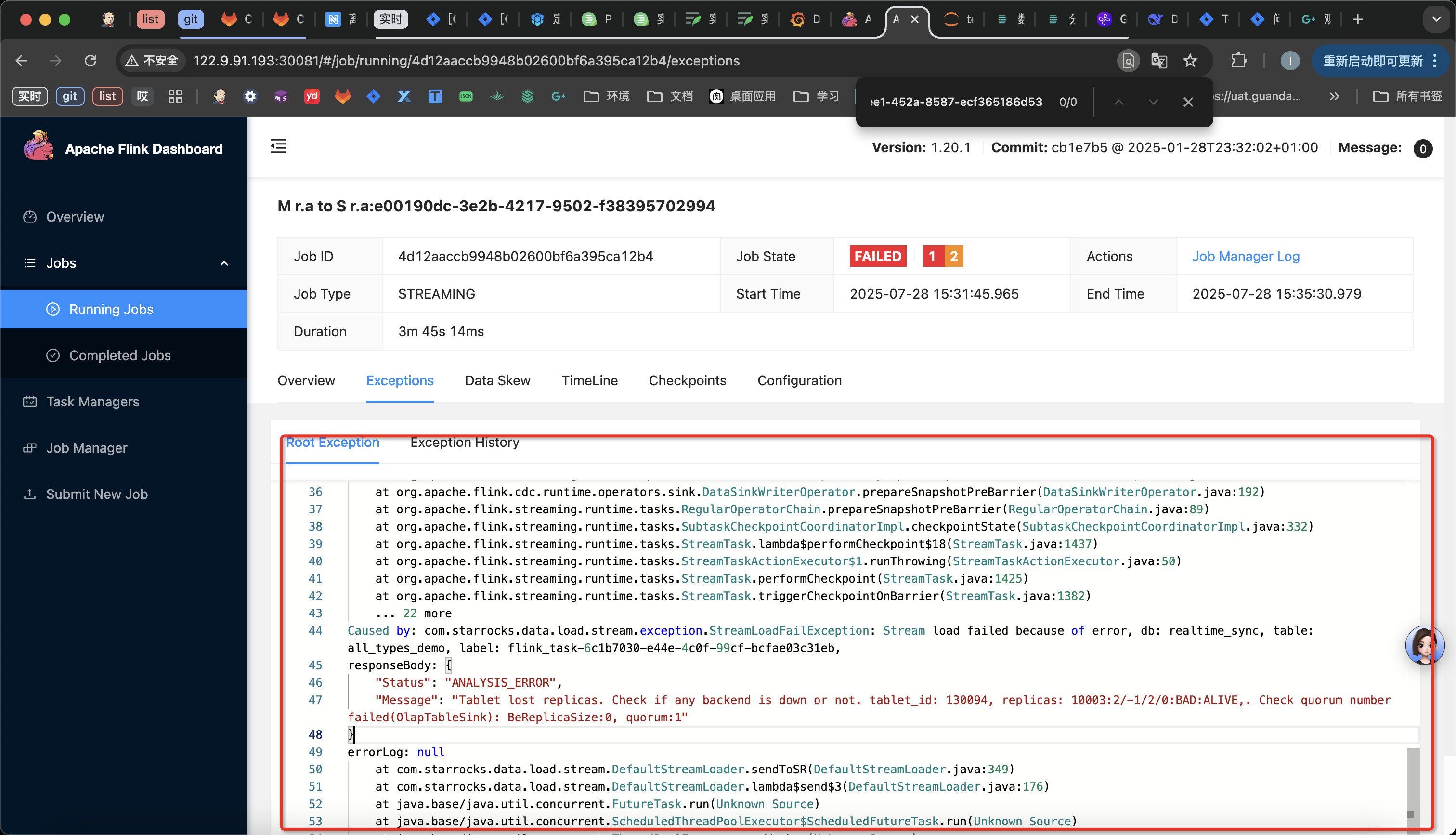
-,., space,#, or@. - The StarRocks replica count configured in platform parameters must be smaller than the actual replica count in StarRocks. If it exceeds the actual value, the following error occurs. If it is equal to the actual value, unstable database status may occasionally cause data loss.