HTTP Node
Overview
This node is used to execute HTTP tasks such as common POST and GET requests. Node success is determined based on the returned status code.
Node Configuration
Fill in the basic information for the current task node. Node Name and Description are optional, but they help you understand and manage the node more effectively and make the overall Offline Dev workflow clearer and easier to maintain.
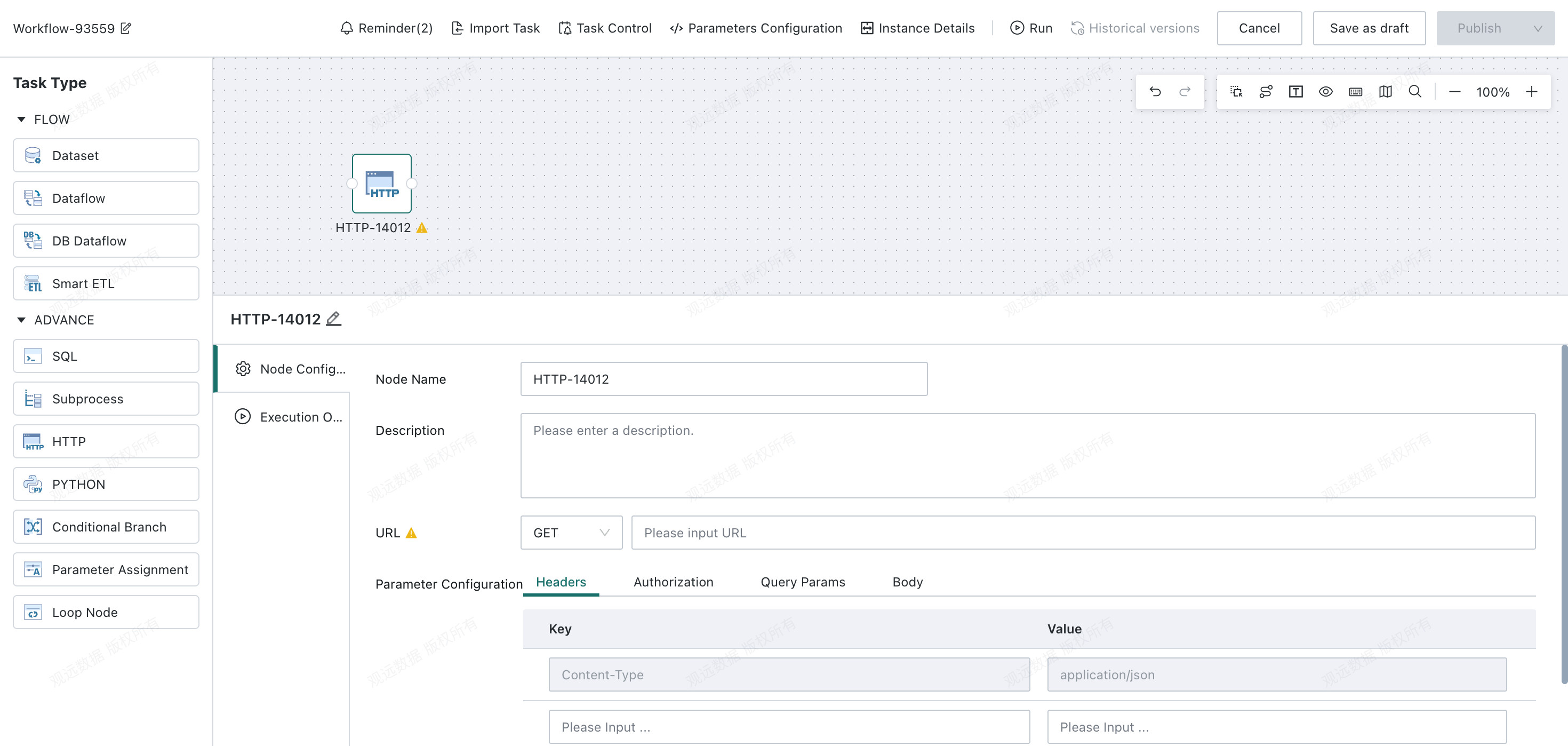
- Request URL: Supports
GETandPOST, withGETas the default. This field specifies the URL of the HTTP request. - Request parameter configuration:
| Configuration Item | Description |
|---|---|
| Request Headers | Key/value pairs that tell the server what type of resource is required. |
| Authentication | Currently supports two authentication methods: API Key and Token. API Key identifies the source of a request to a web service or similar service. Token represents a user role for a specified period and grants permission to call the interface. |
| Request Parameters | The fields and conditions to be retrieved. Supports Global Parameters, Time Macro Parameters, and Workflow Parameter.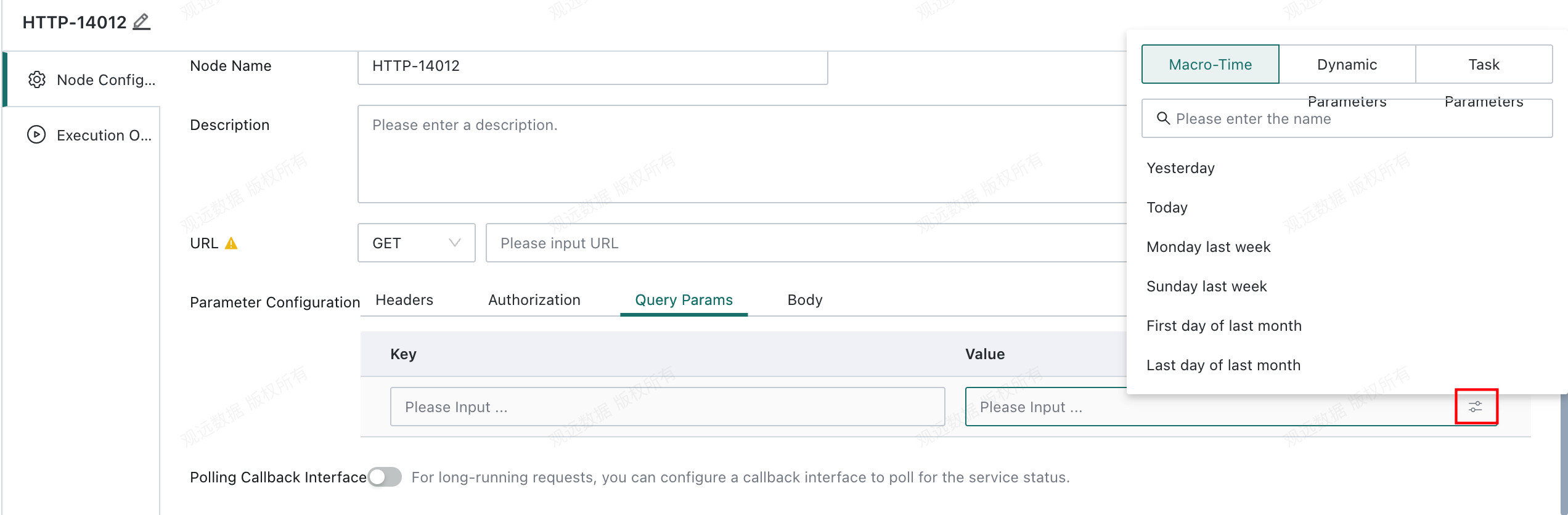 |
| Request Body | JSON only. Encapsulates the request parameters of a POST request and supports Global Parameters, Time Macro Parameters, and Workflow Parameter.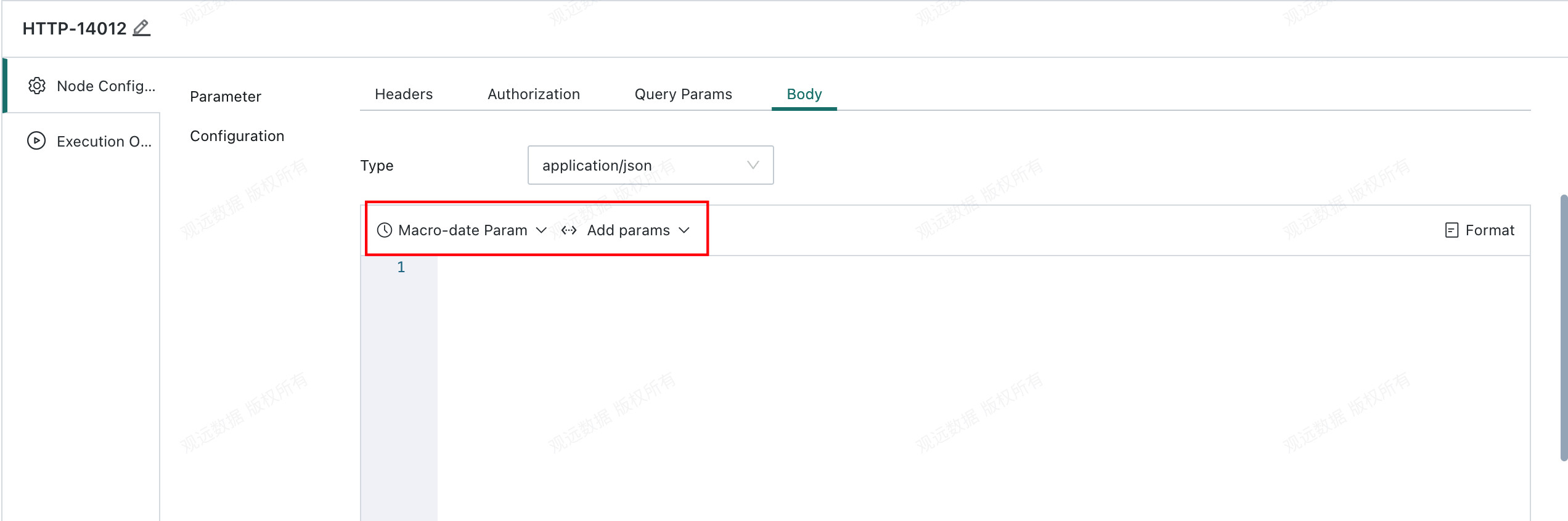 |
- Validation rule: The node succeeds when the configured condition is met. If the response status code does not start with
2, such as200or201, the task ends with an error. - Callback polling configuration: When the interface request takes a long time, you can configure callback polling to check the request status.
| Configuration Item | Description |
|---|---|
| Polling Interval (Seconds) | Poll once every X seconds. |
| Callback URL | Supports GET and POST, with GET as the default. This field specifies the callback URL. |
| Request Headers | Key/value pairs that tell the server what type of resource is required. |
| Authentication | Currently supports API Key and Token. API Key identifies the source of a request. Token represents a user role for a specified period and grants permission to call the interface. |
| Request Parameters | The fields and conditions to be retrieved. Supports Global Parameters, Time Macro Parameters, and Workflow Parameter. |
| Request Body | JSON only. Encapsulates the request parameters of a POST request and supports Global Parameters, Time Macro Parameters, and Workflow Parameter. |
Callback Notes
- The main request must return parameters in the following format:
{
  "taskId": "xxxxxx",
  ...
}
-
The platform automatically extracts
taskIdand appends it to the callback URL.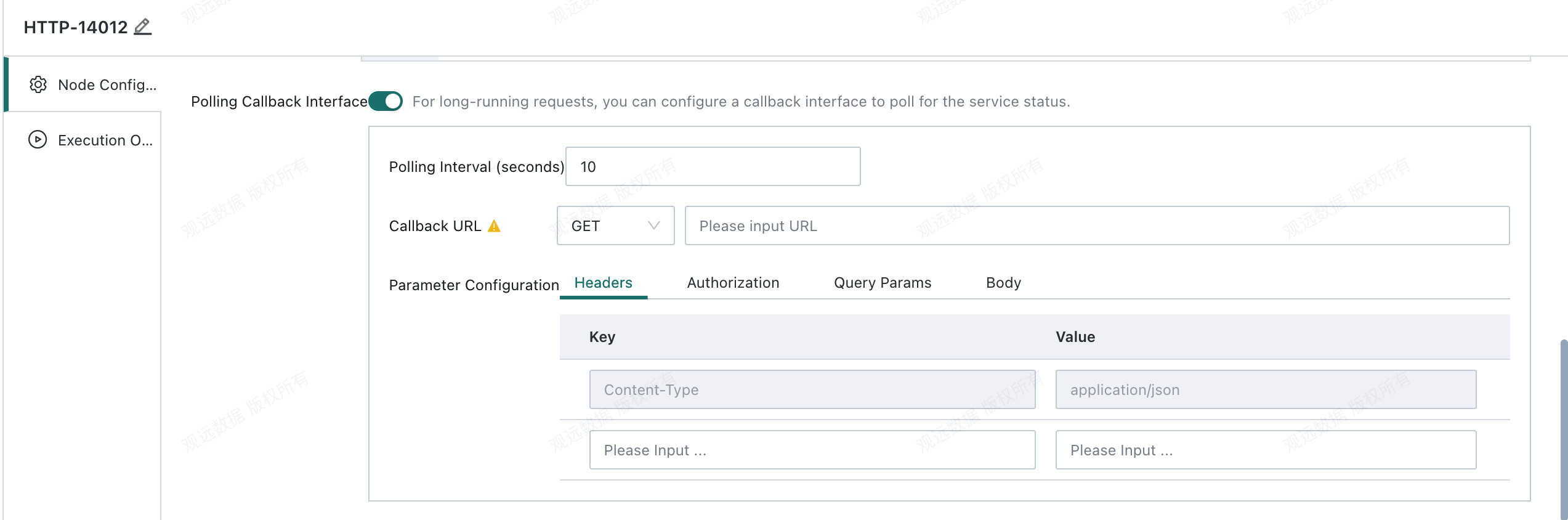
For example, the URL is automatically appended as
http://127.0.0.1:8004/status/xxxxxx. -
Validate the callback result:
- The return format must be
{ "status": "xxxxxx", ... }. - If the response status code does not start with
2, such as200or201, the task ends with an error directly. - If
statusisPROCESSING, polling continues. Otherwise, polling ends.SUCCESSmeans success; any other value means failure. - Be careful to avoid infinite loops in the service.
- The return format must be
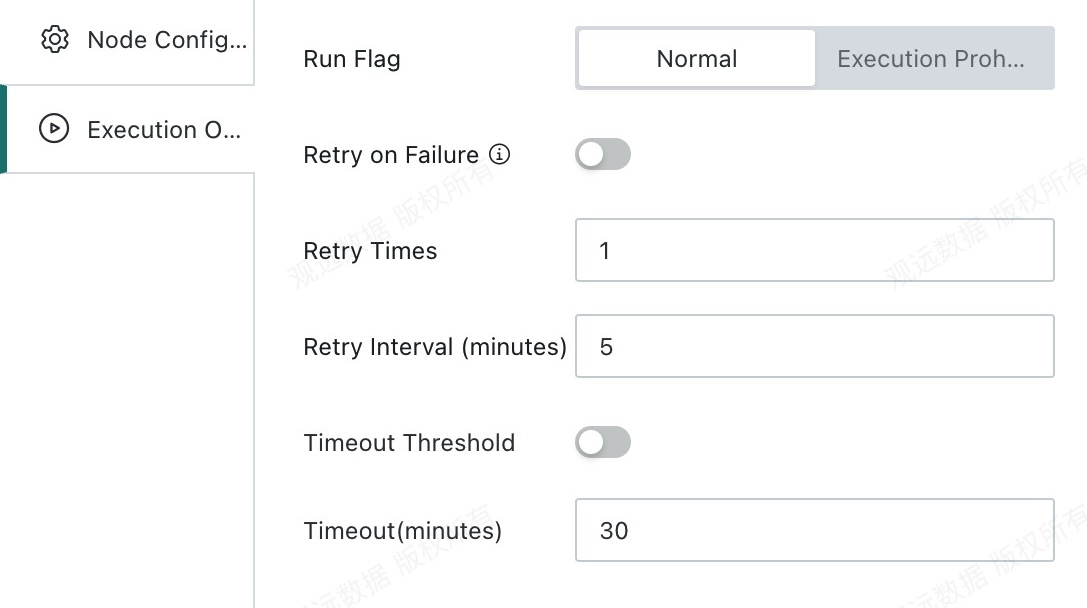
Runtime Options
- Run status
Do Not Execute: When the workflow reaches this node, execution is skipped directly. This is commonly used for temporary data troubleshooting and partial task execution control.Normal: The node runs according to the existing scheduling strategy. This is the default run status.
- Retry on failure
- Retry count: The number of automatic retries after node failure. The default is
1. - Retry interval: The interval before each retry is triggered. The default is
5minutes.
- Retry count: The number of automatic retries after node failure. The default is
- Timeout limit
- Timeout duration: The timeout limit for a single node. The node fails automatically if the limit is exceeded.
Example: Calling a Python Service Through HTTP
Dependencies required by the Python API service
flask
request
jsonify
cachetools
Python service script
# -*- coding: utf-8 -*-

from flask import Flask, request, jsonify
from concurrent.futures import ThreadPoolExecutor
from cachetools import TTLCache
import time
import uuid
import io
import contextlib
import sys


app = Flask(__name__)

# Thread pool (up to 10 concurrent tasks)
executor = ThreadPoolExecutor(max_workers=10)

# Convert 2 days to seconds
two_days_in_seconds = 2 * 24 * 60 * 60

# Create a cache object with a 2-day TTL for each entry
task_cache = TTLCache(maxsize=100, ttl=two_days_in_seconds)
def run_python_code(code, taskId):
    """Execute Python code and store the result."""
    try:
        result =  execute_code(code)
        task_cache[taskId] = {"taskId": taskId, "status": "FINISHED", "log": result}
    except Exception as e:
        task_cache[taskId] = {"taskId": taskId, "status": "FAILED", "error": str(e)}

@app.route("/run_code", methods=["POST"])
def run_code():
    """Submit a code task and run it asynchronously."""
    data = request.get_json()
    code = data.get("code", "").strip()

    if not code:
        return jsonify({"error": "No code provided"}), 400

    # Generate a unique taskId
    taskId = str(uuid.uuid4())

    # Record task start
    task_cache[taskId] = {"taskId": taskId, "status": "PROCESSING"}

    # Submit the task to the thread pool
    executor.submit(run_python_code, code, taskId)

    return jsonify({"taskId": taskId, "status": "PROCESSING"})

@app.route("/status/<taskId>", methods=["GET"])
def check_status(taskId):
    """Query task status."""
    if taskId not in task_cache:
        return jsonify({"taskId": taskId, "status": "FAILED", "error": "Task not found"}), 404

    task_info = task_cache[taskId]

    if task_info["status"] == "FAILED":
        return jsonify({"taskId": taskId, "status": "FAILED", "error": task_info["error"]}), 500
    return jsonify(task_info)

# Function that executes the code
def execute_code(code):
    # Use StringIO to capture print output
    output_buffer = io.StringIO()
    try:
        # Redirect standard output to output_buffer
        with contextlib.redirect_stdout(output_buffer):
            exec(code)
        # Get the captured output
        output = output_buffer.getvalue()
        return output.strip()  # Return the captured output
    except Exception as e:
        # Return the error message if code execution fails
        return f"Code execution failed: {str(e)}"
    finally:
        # Close the StringIO buffer
        output_buffer.close()


if __name__ == "__main__":
    app.run(host="0.0.0.0", port=8004, debug=True)  # Listen on all addresses, port 8004
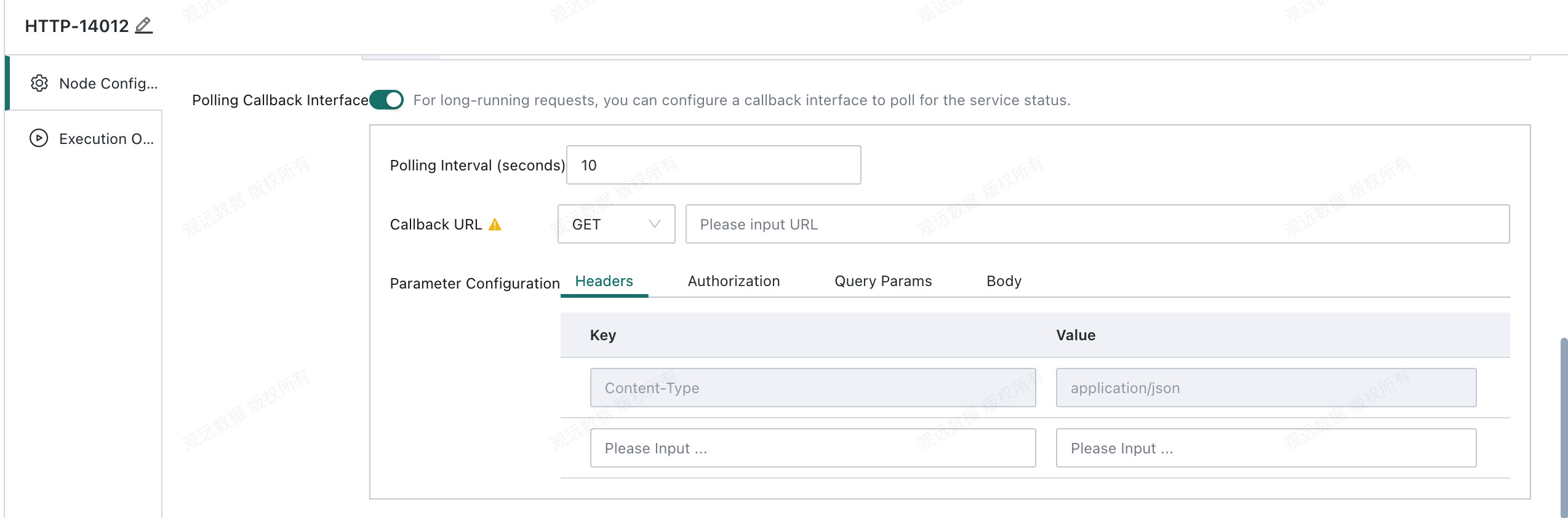
Configure the HTTP Node
Configure parameters in the request body
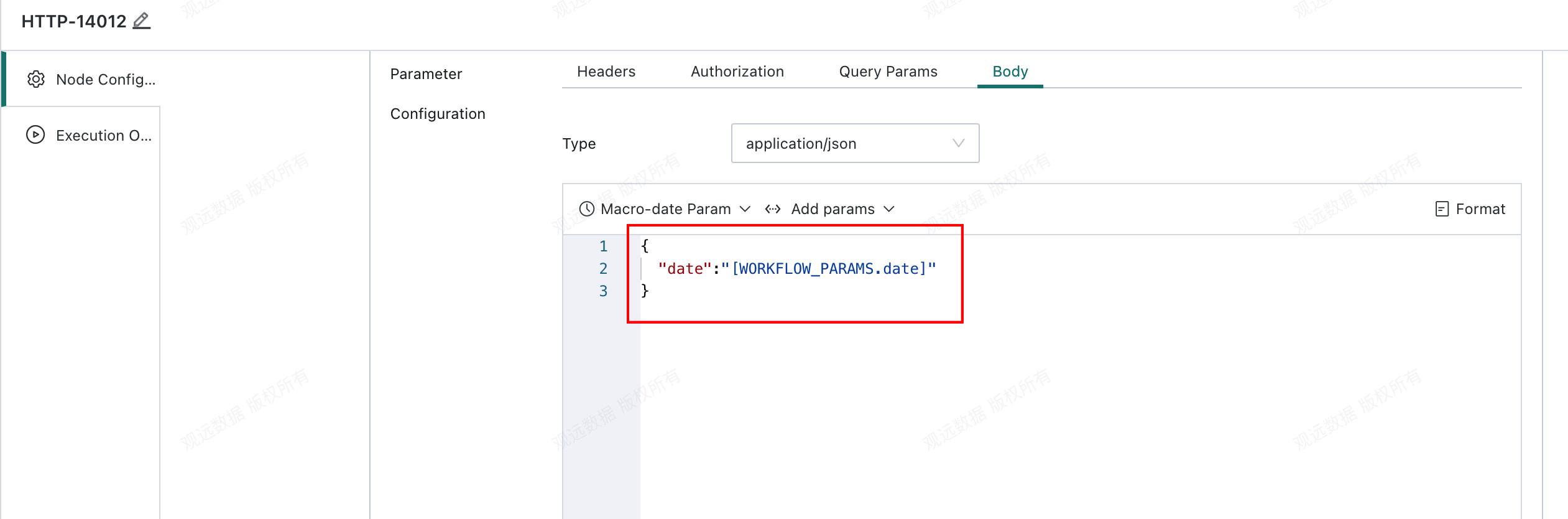
Configure the callback interface