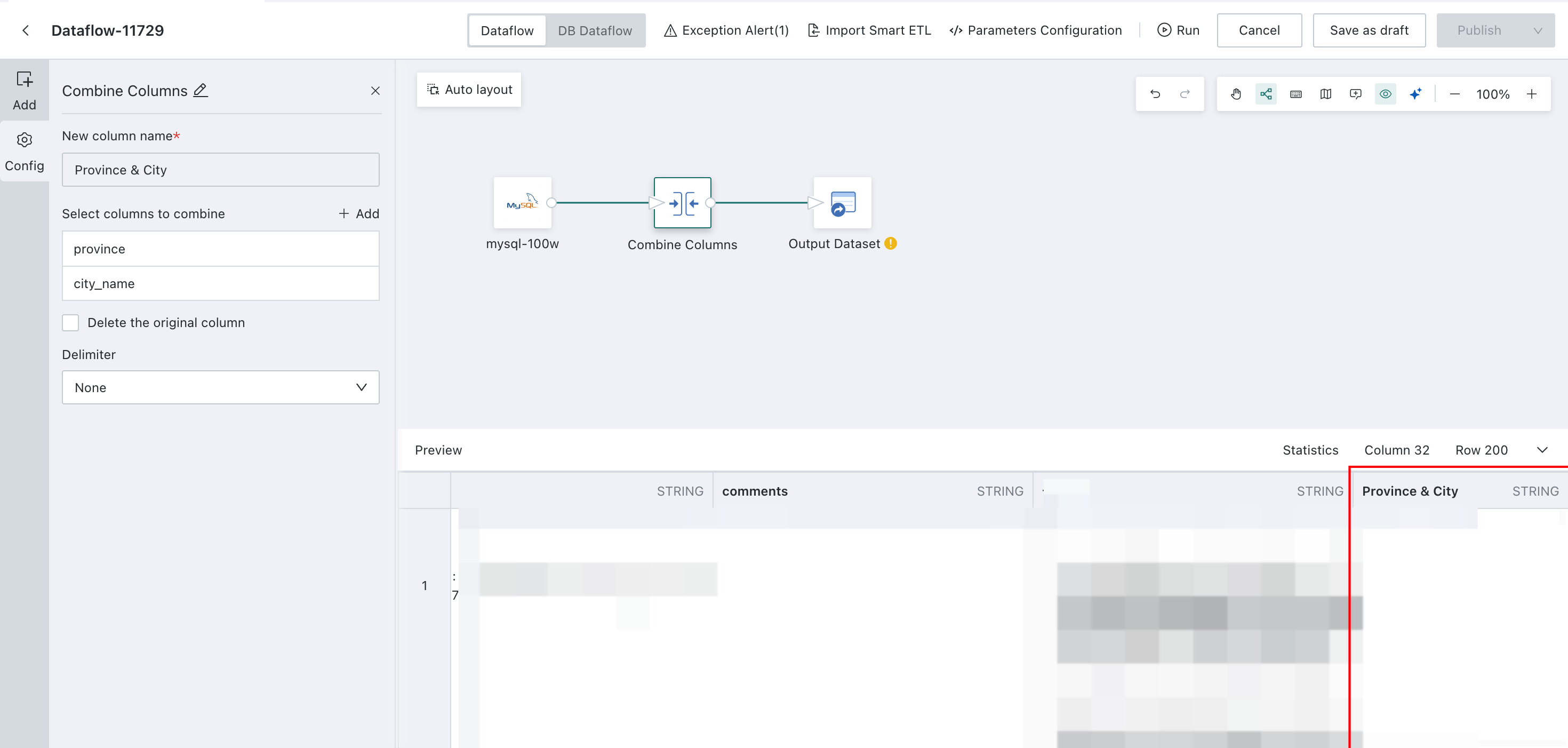
Merge Columns
Feature Description
Merge Columns combines data from two or more existing columns into one new column, allowing related information from different columns to be displayed together.
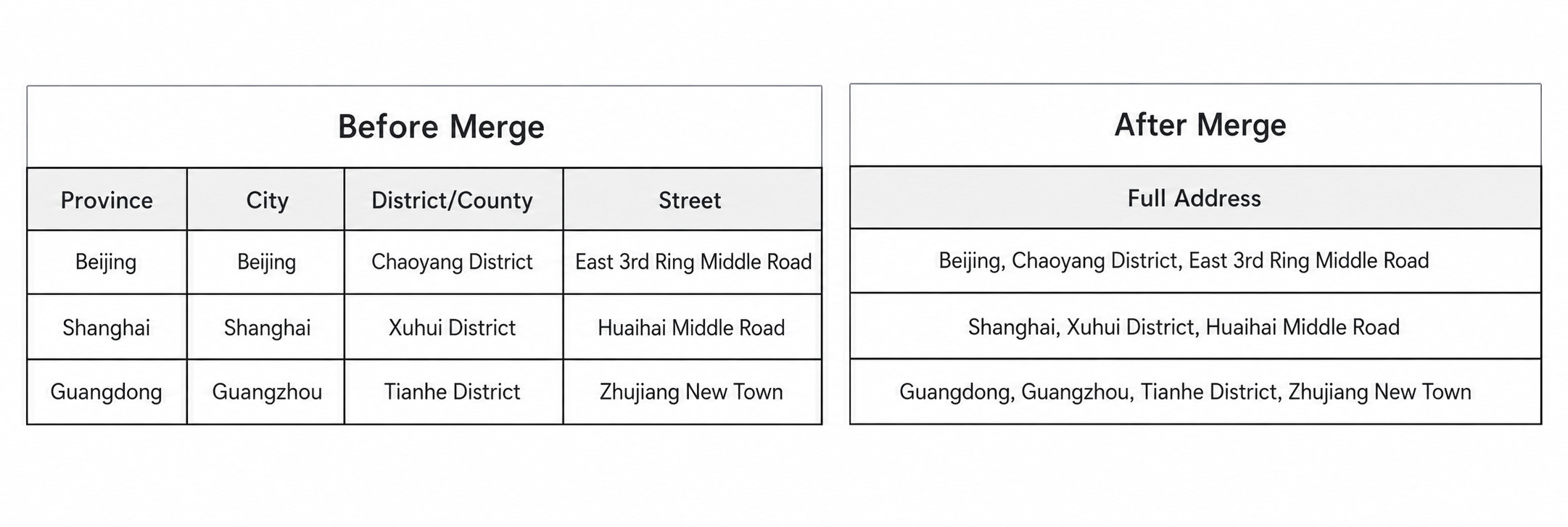
For example, you can merge region fields such as province, city, and street into a full address, or combine year, month, and day into a complete date. This makes the dataset cleaner and creates new information for richer analysis.
Procedure
-
Drag the
Merge Columnsoperator from the dataflow operator panel into the canvas on the right.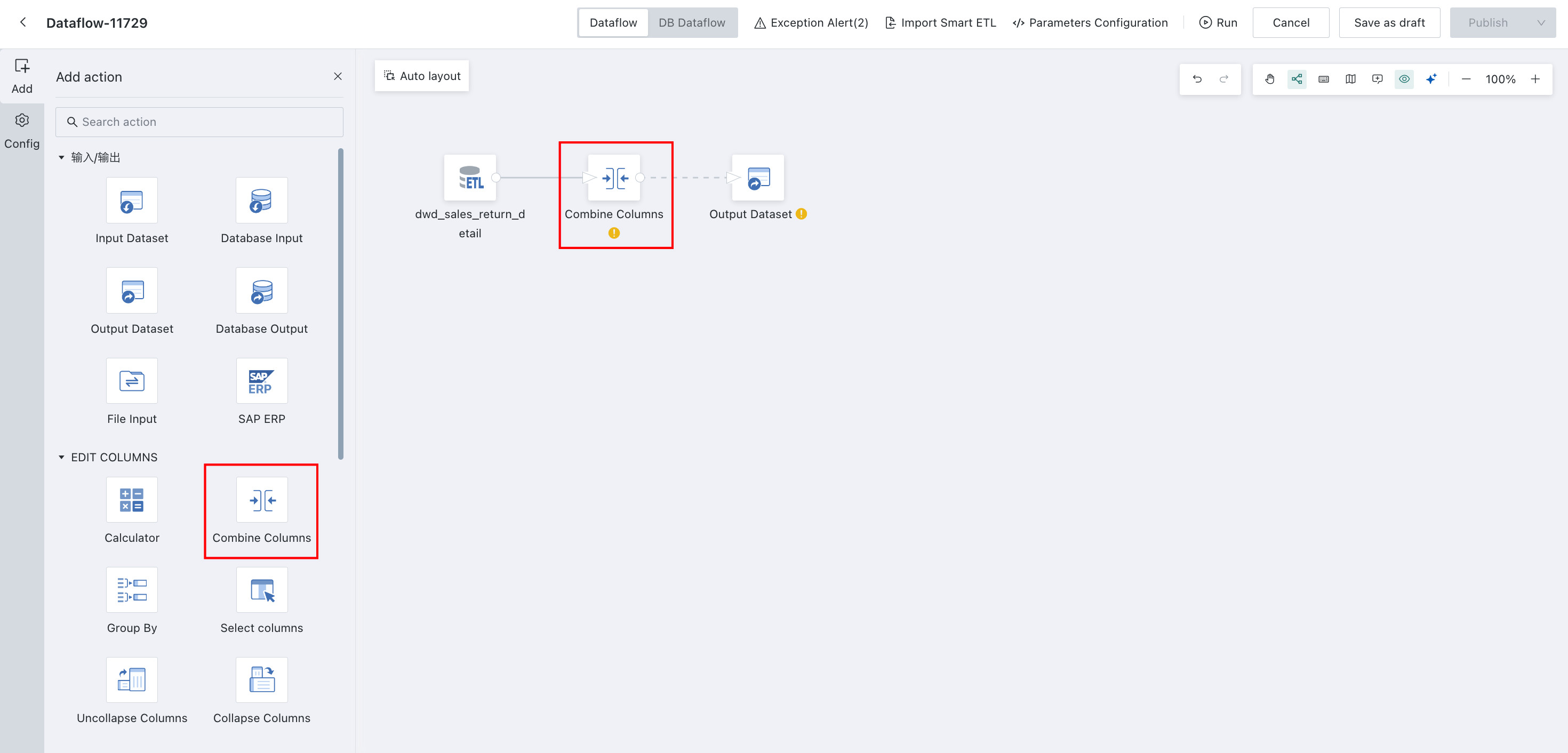
-
Click the
Merge Columnsoperator, specify the new column name, select the original columns to merge, and clickConfirm.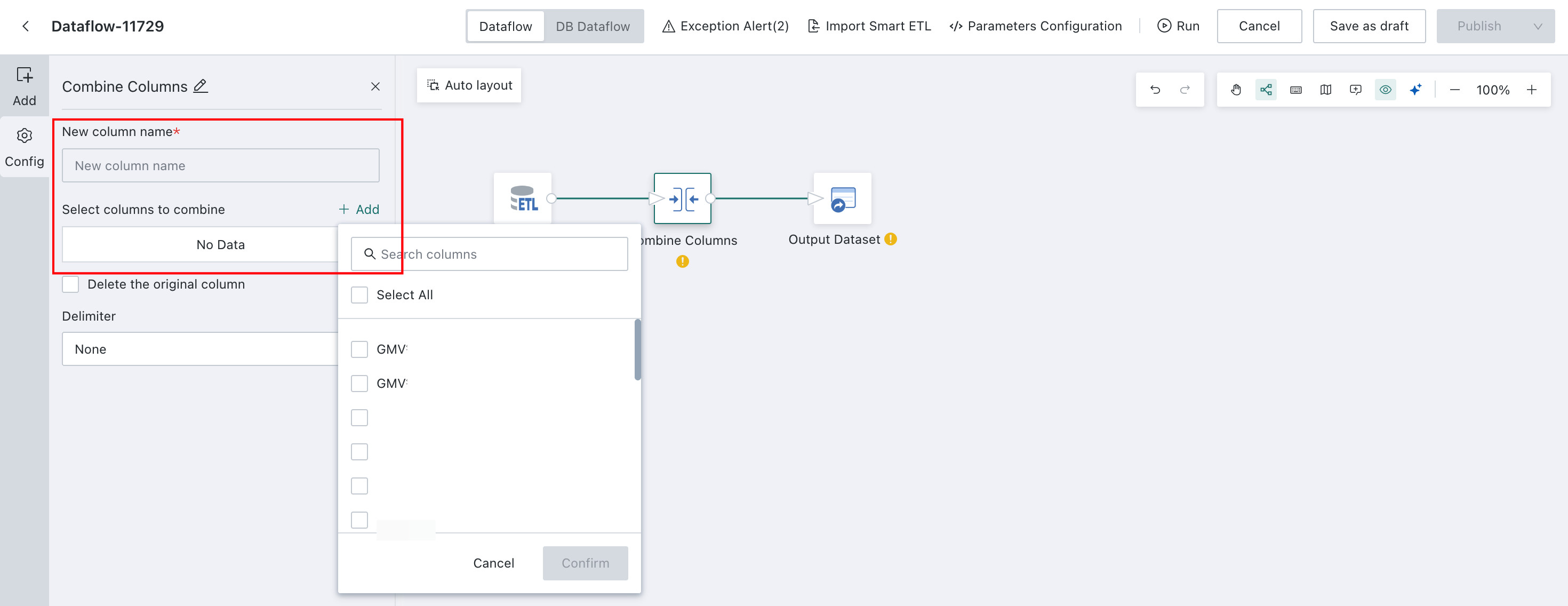
-
Choose whether to
Delete Original Columnsas needed.
-
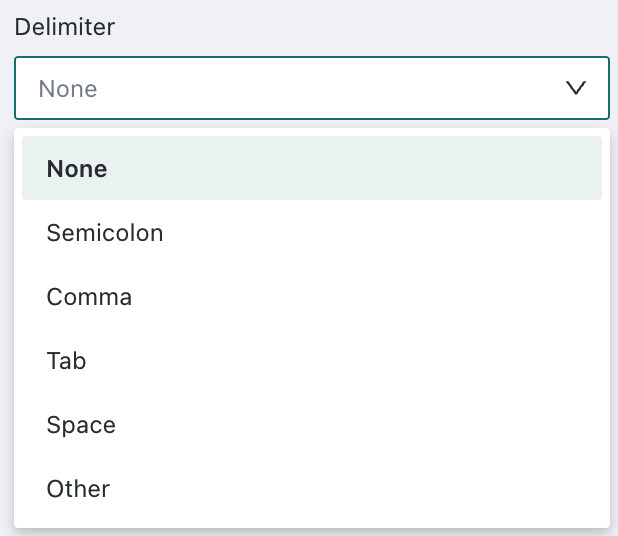
Set a delimiter for the new column to define how original columns are merged.
-
After configuration is complete, preview the result.