Dashboard Pre-refresh
Overview
Feature Description
The Dashboard pre-refresh feature pre-loads required Dashboards for users. That is, before users access a Dashboard, the system automatically loads and refreshes data in advance to ensure users see the latest data when opening the Dashboard without waiting for data loading.
This feature can significantly improve user experience, reduce user waiting time, and enable users to obtain required information more quickly. It can also be configured according to user needs and preferences, such as setting the pre-refresh time interval and pre-refresh data scope.
The pre-refresh setting is disabled by default (enable as needed).
Application Scenarios
If you are facing any of the following situations, we recommend using the pre-refresh feature:
Scenario 1: During peak morning hours, user viewing needs are concentrated on certain Dashboards, and excessive concurrency causes task congestion.
Scenario 2: Leaders may only focus on a few Dashboards. The viewing time is not long, but the waiting time even exceeds the viewing time.
Scenario 3: Dashboards for regular reporting to leaders require waiting during presentations, which wastes meeting time.
Usage Instructions
User Guide
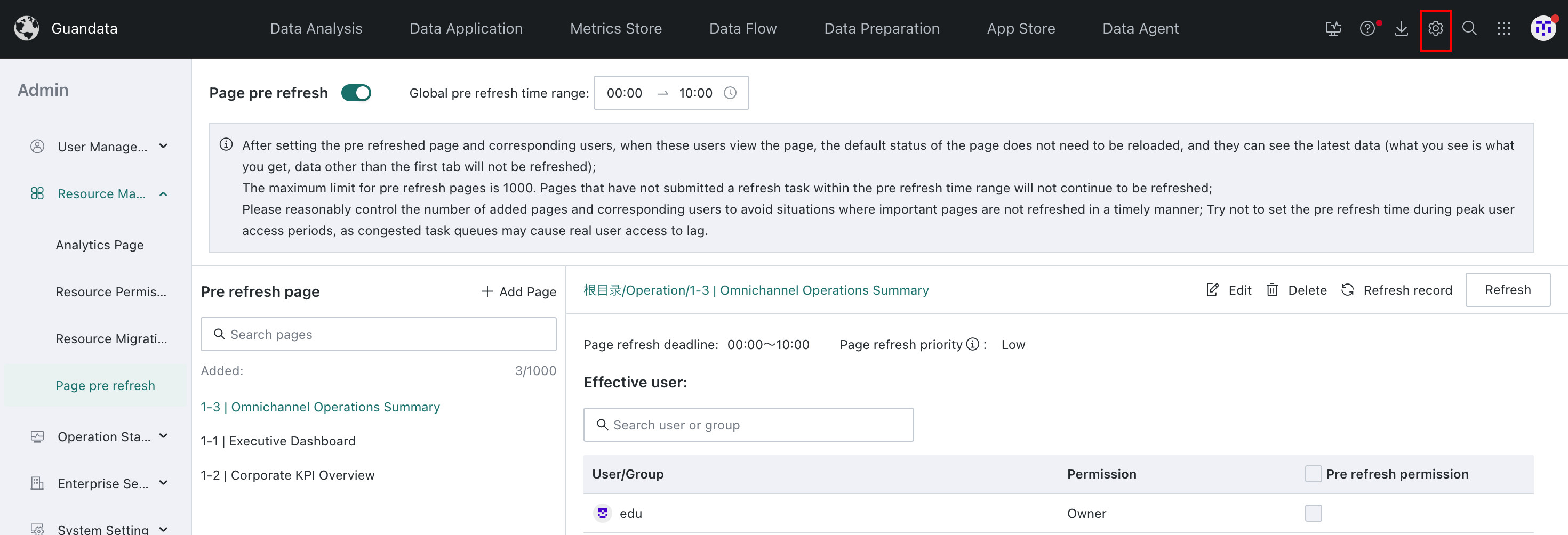
Feature entry: Go to the Admin Center page, then click **Resource Management > Page pre refresh ** to configure pre-refresh.
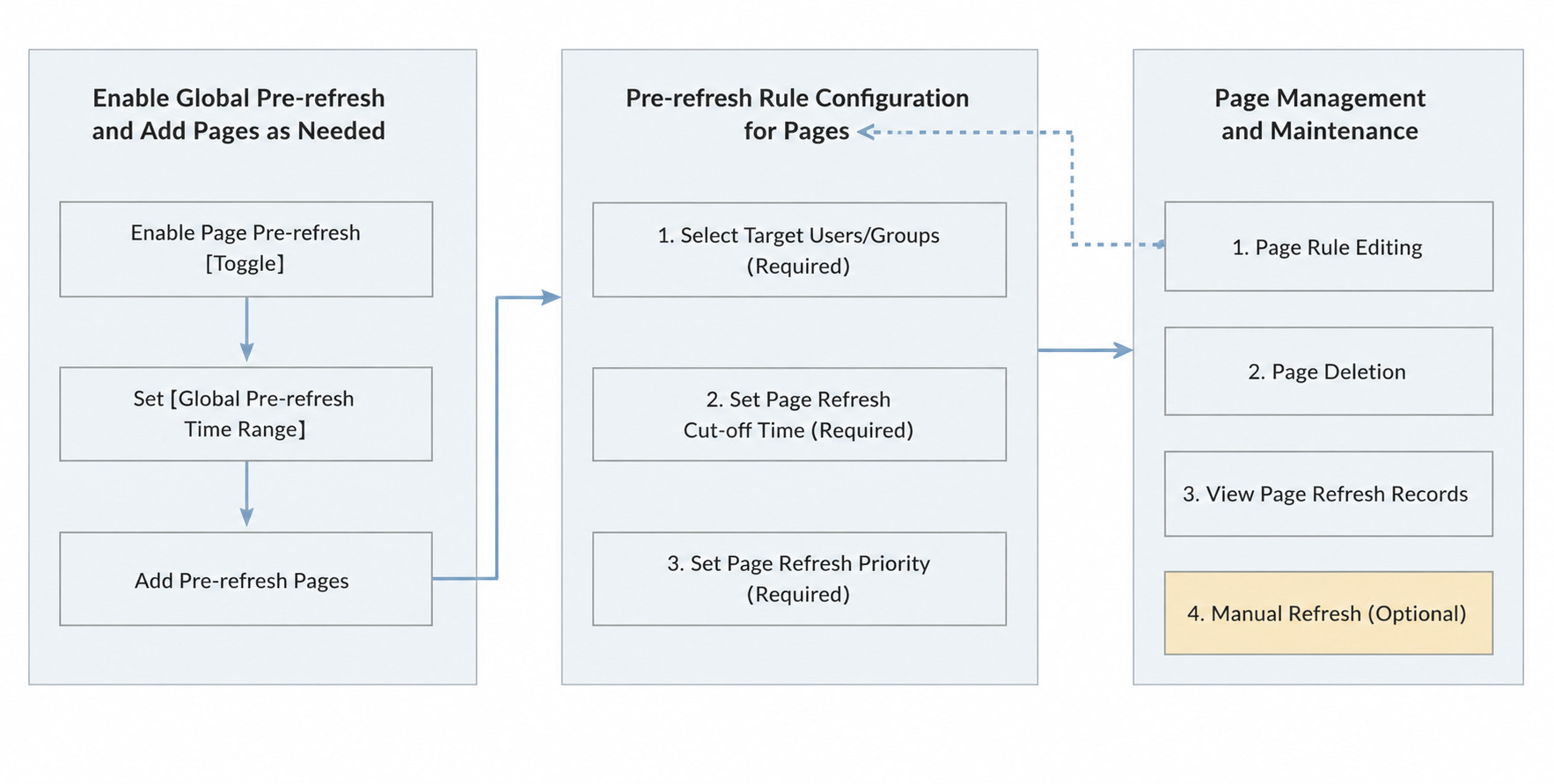
Enable Global Pre-refresh
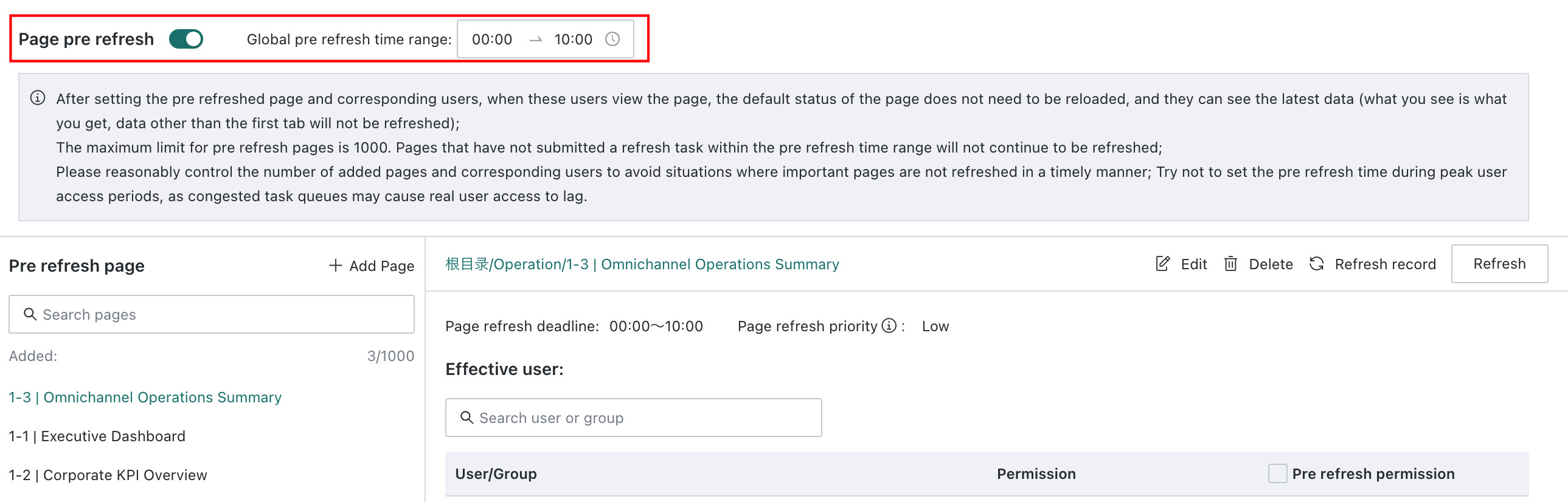
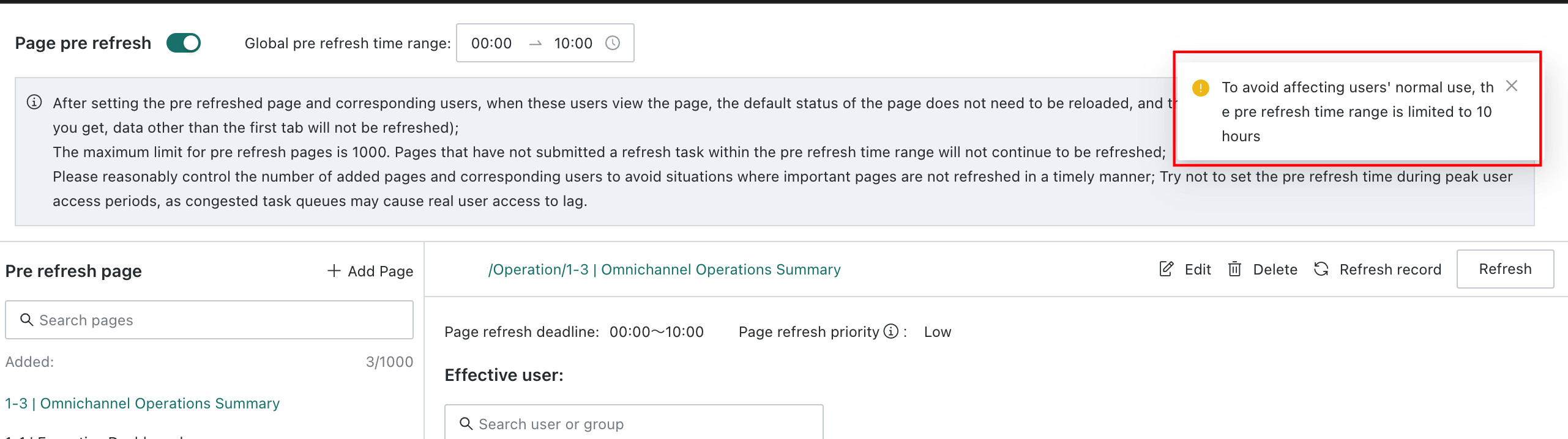
Click the Page Pre-refresh toggle to enable the pre-refresh feature.
Set Global Pre-refresh Time Range
By setting the global pre-refresh time range, the system can trigger early Dashboard refresh when the corresponding Dataset is updated within the user-specified time period, achieving pre-loading of Dashboard data.
The maximum time range cannot exceed 10 hours.
Add Pre-refresh Pages on Demand
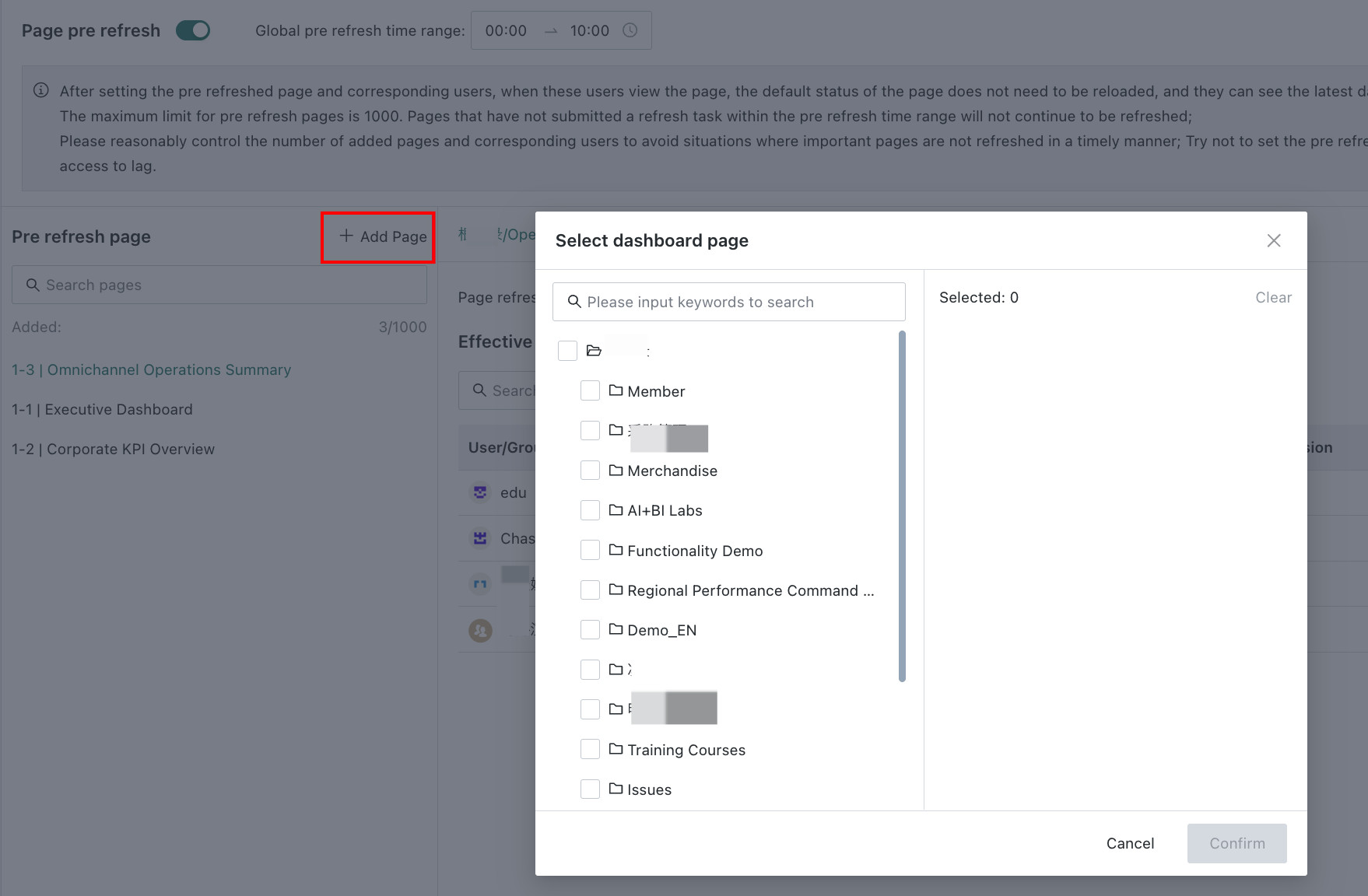
Add Dashboard pages for pre-refresh on demand. This supports single Dashboards and batch selection under folders. After checking the target pages, click OK to proceed to the next step.
- Please do not set too many pre-refresh pages and corresponding users, as this will affect real user visits and cause delayed page refreshes.
- If the target page contains multiple tabs, only the content of the first tab will take effect.
Configure Pre-refresh Rules for Pages
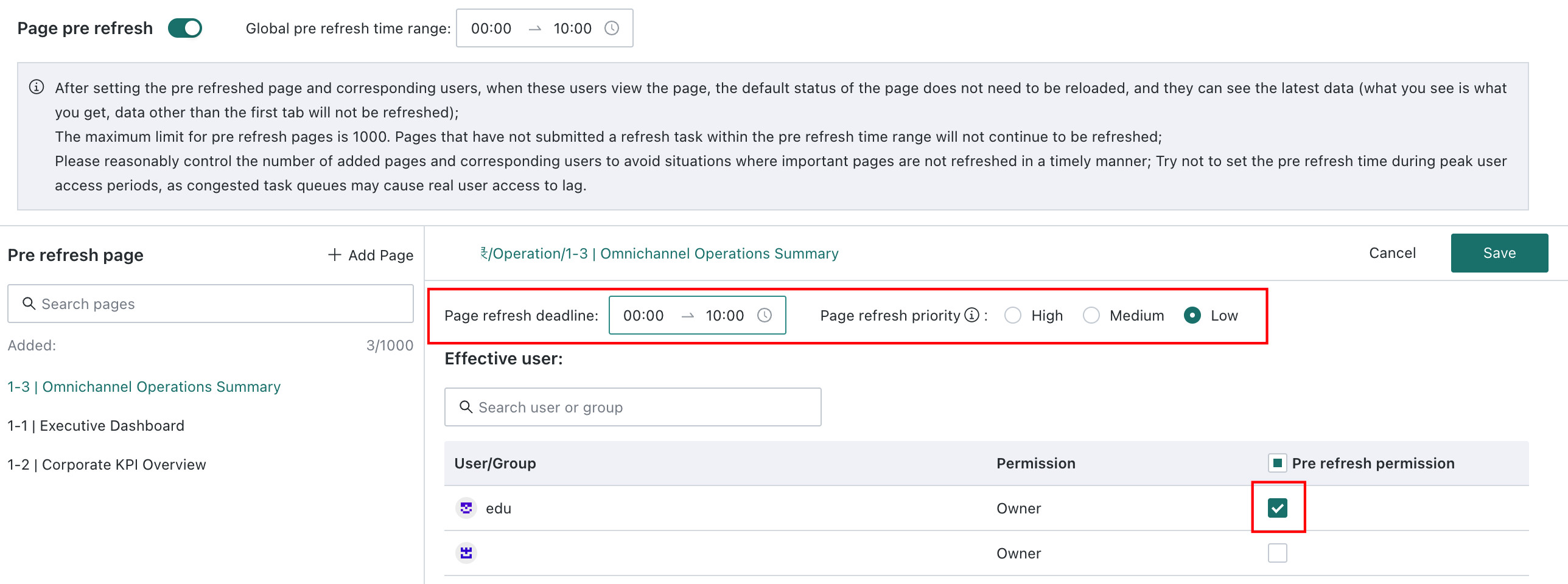
After adding pages, you can edit the page's refresh time range (defaults to global time range; after modification, the page's refresh time range takes effect), refresh priority (only effective for extract Datasets), and the corresponding users/user groups requiring refresh.
Users or user groups requiring pre-refresh must be manually checked.
- If a user/user group is removed from the page's permission list, it will no longer take effect for that user/user group.
- Users can also edit the page's refresh time range and refresh priority (only effective for extract Datasets).
Pre-refresh Page Management and Maintenance
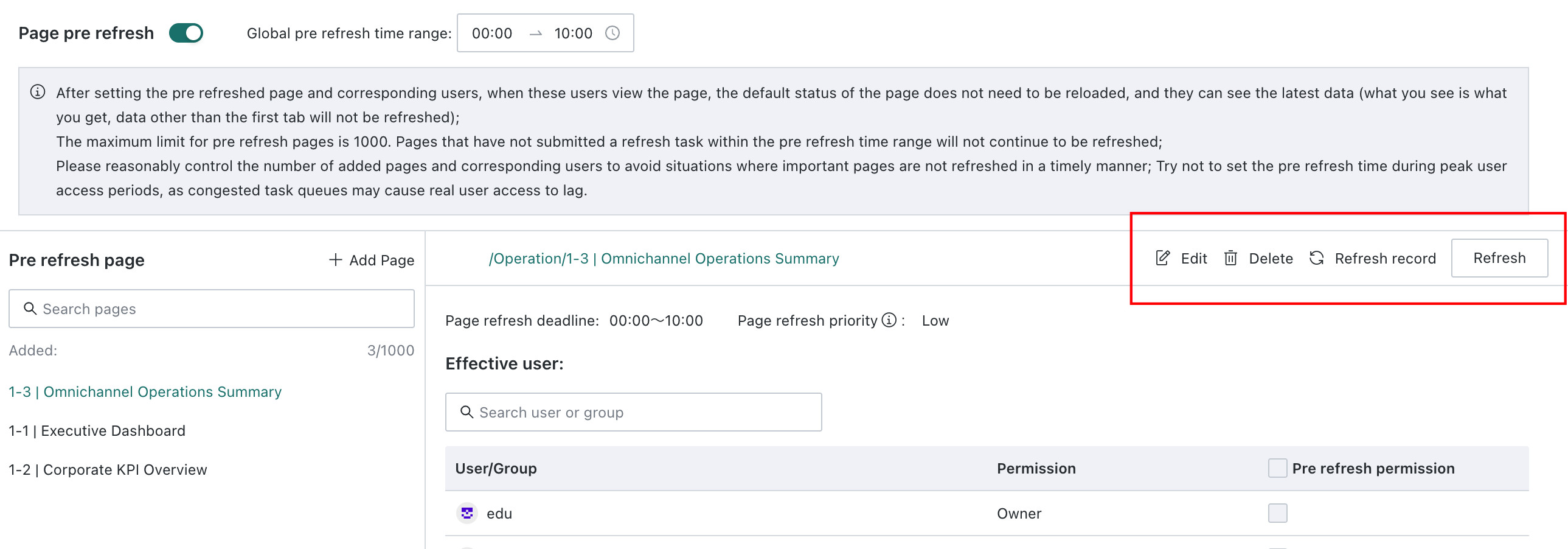
In the above process, we described adding and editing pre-refresh pages. Now we will further explain page management and maintenance. Currently, we support the following four operations:
| Operation | Description |
|---|---|
| Edit | Supports users clicking the "Edit" button of a page at any time to adjust the current page's pre-refresh configuration. |
| Delete | Supports deleting the current pre-refresh page. This operation is irreversible. If a Dashboard page is deleted, the configured pre-refresh page for that page will also be deleted synchronously. Even if the Dashboard page is restored from the recycle bin, the current pre-refresh page configuration will not be restored and needs to be reconfigured. |
| Refresh Record | Displays the page refreshed each time, the corresponding refreshed user and the Dataset triggering the update, the start time and end time of the submitted pre-refresh task (only representing task submission completion, not refresh completion). Records are retained for 30 days. |
| Refresh | Supports manual refresh for a page, which will raise the current page to the first position in the pre-refresh queue for refresh; not affected by the refresh time range or refresh deadline. |