Admin Center Overview
Overview
The Admin Center is the functional area where enterprise administrators manage settings and perform administrative operations in the Guandata platform. It mainly includes modules such as User Management, Resource Management, O&M Management, Enterprise Configuration, System Settings, System Integration, and Open Platform. This article provides only a basic introduction. For detailed functionality, refer to the corresponding documentation for each module.
Entry
The Admin Center entry is located in the upper-right corner of the navigation bar. Click the Admin Center icon, shown as a gear icon, to enter the Admin Center home page, and then choose the target module.
Starting from version 6.6, the Admin Center navigation page also provides a Recently Used shortcut area. It directly shows the function modules recently visited by the current user in the current browser, helping users quickly return to recently used functions.
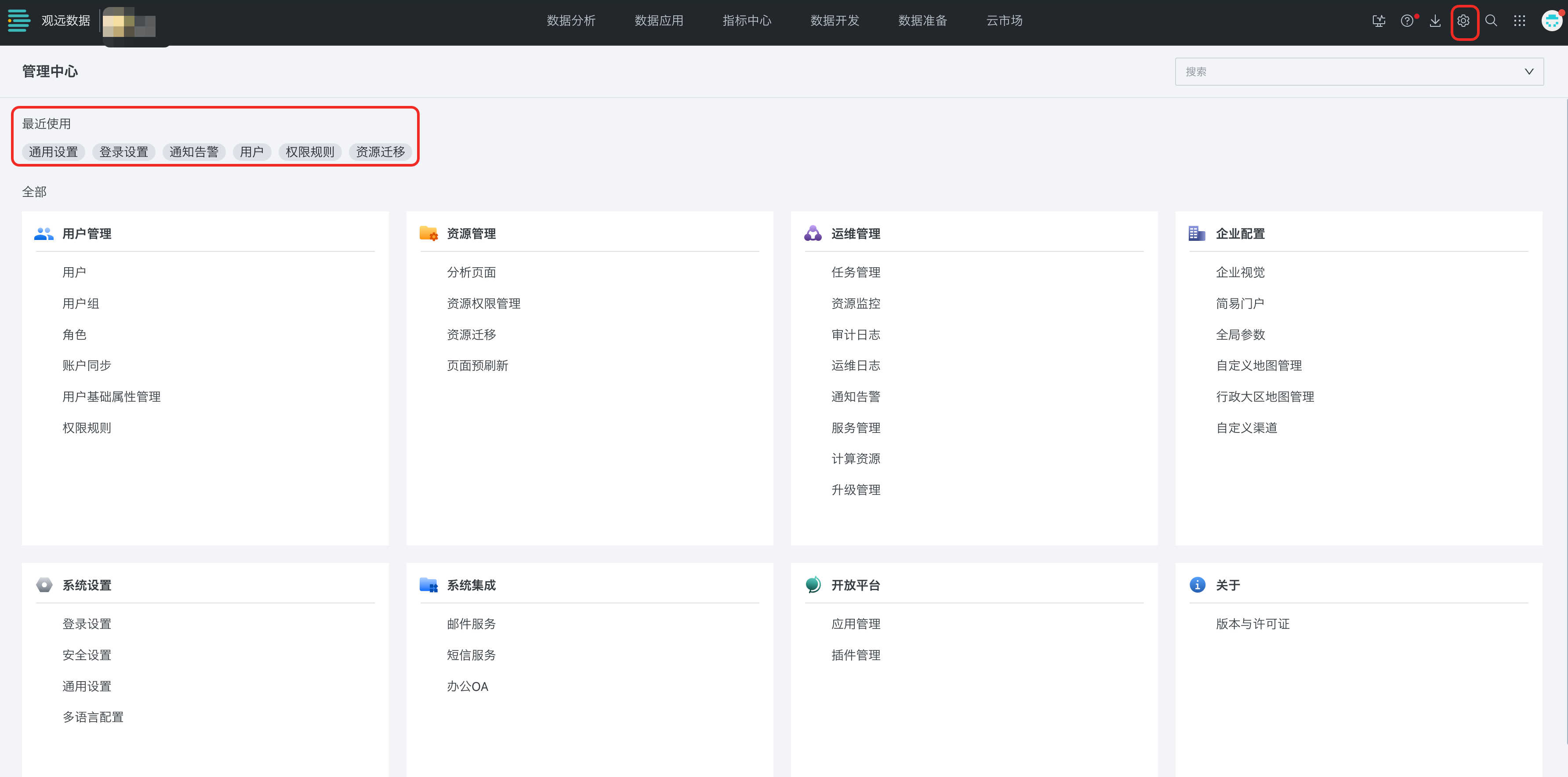
Admin Center Module Overview
| Module Name | Description |
|---|---|
| User Management | User Management is where administrators manage enterprise user accounts and operating permissions. It runs through all business processes and is a core part of platform operations. Administrators assign specific functional roles according to the features different users need. It mainly includes Users, User Groups, Roles, User Basic Attribute Management, Permission Rules, and related capabilities. |
| Resource Management | Resources refer to the content created by enterprise users on the platform. Through Resource Management, administrators can better view and allocate company-domain data and permissions. It includes Analysis Pages, Resource Permission Management, Resource Migration, and Page Pre-Refresh. |
| O&M Management | O&M Management provides monitoring and administration for overall platform operations. It includes Task Management, Resource Monitoring, Audit Logs, O&M Logs, Notification Alerts, Service Management, Compute Resources, and parameter configuration. |
| Enterprise Configuration | Enterprise Configuration provides settings related to enterprise identity, pages, watermarks, and services. It includes Enterprise Branding, Enterprise Portal, Global Parameters, Custom Map Management, Administrative Region Map Management, and related capabilities. |
| System Settings | System Settings provides configuration for foundational system behavior. It mainly includes Login Settings, Security Settings, General Settings, and Multilingual Configuration. |
| System Integration | System Integration allows Guandata to connect and integrate with external systems through a simplified authentication mechanism. It is provided for privately deployed customers. |
| Open Platform | On the Open Platform, administrators can manage Applications and Plugins, including custom-developed front-end plugins built on Guandata BI open capabilities. |
| About | This module displays items such as license information and version information. |