Feature Updates
Core Highlights
1. 【Paid Feature】Intelligent Insight Major Upgrade

   Insight Agent Cross-Dashboard Deep Insight | Dashboard Insight Auto-Generated Prompts

2. Enhanced Data Preparation & Permissions

   Extended Data Integration | Dataset Partition Support | Folder Batch Authorization Overlay Support

3. Improved Data Analysis Capabilities

   Table Presentation & Interaction Optimization | World Map Enhancement | Progress Chart Optimization | LOD Calculation | Export Security Compliance Enhancement

4. Enhanced Super App Capabilities

   Super App Request Forwarding | App List Experience Upgrade | Role, Owner & Visitor Permission Management

5. 【Paid Feature】Extended Metric Center Capabilities

   Dimension Attribution Details | Cross-Dimension Attribution Analysis | Metric Visualization Analysis Improvement | Metric Folder Auto-Authorization

6. Enhanced Subscription & Alert Capabilities

   Merged Subscription Trigger Enhancement | Subscription Alert Pre-generation Support | Intelligent Insight Subscription Configuration Optimization
Highlight Interpretation
Intelligent Insight Major Upgrade
This feature is a paid add-on module. Please contact your sales team for purchase.
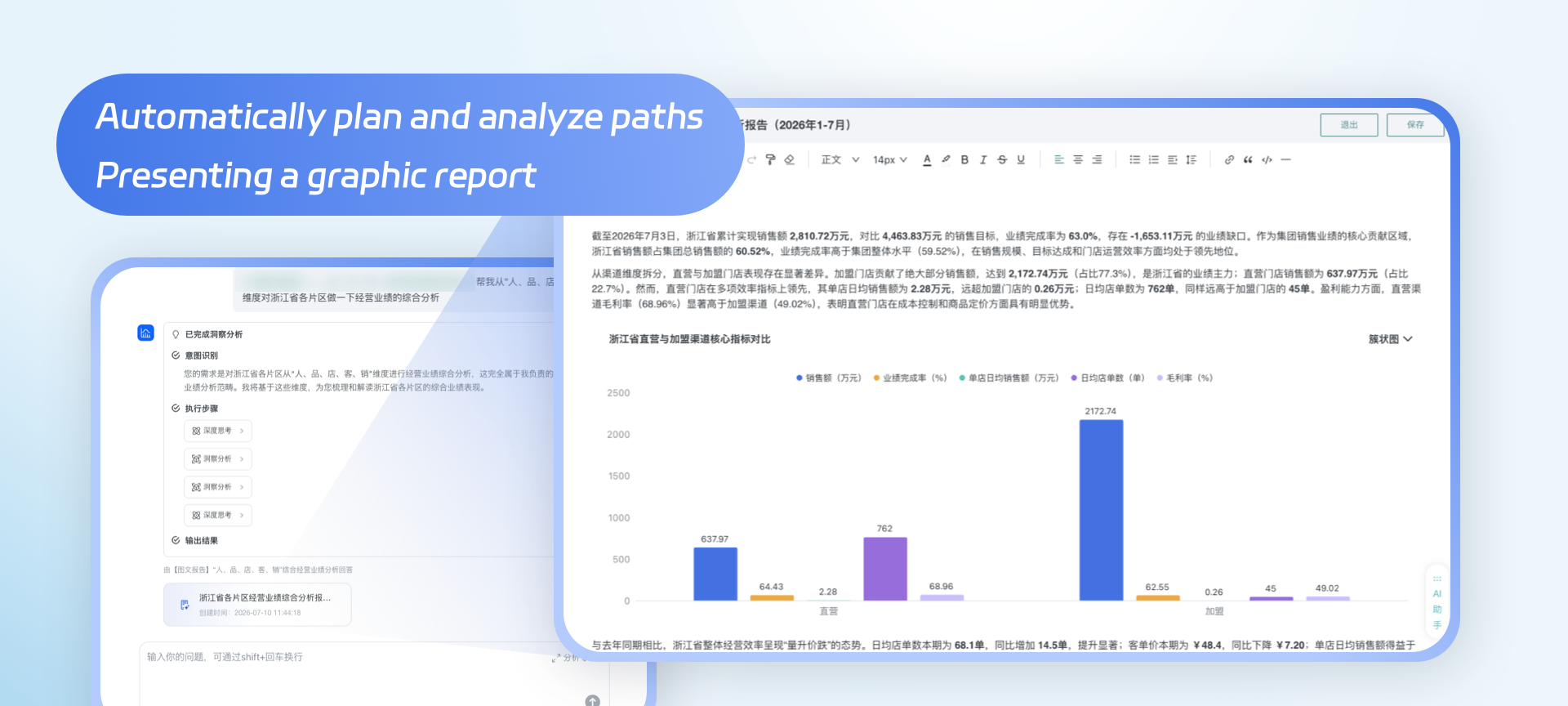
- Insight Agent supports cross-dashboard deep insight: Through intent recognition, expert knowledge retrieval, task planning, and tool invocation, Insight Agent automatically plans analysis paths, achieving cross-dashboard, cross-theme, and cross-chain data integration and linkage analysis. It also supports subscribing and pushing generated reports to specified channels, making analysis conclusions easier to understand and verify. For details: Insight Agent.
- Intelligent insight prompt generation: When creating dashboard or card intelligent insights, the system can automatically generate prompts based on current data and analysis scenarios, reducing configuration barriers. For details:Configure Insight Prompts.
Enhanced Data Preparation & Permissions
- Extended Data Integration
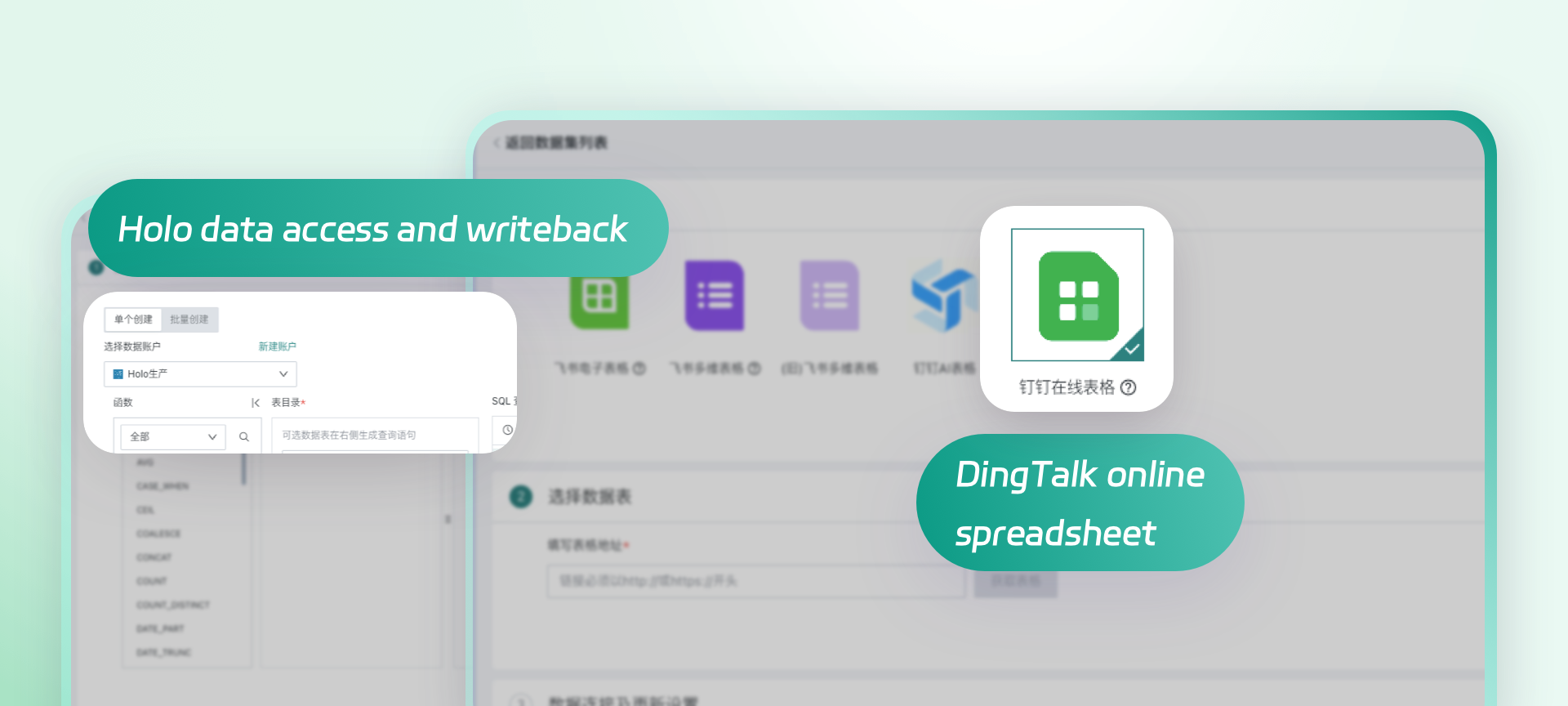
- Hologres database integration support: Supports creating extraction datasets, direct datasets, and data writeback through Hologres, improving data integration compatibility across different database environments. For details: Standard Database Connection Guide.
- Partition support for extraction datasets: When creating or editing extraction-type database datasets, you can select a date field as the partition field. The system manages and updates data by partition, reducing update and query pressure in large data volume scenarios. For details: Guan-Index Configuration-Partition Field.
- Folder batch authorization overlay support: Folder batch authorization supports inheriting permissions from multiple parent folders and applies them in union; the permission list also shows the permission source, making it easy for administrators and resource owners to verify authorization relationships and avoid sub-level configurations overwriting existing permissions. For details: Resource batch authorization.
Improved Data Analysis Capabilities
-
Table presentation and interaction optimization
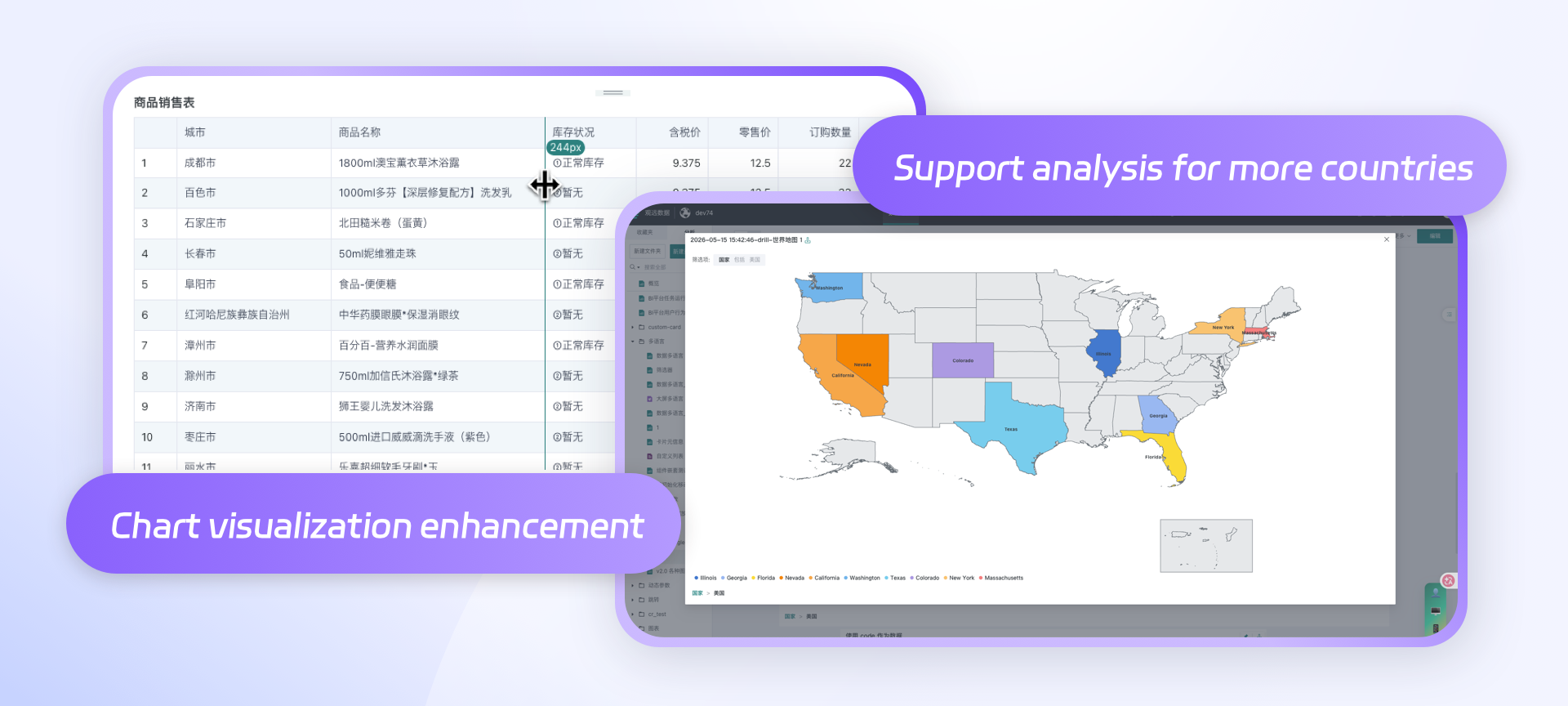
- After enabling table pagination, row numbers can continuously accumulate across pages, making it convenient for positioning, ranking, and verifying data. For details:Row Number.
- When fields are displayed as hyperlinks, other fields can be referenced in links to flexibly concatenate business addresses. For details:Dimension Configuration-Display As.
- Supports hiding metric names to simplify header information. For details:Dimension Configuration-Hide Fields.
- Optimized column width dragging, cell internal spacing, zebra strip fill color, header sorting interaction, and row number TOP 3 style to improve table editing and reading experience.
-
World map: Map chart extends global geographic data display capabilities to meet data analysis needs across countries and regions. For details: World Map Management.
-
Progress chart optimization: Optimized the style and configuration capabilities of progress charts to more clearly present goal completion.
-
Card calculation supports LOD: Supports creating FIXED, INCLUDE, and EXCLUDE LOD fields to control calculation granularity without changing the current chart's dimensions, meeting complex analysis needs such as fixed level summary, inclusion dimensions, and exclusion dimensions. For details: Creating a LOD Field.
-
Export security compliance enhancement
- Excel export approval: Administrators can enable export approval to standardize the export process of sensitive data. For details: Excel Export Approval.
- Export encryption: Supports configuring passwords for exported files, reducing the risk of data leakage after file transmission. For details: Export Encryption
- Excel export watermark: Supports adding watermarks to multiple types of Excel export files, strengthening data traceability and security audit capabilities. For details: Watermark Information.
Enhanced Super App Capabilities
This feature is a paid add-on module. Please contact your sales team for purchase.
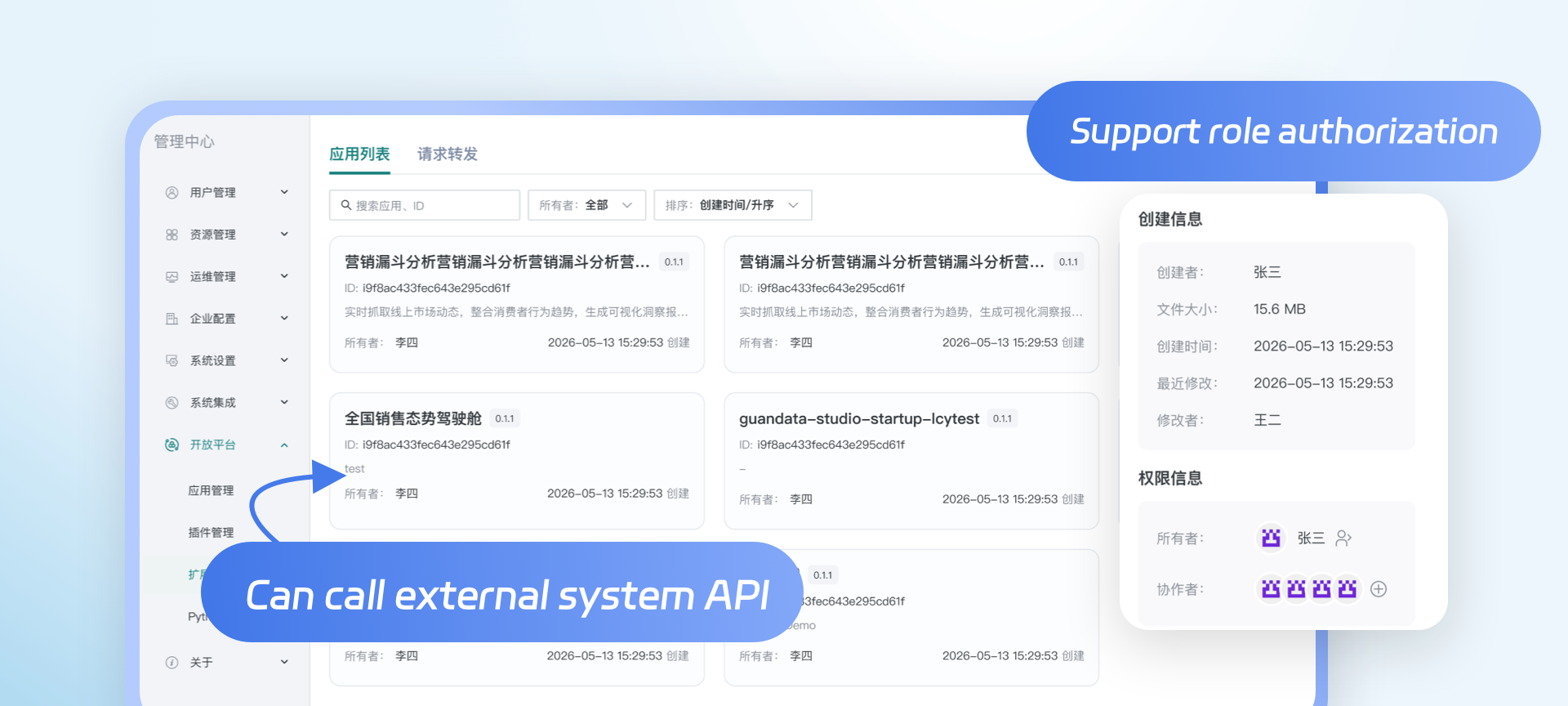
- API Gateway request forwarding: Super App can forward external requests through a unified entry point, reducing interface integration and maintenance costs. For details: Request Forwarding.
- App list experience upgrade: Optimized the creation, search, and management process of Super App, improving app building efficiency. For details: Manage Published Apps.
- Permission management enhancement: Improved the permission management of Super App roles, owners, and visitors, clarifying the operation scope of different participants. For details: Super App Permission Management.
Extended Metric Center Capabilities
This feature is a paid add-on module. Please contact your sales team for purchase.
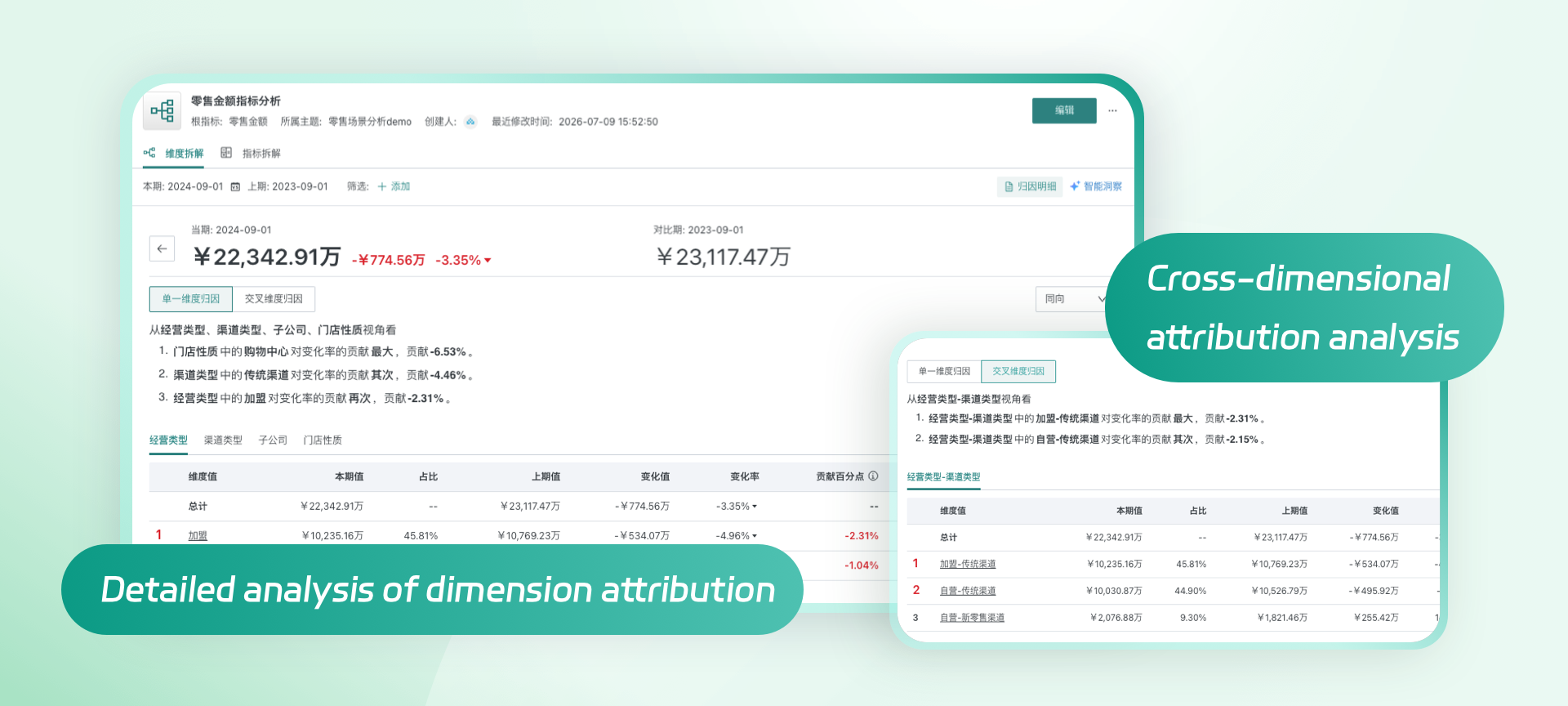
- Dimension attribution details: In the metric tree details, you can view the contribution details of metrics broken down by a single dimension through a table, compare the contribution direction and impact of each dimension value, and quickly locate the main source of metric changes. For details: Attribution Details
- Cross-dimension attribution analysis: Supports combining two or more basic dimensions into cross-dimensions and analyzing metric changes from the combined dimension perspective, helping users identify common influencing factors that are difficult to find in single-dimension analysis. For details: Dimension Decomposition Tree Configuration and Operation.
- Metric visualization analysis improvement: Metric analysis adds word cloud, butterfly chart, and administrative map, and enhances table and metric card capabilities, supporting grouped tables, metric card conditional formatting, table value groups, and primary-secondary metric groups to meet more metric display and comparative analysis scenarios.
- Metric folder auto-authorization: Batch authorization can be configured uniformly on metric folders; after enabling "inherit from parent" for folders and metrics, the authorization list of the parent folder will be automatically inherited, reducing the maintenance work of individual metric authorization. For details: Permission Management.
Enhanced Subscription & Alert Capabilities
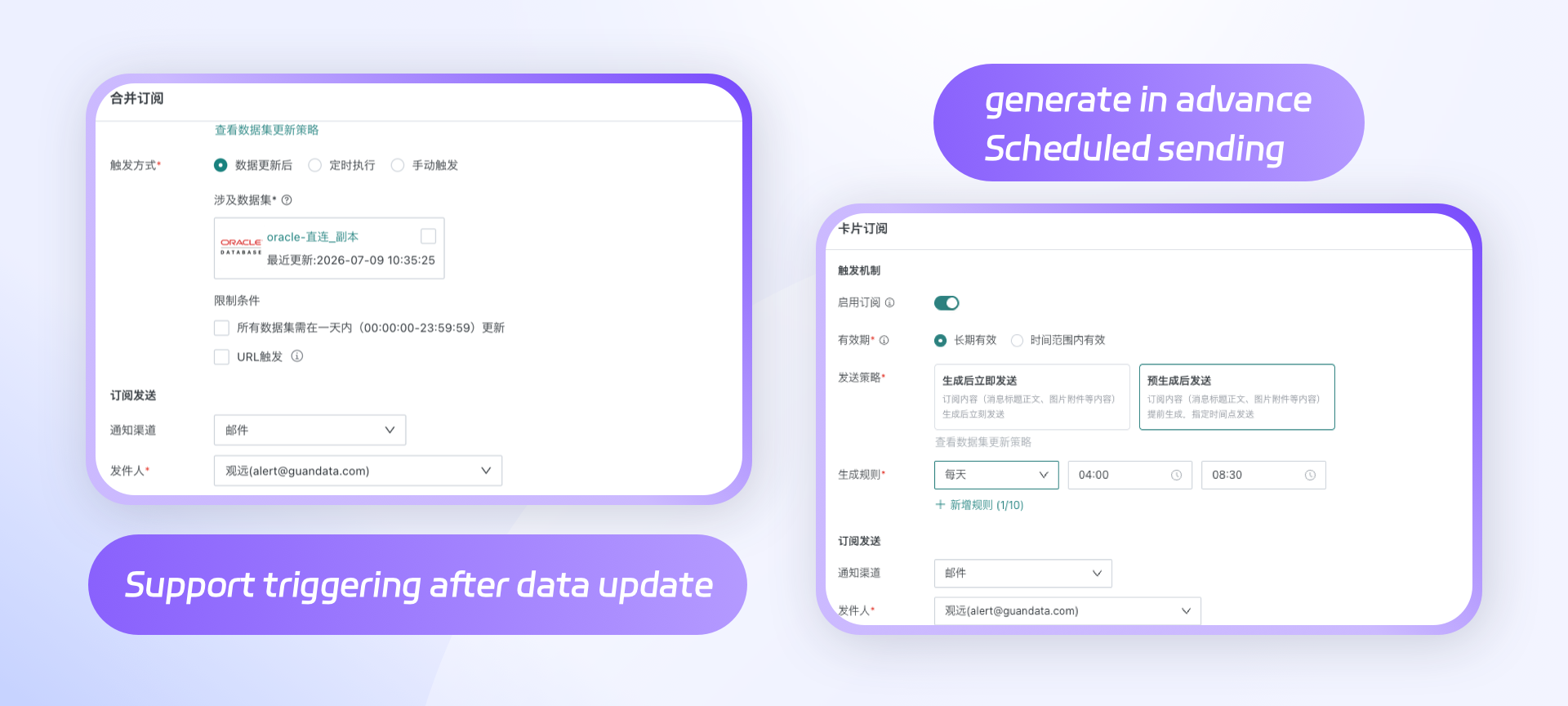
- Merged subscription supports data update trigger: Merged subscriptions can generate and send content after associated data updates, improving the timeliness of subscription data. For details: Trigger Mechanism.
- Subscription alert supports pre-generation and sending: When creating subscriptions or alerts, you can configure the content generation time and sending time separately, complete the generation of titles, body, images, and attachments in advance, and send at the specified time, relieving the resource pressure during centralized sending. For details: Trigger Mechanism-Send Strategy
- Intelligent insight subscription alert supports page visitors: When creating intelligent insight subscriptions or alerts, page visitors can be included in the configuration scope. For details: Insight Subscription and Insight Alerts.
Other Feature Updates
Data Integration & Preparation
-
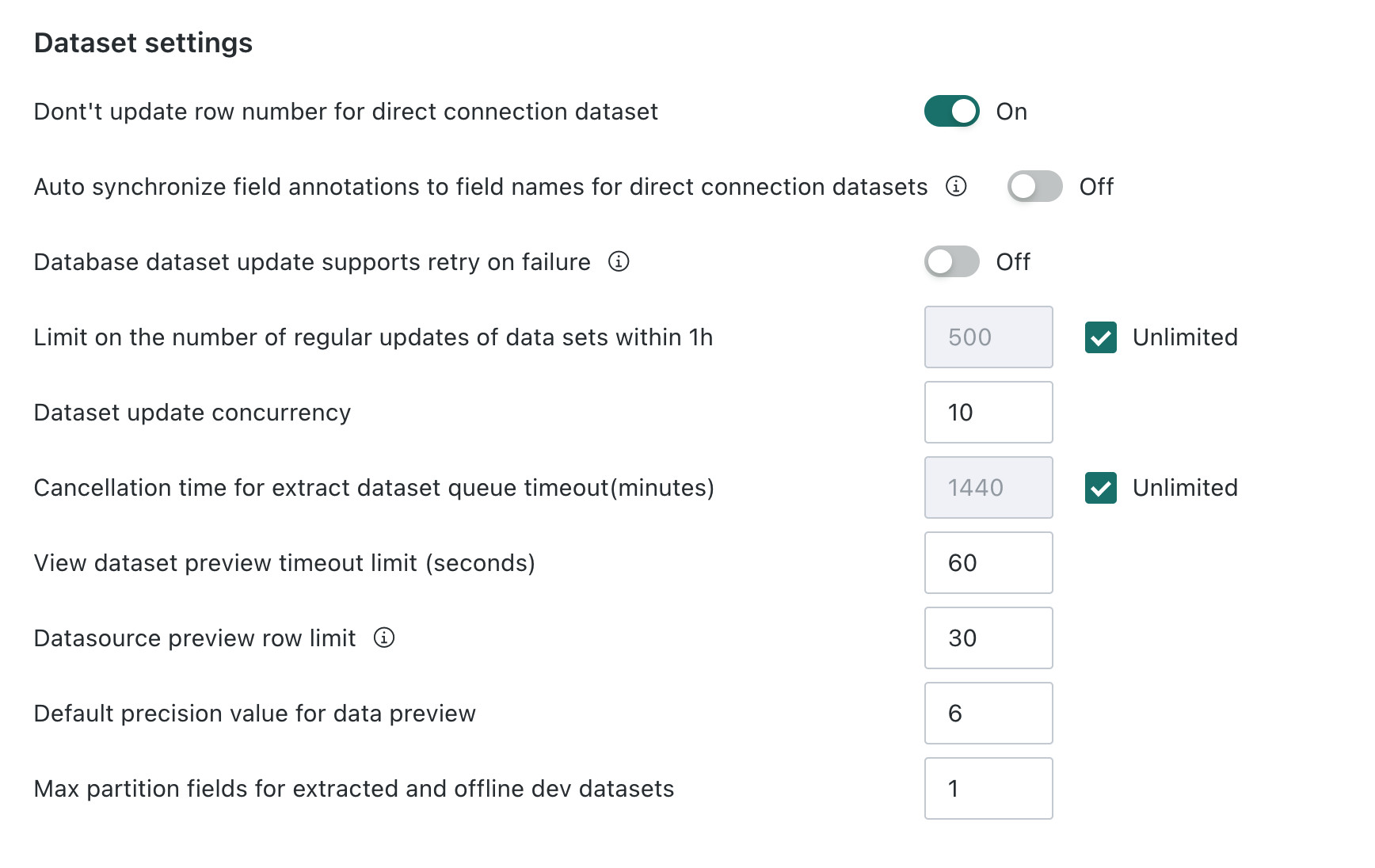
Task queue timeout control: Administrators can limit the queuing time of ETL and dataset tasks through system parameters, and release resources occupied by timeout tasks in a timely manner. For details: Database Parameter Settings.
-
"More update setting" entry control: The super admin backend (system-backend) supports controlling the "more update setting" entry through a switch, meeting data update management requirements in different environments.
-
Data security template fault tolerance enhancement: When a dataset lacks the fields required by the security template, the corresponding row permission rules can be ignored, improving template reusability. For details: Configure Row and Column Permissions.
-
Database account supports JDBC URL: Database accounts support configuring connections through JDBC URL, improving the flexibility and compatibility of connection methods. For details: Configure the Data Account.
-
Lineage Public API: Public API supports querying resource lineage and field lineage, making it convenient for external systems to obtain lineage relationships. For details: Public API.
-
BW connection supports high-speed mode: BW connection supports configuring high-speed mode, reducing manual processing and improving configuration efficiency and usage experience. For details: Select Data Account.
-
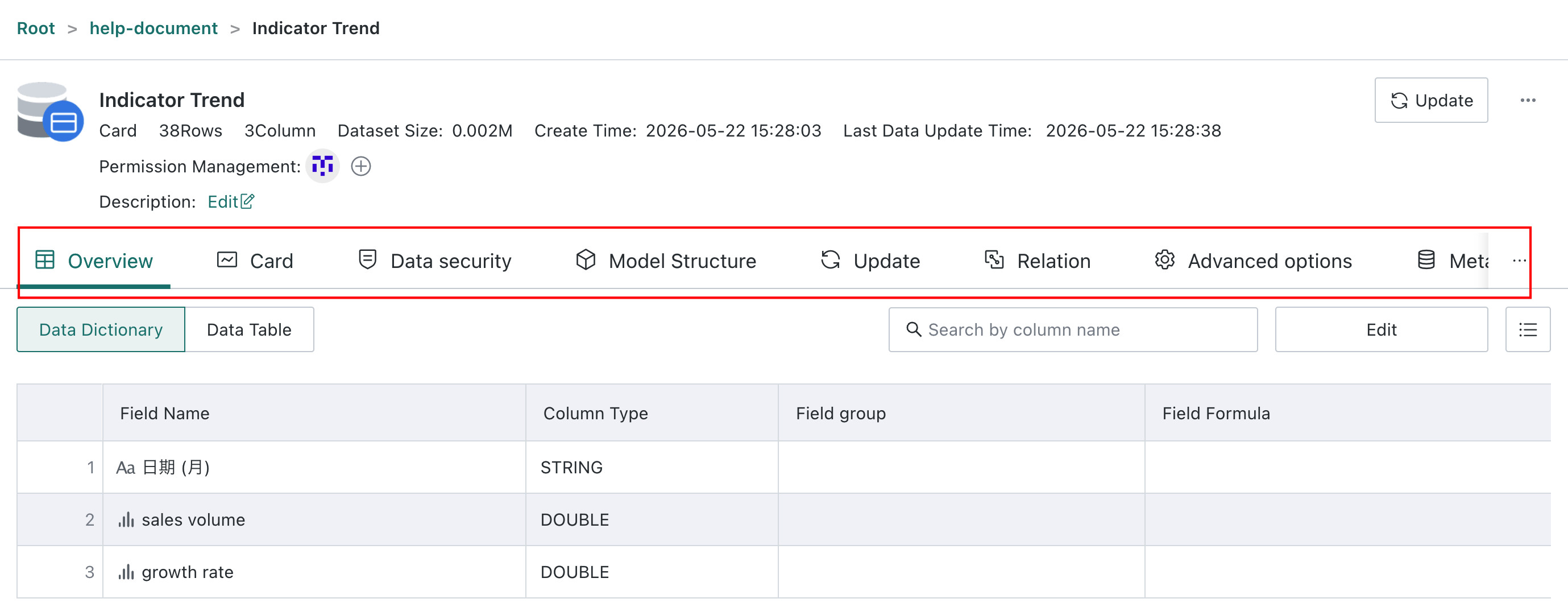
Card dataset update control: Card datasets add a switch for whether to update data, which can reduce unnecessary data updates and resource consumption as needed. For details: [Manage the Created Dataset](../../../../4-Data Integration/4-Application Data Integration/5-Card Dataset.md#manage-the-created-dataset).
-
Model structure field type confirmation: When updating the model structure, if the original field type is inconsistent with the target field type, the system will highlight the difference and support using the original type to override the target type. For details: [Model Structure](../../../../4-Data Integration/5-Dataset Management/2-Dataset Preview and Editing.md#model-structure).

Data Analysis & Visualization
-
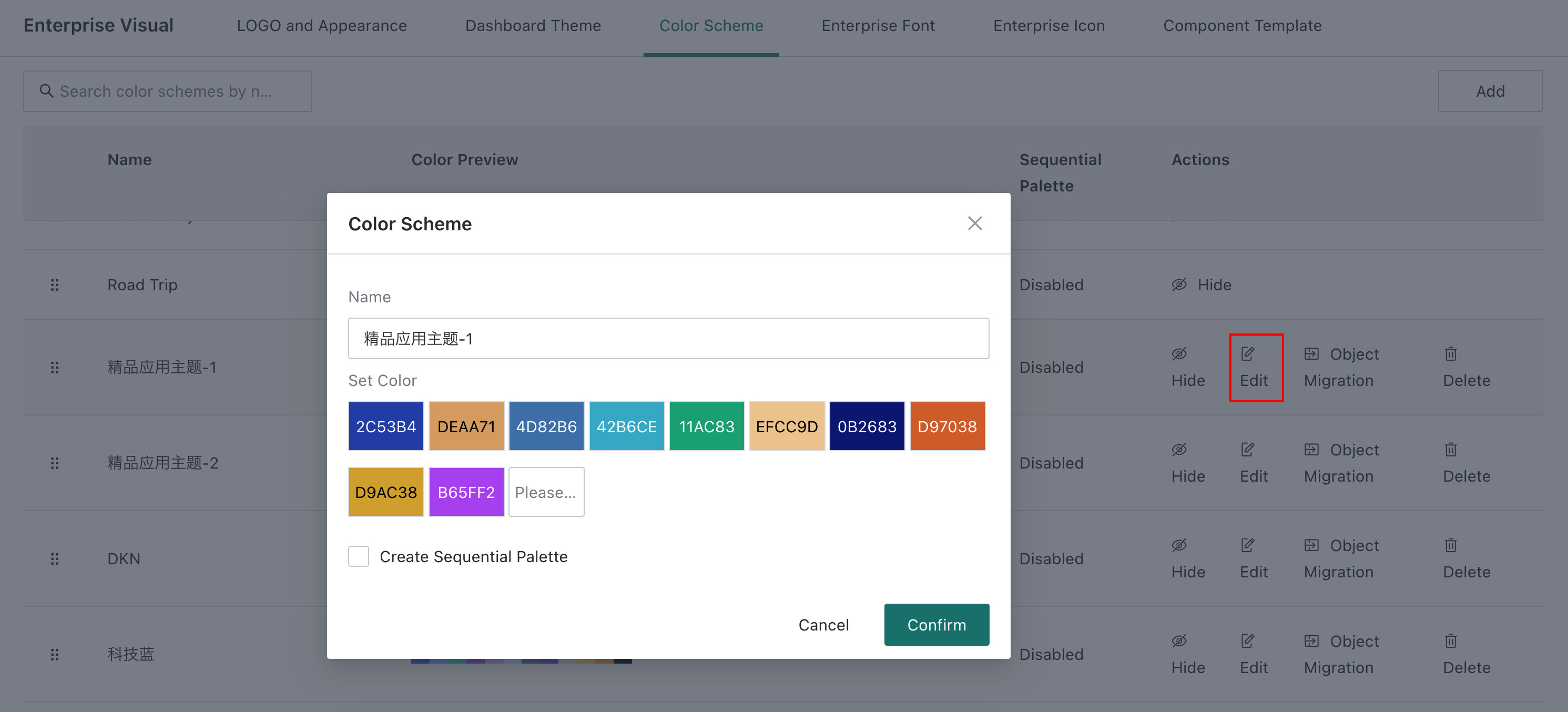
Color scheme capability enhancement: Administrators can edit enterprise color schemes and create sequential palettes; chart theme colors follow palette configuration, improving cross-chart color consistency. For details: Color Schemes.
-
ChatBI chart save to dashboard: Charts generated during ChatBI data querying can be saved to the dashboard, facilitating the accumulation and reuse of analysis results.
-
Mobile tabs support three-level nesting: Mobile pages can organize content through deeper level tabs.
-
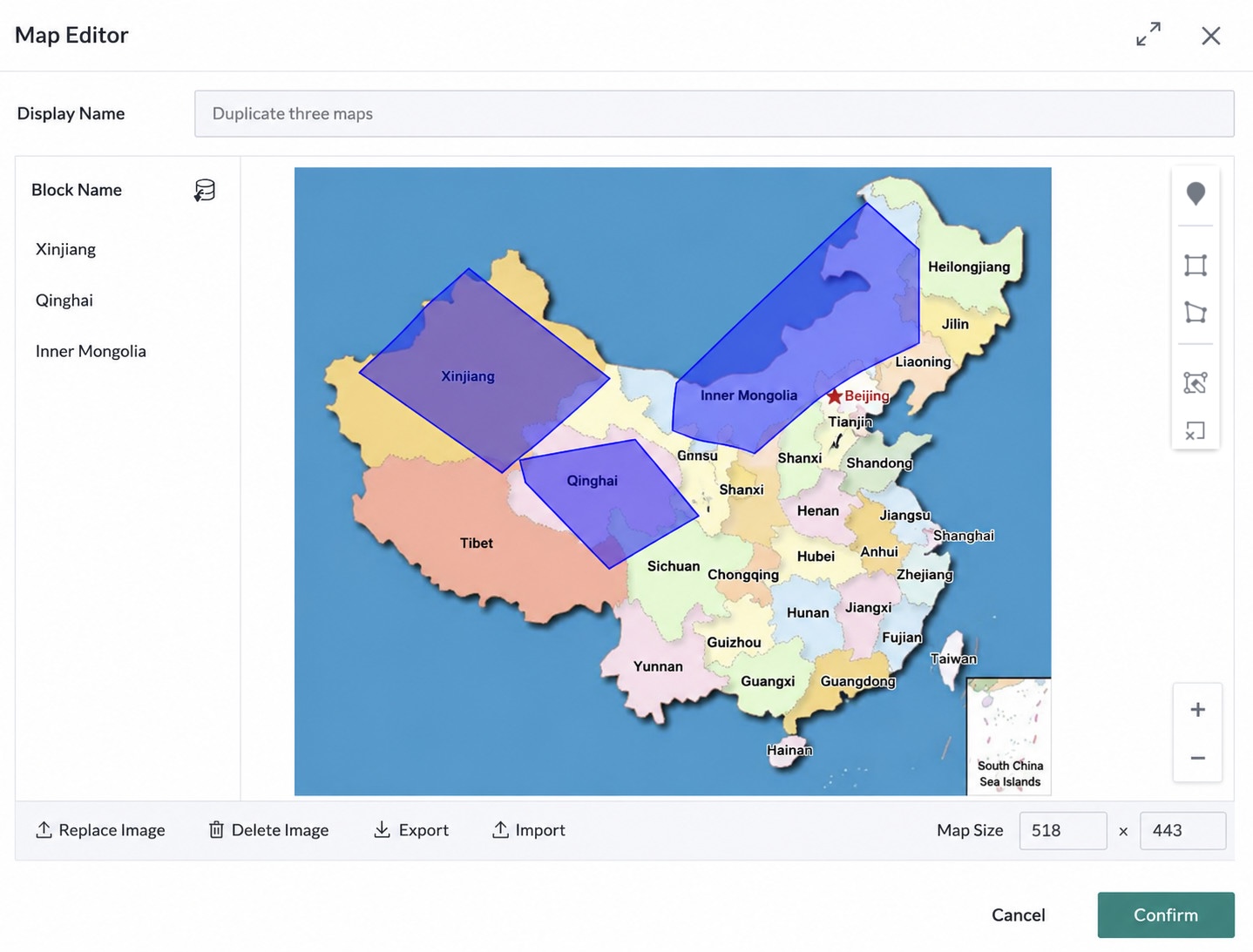
Custom map supports points and paths: In addition to polygon areas, flat maps also support placing XY coordinate points and drawing line paths composed of multiple points. For details: Create Custom Map-Flat Map
-
End value calculation method extension: The end value in advanced calculation supports calculation by natural last day or last available value. For details:Last Value.
Intelligent Insight
-
Insight Agent permission management: Supports controlling the usage permissions of Insight Agent by role, limiting the scope of capability usage, and ensuring data and analysis capability security.
-
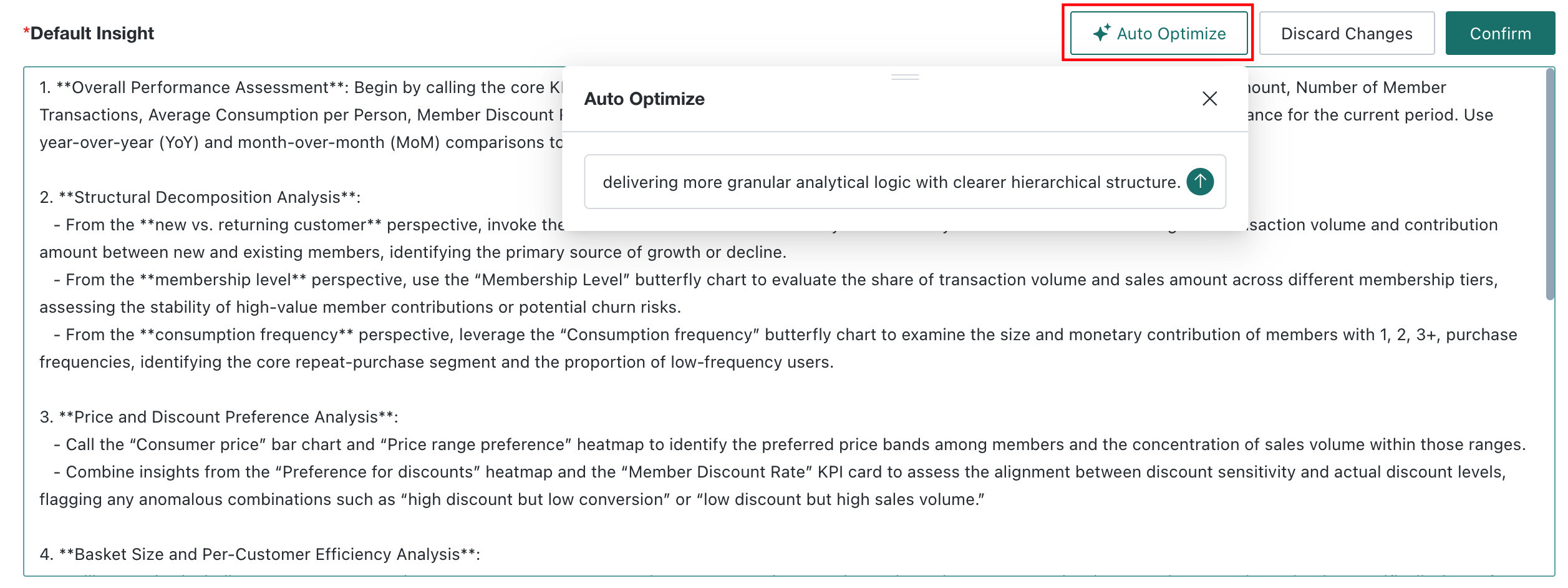
Insight Agent auto-generated prompts: Can automatically generate prompts based on associated dashboards and analysis scenarios, reducing the configuration threshold for analysis experts.
-
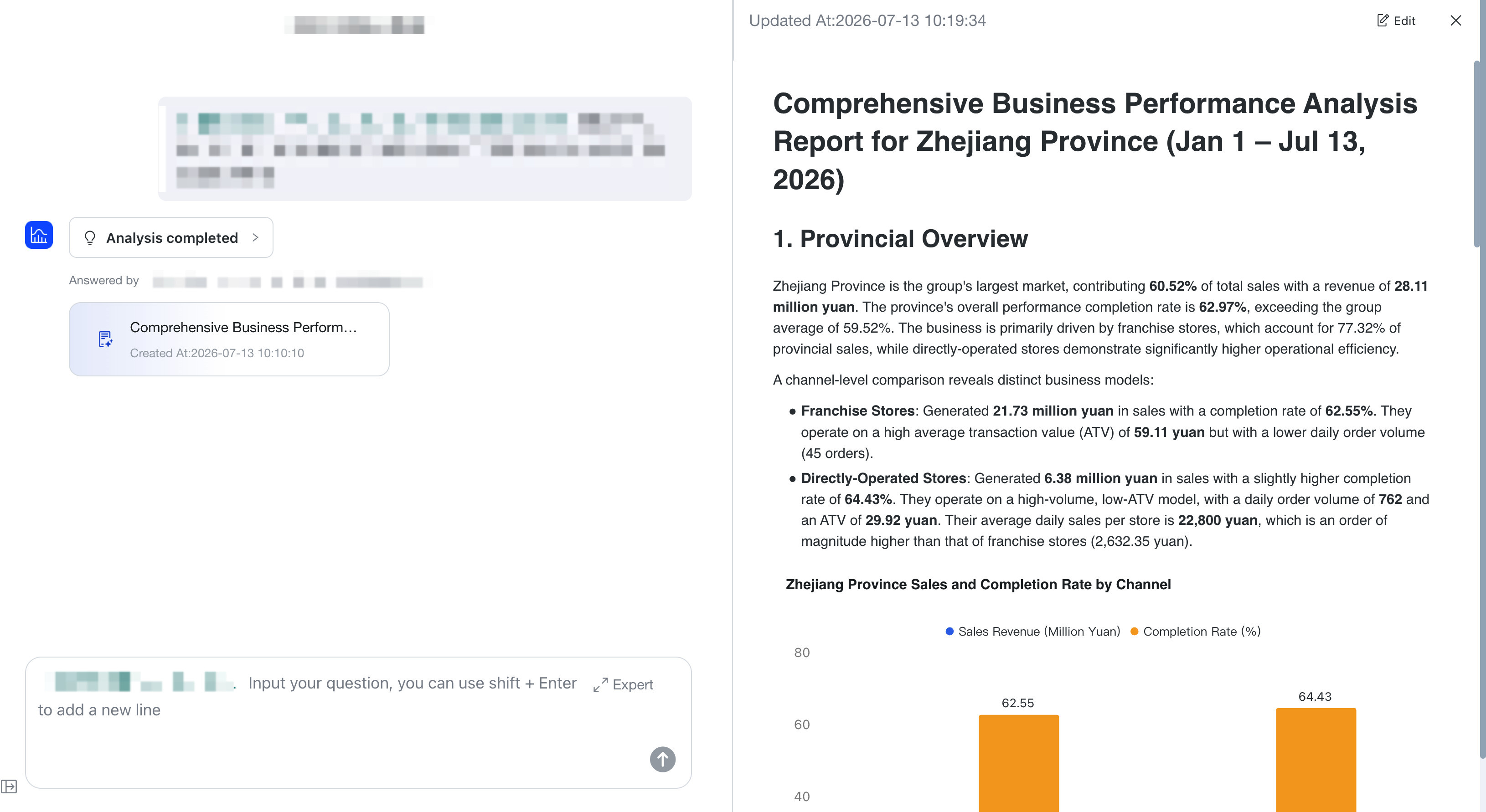
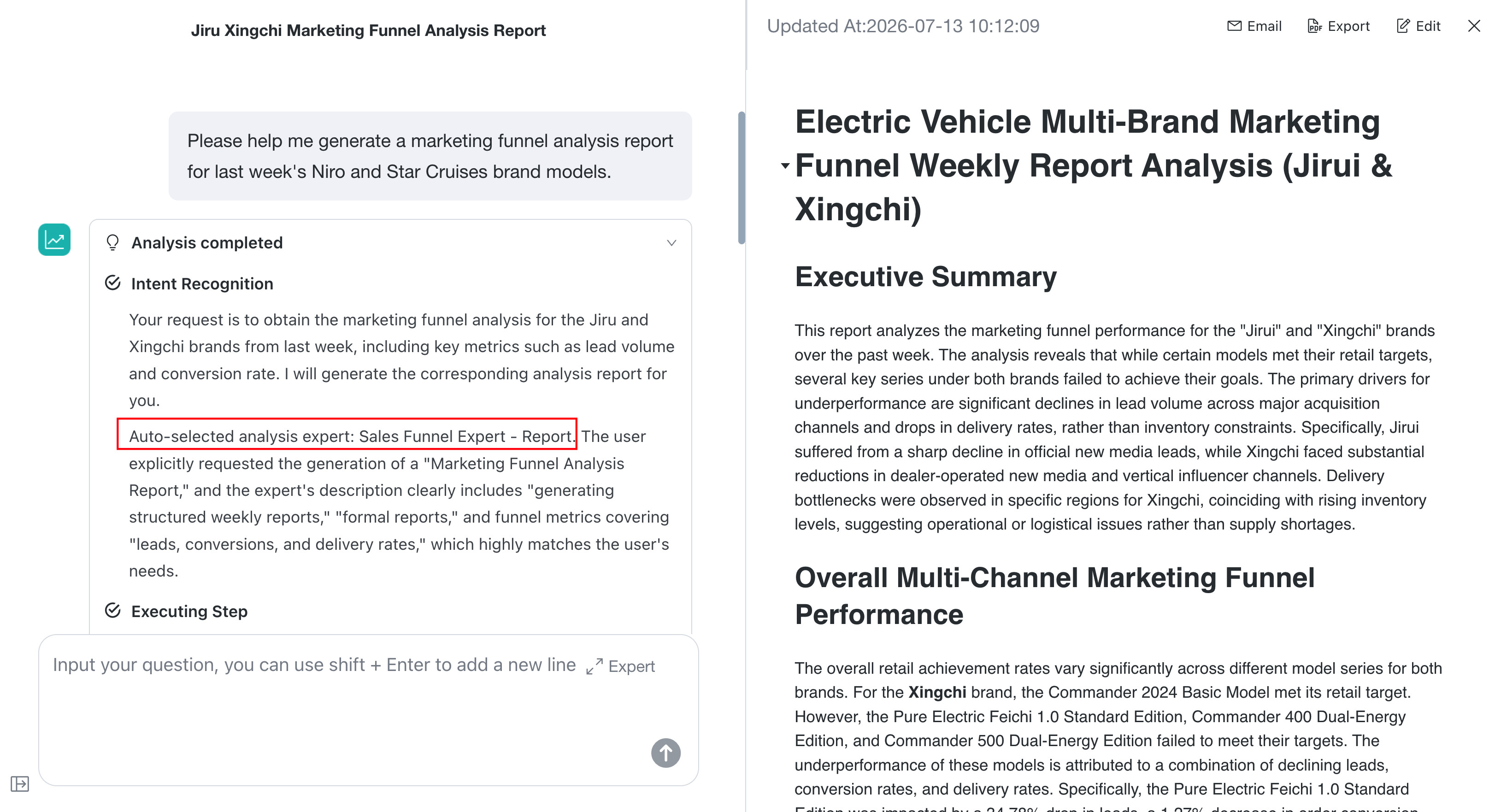
Insight Agent report supports mixed text and images: Generated reports can present analysis conclusions and underlying snapshot data through mixed text and images, making it easier to understand and verify conclusions.
-
Insight Agent user behavior records: Records key usage behaviors of Insight Agent, providing a basis for operational analysis and product optimization.
-
Analysis experts support Skill-based invocation: Insight Agent can invoke analysis experts as Skills, reusing professional analysis capabilities and executing complex insight tasks.
-
Insight Agent Public API: External systems can call Insight Agent through Public API, reducing the integration cost of intelligent insight capabilities. 、
-
Table content generation optimization: Built-in Markdown table format prompts to improve the generation quality of table content in insight reports.
-
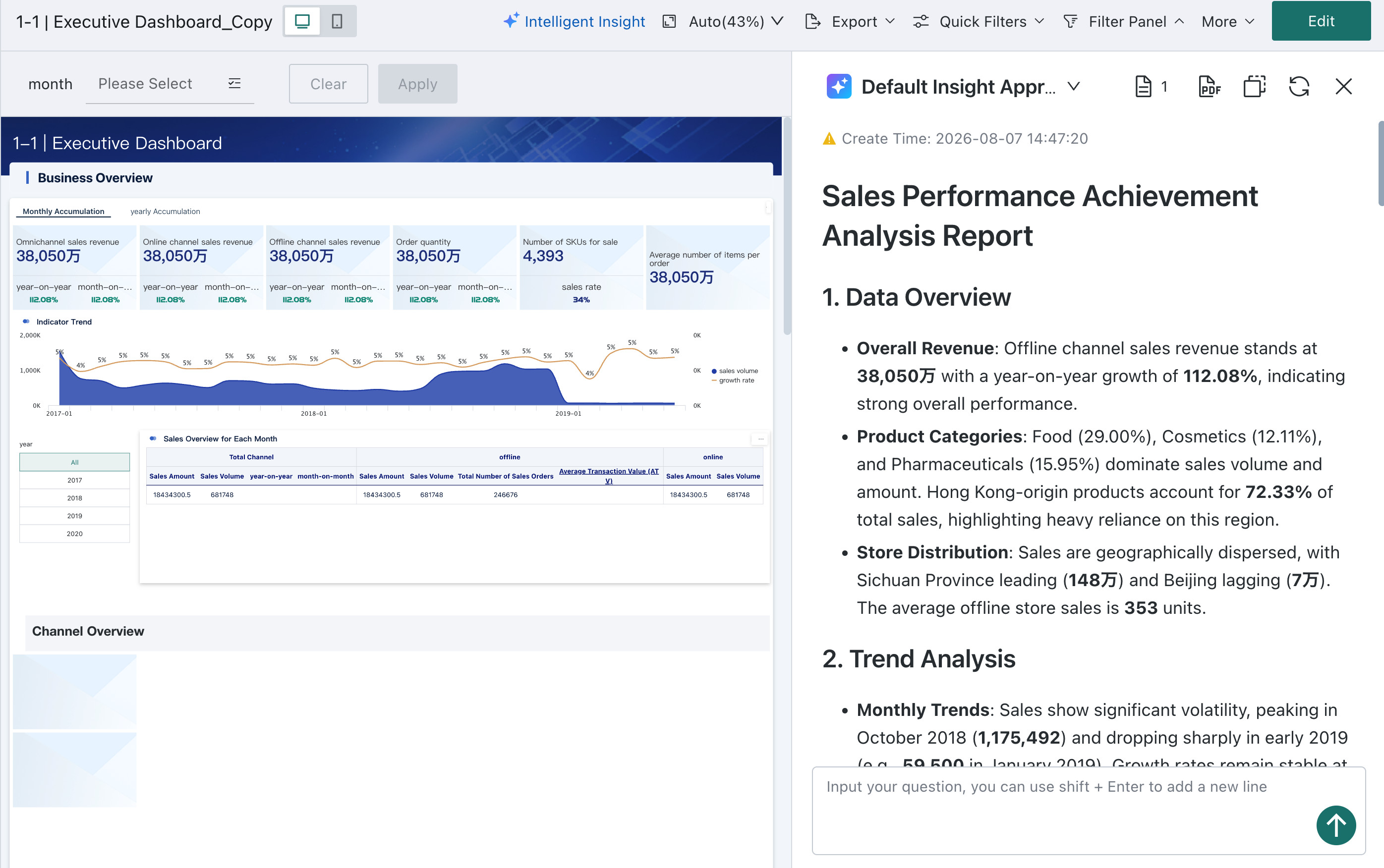
Desktop layout optimization: Adjusted the layout level of dashboard intelligent insights on the desktop, not obstructing dashboard data, and optimized the viewing experience.
-
User behavior records enabled by default: Records usage behaviors related to dashboard insights by default, providing a basis for subsequent experience optimization.
Data Consumption & Application
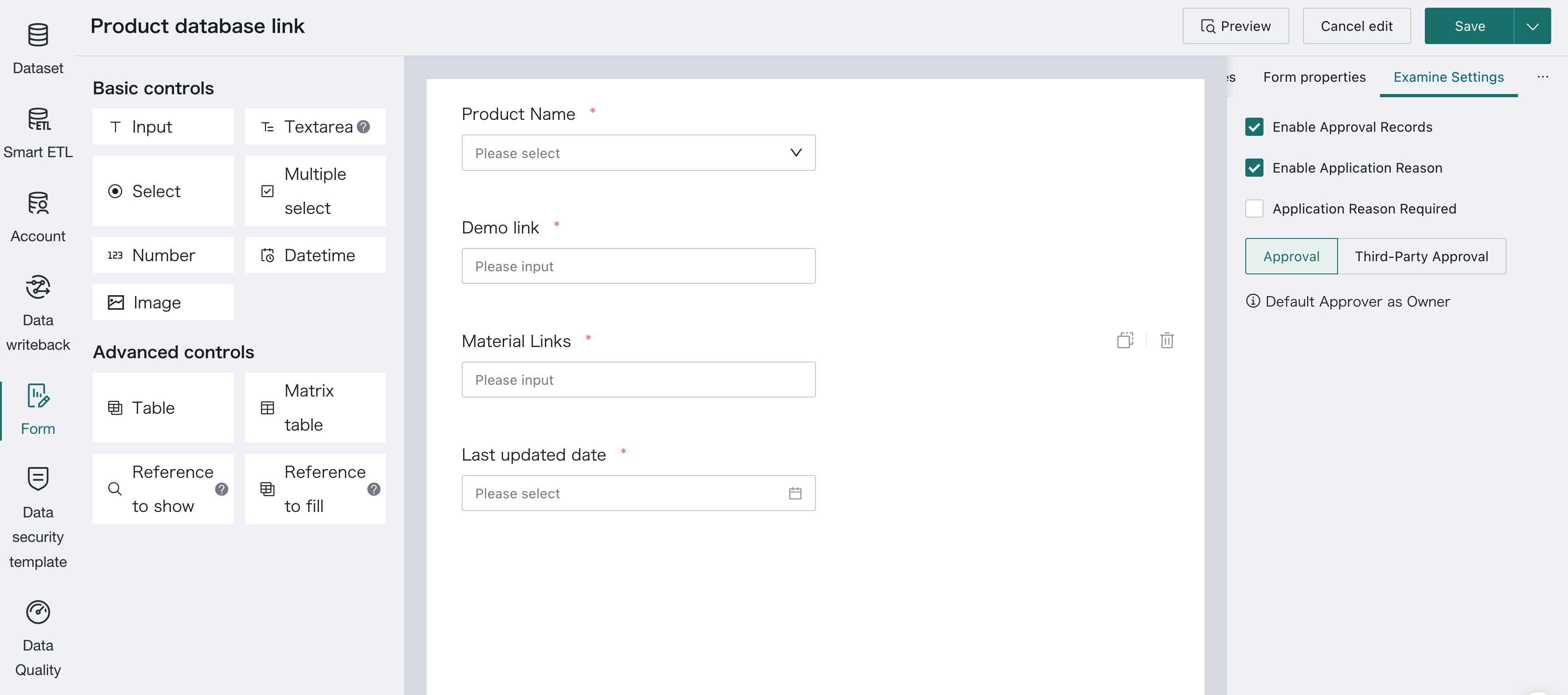
- Form approval supports application reason: When submitting form approval, an application reason can be filled in to provide necessary business background for the approver. For details: Configure Simple Approval.
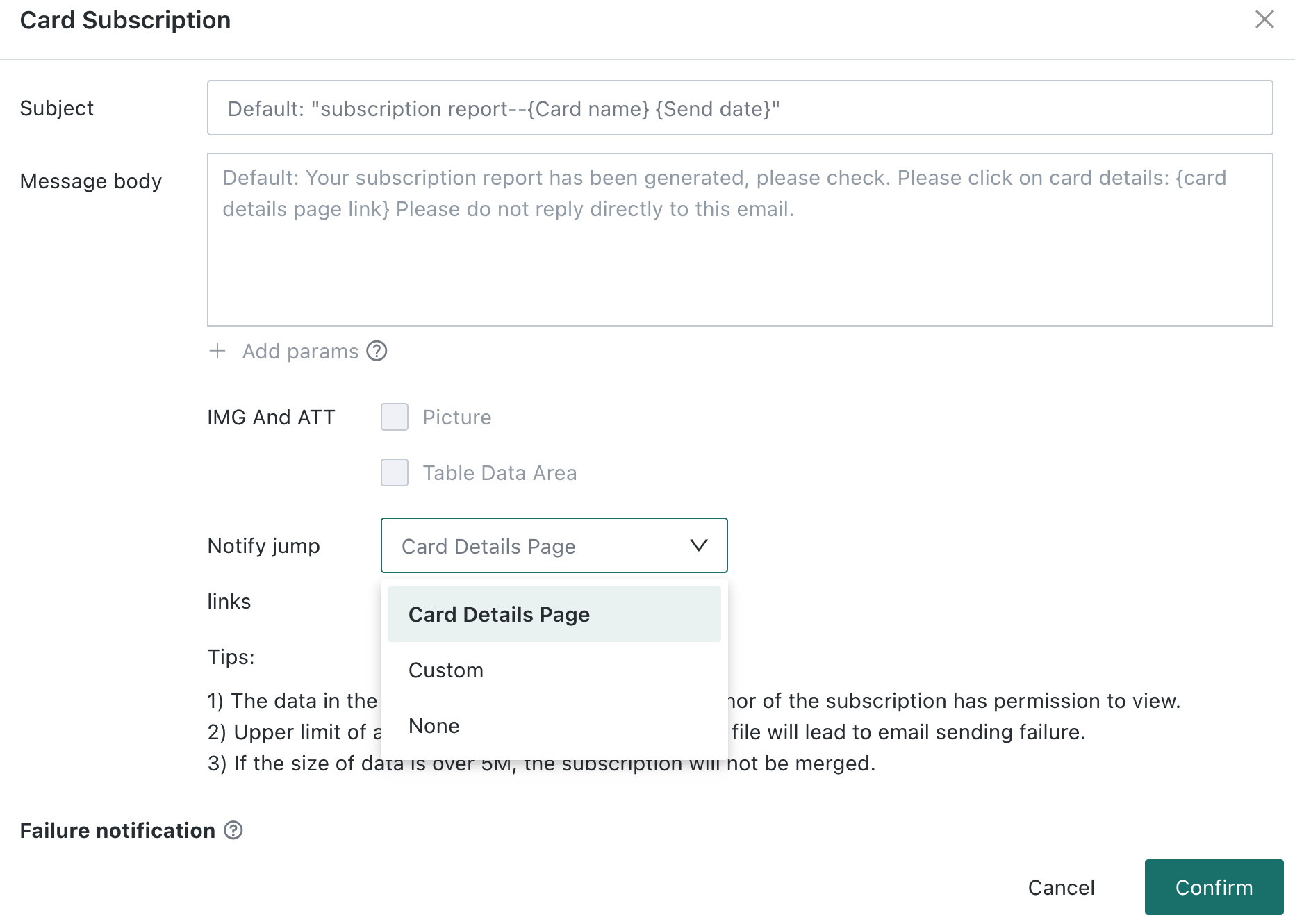
- Subscription supports custom jump links: When creating card or page subscriptions, custom jump links can be configured in the notification content. For details: Subscription Content.
Enterprise Platform Foundation
-
BI Personal Access Token support: New CLI users added to facilitate GuanCLI calling the BI system. For details: CLI User.
-
Dashboard multilingual extension: Dashboard multilingual support for bar charts, line charts, and column charts, reducing the maintenance cost of multilingual reports. For details: Dashboard Multilingual Support.
-
Dataset preview permission logic optimization: Optimized the logic of the "visitor previews dataset by ETL owner permission" switch, unifying data preview permission rules. For details: Smart ETL.
-
User resource permission migration enhancement: When migrating user resource permissions, export permissions are migrated together with corresponding resource permissions. For details: Transfer Permissions.
-
Resource alert enhancement: Server resource alert adds backup failure alert. For details: System Resource Alerts.

-
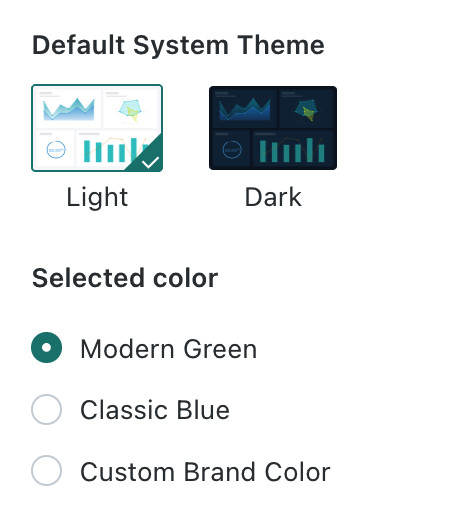
System theme customization: Supports configuring enterprise brand color and system theme, unifying the brand vision of the product interface. For details: Logo and Appearance.
Metric Center
- Metric decomposition tree supports relationship mode: In addition to calculation relationships, the metric tree supports organizing and decomposing metrics by business relationship, helping users sort out the correlation between metrics from a business logic perspective. For details: Metric Decomposition Tree Configuration and Operation
- Metric tree insight authorization rule unified: Metric tree insight determines the available scope based on the dashboard insight License, unifying the authorization caliber of intelligent insight capabilities.
- Public dimension value union: Public dimensions summarize all values of associated fields, reducing dimension value omissions in cross-dataset metric analysis. For details: Public Dimensions.
- End value takes the nearest available date: When there is no data on the specified date, it can look back to the nearest date with data and calculate the end value. For details: End Value - Last Available Value.
- Composite metric applicable dimensions editable: After creating a composite metric, its applicable dimensions can still be adjusted. For details: Create Composite Metrics
- Metric supports single resource online migration: Individual metric resources can be migrated separately, reducing the extra operations brought by batch migration.
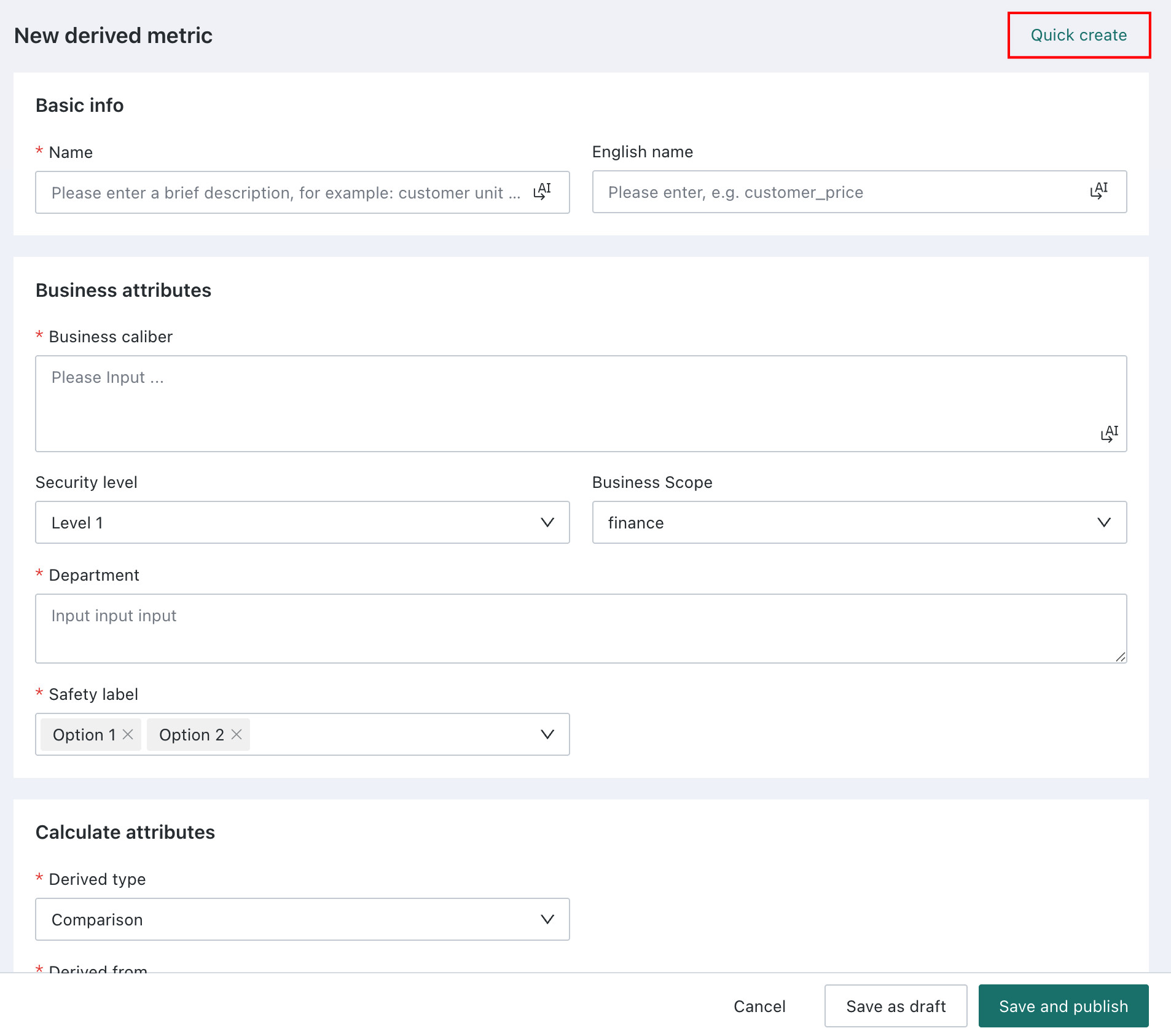
- Quick creation of derived metrics: Based on existing metrics, derived metrics can be quickly created in batches, reducing repeated configuration costs. For details: Quick Create Derived Metrics
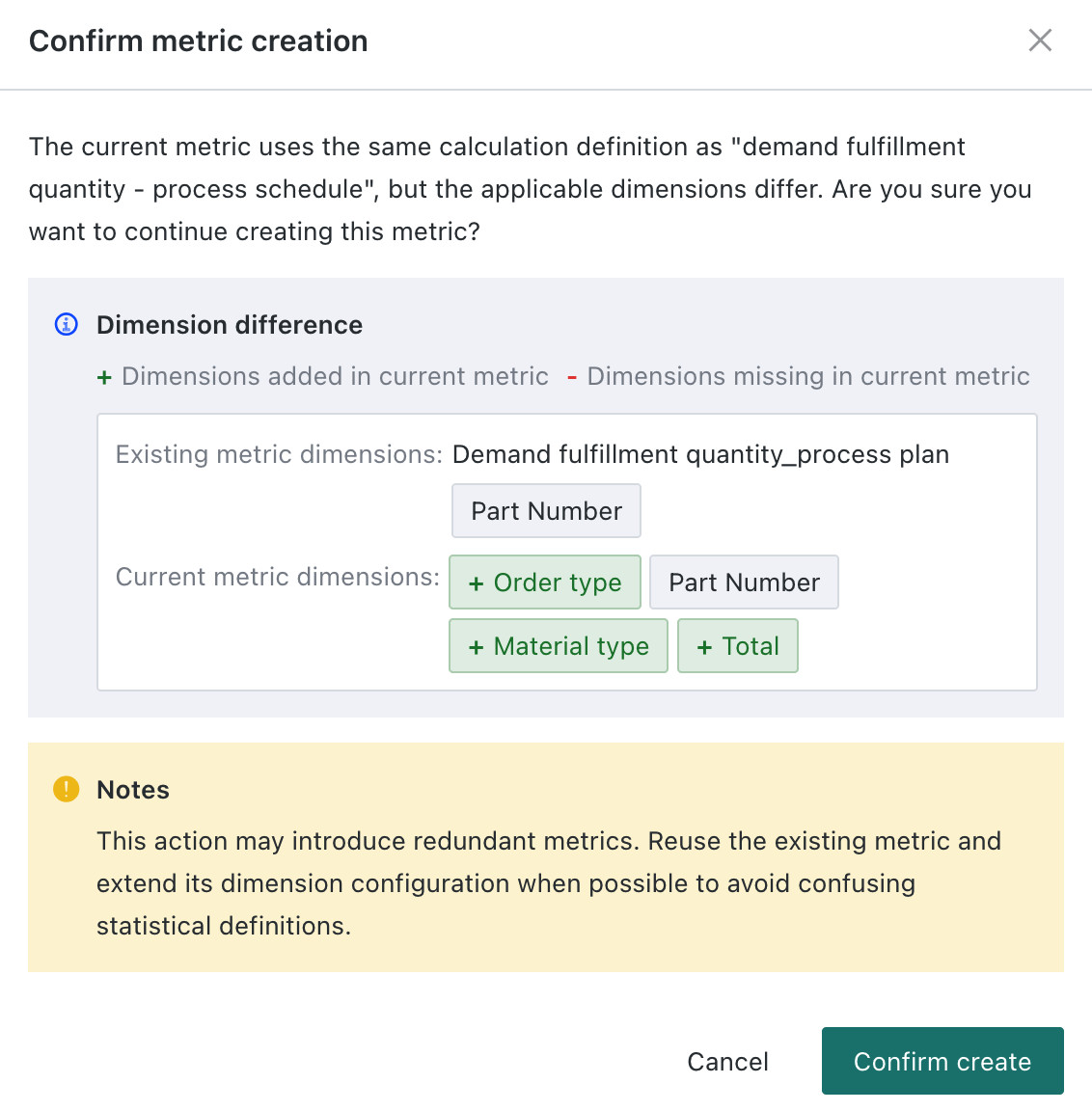
- Support for different dimension metrics with the same caliber: Can reuse a unified statistical caliber to configure metrics with different applicable dimensions. For details: Create Atomic Metrics.
- Cumulative calculation supports composite metrics: Cumulative calculation metrics can be created based on composite metrics. The system first calculates the composite metric result by day, then summarizes by cumulative range. For details: Cumulative Calculation Metrics.
- Self-service data retrieval supports metrics: Metrics can be directly used to build self-service data retrieval pages, lowering the threshold for business personnel to retrieve data.