Resource Search
Overview
Resource Search is an efficient tool that helps users quickly find and access various data resources within the platform. Through Resource Search, users can manage data resources more conveniently, thereby improving work efficiency and user experience.
In visualization analysis scenarios, users can proceed through the following two approaches:
1. Analysis Directory Search: Users can browse the directory to quickly find created data Dashboards and other visualization resources.
2. Global Search: Users can enter keywords to search for visualization content across the entire platform, quickly locating content that needs to be viewed or edited.
These features enable users to easily find the data and reports they need, improving the convenience of data management and work efficiency.
The table below reflects the search method support for each resource category. This article will use data analysis as an example to describe the two Resource Search methods: "Directory Search" and "Global Search".
Resource Category | Directory Search | Global Search | |
Data Preparation | Dataset | ✅ | ✅ |
Smart ETL | ✅ | ✅ | |
Account | ✅ | ❌ | |
Data Analysis | Card | ✅ | ✅ |
Dashboard | ✅ | ✅ | |
Self-service Data Retrieval | ✅ | ✅ | |
Data Screen | ✅ | ✅ | |
Custom List | ✅ | ✅ | |
Data Application | App | ✅ | ❌ |
Portal | ✅ | ❌ |
Usage Guide
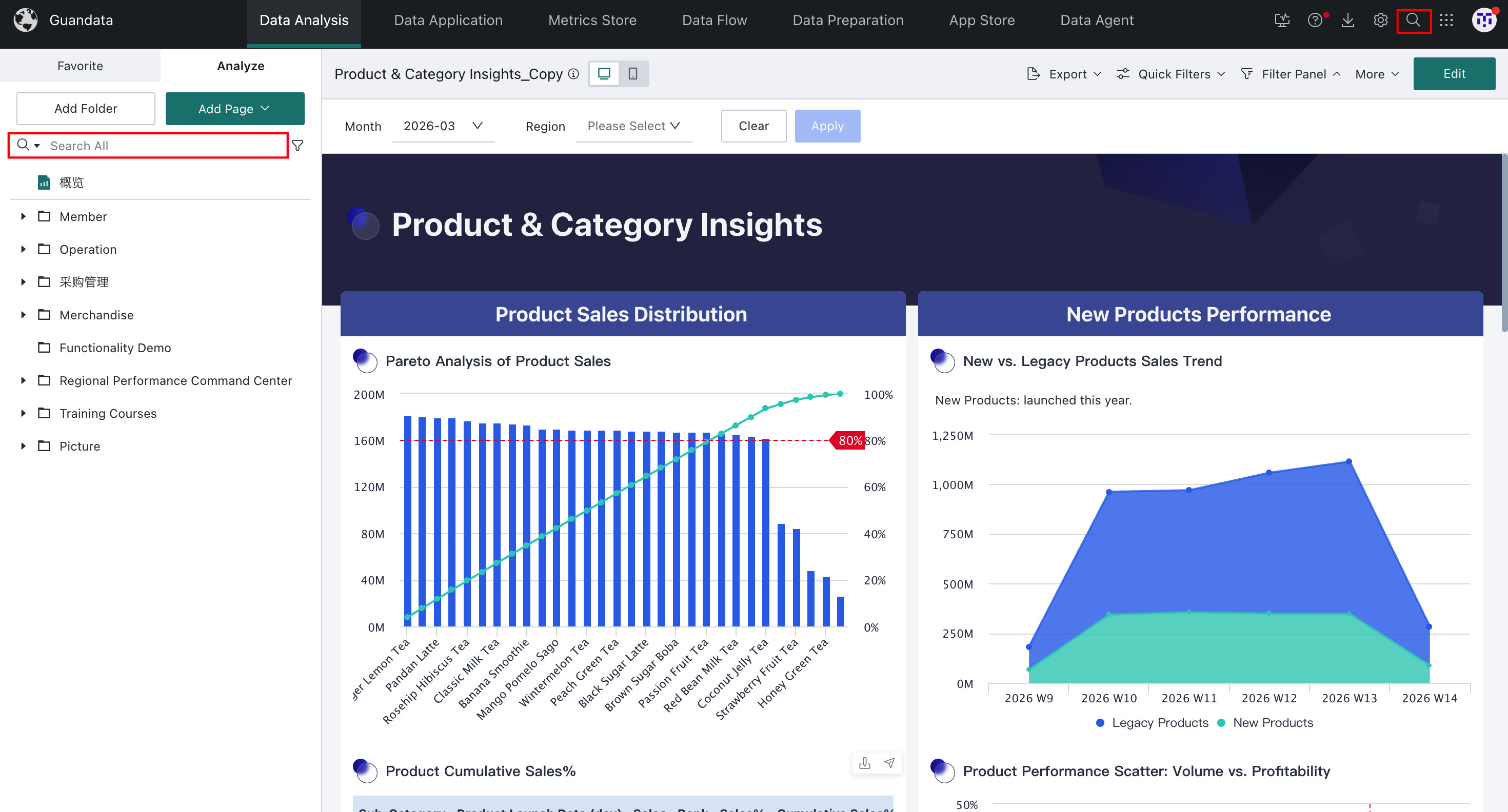
Analysis Directory Search
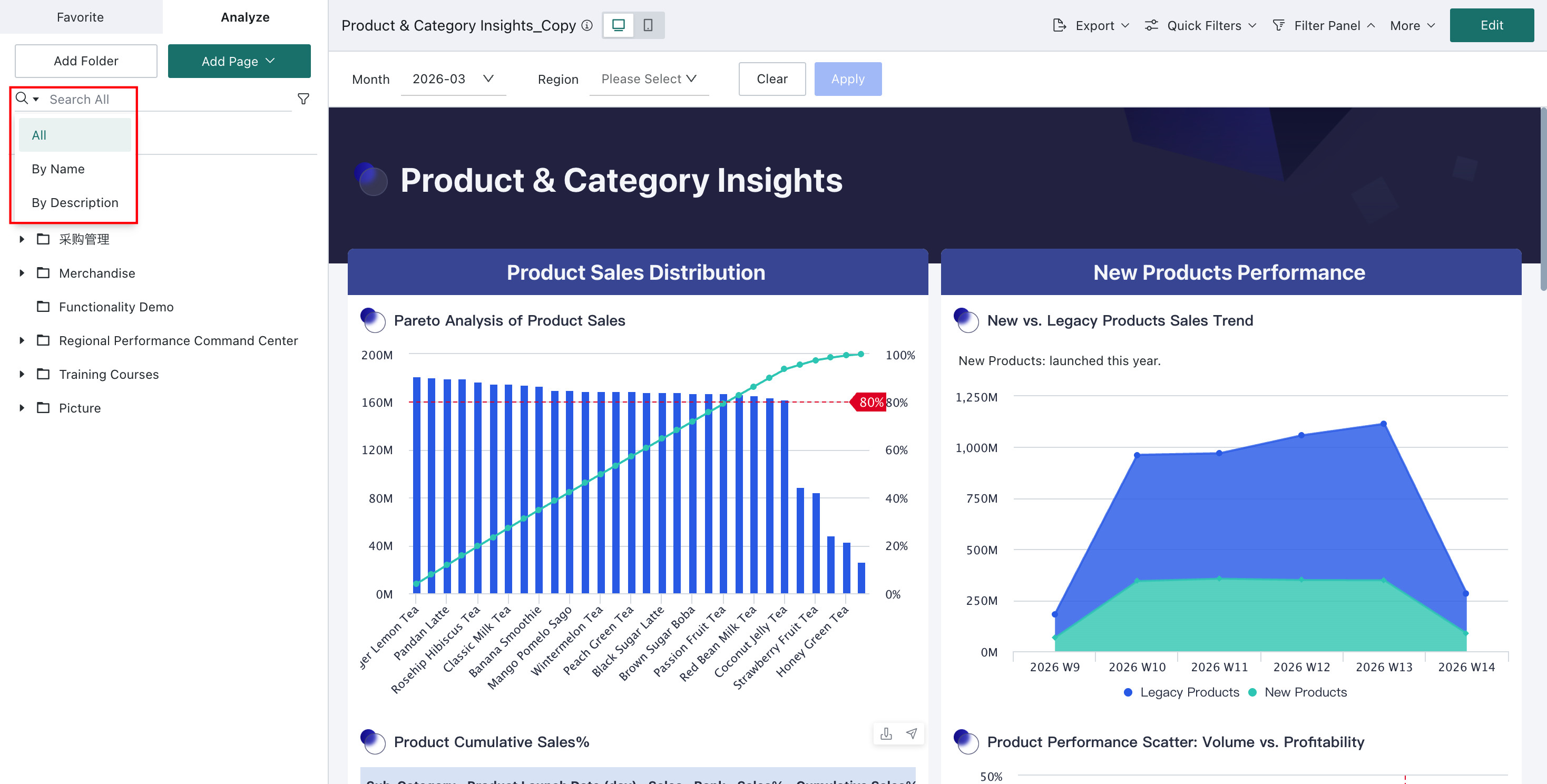
In the dropdown menu on the left side of the search bar, users can easily switch the search object, choosing to search by name or by description.
- Search by Name (Default): Users can search by entering the name of the data Dashboard. This method is particularly suitable for users who are clear about the resource name, helping them quickly locate the desired Dashboard.
- Search by Description: Users can also search by entering the description of the data Dashboard. The description is filled in when the user creates the Dashboard and can be modified later in "Page Info". This method is particularly useful for users who cannot remember the specific name but know the description content, helping them find the required resource more precisely.
These two search methods enable users to easily find the required data Dashboards, improving the convenience of data management and work efficiency.
Global Search
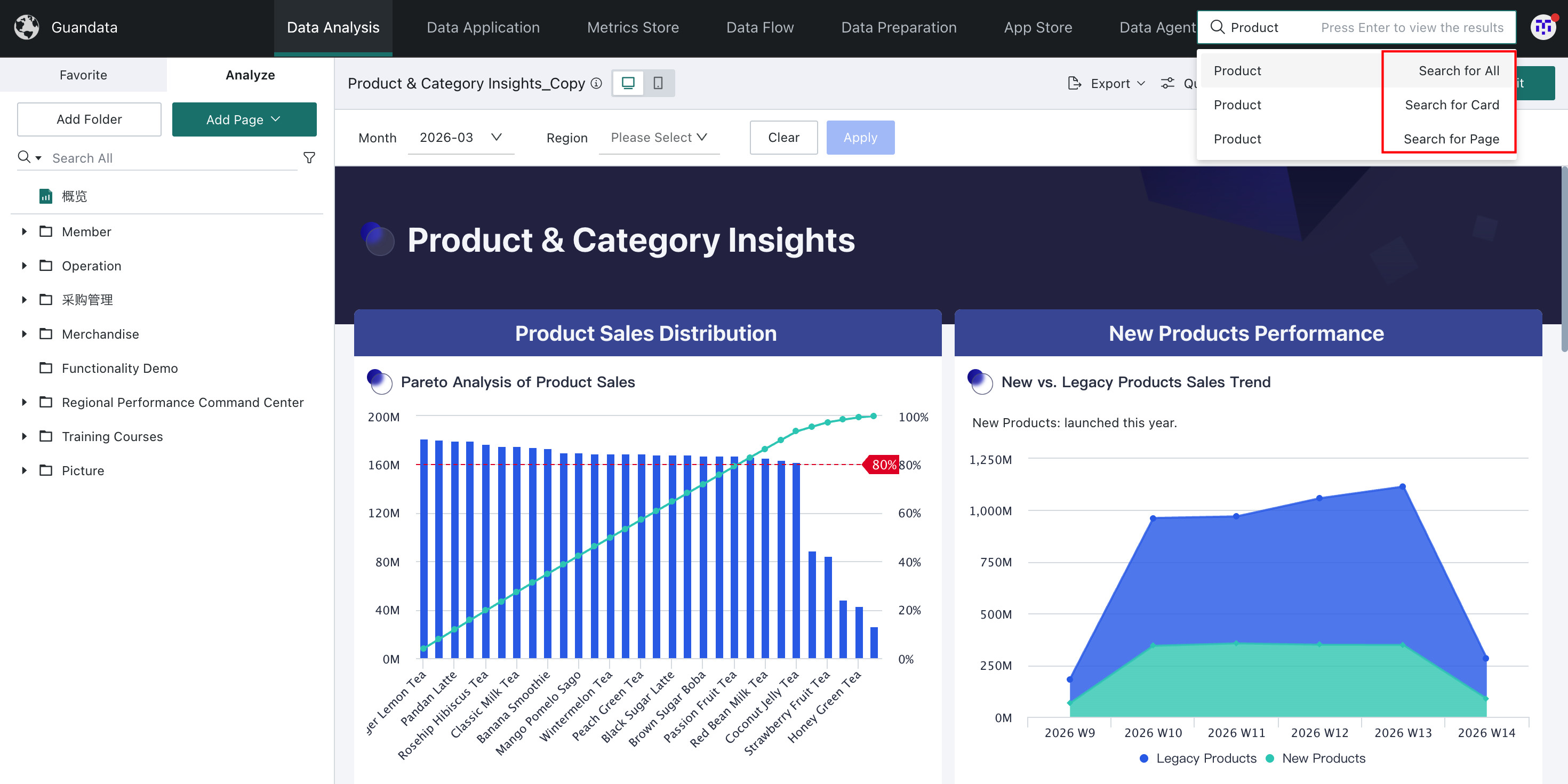
Click the "Global Search" button with the magnifying glass icon in the upper right corner of the global navigation, and enter keywords such as resource names. Global name search is not limited to data Dashboard resources; it also includes other types of resources such as Cards, Datasets, ETL tasks, etc., helping users comprehensively find the required resources.
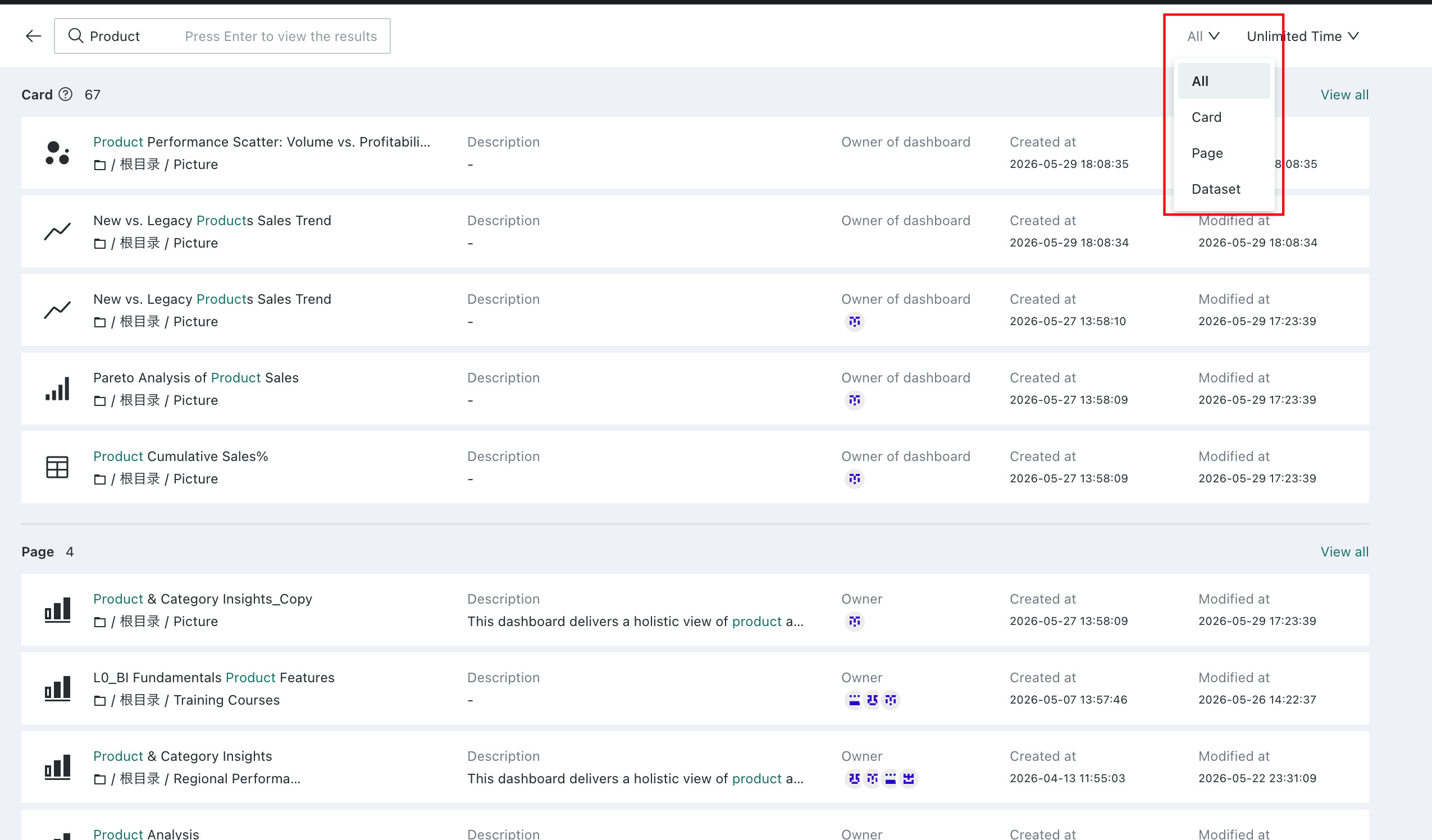
Global Search supports multiple filtering and sorting functions, enabling users to locate required resources more efficiently. Search results can be categorized by resource type (such as Dashboard, Card, ETL, Dataset, etc.), and can also be sorted by time, allowing users to find the latest resources based on creation time or modification time.