Task Monitoring
Overview
Task monitoring supervises and controls running data processing tasks. The Task Monitoring module helps enterprise operations personnel and data developers/builders monitor large batches of ETL tasks and data extraction tasks during a specific time period, especially early morning hours. Each monitoring run generates a visual monitoring analysis chart report. The report includes not only a task running overview and potential exception analysis, but also historical running analysis for individual tasks and data quality analysis, such as total row count and incremental change rate. This helps users quickly understand the running status and related analysis metrics of key ETL/data extraction tasks, and discover task exceptions and risks in time.
Procedure
-
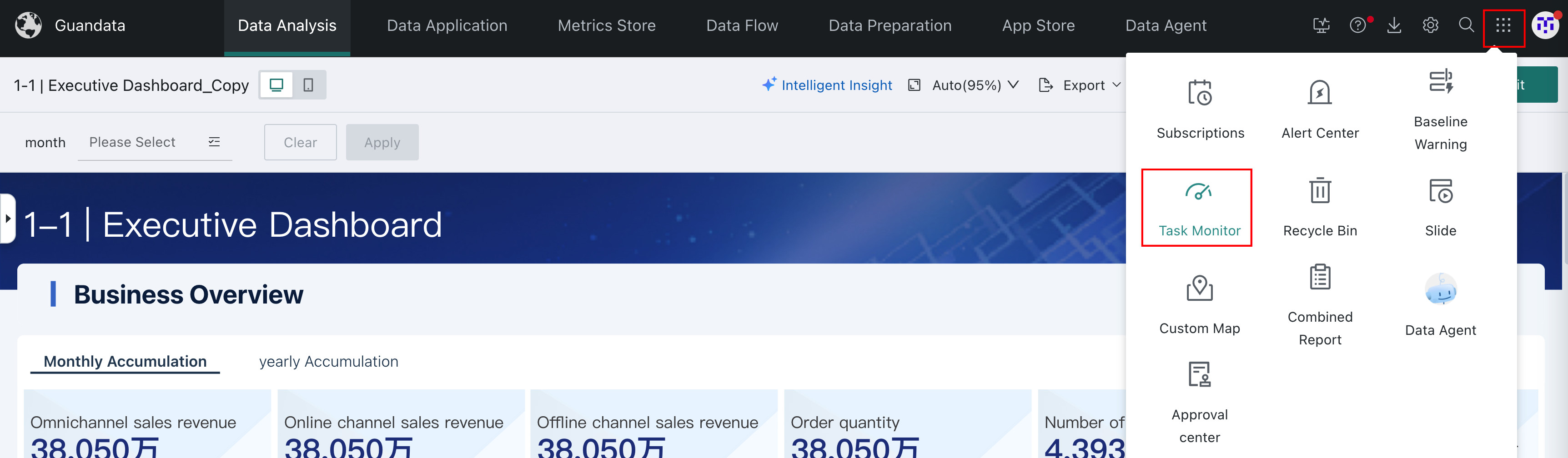
Click Task Monitoring in the app launcher in the upper-right corner to go to the Task Monitoring page.
-
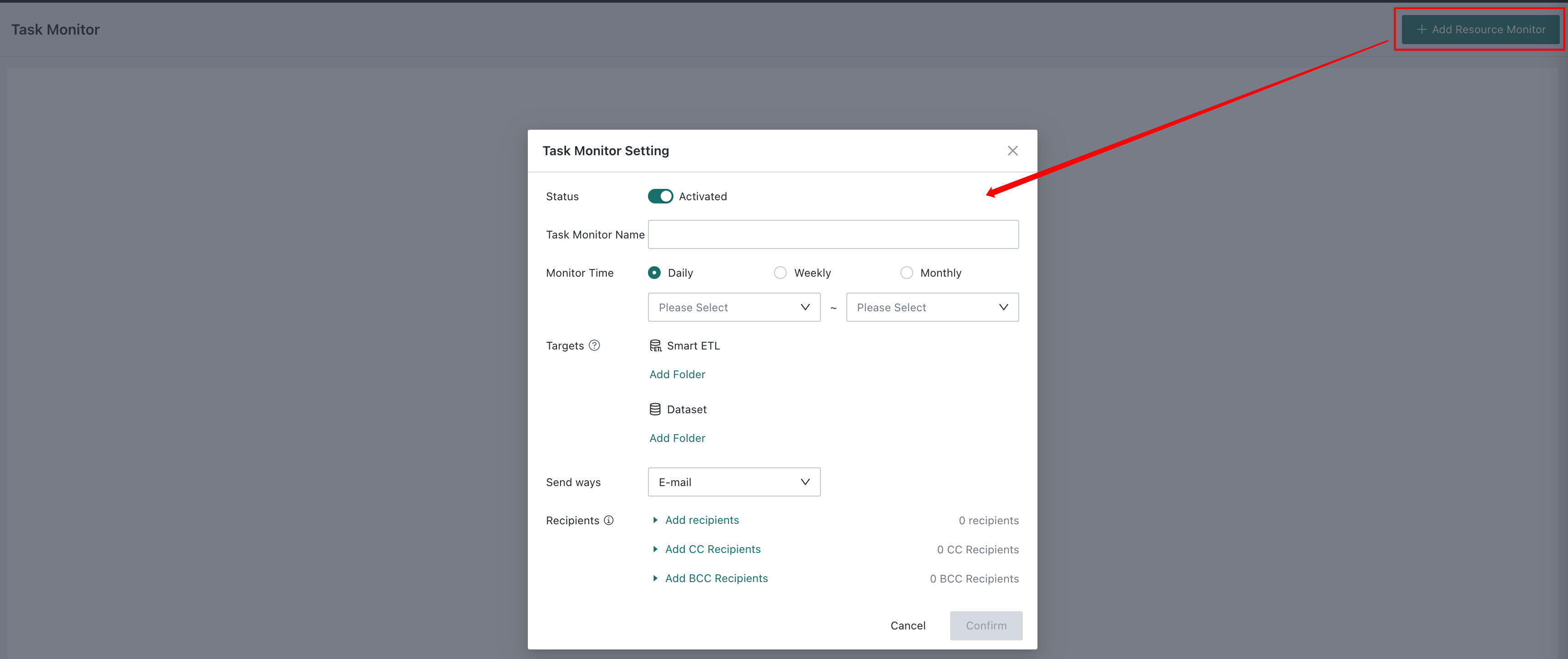
Create task monitoring. Enter the monitoring name, and select the monitoring time, objects, and recipients.
NoteThe objects to monitor must be in the current level of the selected folder. Objects in subfolders cannot be monitored.
The notification channel currently supports email only.
-
After creation, the monitoring status can be set to disabled or enabled. You can also edit or delete the monitoring configuration.

-
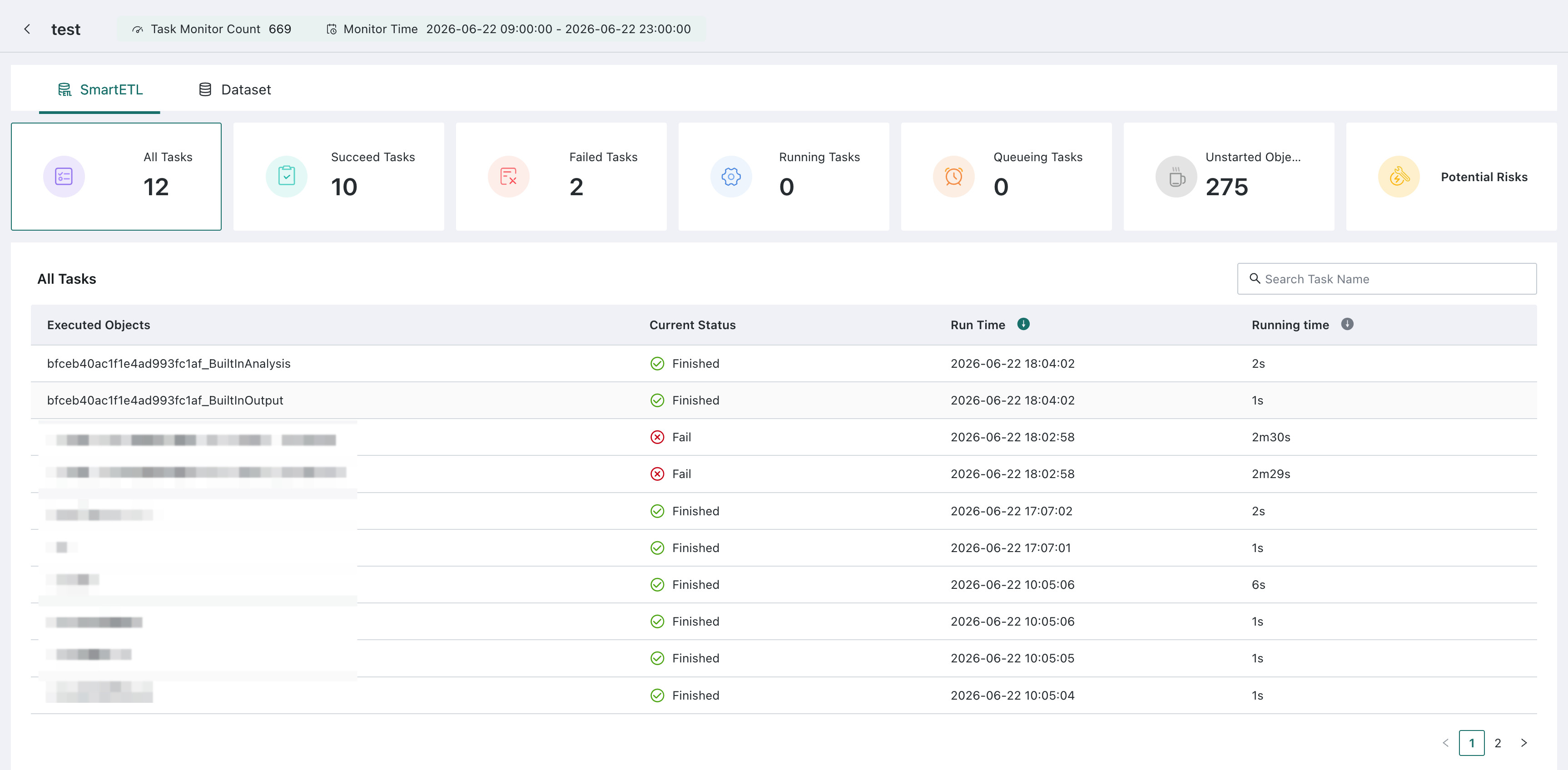
Click the monitoring name to view all SmartETL and dataset tasks for the monitored objects, including running status, potential exception analysis, and more.