Auto Refresh
Overview
Feature Description
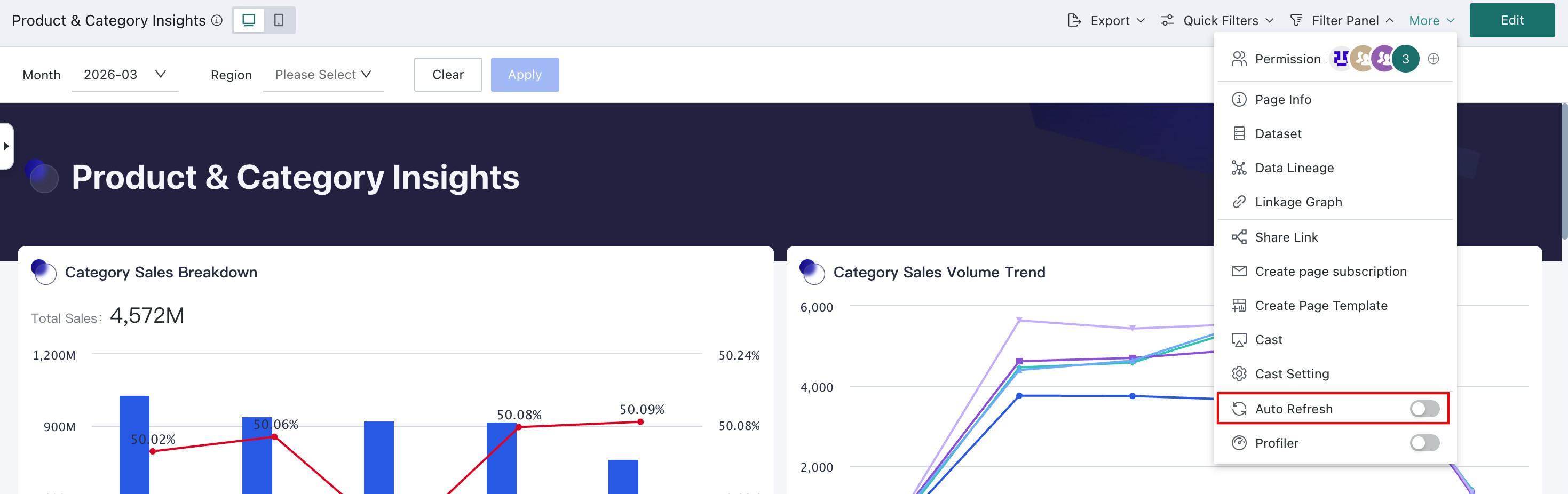
Guandata BI data boards and large screens support Auto Refresh. Users need to manually enable it when opening the page. After enabling, data in the data board will be automatically updated at certain time intervals, ensuring users always view the latest data without worrying about data becoming outdated or needing to frequently manually refresh the page.
Application Scenarios
The Auto Refresh feature can help enterprises achieve real-time data monitoring and decision support in various business fields, improving business response speed and management efficiency. For example, during the 618 promotion period, the operations team can monitor sales data and trends in real time by turning on Auto Refresh, without repeatedly clicking the page refresh button, improving the efficiency and usability of data analysis and decision-making.
Usage Guide
Enable Auto Refresh
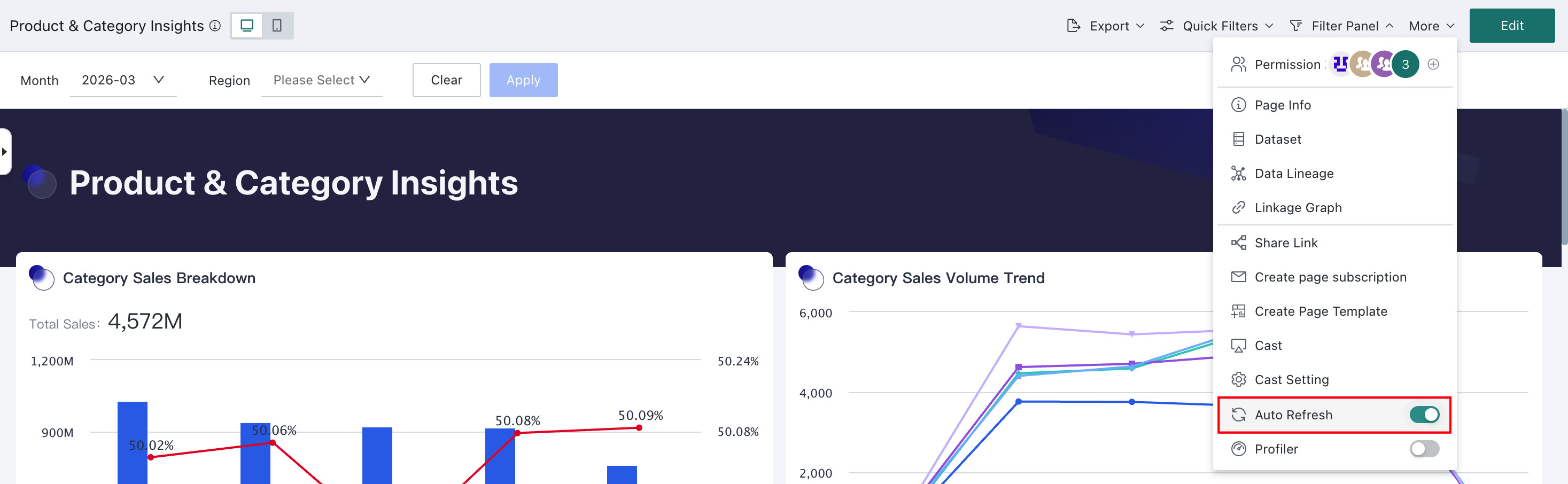
In a Dashboard or Data Screen page, click More in the upper-right corner operation area, and turn on Auto Refresh. After it is enabled, the system automatically refreshes the page at regular intervals to obtain the latest data.
Auto Refresh makes data viewing convenient, but frequent automatic refreshes consume network bandwidth and system resources, especially with large Datasets and relatively complex calculations. This may affect the normal viewing experience, such as slow page loading or lag. In such cases, it is recommended to turn off the Auto Refresh switch.
Customize Refresh Frequency
Dashboard page refresh frequency can be configured in Admin Settings > System Setting > General settings > System rules > Real-time Setting.
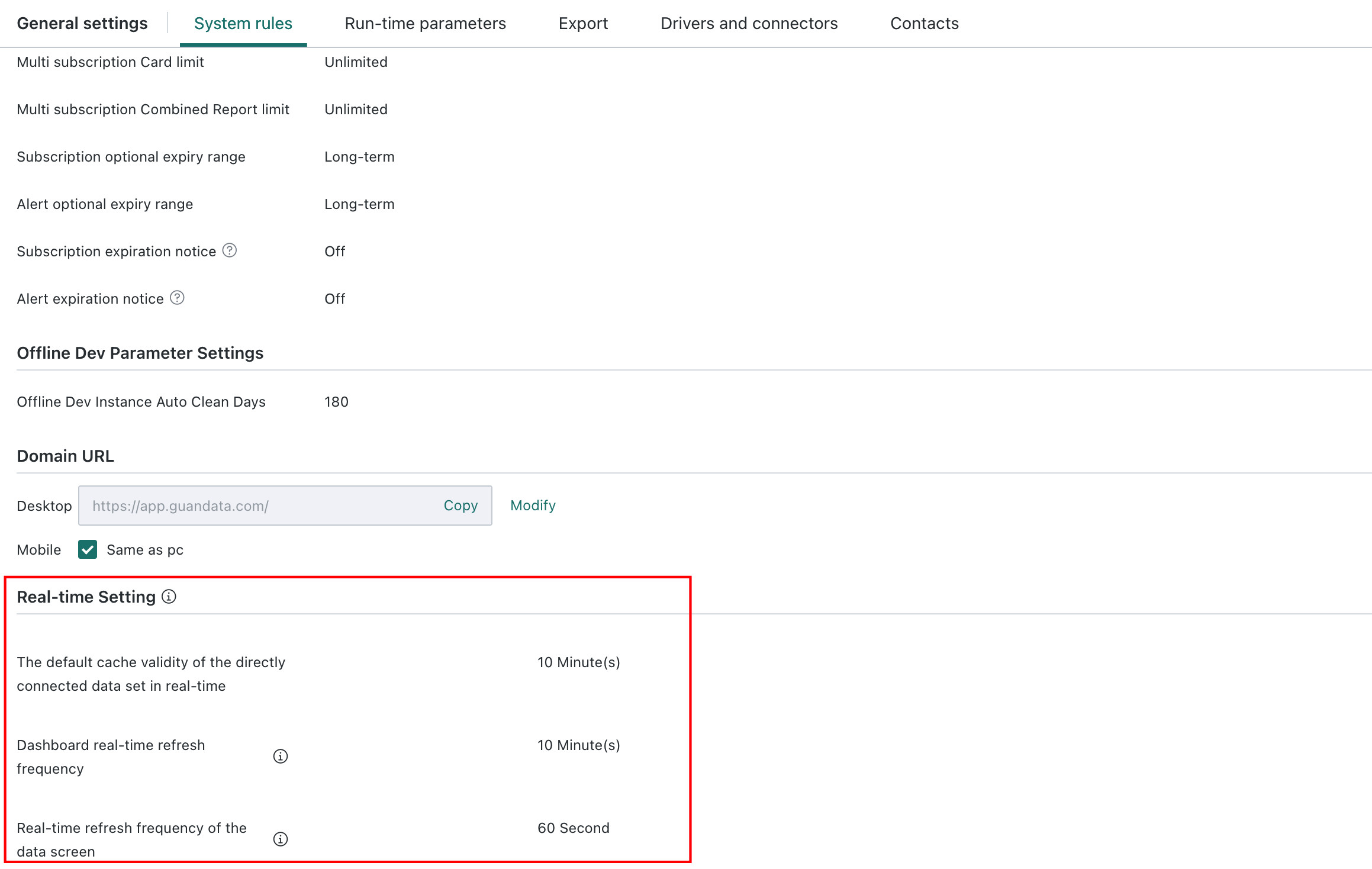
- In real-time state, the Dashboard real-time refresh frequency is consistent with the default cache validity duration of direct connection Datasets. Minimum 1 minute.
- Data Screen real-time refresh frequency minimum is 1 second.