Account Security Policies
Overview
Account Security Policies are mainly used to configure and manage security-related parameters for user accounts. Through this feature, administrators can configure password strength requirements, password validity periods, failed login lock rules, and other security measures to protect system accounts and reduce the risk of unauthorized access and password leakage.
Password Policies
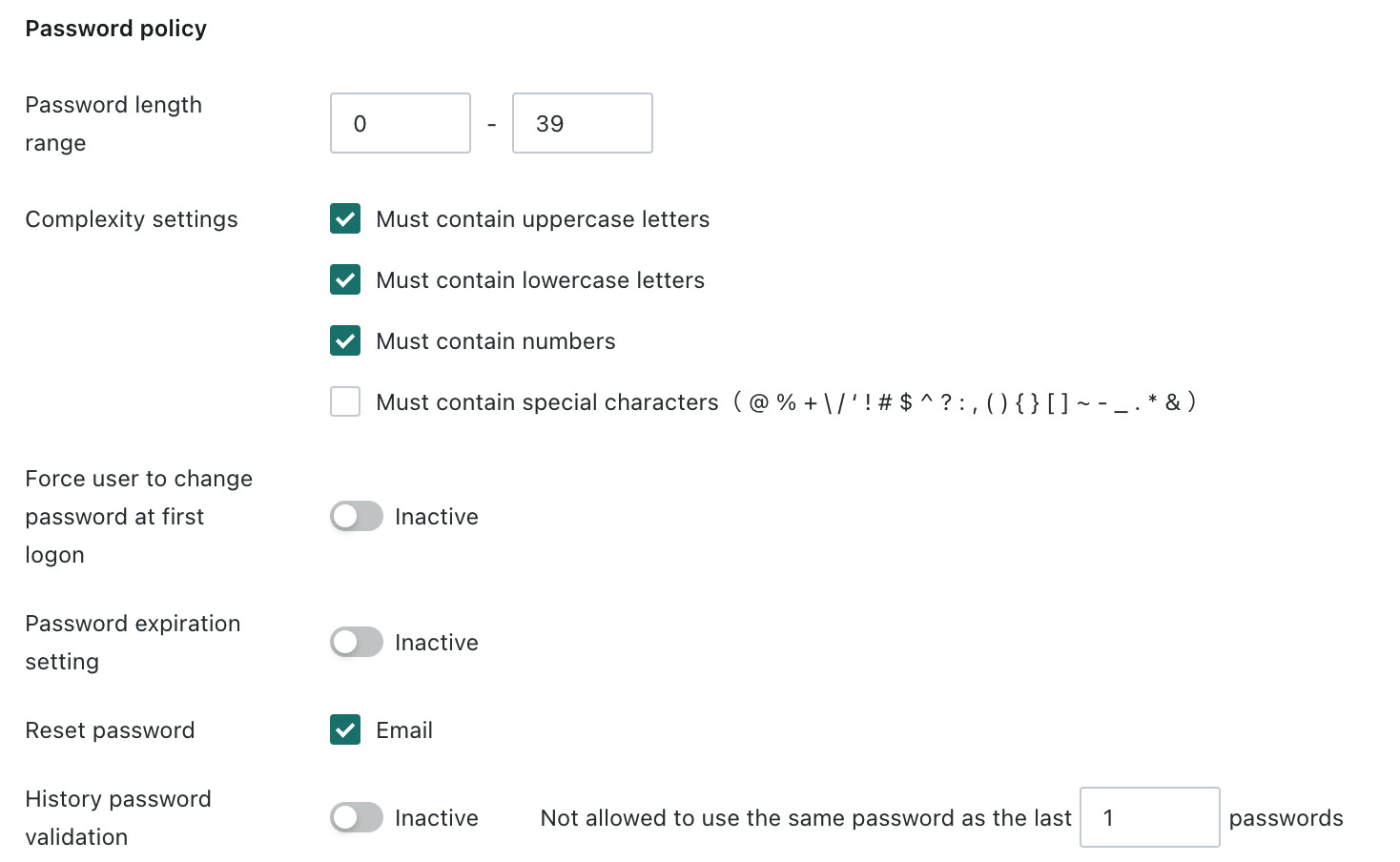
Supports configuration of password policies for Guandata account login to improve password security.
| Feature | Description |
|---|---|
| Password Length Range | Supports any value from 1 to 50. After configuration, prompts are shown when creating a user or editing a password. |
| Complexity Settings | Supports multiple selection. Passwords must include uppercase letters, lowercase letters, digits, or limited special characters. After configuration, prompts are shown when creating a user or editing a password. |
| Force Password Change on First Login | When enabled, users are taken directly to the change password page the first time they log in with a Guandata account and password. This is suitable for environments using random passwords or unified initial passwords. |
| Password Validity Settings | When enabled, you can configure password validity duration and reminder days. |
| Password Reset Method | Before login, passwords can be reset through email. When an account is locked, it can be automatically unlocked through password reset. |
| Historical Password Validation | Prevents users from repeatedly reusing a small set of passwords. After enabling it, you can set how many recently used passwords are not allowed to be reused. The current default is 1. |
Lock Policies
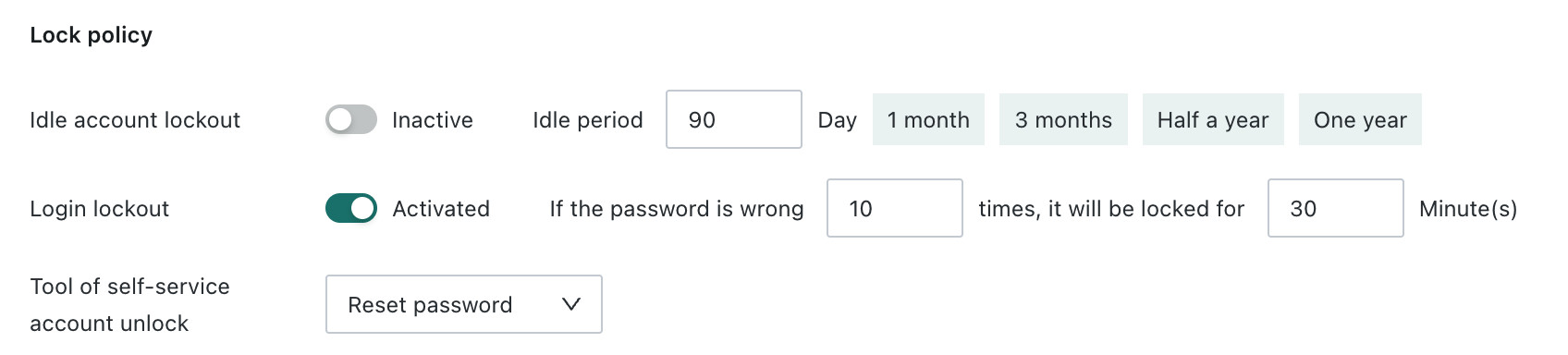
Supports two lock policies. One locks the account after multiple incorrect account or password entries. The other locks the account after long-term inactivity.
| Feature | Description |
|---|---|
| Lock Long-Term Inactive Accounts | Setting description: whether to enable the inactivity period in days and whether self-unlock is available. Trigger: when the number of days without login reaches the configured threshold, the account is locked. Unlock method: if password reset is enabled, the account is automatically unlocked after password reset. |
| Login Lock | Setting description: after enabling it, you can configure the failure threshold and lock duration. Trigger: when the number of incorrect account or password attempts reaches the threshold, the account is locked. Unlock method: automatic unlock after the lock duration expires or self-unlock. |
| Self-Unlock Method Settings | In the two scenarios above, when an account is locked, the user can unlock it on the login page, if the password reset method is enabled, or the account is automatically unlocked after password reset when password reset is enabled. |
Dynamic Verification for Account and Password Login
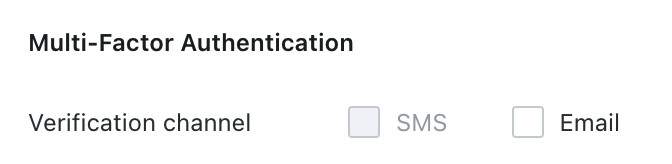
Before configuration, make sure SMS or email services are enabled and fully configured. If the relevant configuration is not completed in SMS or email services, the SMS or email options remain disabled.
When logging in with a Guandata account, after the correct password is entered, the user must also verify a dynamic code sent by SMS or email, enhancing the security of Guandata account and password login.
| Verification Method | Description |
|---|---|
| SMS | Prerequisite: complete configuration in SMS Service. Verification code: valid for 5 minutes, cannot be requested repeatedly within 1 minute, and only the latest code is valid. |
| Prerequisite: complete configuration in Email Service. Verification code: valid for 5 minutes, cannot be requested repeatedly within 1 minute, and only the latest code is valid. |