Admin Backend Authorization
Overview
By obtaining an authorization code, users can access the admin backend within the validity period. The admin backend is mainly used for version upgrades, feature module switches, and operations log queries.
Usage Guide
Entry: Admin Center > System Settings > Login Settings > Admin Backend Authorization
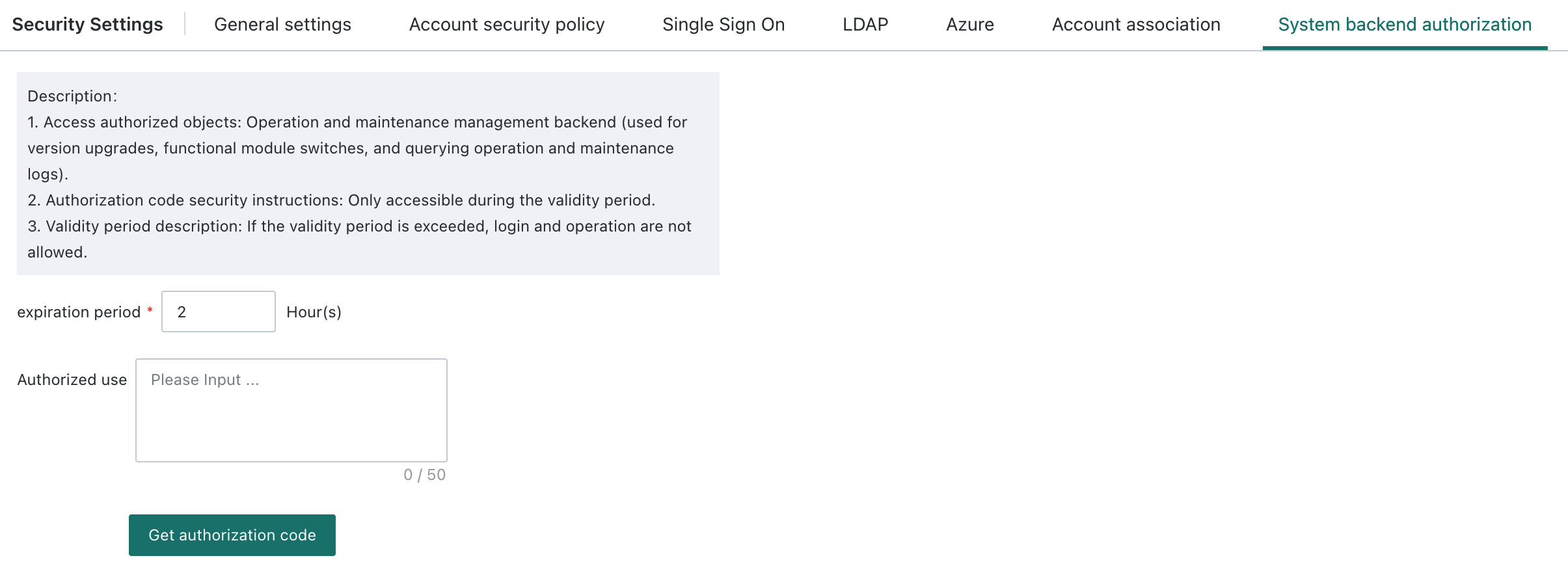
Obtain an Authorization Code
The validity period is required, and the selectable range is [1, 168]. It is recommended to fill in the intended authorization purpose.
After clicking Obtain Authorization Code, the system generates a code. If you click again or refresh the page, the previous authorization code disappears.
Use an Authorization Code
Administrators can apply for an authorization code with a validity period within the allowed range through this page. To open the login page, append /system-backend to the domain. For example, if the domain is https://xxx.guandata.com/, visit https://xxx.guandata.com/system-backend.
Users can log in to the admin backend with a valid authorization code. After login, if the validity period expires, they are automatically logged out.
Please operate cautiously in the admin backend, because changes there affect the normal operation of the entire system. In multi-domain environments, this feature is visible only in the primary domain.
You can view acquisition records under Audit Logs > System Runtime and Operations.