Multilingual Function
Overview
The platform supports multilingual display for the system, as well as for Dashboard card titles, field names, and data content. Various languages can be configured, such as Traditional Chinese, Japanese, and Portuguese.
- Minor languages are an add-on module. For a trial experience, please contact your Guandata sales representative or customer success manager, usually your current service contact.
- Switching between Chinese and English does not require additional payment.
System Multilingual Support
-
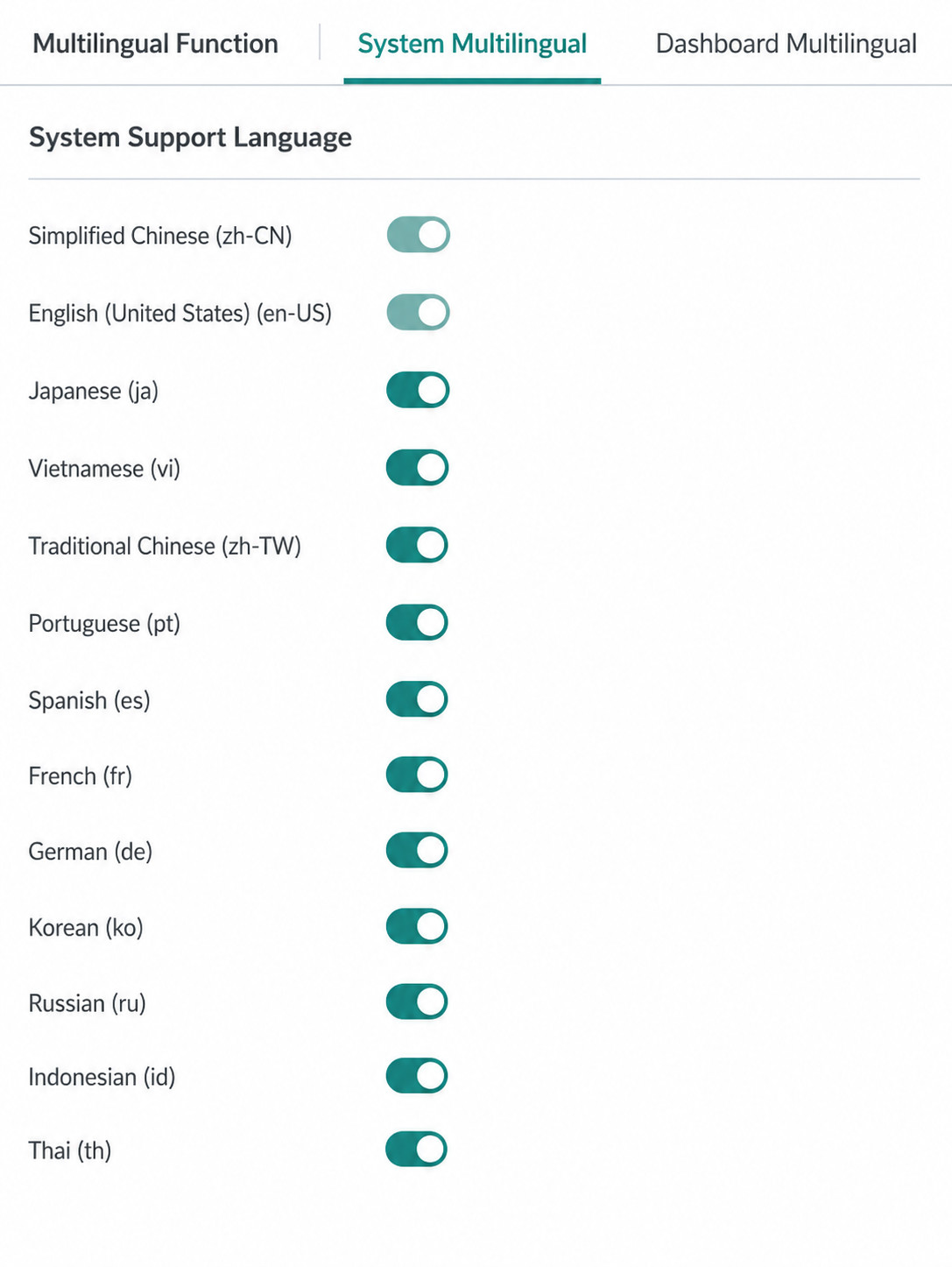
On the Admin Center > System Settings > Multilingual Configuration > System Multilingual page, enable the languages that users should be able to switch to.
-
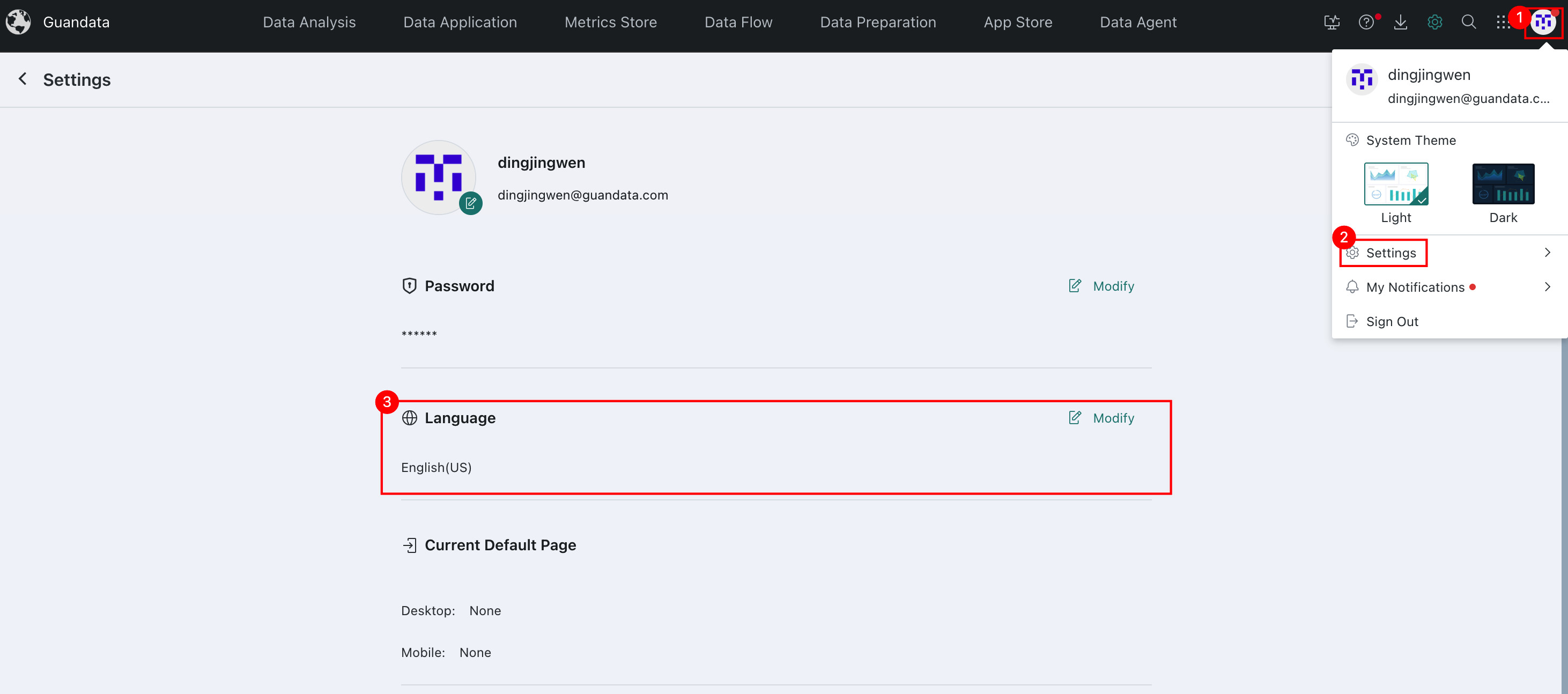
Click the avatar in the upper-right corner, choose Account Settings, and switch the language.
-
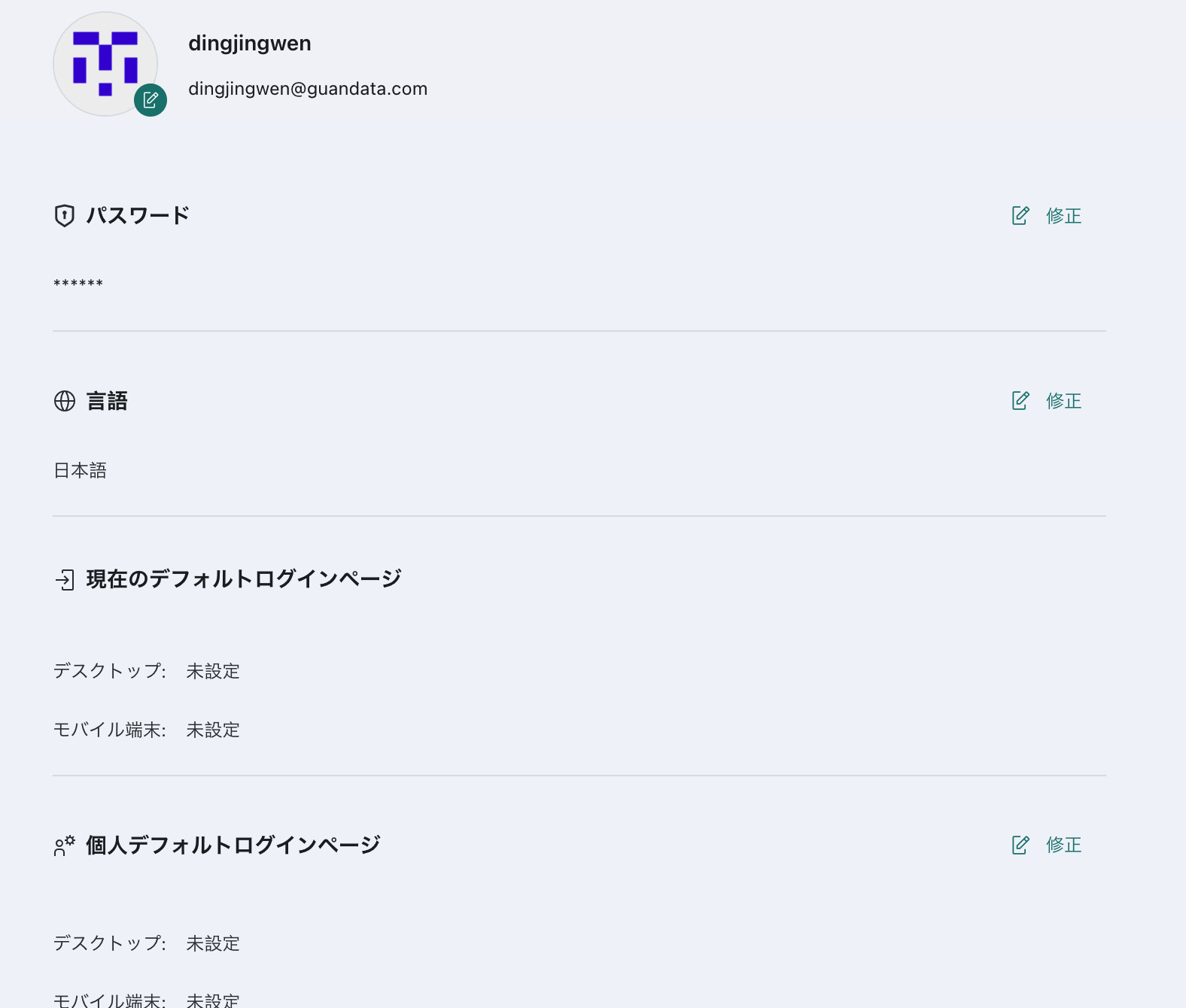
View the page to confirm that the system interface has switched to the selected language.
Dashboard Multilingual Support
If content in a Dashboard (titles, field names, tab cards, card groups, self-service data retrieval, and table data content, etc.) needs to be switched to multiple languages, you need to configure key-value pairs in the Admin Center. Dashboard multilingual support also covers relevant text content in bar charts, line charts, and column charts.
For Dashboard titles, field names, field data content whose final type is string, and matchable text content in bar charts, line charts, and column charts, the system matches against the configured key values and replaces them with the corresponding translated text based on the current user's system language settings.
-
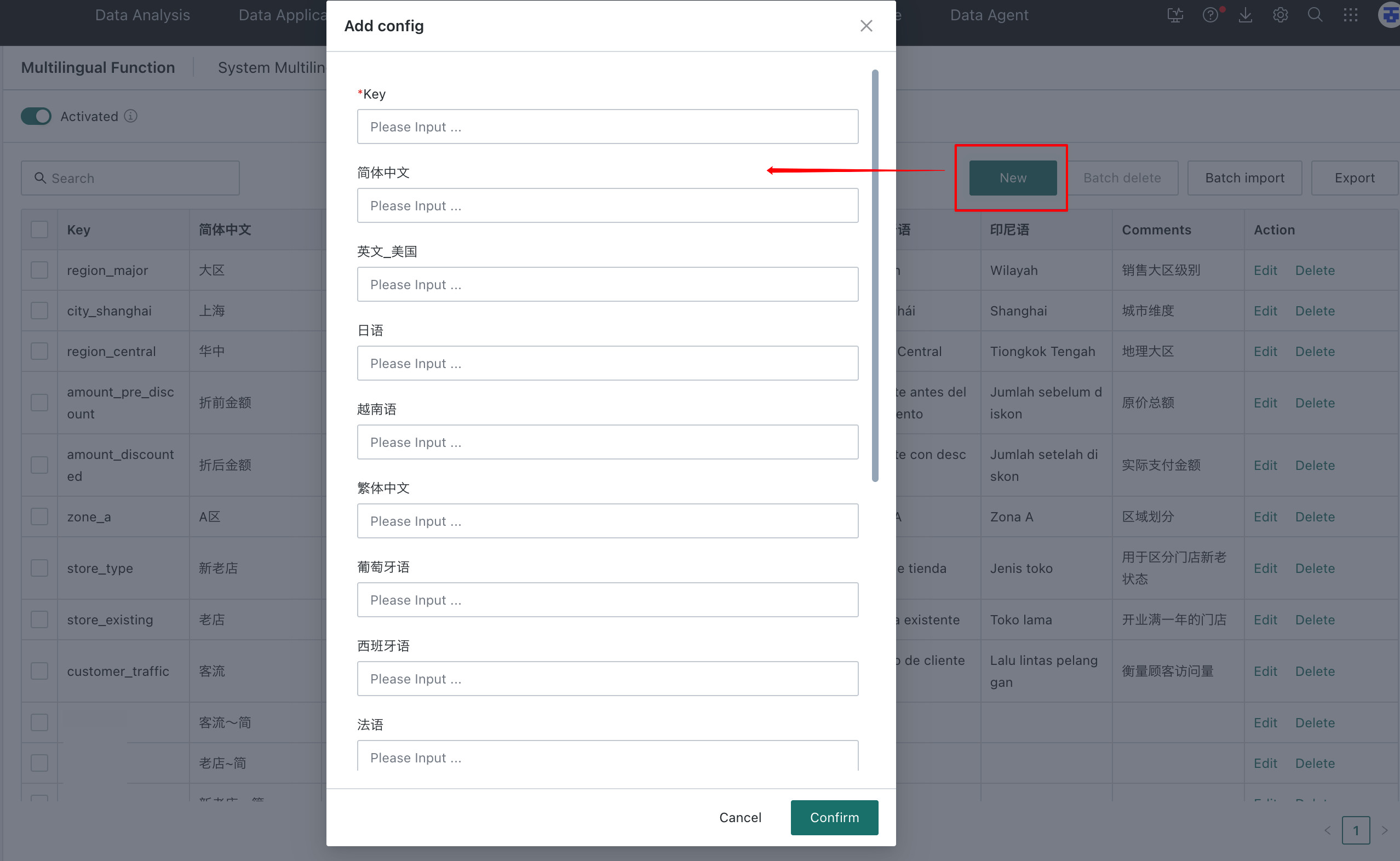
On the Admin Center > System Settings > Multilingual Configuration page, click Create. In the Create Multilingual Configuration dialog box, customize the key and its values for each language.
- Key: can be a Dashboard card title, field name, or similar content. The system matches content based on the key.
- Simplified Chinese / English / Japanese / Traditional Chinese / ...: configure the translations for the key in different languages.
-
Click the avatar in the upper-right corner, choose Account Settings, and switch the language.
-
View the Dashboard to confirm that matched keys have been switched to the corresponding language.

The backend configuration file at the environment level can also be used to specify the default language for newly created users.
Multilingual Deployment
If you have additional multilingual deployment requirements, please contact Guandata technical support.