Version and license
License Management Overview
A License is the software authorization certificate. In Guandata, Licenses control items such as license expiration time, service expiration time, total user count, editable user count, and more. Value-added product features can be used only after License authorization is obtained.
During activation, Guandata automatically detects whether the current environment is online or offline and then follows the corresponding online or offline process.
Online License Activation
On either the initial activation page after first login or during non-initial activation, go to License in the Admin Center, click Activate, enter the correct license code, and click Update to complete online activation.
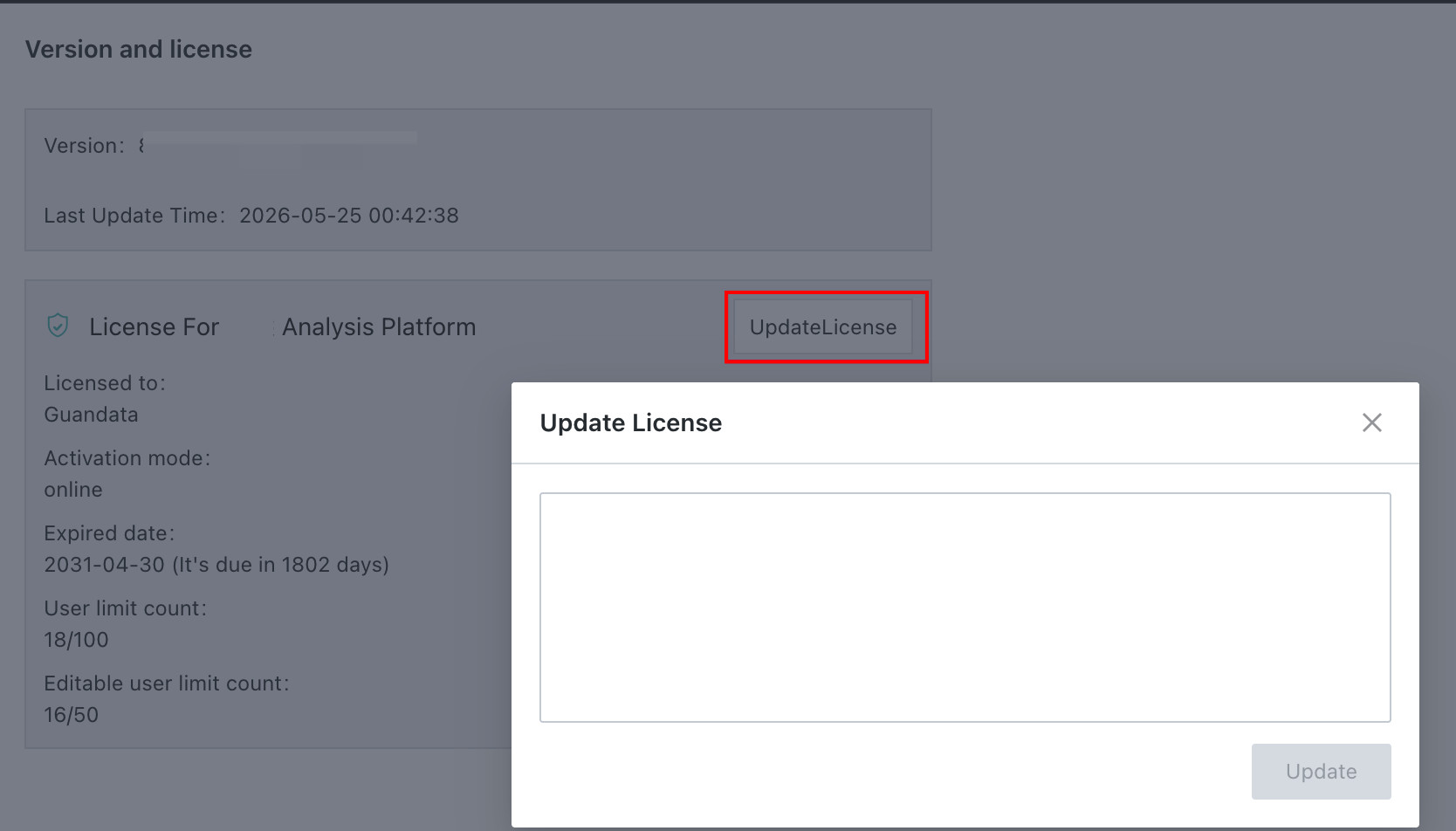
If you need to update the License during use, follow these steps:
- Go to
Admin Center > Version and License. - Click
UpdateLicense. - Enter the License code in the dialog box, then click
Update. The specific License code is provided separately.
FAQ
How to Activate Guandata BI
When BI has not been activated, the system automatically redirects to the activation page after account login. Click Activate and enter the License provided by Guandata as prompted. In offline environments, activation can be completed only after scanning and verification with a mobile phone that has network access.
How to Obtain a License
Licenses are issued through Guandata's internal process. In most cases, your customer success contact assists with obtaining them. In special cases, you can contact your Guandata counterpart directly, or reach after-sales support through the service group or official phone number.
How Long Until Activation Takes Effect
It takes effect immediately after verification succeeds. Follow the prompts on the page. If any exception occurs, it is recommended to contact Guandata after-sales support.