SMG Service
Overview
SMS Service is used only for login verification. If needed, you can configure SMS Service in BI.
Steps
-
On the
Admin Center > System Integration > SMS Servicepage, turn on theSMS Serviceswitch and clickEdit.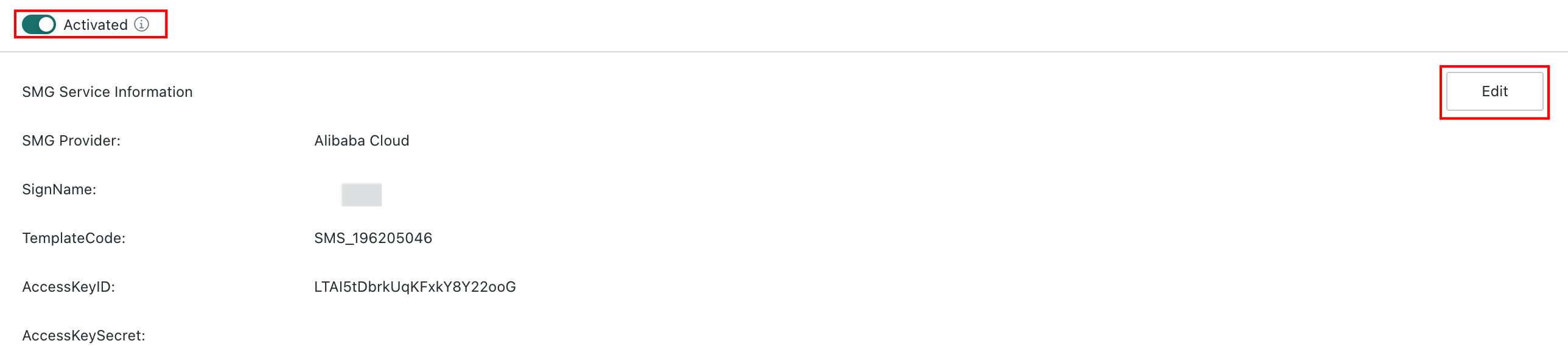
-
Select an SMS provider and fill in the required information to enable login verification, including support for MFA and two-factor authentication. Supported providers include Alibaba Cloud and Tencent Cloud.
- Alibaba Cloud
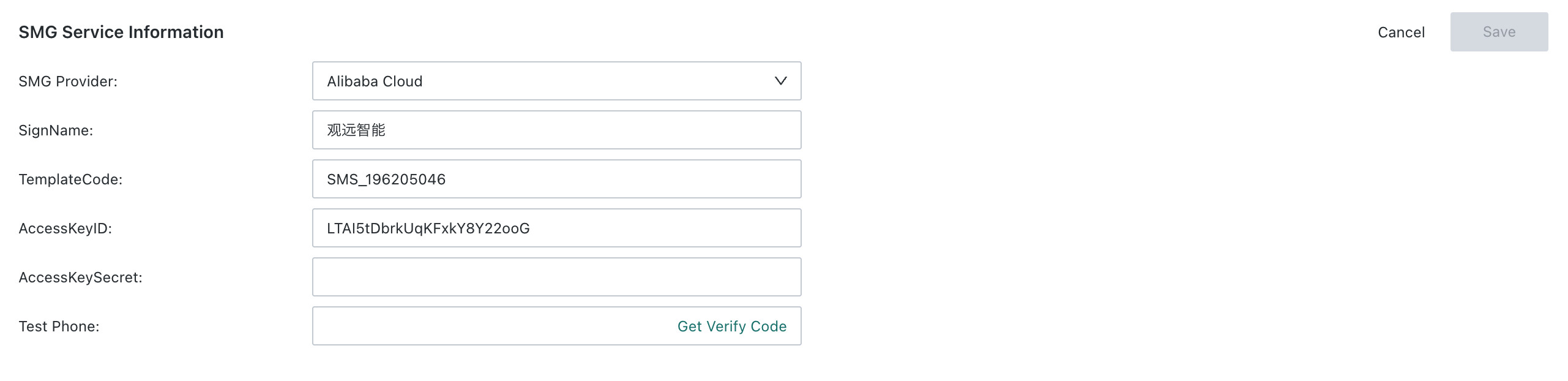
| No. | Field | Description |
|---|---|---|
| 1 | SignName | The SMS signature shown as the sender name. It must be applied for and approved in the Alibaba Cloud console |
| 2 | TemplateCode | The SMS template ID corresponding to the template created in Alibaba Cloud, such as a verification code template or notification template |
| 3 | AccessKeyID / AccessKeySecret | The Alibaba Cloud API credentials used to call the SMS interface. They must be stored securely |
| 4 | Test Phone Number | Used to fill in a test number. Clicking Get Verification Code verifies whether the configuration is correct |
- Tencent Cloud
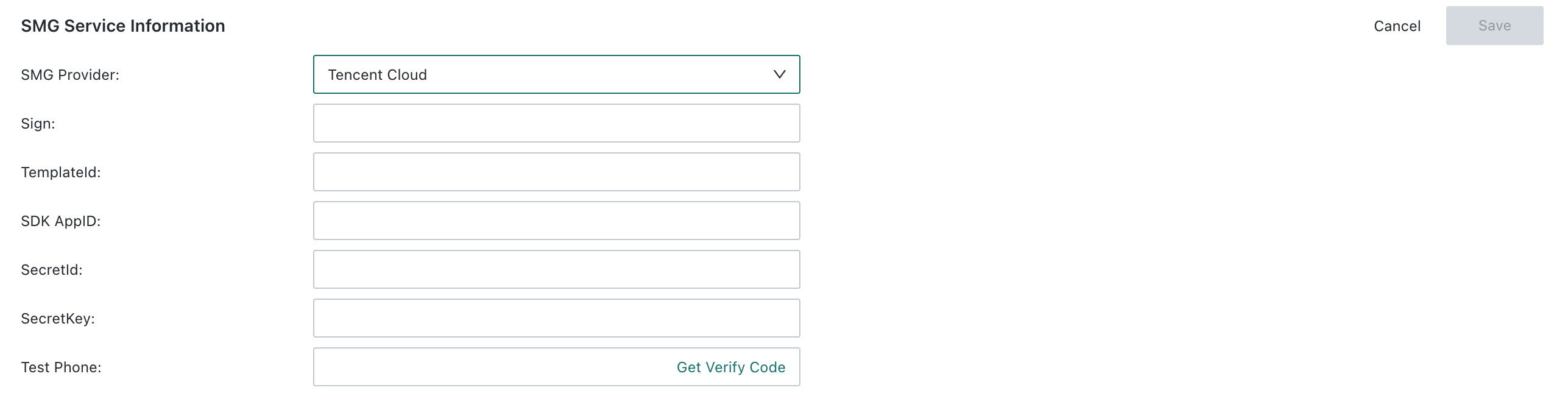
| No. | Field | Description |
|---|---|---|
| 1 | Sign | The SMS signature shown as the sender identifier. It must be applied for and approved in the Tencent Cloud console |
| 2 | TemplateId | The SMS template ID corresponding to the template created in Tencent Cloud, such as a verification code or notification template |
| 3 | SDK AppID | The application ID of Tencent Cloud SMS Service, used as the base identifier when calling the SMS interface |
| 4 | SecretId / SecretKey | The Tencent Cloud API credential pair used to call the SMS interface. They must be stored securely |
| 5 | Test Phone Number | Used to fill in a test number. Clicking Get Verification Code verifies whether the configuration is correct |
- After configuration is complete, click
Save.