Permission Management
Overview
Metric Center permissions are jointly determined by three types of permissions:
| Permission Type | Function |
|---|---|
| Metric Center Role Permission | Control whether users have functional operation capabilities such as view, edit, authorize, and export. |
| Topic Permission | Control whether users can view and manage specified metric topics and their underlying folders. |
| Resource Permission | Control whether users can view metric data, edit metrics, manage metric permissions, etc. Resource permissions are divided into folder batch authorization and single metric authorization. |
When users access or operate metrics, they need to simultaneously meet the corresponding topic role, metric role, and Metric Center role operation permissions.
Metric Center Role Permission
Metric Center role permissions are configured in Management Center > User Management > Role, used to control the Metric Center functions that users can use.
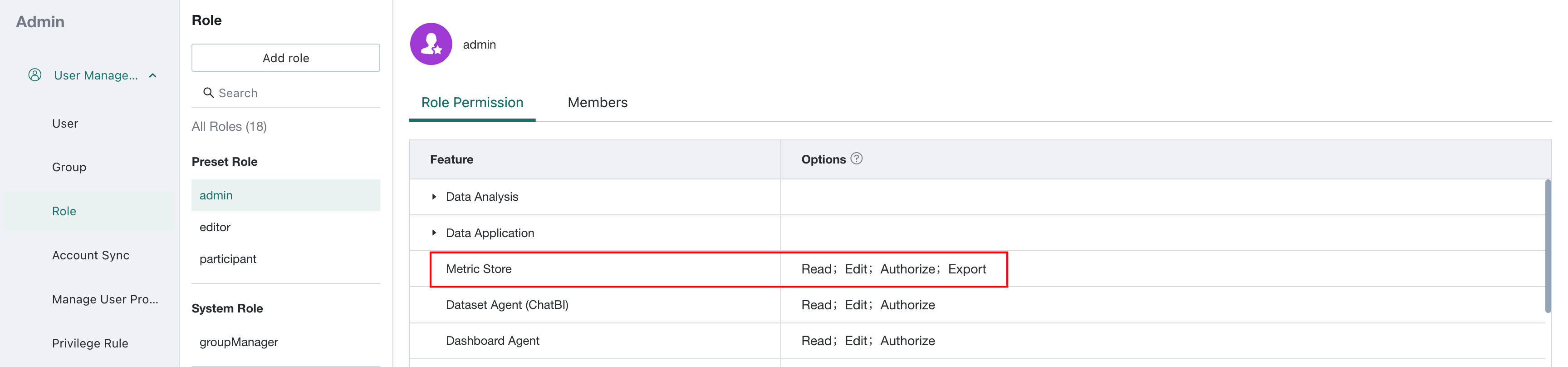
Common operation permissions include:
| Permission | Description |
|---|---|
| View Permission | View Metric Center related content. |
| Edit Permission | Create, edit, delete, move, online/offline, or restore metric versions. |
| Authorize Permission | Add or modify the owner and user of topics and metrics. |
| Export Permission | Export metrics. |
Topic Permission
Topic permissions are used to control whether users can view and manage specified metric topics and their underlying folders.
Set Topic Permission
-
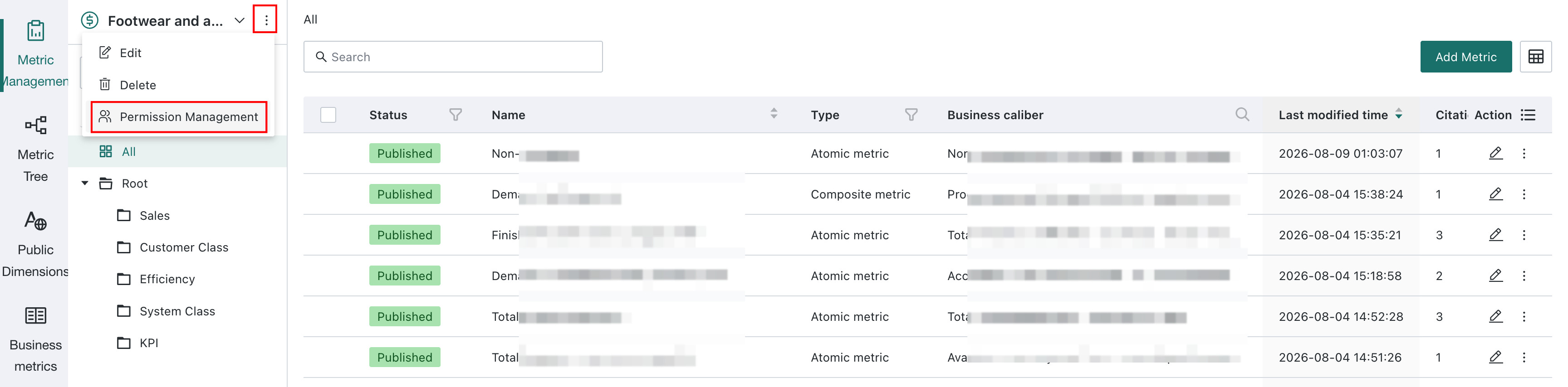
On the metric topic page, click the More button in the upper right corner of the topic and select Permission Management.
-
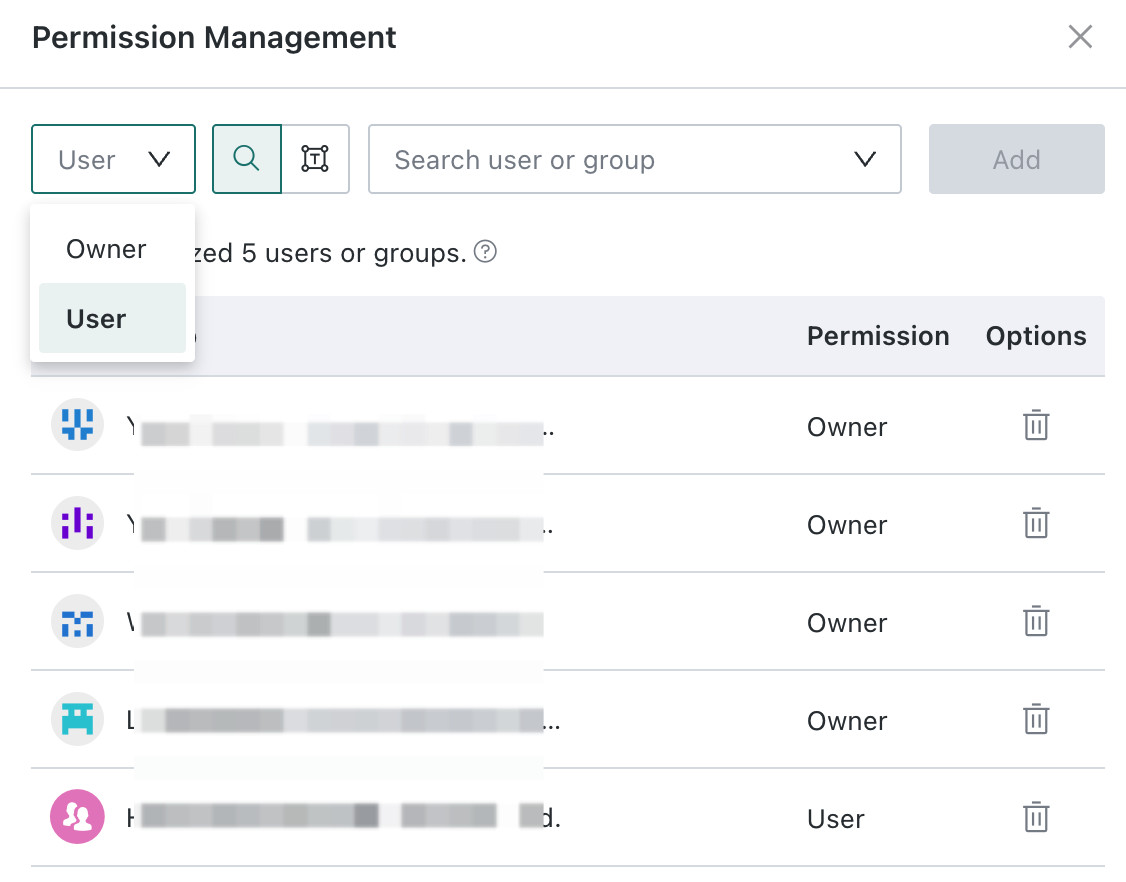
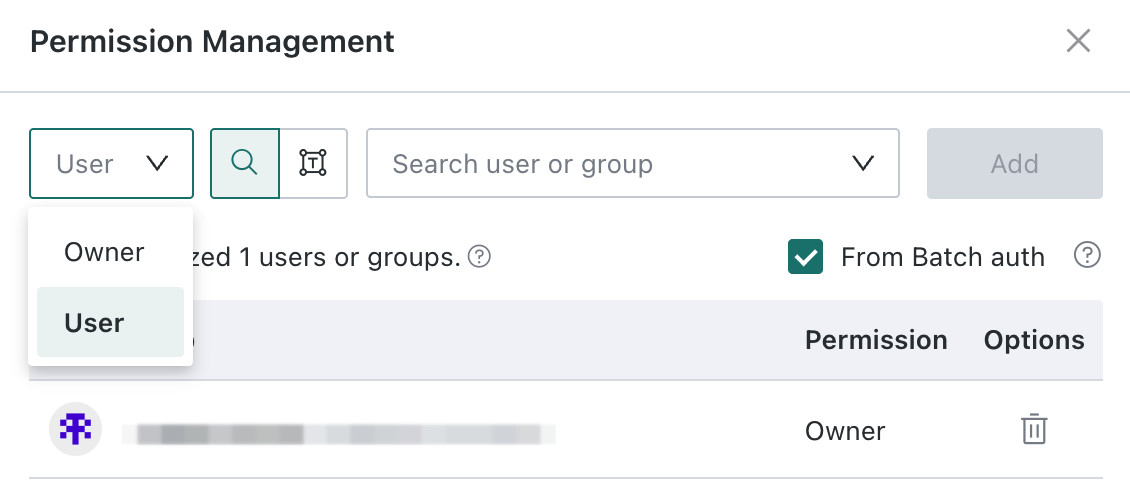
Select the permission type Owner or User, search and select the user or user group that needs to be authorized.
| Topic Role | Role Description |
| --- | --- |
| Owner | The creator is the owner in the initial state, and multiple owners are supported. |
| User | Multiple users are supported. |
-
Click Add to complete the authorization.
Topic Operation Permission
The permissions required for operations on topics are shown in the table below. Users need to simultaneously meet the conditions of topic role and Metric Center role operation permission to perform the corresponding operations.
| Topic Operation Permission | Required Topic Role | Required Metric Center Role Operation Permission |
|---|---|---|
| View Topic | Topic Owner/Topic User | View Permission |
| New Topic | Not considered | Edit Permission |
| Edit, Delete Topic | Topic Owner | Edit Permission |
| Add, Modify Topic Owner/User | Topic Owner | Authorize Permission |
| View Folders under Topic | Topic Owner/Topic User | View Permission |
| New, Edit, Rename, Delete, Move Folders under Topic | Topic Owner | Edit Permission |
| View Metrics under Topic (only metric definitions) | Topic Owner/Topic User | View Permission |
Resource Permission
Resource permissions control viewing data, editing, and authorizing metric resources. They support folder batch authorization, metric list batch authorization, and single metric authorization.
Folder Batch Authorization
Folders are not independent resources. Topic owners and topic users can view folders when they also have Metric Center View permission. Only topic owners with Metric Center Edit permission can create, edit, rename, delete, or move folders. Resource permissions determine whether users can view, edit, or authorize the metrics in a folder.
Configure batch authorization on folders to grant owner or user to metric resources under the folder in batch. For details about batch authorization, see: Batch Authorization Based on Folders
-
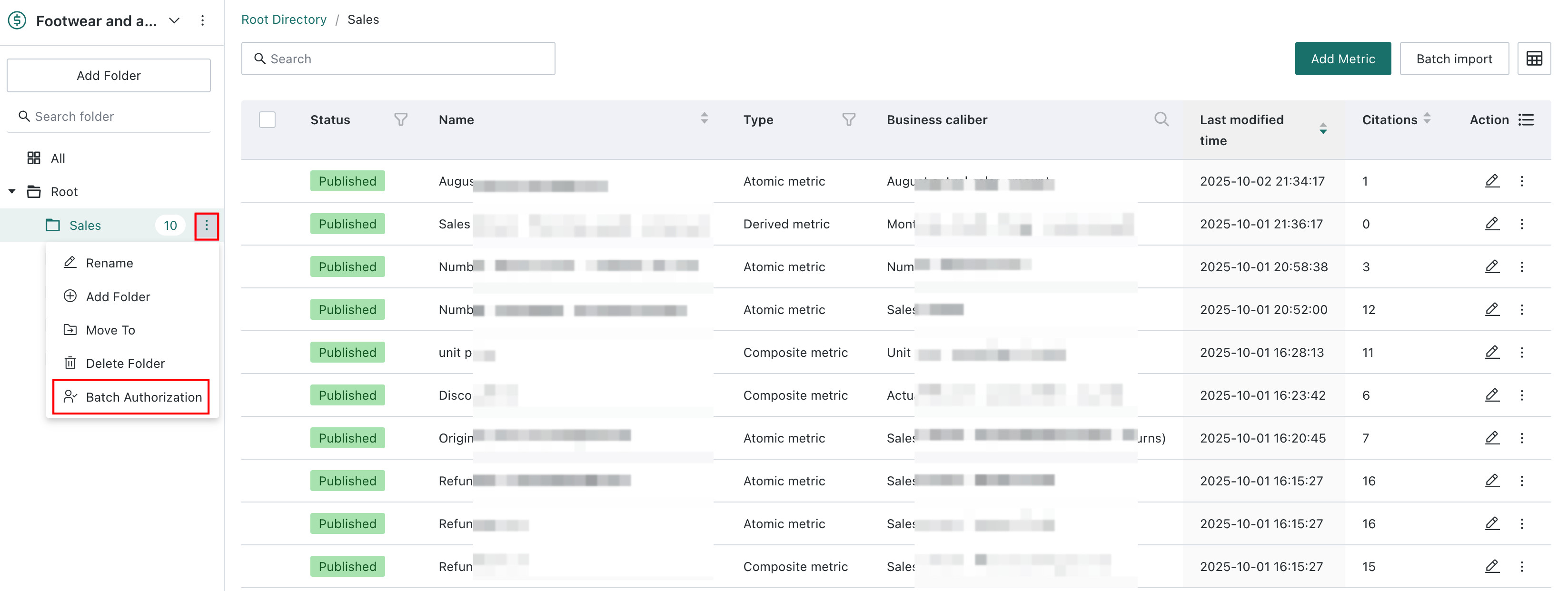
In the metric topic directory, click the More button on the right side of the folder and select Batch Authorization.
-
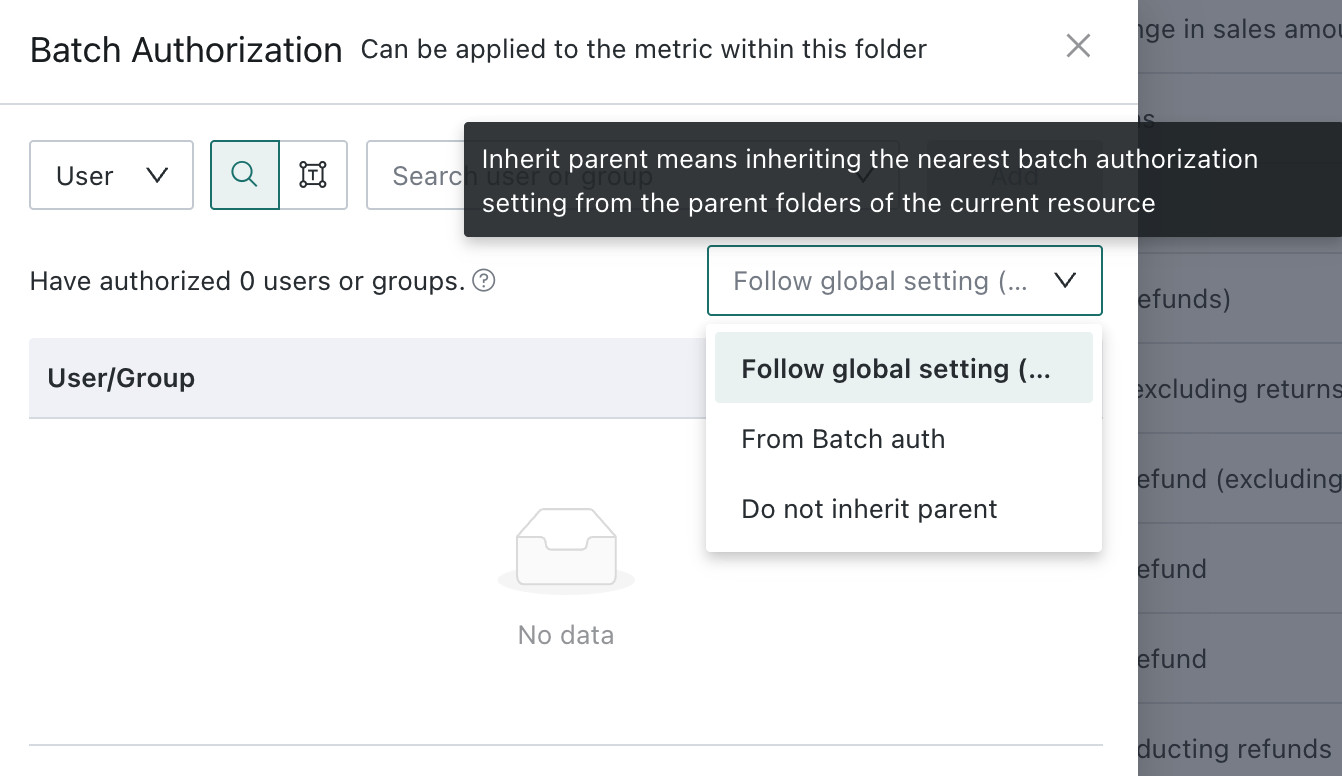
Add owner or user in the batch authorization page.
-
Click OK to complete the authorization.
Metric Batch Authorization
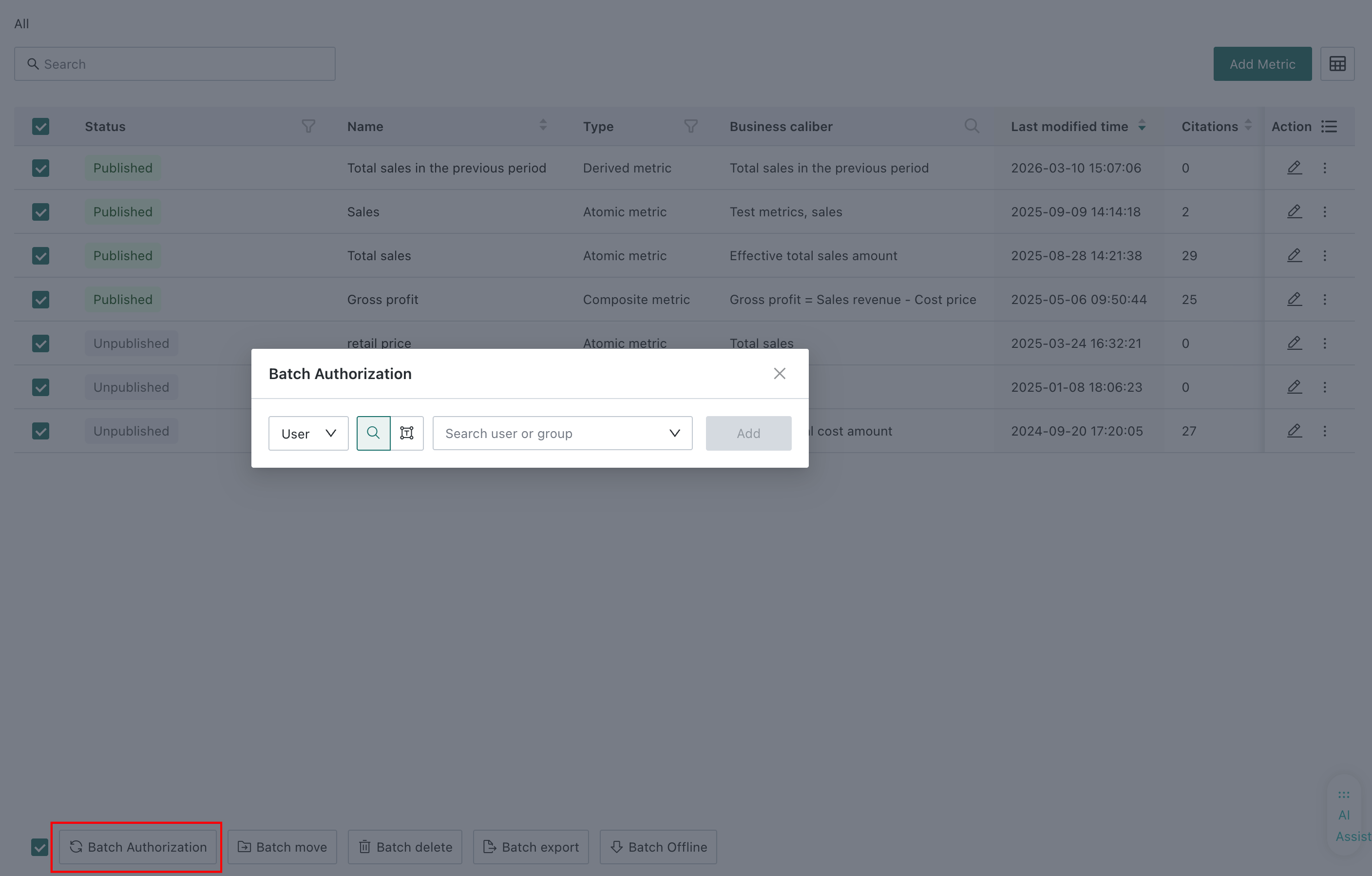
The metric list supports granting owner or user permissions for multiple metrics at once.
- Select the metrics to authorize and click Batch Authorization at the bottom of the list.
- Choose the permission type and select the users or groups to authorize. The screenshot shows User selected.
- Click Add to grant the selected permissions for all selected metrics.
Single Metric Authorization
Single metric authorization is used to control operations such as viewing data, editing, and authorizing of a single metric. Metric permission management has the following two entries.
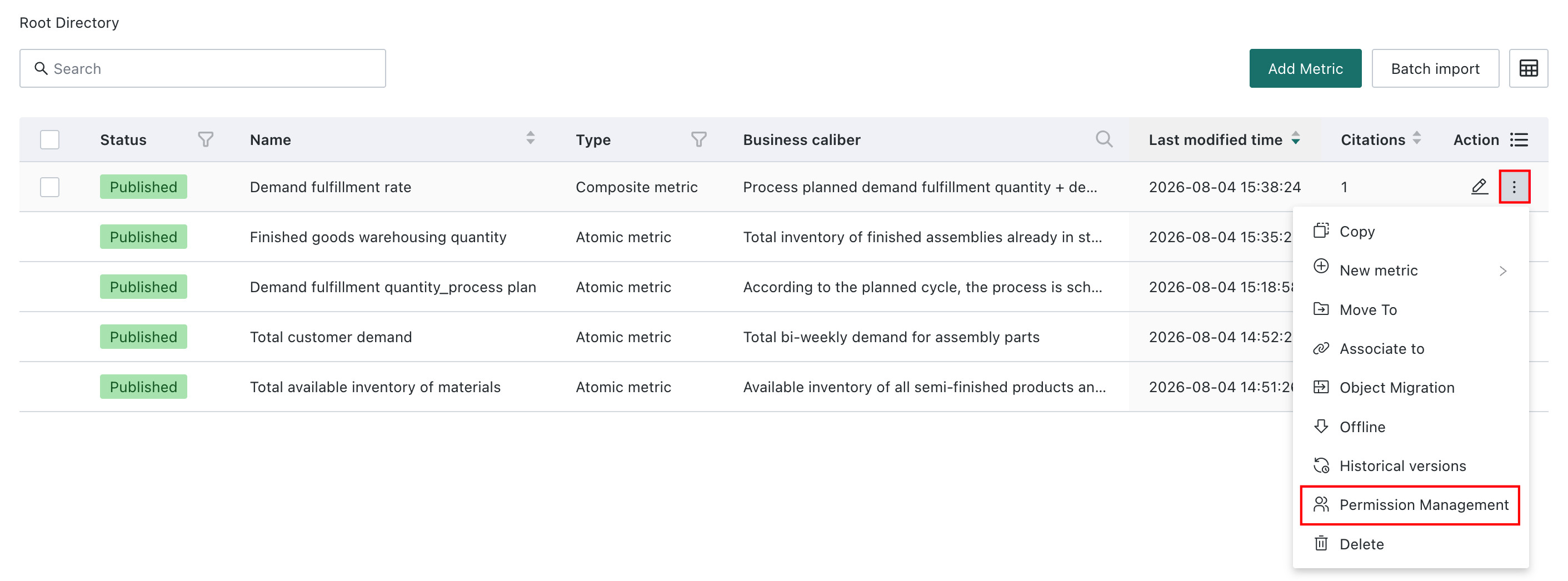
Entry 1: More > Permission Management on the right side of the metric list page
Entry 2: More > Permission Management on the right side of the metric detail page
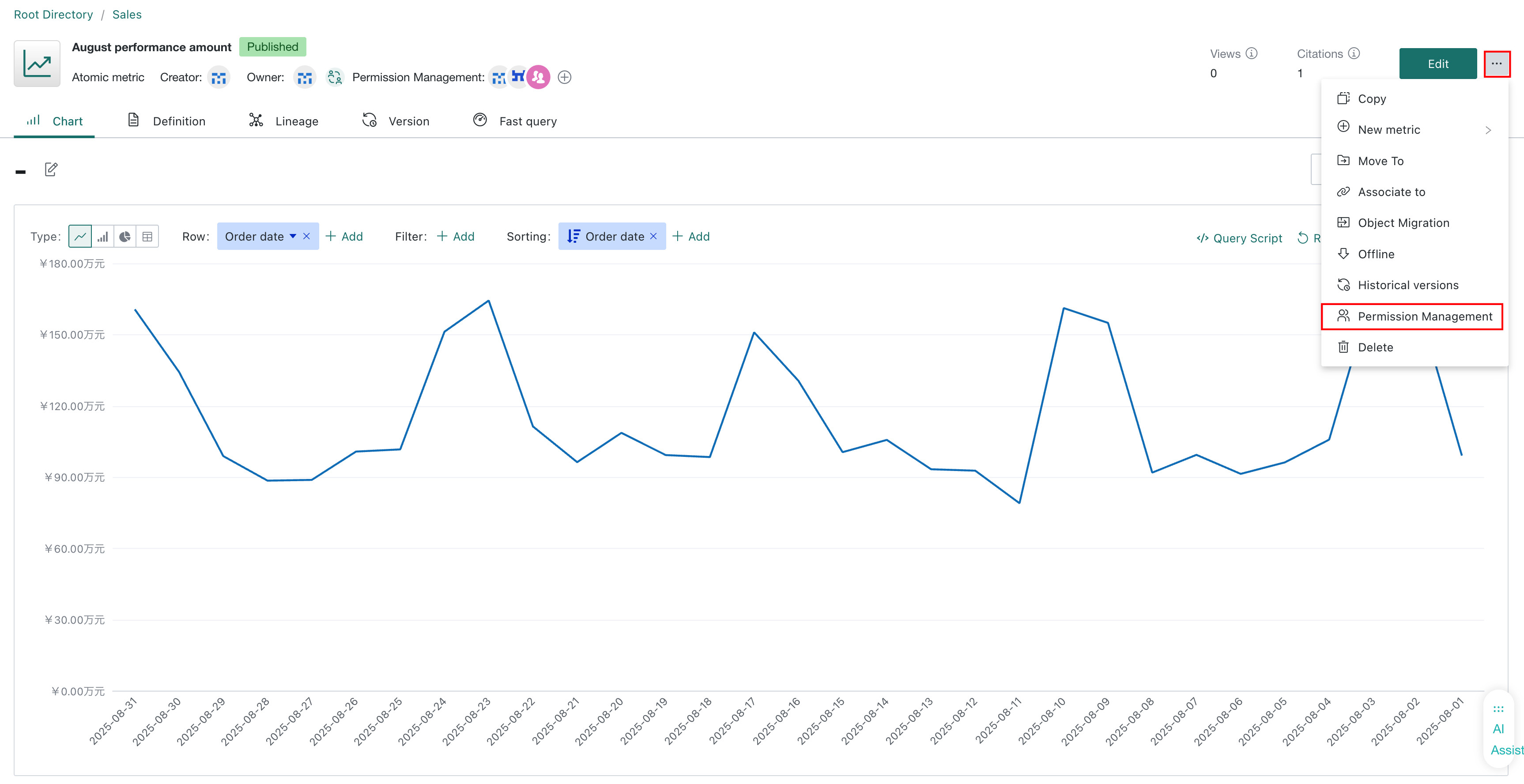
Click Permission Management to add the metric owner or user, supporting both single user addition and batch paste user methods.
- Owner: The creator is the owner in the initial state, and multiple owners are supported.
- User: Multiple users are supported.
Inherit Parent
Both folders and metrics support configuring whether to "Inherit Parent". After enabling, the current folder or metric will inherit the batch authorization list of the nearest parent folder.
The effective rules of batch authorization are as follows:
- After the folder enables "Inherit Parent", it will inherit the batch authorization list of the nearest parent folder.
- After the metric enables "Inherit Parent", it will inherit the batch authorization list of the nearest parent folder.
- After the metric turns off "Inherit Parent", it will not be affected by the folder batch authorization, and will only be controlled by its own independent authorization and topic permissions.
Example
Assuming the metric topic structure is as follows:
Sales Topic
└── East China Folder
    └── Sales Amount Metric
- If batch authorization is granted to User A on the "East China Folder", and "Sales Amount Metric" enables "Inherit Parent", User A can view the metric.
- If "Sales Amount Metric" turns off "Inherit Parent", even if "East China Folder" is authorized to User A, User A cannot view the metric through folder batch authorization.
Final Permission Judgment Rules
The permissions required for operations on metrics are shown in the table below. Users need to simultaneously meet the conditions of topic role, metric role, and Metric Center role operation permission to perform the corresponding operations.
| Operations That Can Be Performed | Required Topic Role | Required Metric Role | Required Metric Center Role Operation Permission |
|---|---|---|---|
| View Metric Definition | Topic Owner/Topic User | Not considered | View Permission |
| View Metric Data, Lineage | Topic Owner/Topic User | Metric Owner/Metric User | View Permission |
| Use Metric to Build New Metrics | Topic Owner/Topic User | Metric Owner/Metric User | Edit Permission |
| Use Metric to Build Data Analysis - Metric Analysis Card | Topic Owner/Topic User | Metric Owner/Metric User | View Permission |
| New Metric | Topic Owner/Topic User | Not considered | Edit Permission |
| Edit Delete, Move, Take Metric Offline, Restore Version | Topic Owner/Topic User | Metric Owner | Edit Permission |
| Add, Modify Metric Owner/User | Topic Owner/Topic User | Metric Owner | Authorize Permission |
| Add, Modify Metric Owner | Topic Owner/Topic User | Metric Owner | Edit Permission |
| Save Metric As | Topic Owner/Topic User | Metric Owner/Metric User | Edit Permission |
Special case: Composite metric C is calculated from metric A and metric B. When the user has permission for metric C but not for metric A and metric B, they can still view and use metric C normally.
Data Permission
When creating or editing metrics, you can only select datasets for which the current user has permission.
If the selected dataset has row permissions configured, the calculation result of the metric is calculated according to the row permissions; if the selected dataset has column permissions configured, when a column without permission is selected, the metric calculation result is regarded as null.
Common Scenarios
Can see topic, but cannot see metric data
When users have the role of topic owner or topic user, they can view the topic and metric definitions. If users do not have the owner or user role of the metric, they cannot view the metric data and lineage.
Folder batch authorization not effective
Check whether the metric has enabled Inherit Parent. If the metric turns off "Inherit Parent", the folder batch authorization will not affect the metric.
Can view composite metric, but no underlying metric permission
Composite metrics are controlled by their own permissions. When users have composite metric permissions, they can view and use the composite metric even if they do not have permissions for the underlying atomic metrics or composite metrics.
Cannot batch export atomic metrics
Batch export of atomic metrics needs to simultaneously meet the following conditions:
- Users have edit permissions for the corresponding atomic metric.
- The role to which the user belongs has enabled the Export permission of the Metric Center.