Metric Center Operation Process
This document introduces the usage process of the Metric Center to help you quickly understand and use it.
If you need to get started with specific examples, please see the Getting Started Example.
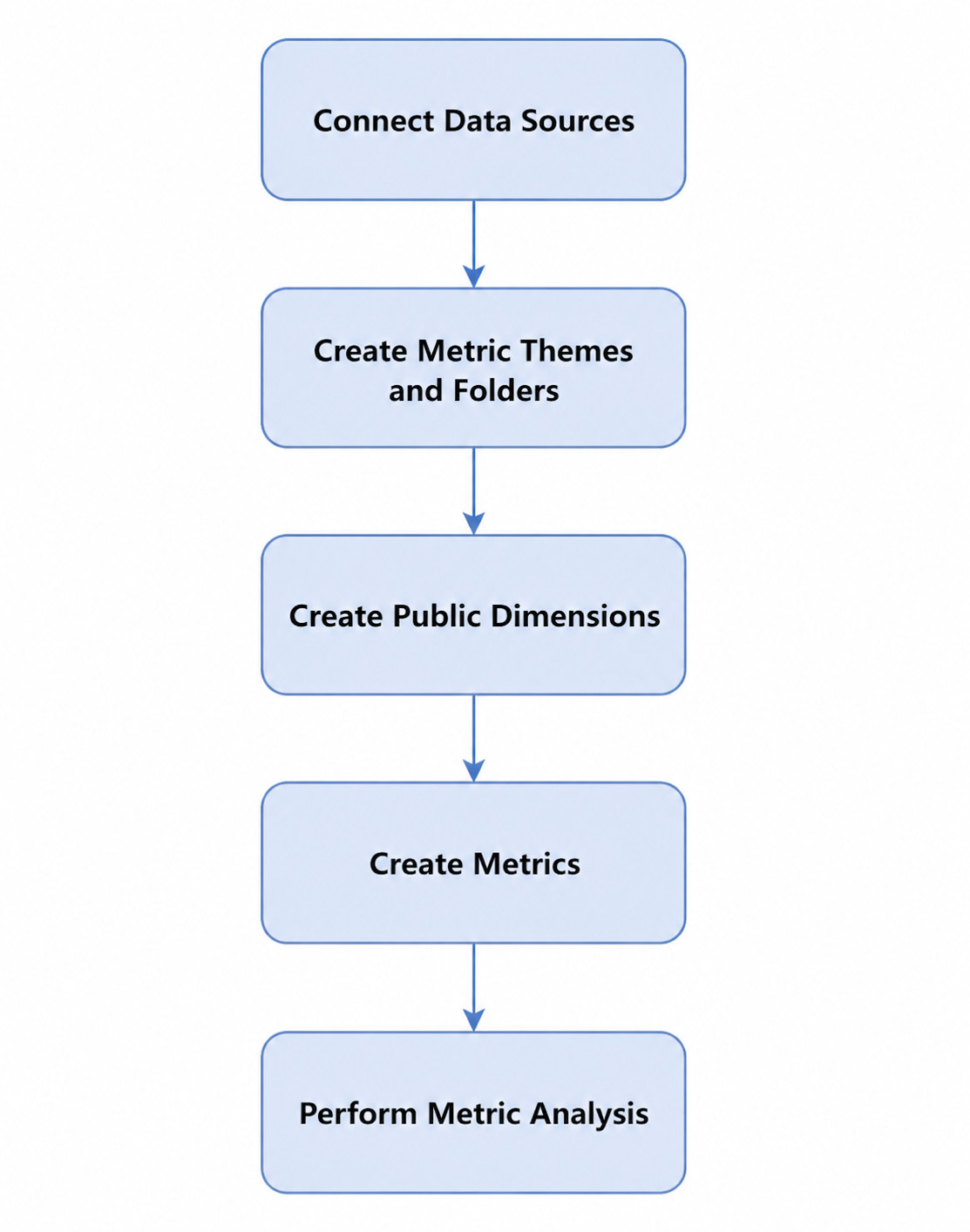
- Connect to data sources. Add data sources to the Metric Center. For specific operations, see Multi-Data Integration Overview.
- Create metric topics and folders. Create metric topics and folders in the Metric Center to facilitate the classification and management of subsequently created metrics. For specific operations, see Create and Manage Metric Topics, Create and Manage Metric Folders.
- (Optional) Create public dimensions. Define public dimensions between different metrics, so that dimensions with the same meaning in different metrics have unified management and definition, facilitating subsequent unified analysis. For specific operations, see Public Dimensions.
- Create metrics. The Metric Center supports creating atomic metrics, composite metrics, and derived metrics. For specific descriptions of each metric type, see Metric Type Definitions. For specific operations of configuring different metrics, see Create Atomic Metrics, Create Composite Metrics, Create Derived Metrics.
- Perform metric analysis. After metrics are created, perform metric analysis by creating metric analysis cards. For specific operations, see Metric Analysis.