Create and Manage Metric Folders
Overview
Guandata Metric Center can create multi-level folders under metric topics to help users classify and manage metrics by their nature and purpose, such as grouping financial metrics, operational metrics, etc. Created metric folders can be renamed, new folders created, moved to, and deleted.
Operation Steps
-
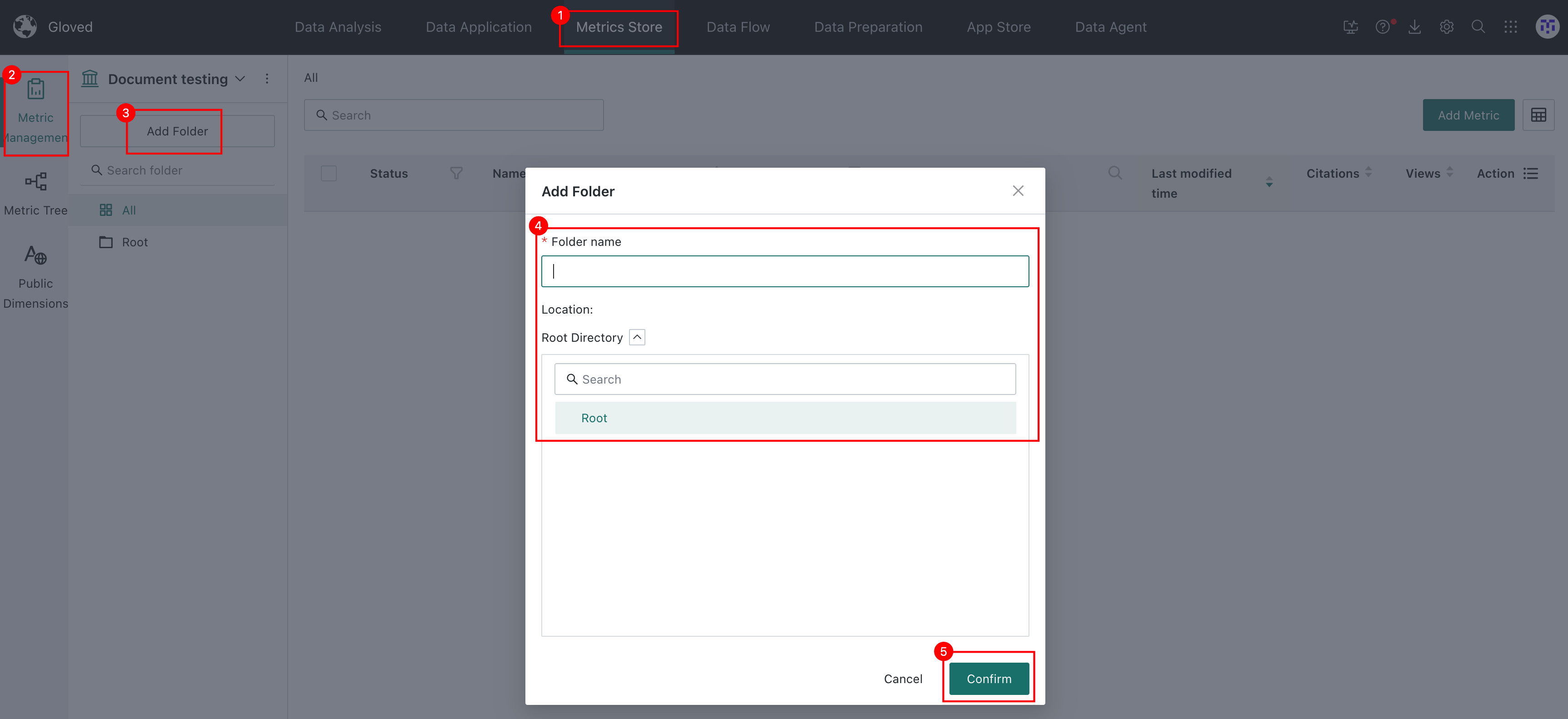
Select Metric Center > Metric Topic in the navigation bar, and click the New Directory button below the topic to create a new folder.
-
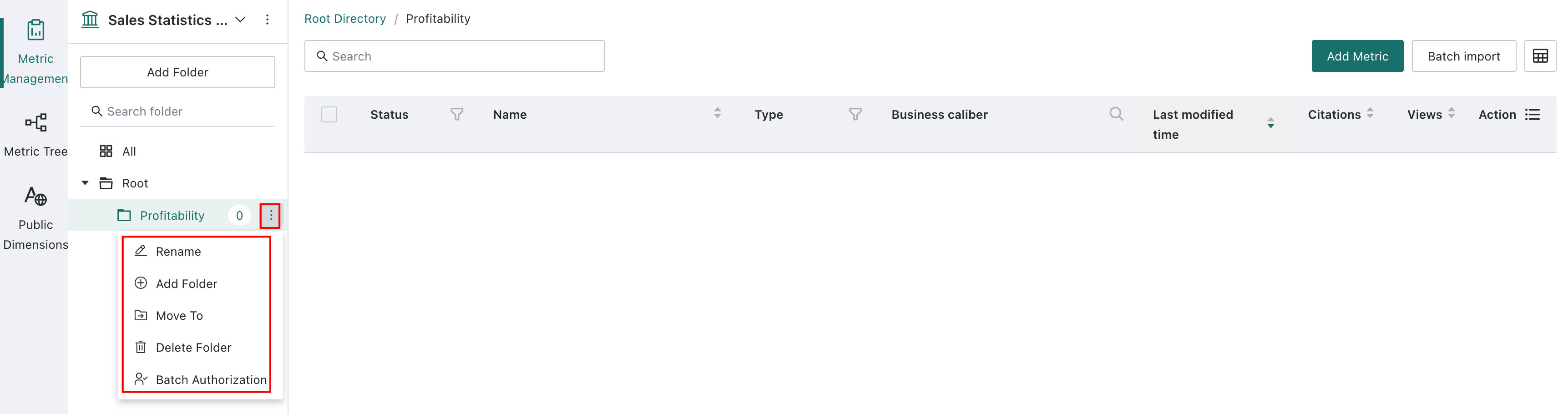
Click the More button on the right side of the created metric folder to perform rename, new folder, move to, and delete operations.
Metric Folder Permission Management
Folders do not have independent roles. Topic owners and topic users can view folders when they also have Metric Center View permission. Only topic owners with Metric Center Edit permission can create, edit, rename, delete, or move folders. Resource permissions determine whether users can view, edit, or authorize the metrics in a folder.
Configure batch authorization on folders to grant owners or users to metric resources under the folder in batch. For complete effective rules, see Permission Management.