Feishu Multi-app Password-free Login
Overview
Feishu multi-app password-free login allows enterprises to create multiple Feishu apps by department or business topic. It uses the main app as the unified identity authentication entry to implement unified password-free login across multiple Feishu apps. Other apps implement password-free login through redirect links, improving user experience and system security.
Business Value
- Unified identity authentication: Use one main app to implement unified identity authentication for all Feishu apps.
- Simplified login process: Users do not need to log in repeatedly, improving the user experience.
- Flexible app management: Supports creating multiple Feishu apps by department or business topic.
- Secure and controllable: Manage user permissions and access scope uniformly through the main app.
Steps
Create Multiple Apps
Refer to Create an App on the Feishu Open Platform to create multiple Feishu apps.
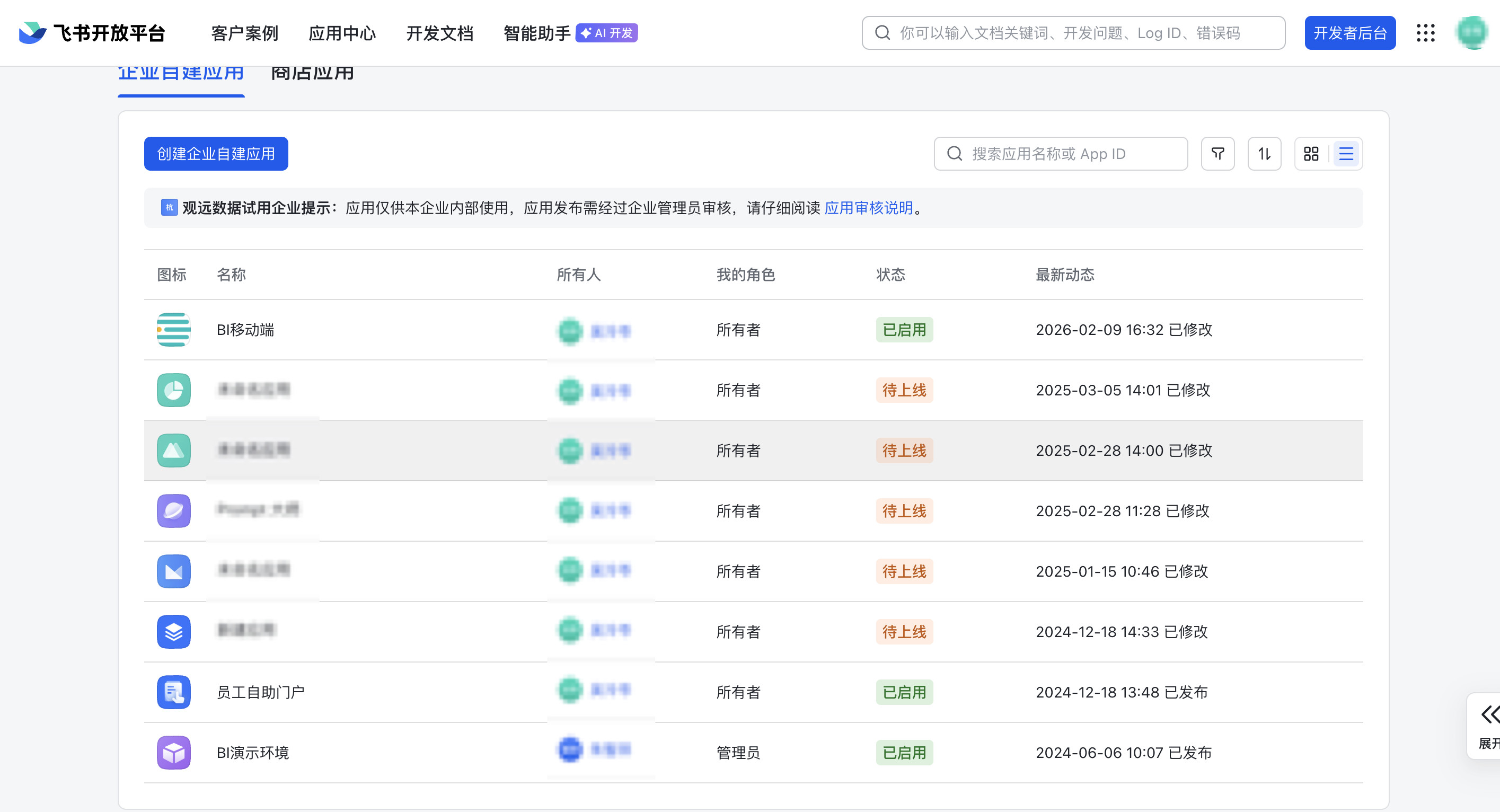
Integrate the Main App
Select one of the created apps as the password-free login main app. The following example uses BI Mobile:
-
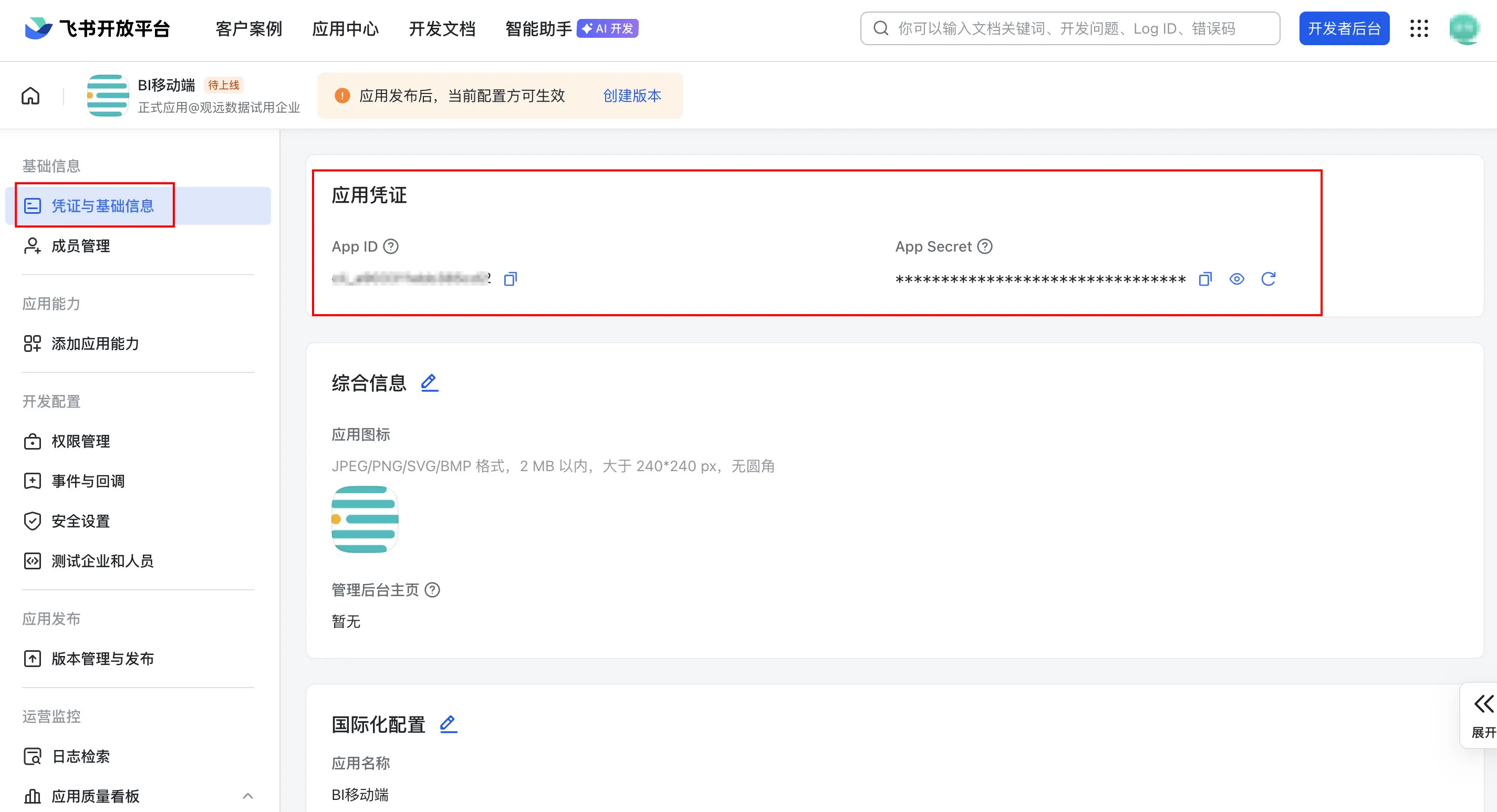
Refer to Integrate Apps in Guandata Management Center to bind BI Mobile with Guandata BI. Save the generated Desktop Homepage and Mobile Homepage links for configuring desktop/mobile homepages for other apps.
-
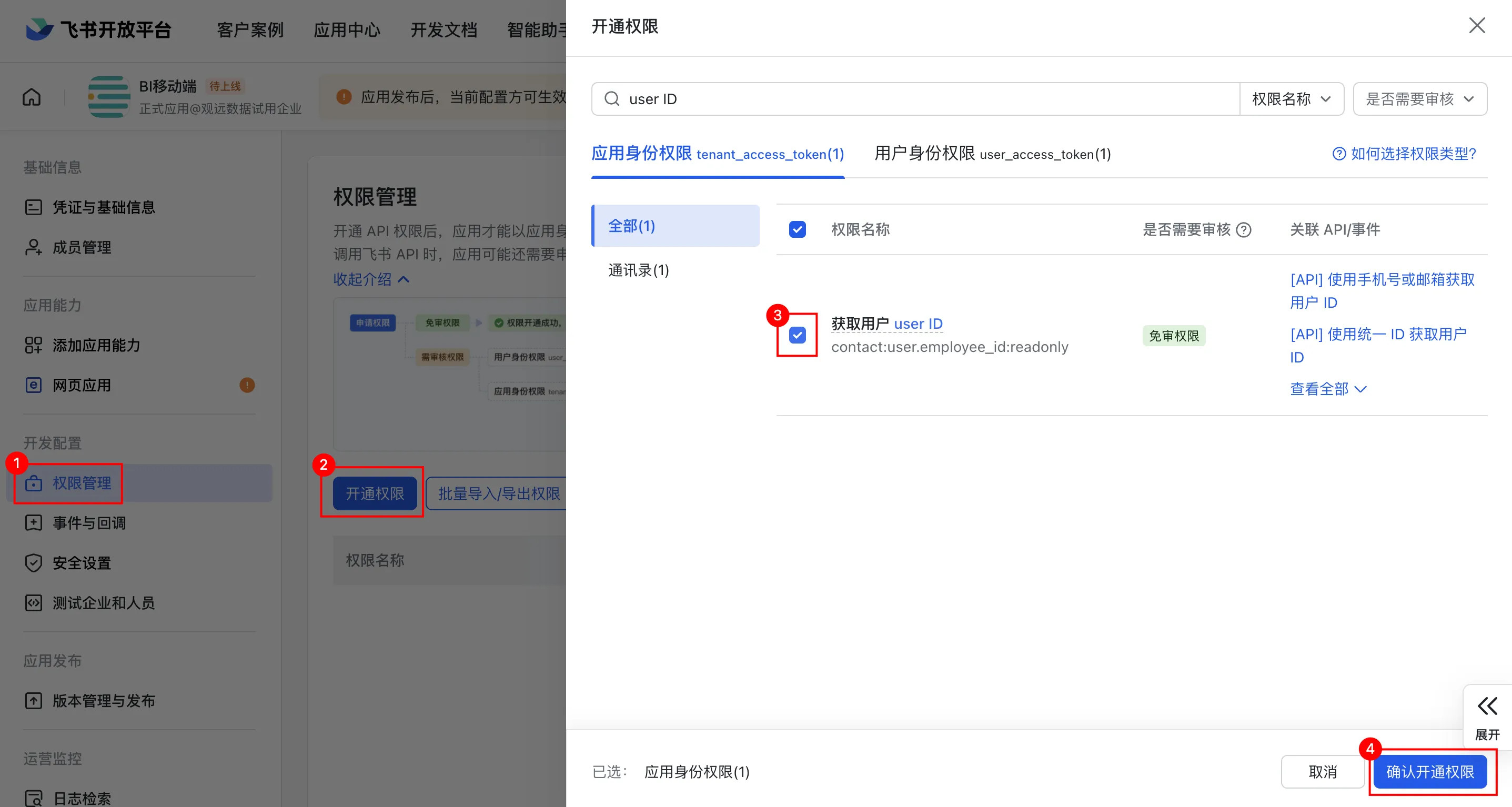
Enable the Obtain user ID permission for the main app for password-free login.
-
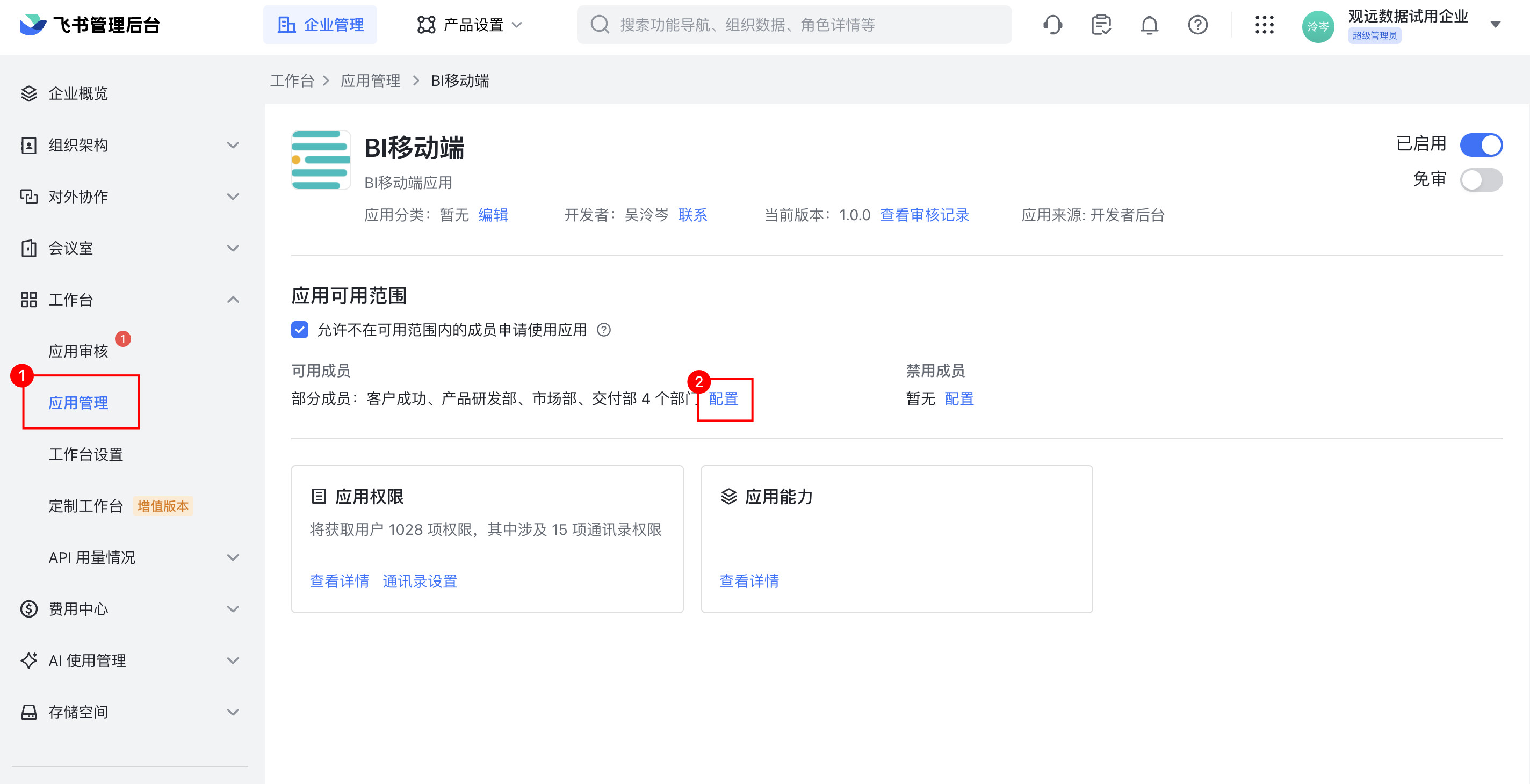
Log in to the Feishu admin console, go to the BI Mobile app configuration page, and set App Visibility Scope:
- The visibility scope must include all users who use the main app.
- It must also include all users who use other associated apps, ensuring that they all have access to the main app.
Configure Redirect Homepages for Other Apps
Refer to Password-free Login to Data Apps to configure desktop/mobile redirect links separately for each app.
Configure the Main App Callback Address
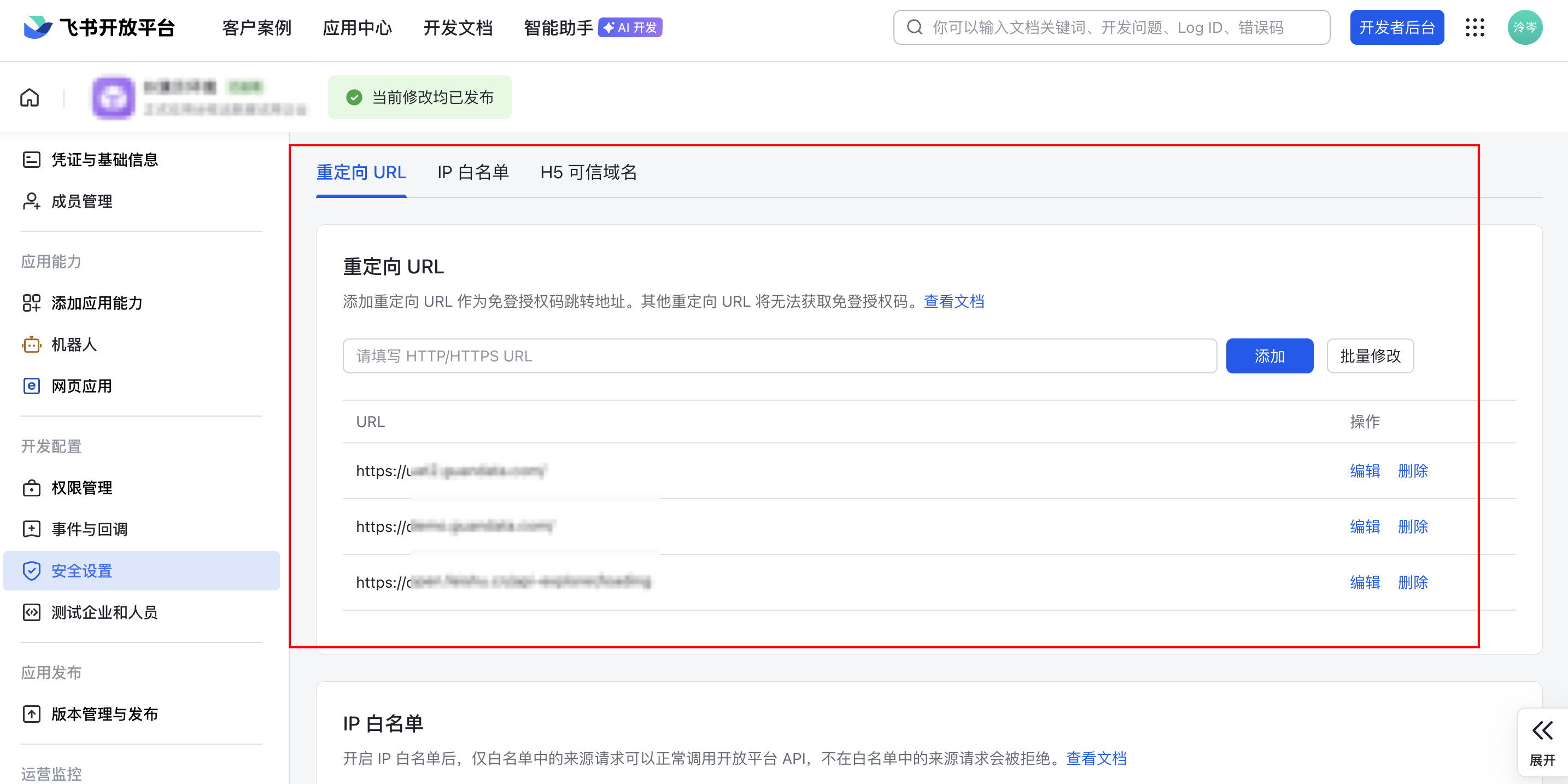
Return to the main app's Development Settings > Security Settings page, and add all redirect links from the previous step to Redirect URL.
The redirect links here do not need to be encoded.