Password-free Login to Portal and App Shortcuts
Scenario
When integrating office OA systems such as DingTalk, Feishu, and WeCom, password-free login is usually configured. When password-free login to an app or portal is needed, two methods are available. The simplest method is to directly configure the default redirect link.
Business Value
- Flexible redirect configuration: Supports redirects to portals or apps.
- Improved user experience: Users enter the target page directly from the OA app without a second redirect.
- Unified login entry: Keeps password-free login convenient.
- Adaptable to multiple scenarios: Meets redirect requirements for different business scenarios.
Steps
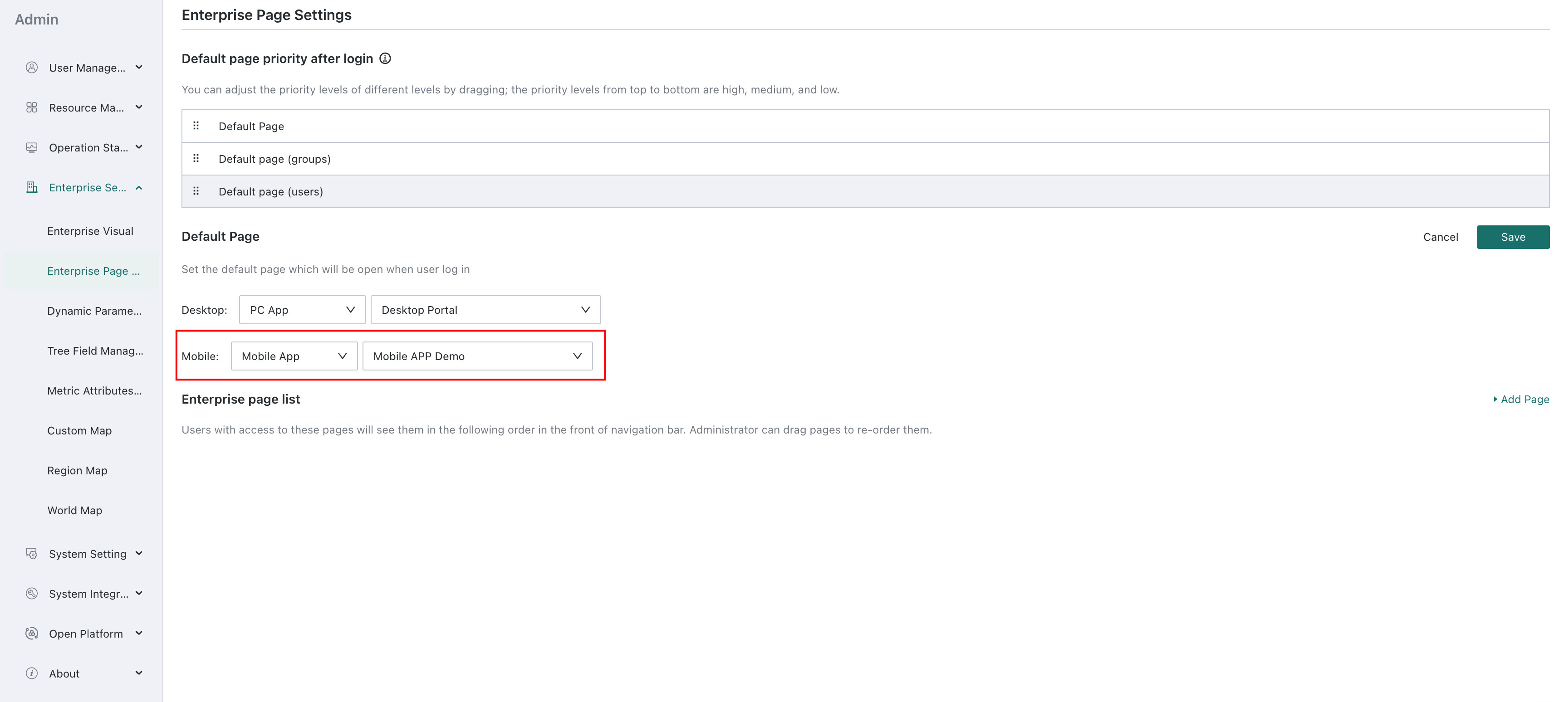
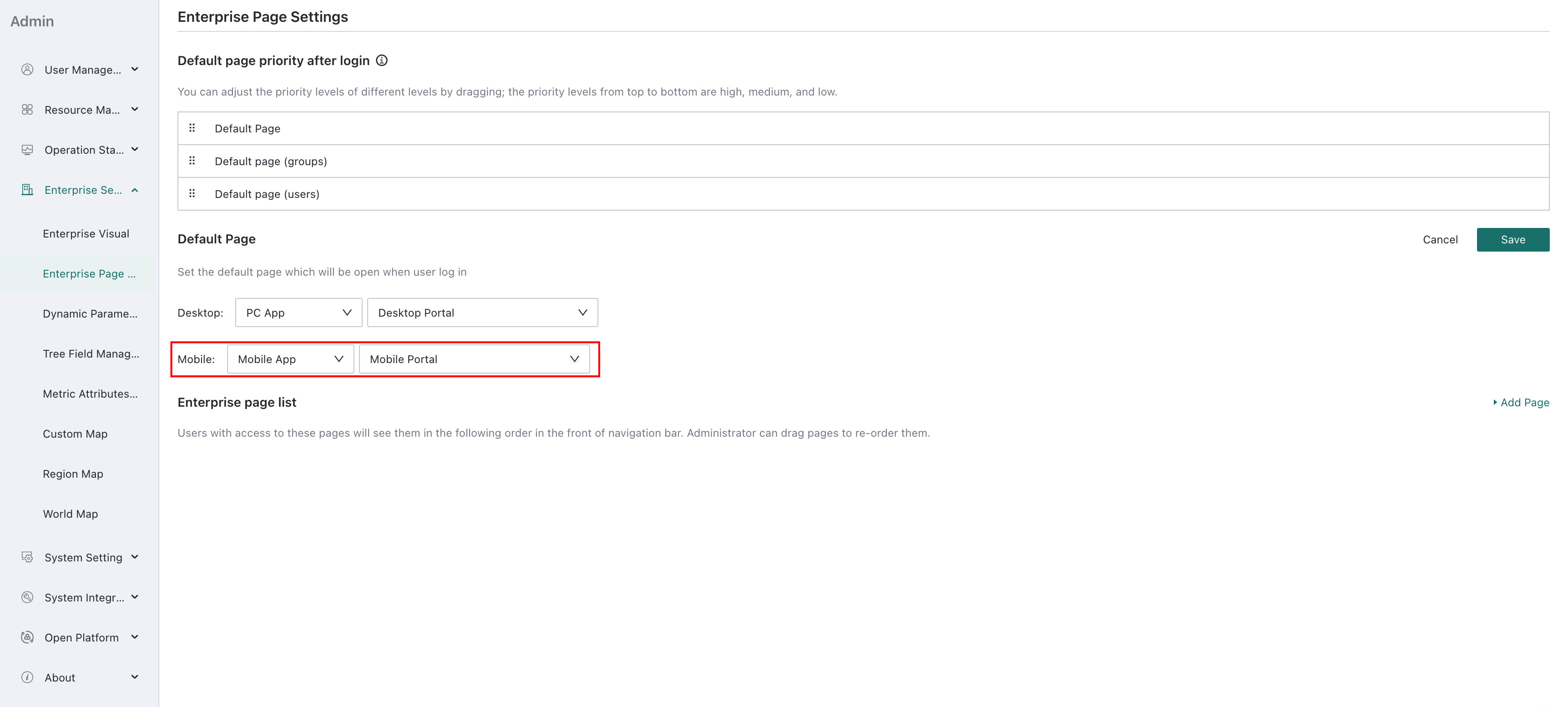
Go to Management Center > Enterprise Configuration > Simple Portal, and select the default page opened after login for desktop and mobile respectively.
Using mobile as an example:
-
Configure the redirect link as a mobile app.
-
Configure the redirect link as a mobile portal.
Notes
When platforms such as WeCom, DingTalk, or Feishu integrate multiple apps and all apps need password-free redirects, apps other than the one set as the default page must implement password-free redirects by replacing specific parts of the app homepage link. For details, see WeCom Password-free Login to Data Apps, DingTalk Password-free Login to Data Apps, and Feishu Password-free Login to Data Apps.