Direct Dataset Cache Strategy
This mainly applies to data in the following display areas:
- Data details
- Page cards, such as selection filters
- Filters
In short, card data and dataset data are independent.
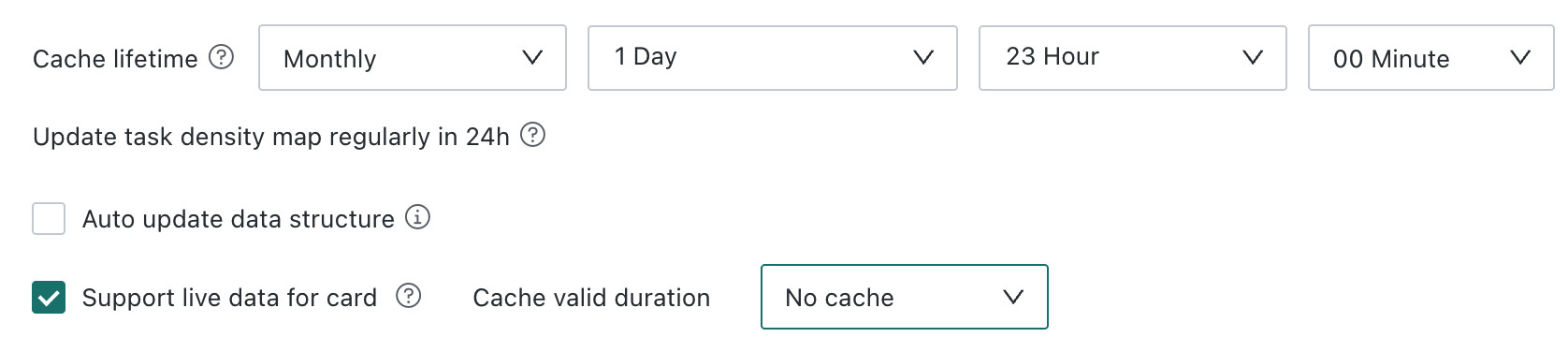
For example, assume the following configuration:
Data Details
Filtered and displayed data range: based on the dataset's Cache Validity Period setting.
Example: The data details viewed at 12:00 are the data updated at 9:00 on the same day.
Page Card Data
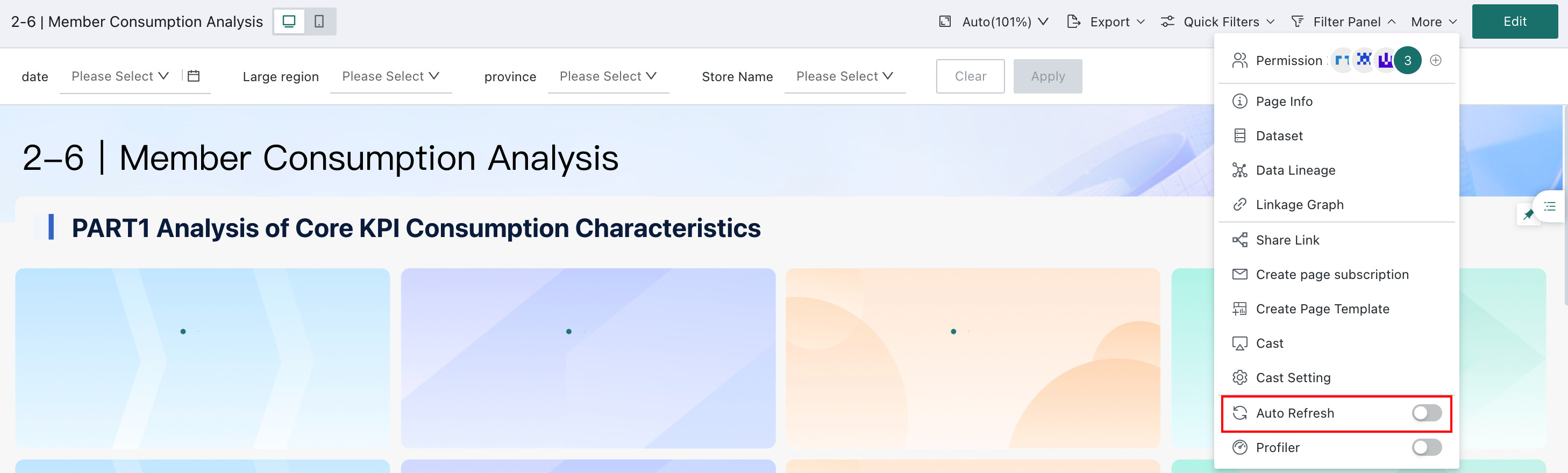
Prerequisite: Enable the page Auto Refresh switch, called Real-time Data in earlier versions. Reason: To display page card data in real time, ensure that the page has Auto Refresh enabled, the card uses a direct dataset, and the direct dataset has Support Real-time Card Data selected.
When Support Real-time Card Data is Not Set
Card data is displayed from the result queried directly from the database by the corresponding SQL statement. As long as the SQL query statement changes, the system queries the database. If the query SQL already has cached data, the cached data is used directly.
Example: At 10:00, the default page card data is the query result of SQL A. At 10:05, the card data is filtered, and the corresponding query statement is SQL B. Both queries directly query the database. If you switch back at 10:08 to view the result of SQL A, the system uses the first SQL A query result, meaning the result is the same as at 10:00. The cache for the same SQL statement is retained until before 9:00 the next day.
When Support Real-time Card Data is Set
At this point, Cache Validity Duration has higher priority than Cache Validity Period, or you can understand that this configuration item becomes invalid. Whether the SQL of the page card changes or not, data is queried from the database every 1 minute.
Example: At 10:00, the default page card data is the query result of SQL A. The card queries the database again for the SQL A result at 10:01.
Filters
Filters associated with datasets also have corresponding SQL statements and query the database.
When Support Real-time Card Data is Not Set
Example: At 10:00, the filter keyword is "string1", and the corresponding option range is A. At 10:03, the keyword is changed to "string2", and the corresponding option range is B. Both filter operations query the database. If the database data changes between these two queries, and string1 contains string2, the available option ranges may be inconsistent. If you filter keyword "string1" again at 10:05, the corresponding option range is still A.
When Support Real-time Card Data is Set
Same as the card setting above.
Model Structure
When the dataset model structure uses a time macro global parameter:
-
The data extracted into the dataset is extracted based on the default value of the time macro global parameter.
-
If the page has a global parameter filter, changes to the filter option value do not affect the value of the global parameter in the dataset model structure. It always uses the default value.