Batch User Deletion Best Practices
Use Cases
When the number of users is reduced during renewal and a license user count limit validation prompt is triggered, or when many accounts need to be cleaned up for other reasons, users must be cleaned up in batches.
Overview
This article provides the fastest and safest user cleanup methods for different user creation methods.
Step 1: Determine the number and type of accounts to clean up.
Step 2: Identify which accounts can be deleted and transfer their permissions.
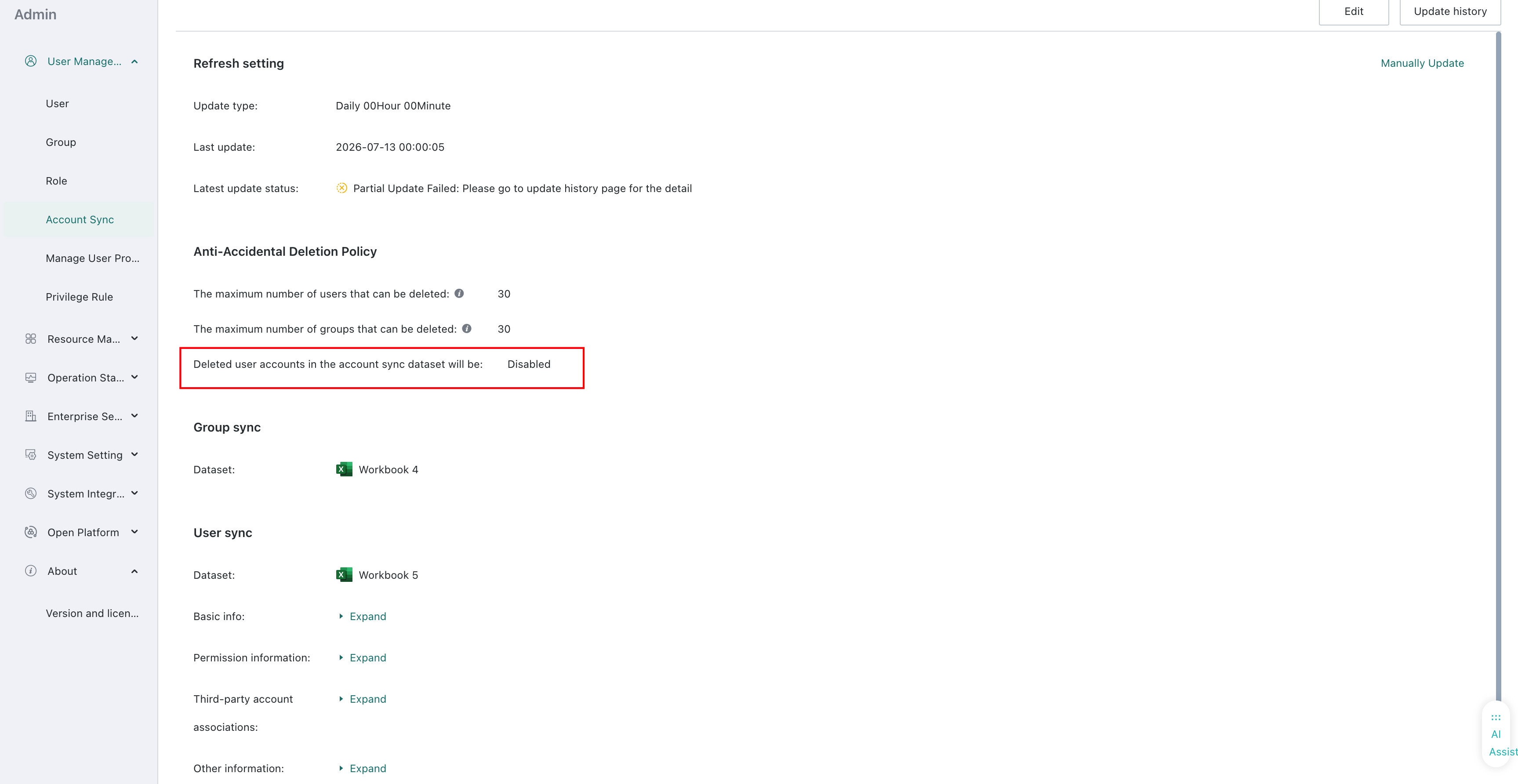
Step 3: When cleaning accounts created through account synchronization, delete them from the account data source and turn off the Disable Deletion switch on the account synchronization page.
For accounts created by other methods, you can clean them through the UI feature or the public API.
Cases
Prerequisites
When the license user count limit validation prompt is triggered, as shown below, first confirm which type of account exceeded the limit.
In Admin > About > Version and license, compare Existing/Limit for valid users and Existing/Limit for valid editor users to understand which account type mainly needs cleanup.

In addition, confirm in advance which accounts can be deleted and transfer account permissions to the handover owner.

Account Creation Methods
Created Through Account Synchronization
If the accounts you want to clean up were created through account synchronization:
Correct operation: In the account synchronization data source, delete the accounts that need to be deleted and keep the accounts that need to be retained. Then trigger a dataset update and synchronize to the account synchronization dataset.
If the Disable Deletion switch is enabled, accounts deleted in account synchronization will be disabled. Turn off this switch and synchronize again.
Incorrect operation: Clearing the account synchronization dataset and then synchronizing the users that need to be retained will cause all accounts generated by account synchronization to be deleted or disabled. After rebuilding, they are new accounts, not the accounts before restart. Proceed carefully.
Created by Other Methods
If the accounts you want to clean up were created manually, in batches through Excel, through LDAP association, through SSO association, or through APIs:
If the number is small, you can complete the operation through the UI.

If the number is large, call the public API /public-api/users/delete to clean up accounts.
Call method: Batch Delete Users