Permission Management
Overview
Permission Management for Dashboard Agent has two levels:
- BI platform permission configuration: Controls users' global access permissions for Dashboard Agent features.
- Dashboard Agent details configuration page permission configuration: Controls users' operation permissions for specific agents.
BI Platform Permission Configuration
Overview
Users who want to access Dashboard Agent for insights must first have Role Permissions configured in the BI Admin Center.
Entry: Admin Center > User Management > Roles
Role Type Description
A role is a permission group assigned by administrators to each account. Each role has corresponding feature permission information. For details, see Role Settings.
Preset Role
- Administrator: Has View, Edit, and Authorize permissions by default.
- Editor: Can be granted View, Edit, and Authorize permissions.
- Participant: Can be granted View permission.
Custom Role
For Custom Roles, you can grant View, Edit, and Authorize permissions for Dashboard Agent.
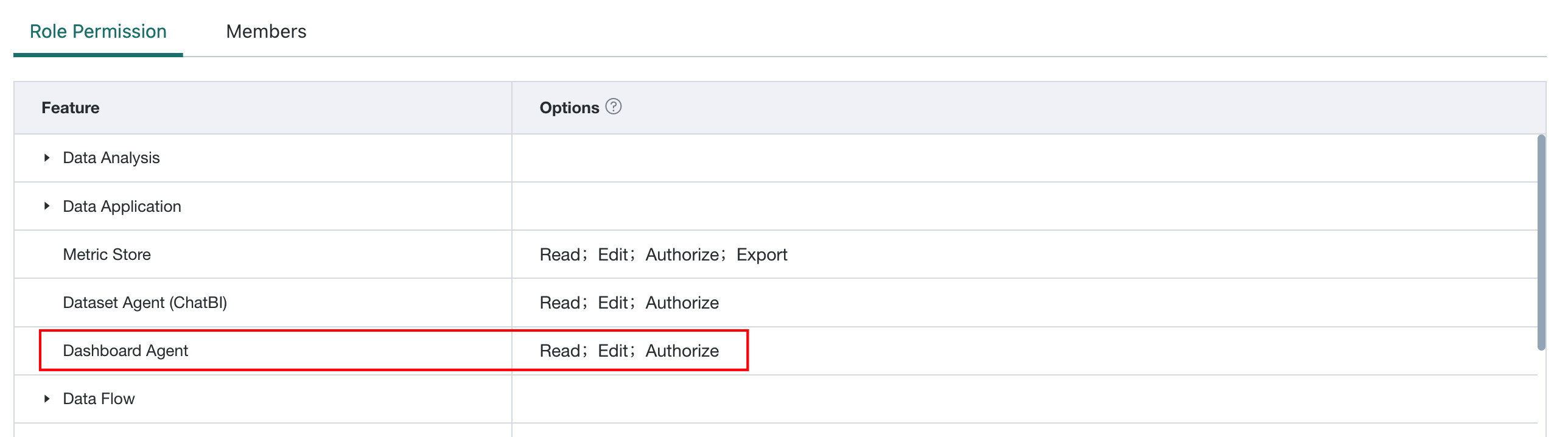
Role Permissions Description
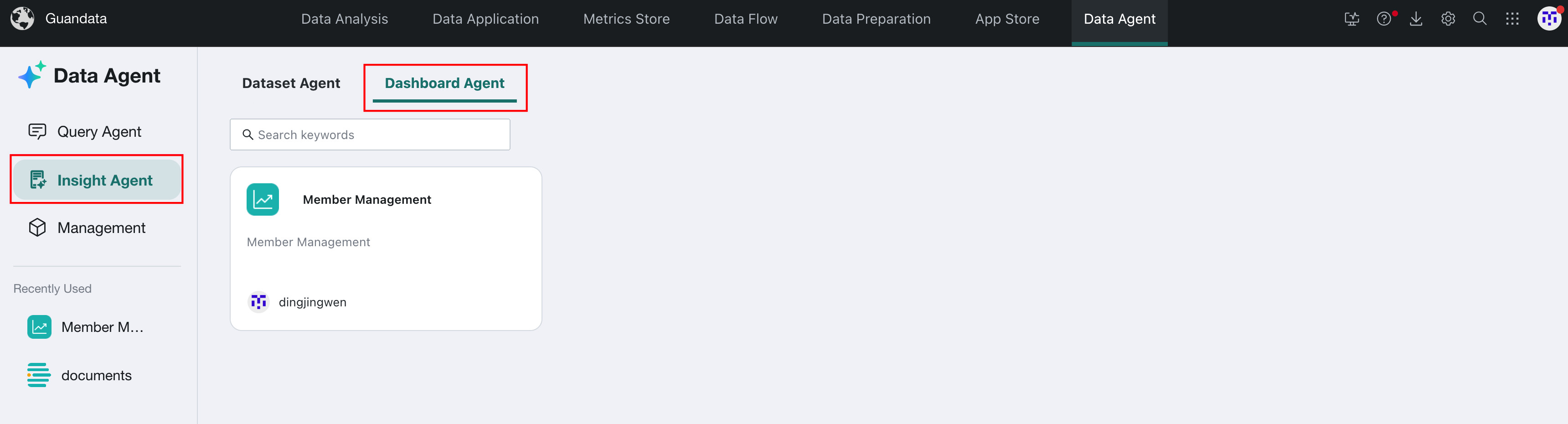
View
Controls whether Insight Agent > Dashboard Agent is visible in the Data Agent navigation bar.
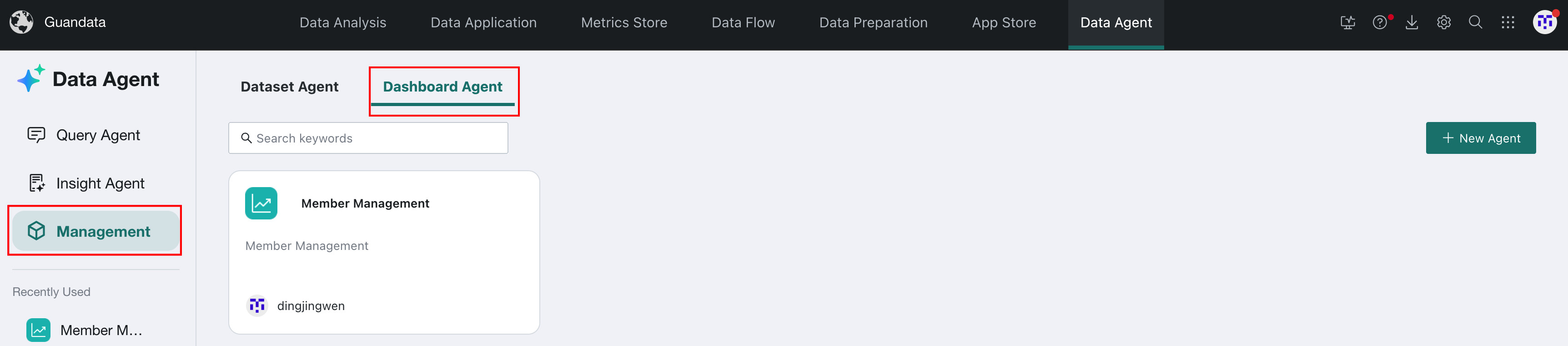
Edit
Controls whether Management > Dashboard Agent is visible in the Data Agent navigation bar.
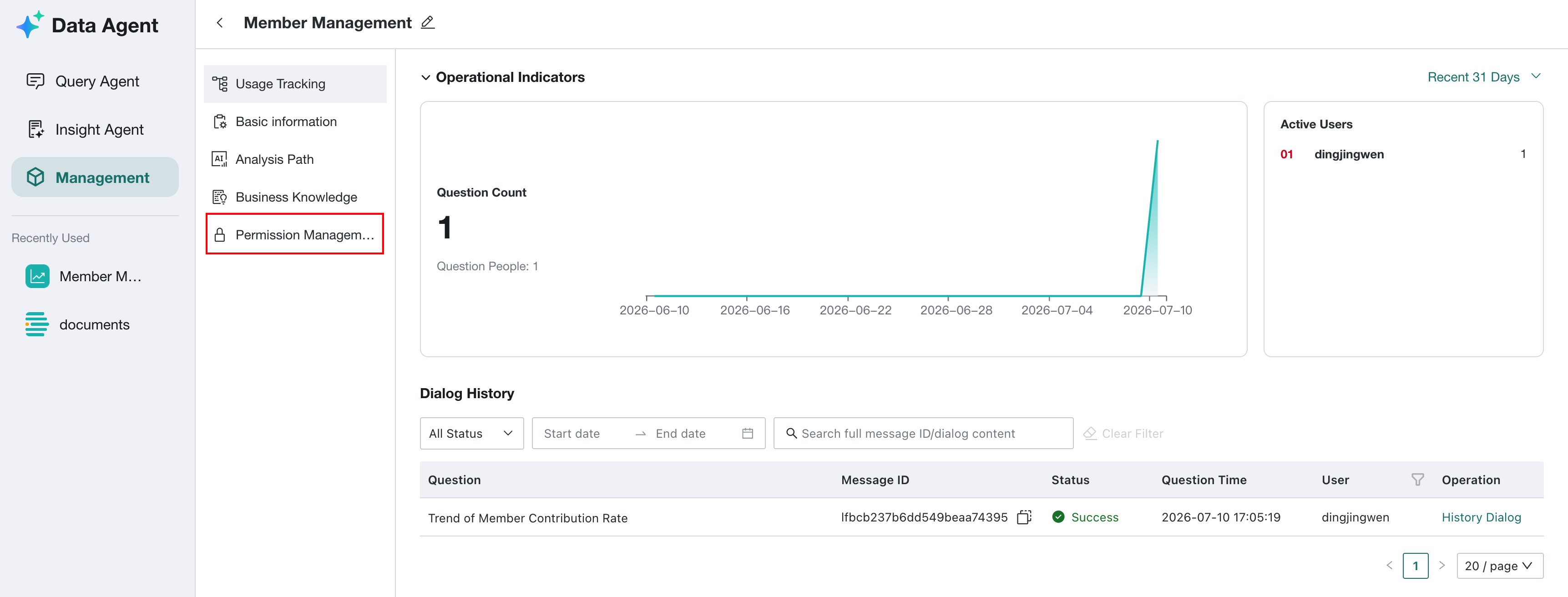
Authorize
Controls whether the Permission Management module is visible in agent details configuration.
Dashboard Agent Permission Configuration
Prerequisites
The user has been granted Edit and Authorize permissions in the BI admin backend.
Usage Guide
Click Add User in the upper-right corner, select the usage permission and the users to add, then click Add.
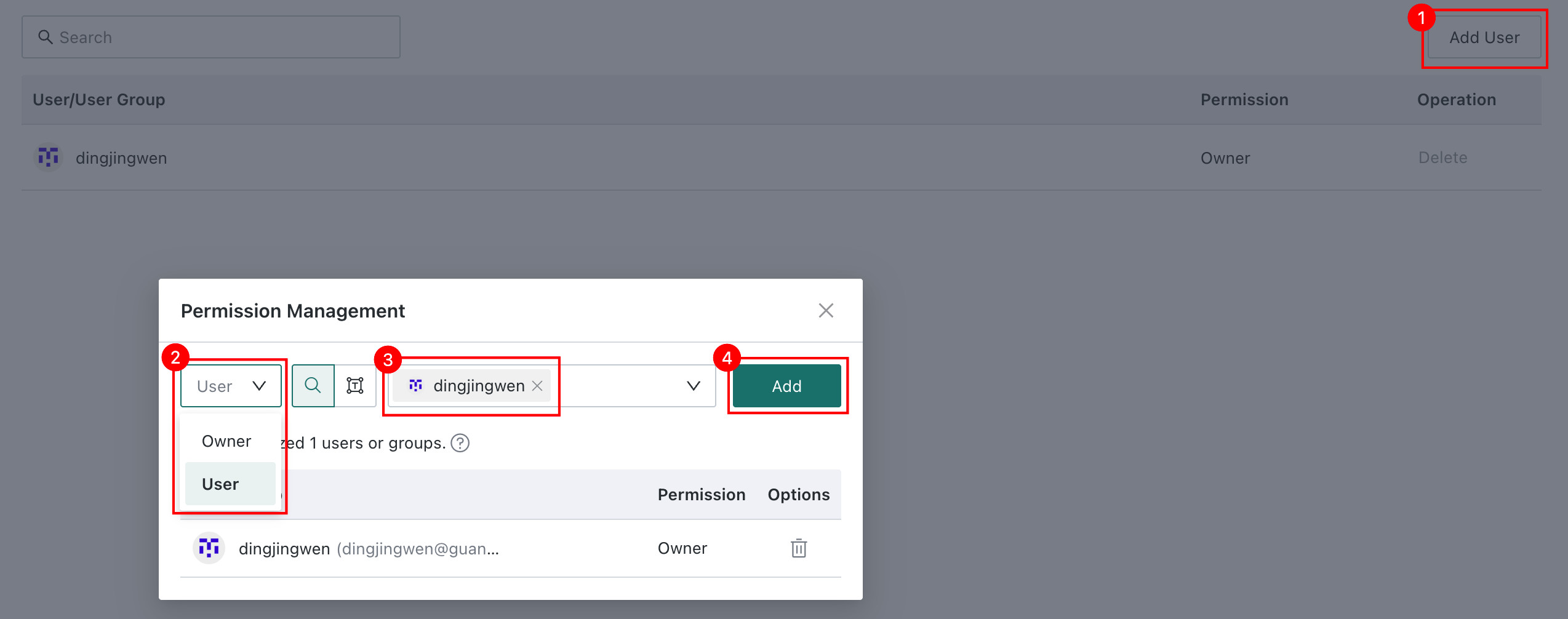
- Owner Permissions: The user can see the current agent on the Agent Management page and modify the agent name, Basic Information, Analysis Path, Business Knowledge, and permission configuration. The user can also ask questions to the agent on the Insight Agent page.
- User Permissions: The user can ask questions to the agent on the Insight Agent page.