Management Navigation
Overview
Agent Management is used to maintain the full lifecycle of Dashboard Agents, including agent creation, configuration, and permission assignment.
Agent Management Overview
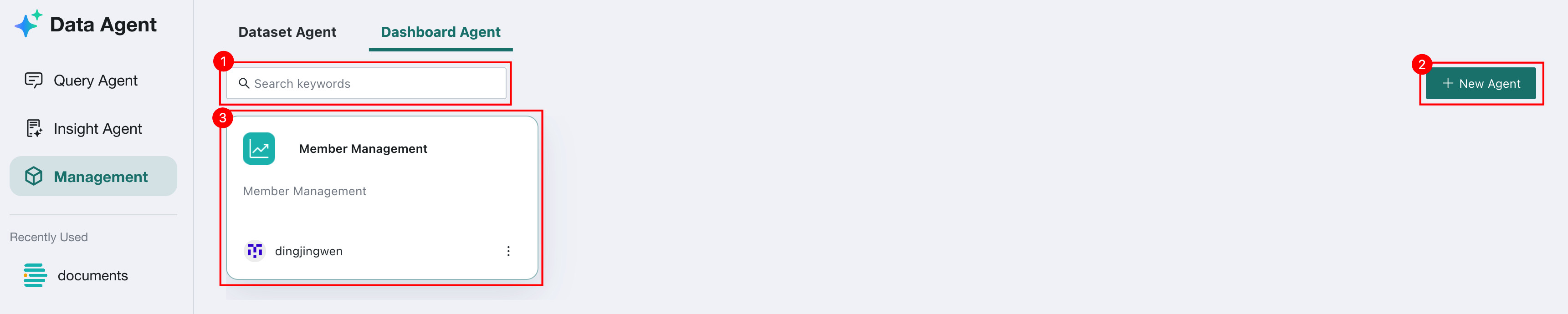
The Agent Management overview page displays all created agents and supports search, creation, and management operations.
| No. | Description |
|---|---|
| 1 | Search box: Search agents by keyword to quickly locate the target agent. |
| 2 | Create Agent: Click to create a new agent. For details, see Create Agent. |
| 3 | Agent Card list: Displays all created agents. Each Card shows the agent name, description, and owner information. Click a Card to enter the Agent Details Configuration page. |
Agent Details Configuration
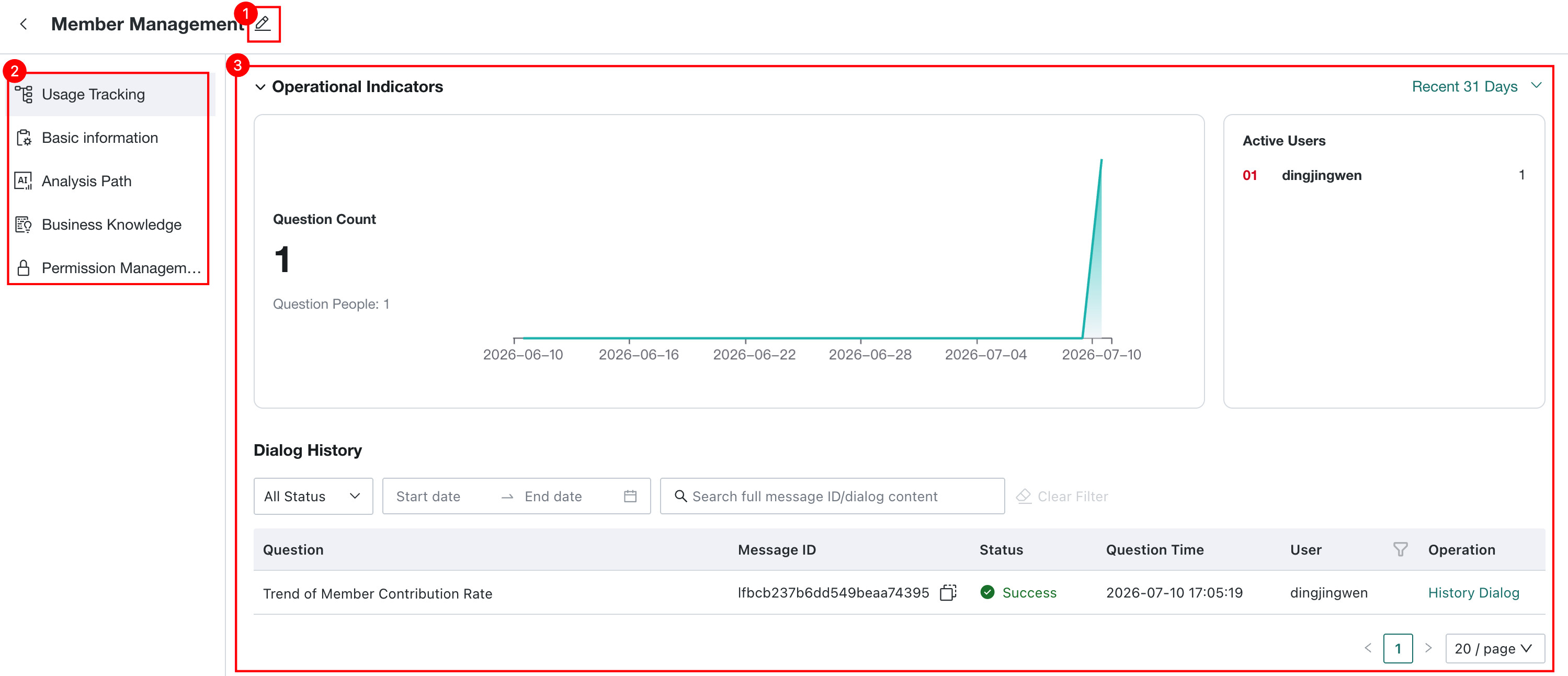
Click any agent to enter its management page. The left side contains the feature menu, and the right side displays the corresponding details Dashboard or configuration items.
| No. | Description |
|---|---|
| 1 | Rename: Click to rename the current agent. |
| 2 | Agent Management configuration area: Contains entry points for agent configuration features.
|
| 3 | Details Dashboard or configuration item: Displays the detailed content of the feature selected on the left. |