View AI Operations
Overview
Open operations monitoring in Settings to understand agent usage, organization token consumption, and important activity.
| Tab | Purpose | Visibility |
|---|---|---|
| Usage | Usage scale, activity trends, and member statistics. | Users see their own data; agent managers see relevant member data for managed agents; owners see organization data. |
| Token Usage | Consumption, estimated cost, and details. | Organization owners only. |
| Organization Activity | Important operations and sensitive reads, with actor, object, and time. | Organization owners only. |
Usage
Usage statistics cover agent adoption, activity changes, and members. Data runs through yesterday; check the displayed cutoff date.
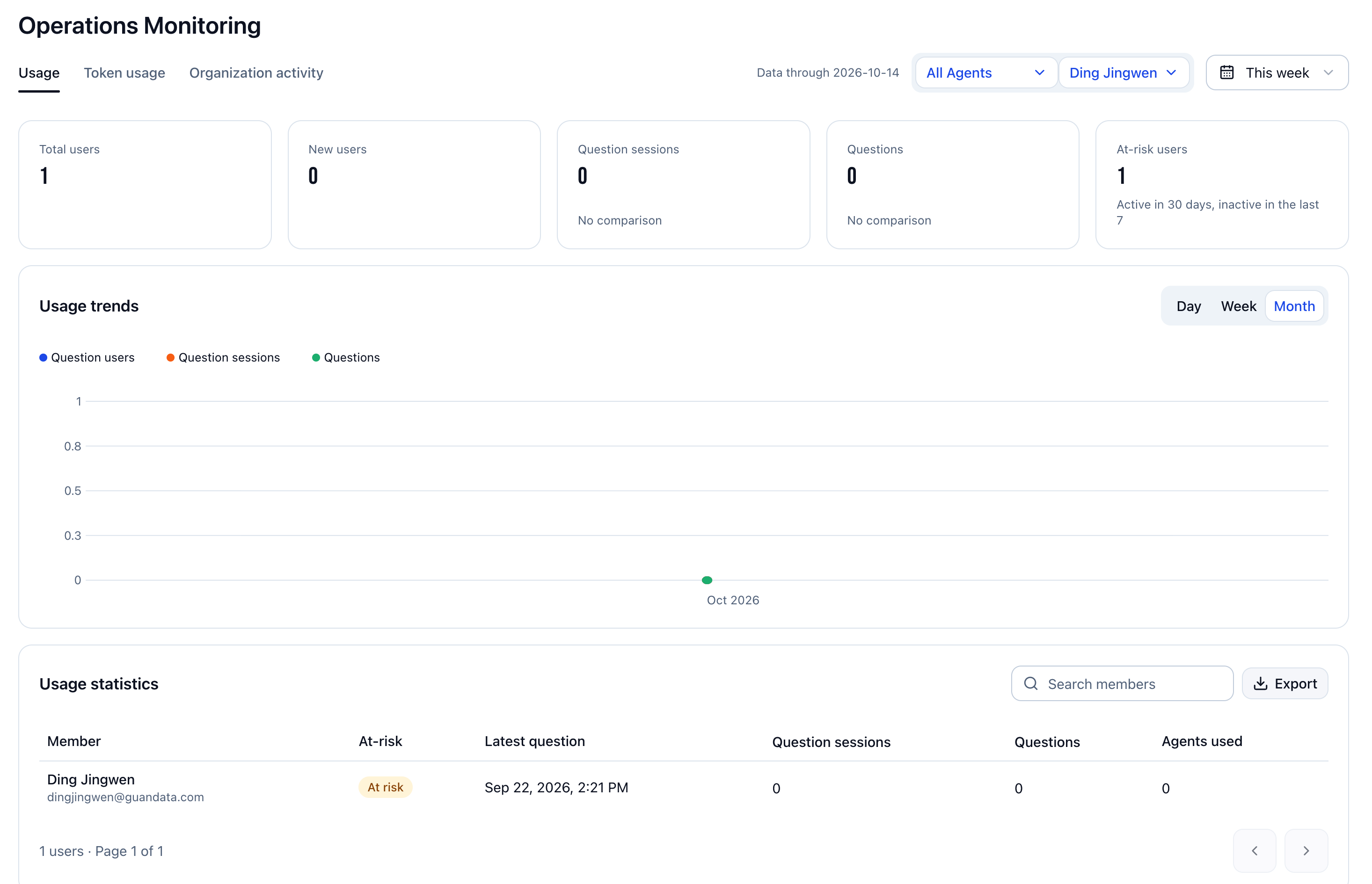
Filter the Scope
- Search for and select one or more agents at the top.
- Select members. Available members depend on your permissions and selected agents. Without access to others' data, only your data is available.
- Select this week, this month, or a custom date range. Apply custom start and end dates.
Overview and Trends
Interpret these metrics within the current agent and member filters.
| Metric | Meaning |
|---|---|
| Total users | Users who have ever used agents in the scope. |
| New users | Users whose first use of agents in the scope occurred during the selected period. |
| Conversations with questions | Conversations with questions during the period. Multiple questions in one conversation do not count as multiple conversations. |
| Questions | Number of questions during the period. |
| Users at risk of churn | Users active within the last 30 days but inactive in the last 7 days. |
Switch usage trends between day, week, and month to view users asking questions, conversations, and question counts. Keep agent and member filters consistent when comparing periods.
Member Statistics and Export
Search members in the usage statistics area. Review churn risk, latest question time, conversation and question counts, and number of agents used. Use pagination for more records.
Click Export to save statistics. If downloading fails in an embedded browser, open the page in a system browser and retry.
Token Usage
Owners can examine model consumption and identify agents and users with concentrated usage.
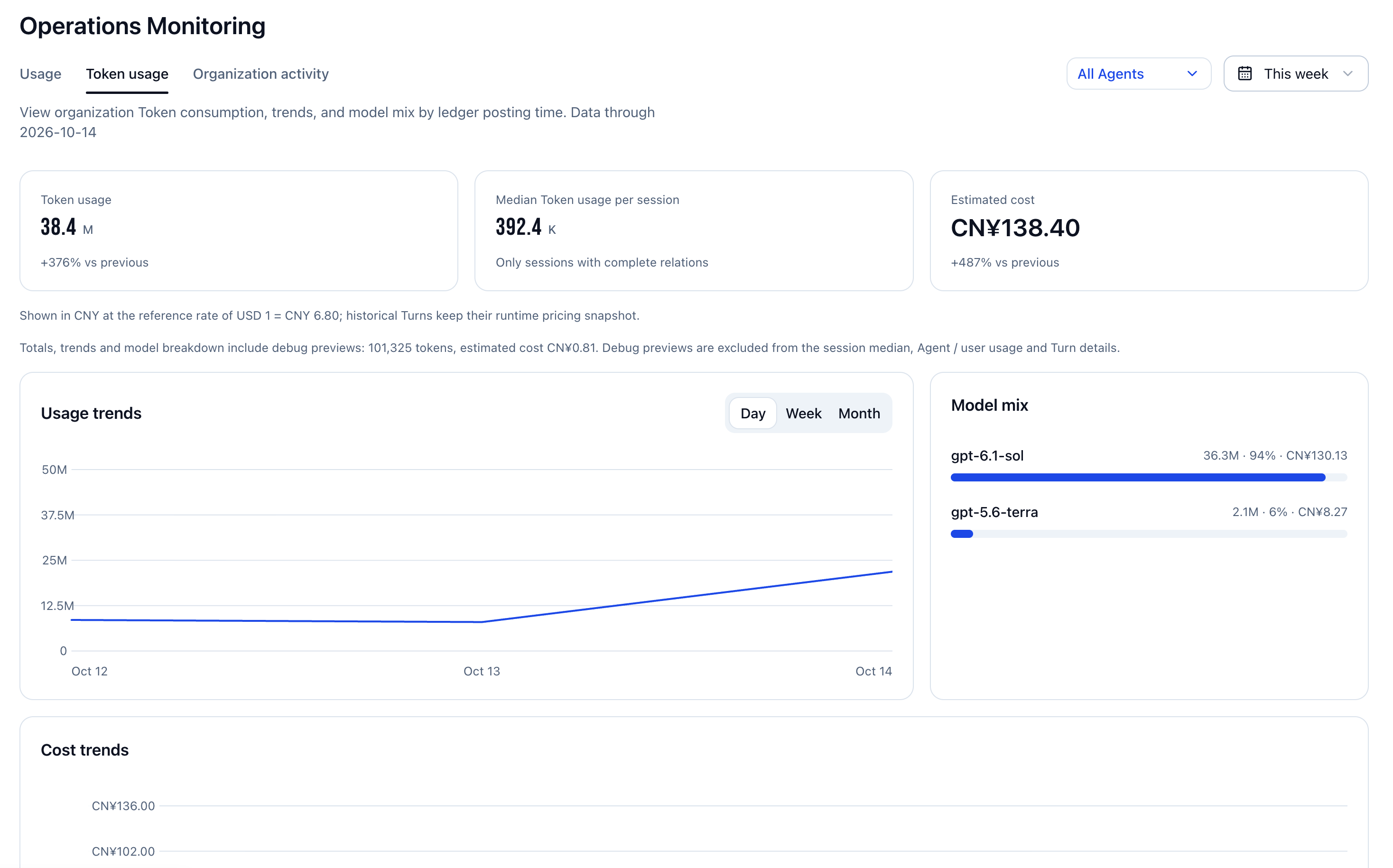
Scope and Overview
- Open the token usage tab.
- Select agents and this week, this month, or a custom range.
- Review token usage, median tokens per conversation, and estimated cost. The median includes only conversations with complete associations. Estimated costs are shown in CNY, using the reference exchange rate displayed on the page.
- Switch usage trends between day, week, and month. Compare cost trends and model composition.
Details and Export
Switch between agent and user dimensions, search, and review conversation counts, turns, token usage, and shares. A turn is one execution within a conversation.
Export to Excel to save details for the current dimension and search.
Turn details show conversation, model, execution time, duration, final status, and usage markers. Paginate as needed and export the current page. Evaluation turns show usage metadata only.
Token summaries use ledger posting time; turn details use turn creation time. Both exclude today and may differ due to attribution time. Usage counts and token consumption also have different definitions and should not be equated.
Estimated costs describe consumption. If some turns have no billing data yet, the displayed costs are incomplete.
Organization Activity
Owners can review completed important operations and sensitive reads to trace resource changes and data access.
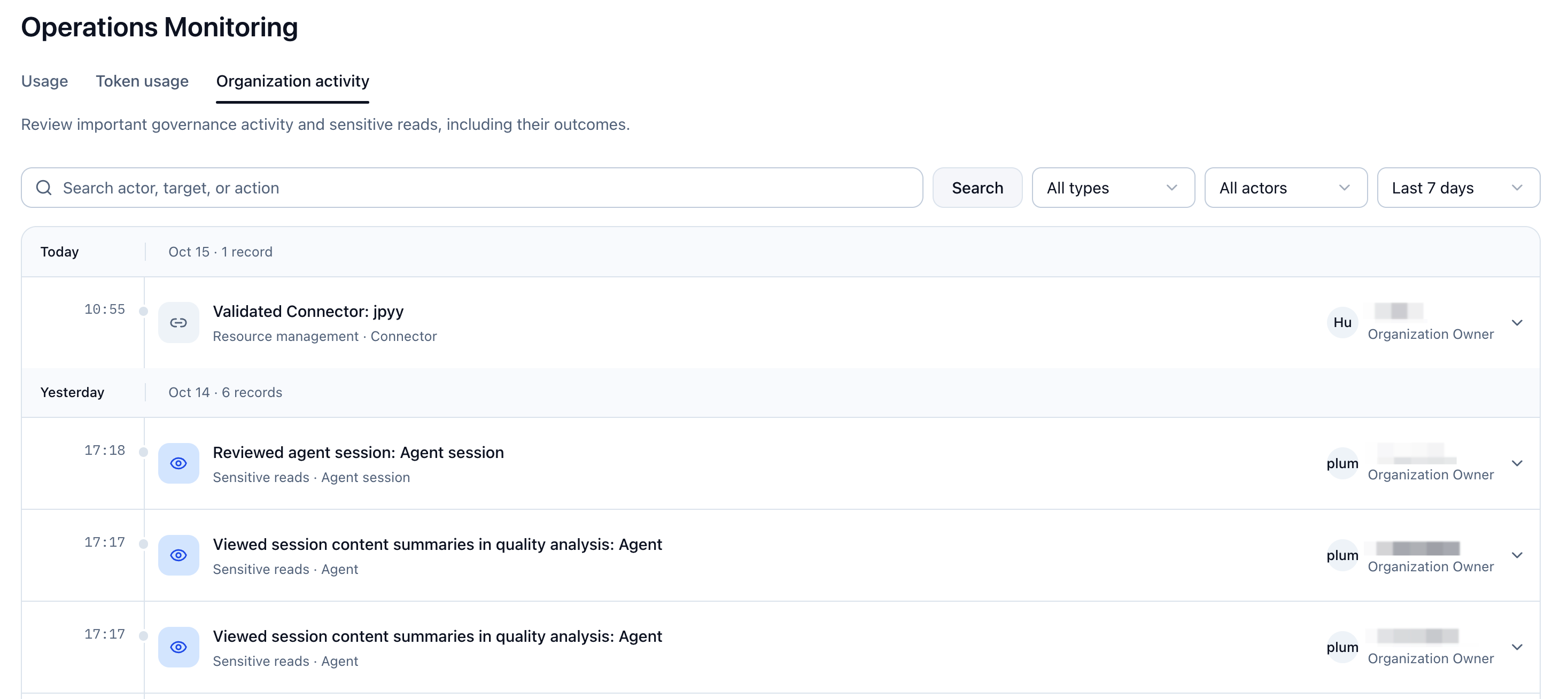
Filter Activity
- Open the organization activity tab.
- Select activity type, actor type, and time range. Ranges include the last 7 or 30 days; actors include organization members and platform administrators.
- Search by actor, object, or operation keywords.
| Type | Examples |
|---|---|
| Sensitive reads | Viewing agent conversations, reading conversation files, and viewing conversation summaries in quality analysis. |
| Member governance | Adding, enabling, or disabling members; changing roles; taking ownership of personal agents. |
| Resource management | Creating, reauthorizing, validating, or deleting connectors; uploading, updating, or deleting skills. |
| Platform operations | Changing monthly organization AI budgets or suspending/resuming organizations. |
View Details
Records are grouped by date. Click a record to expand its time, actor, object, and result, and click again to collapse it. Load more at the bottom when available.
If there are no matches, adjust the range, type, or keywords. This page reviews activity only; change resource configuration in its own feature page.