Create and Import Business Ontologies
Business Ontology Overview
A business ontology is DecideX's decision-context layer. It captures key business knowledge so agents can interpret concepts such as customers, revenue, excess-inventory risk, and customer follow-up actions, rather than only querying data. Agents use this shared context to organize analysis and recommendations, reducing inconsistencies caused by different definitions.
Use Cases
- Standardize terminology and metric definitions.
- Help agents understand internal objects, relationships, and analysis logic.
- Provide stable business context for agents.
- Capture expert methods, risk criteria, and recommended actions.
- Support decision tracking, quality checks, and ongoing reviews.
Business Ontology List
Click Business Ontology in the left navigation. Build ontologies through natural-language conversations, or manage them using search, tag filters, and sorting.
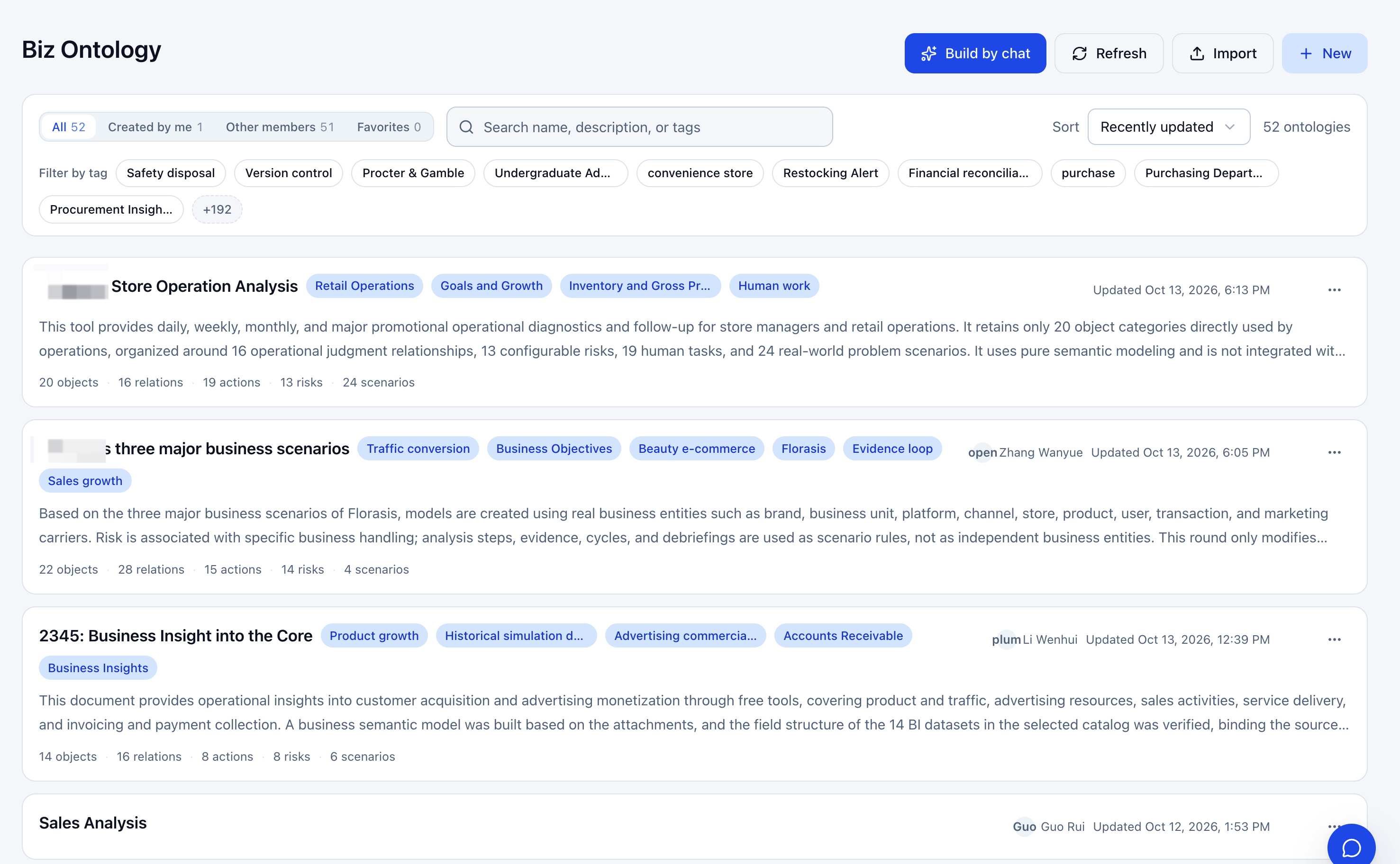
| Entry | Description |
|---|---|
| Build through conversation | Describe an ontology in natural language. See Build Through Conversation. |
| Refresh | Refresh the list. |
| Import | Import an existing definition. |
| Create | Create an ontology manually. |
| Ownership and favorites filters | Switch between all, created by you, other members, and favorites. |
| Favorite | Save frequently used ontologies and find them in favorites. |
| Search | Search names, descriptions, or tags. |
| Tag filters | Filter by business categories. |
| Sort | Change ordering, for example by update time. |
Create a Business Ontology
Build Through Conversation
Describe the business context in natural language. AI helps generate or adjust the ontology structure.
Steps
-
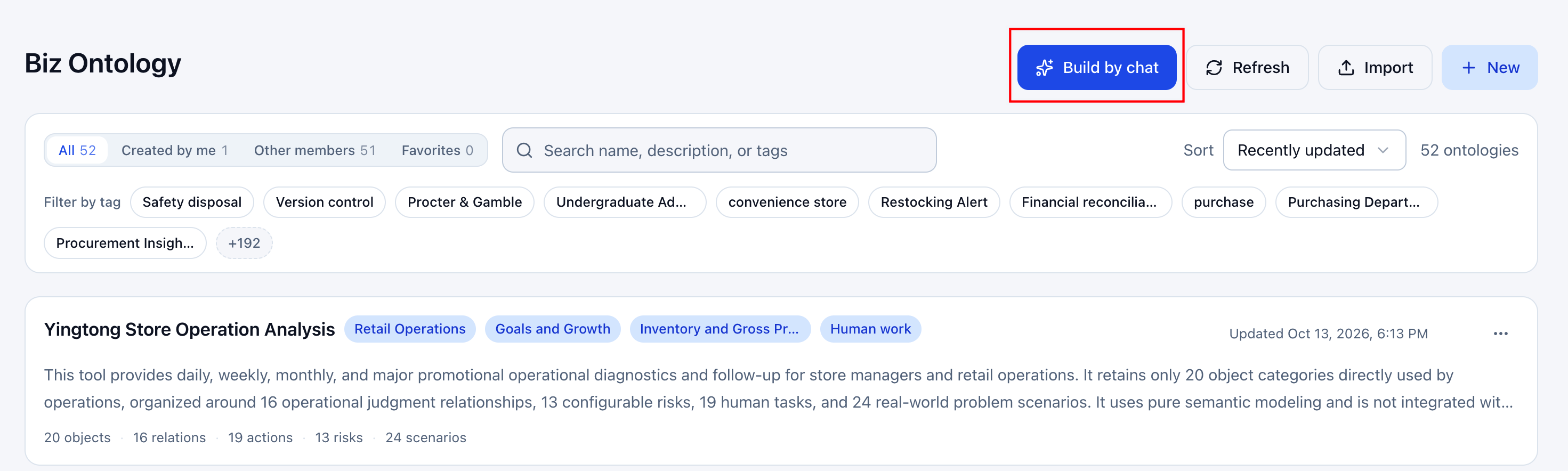
On the ontology page, click the conversation-building button in the upper-right corner.
-
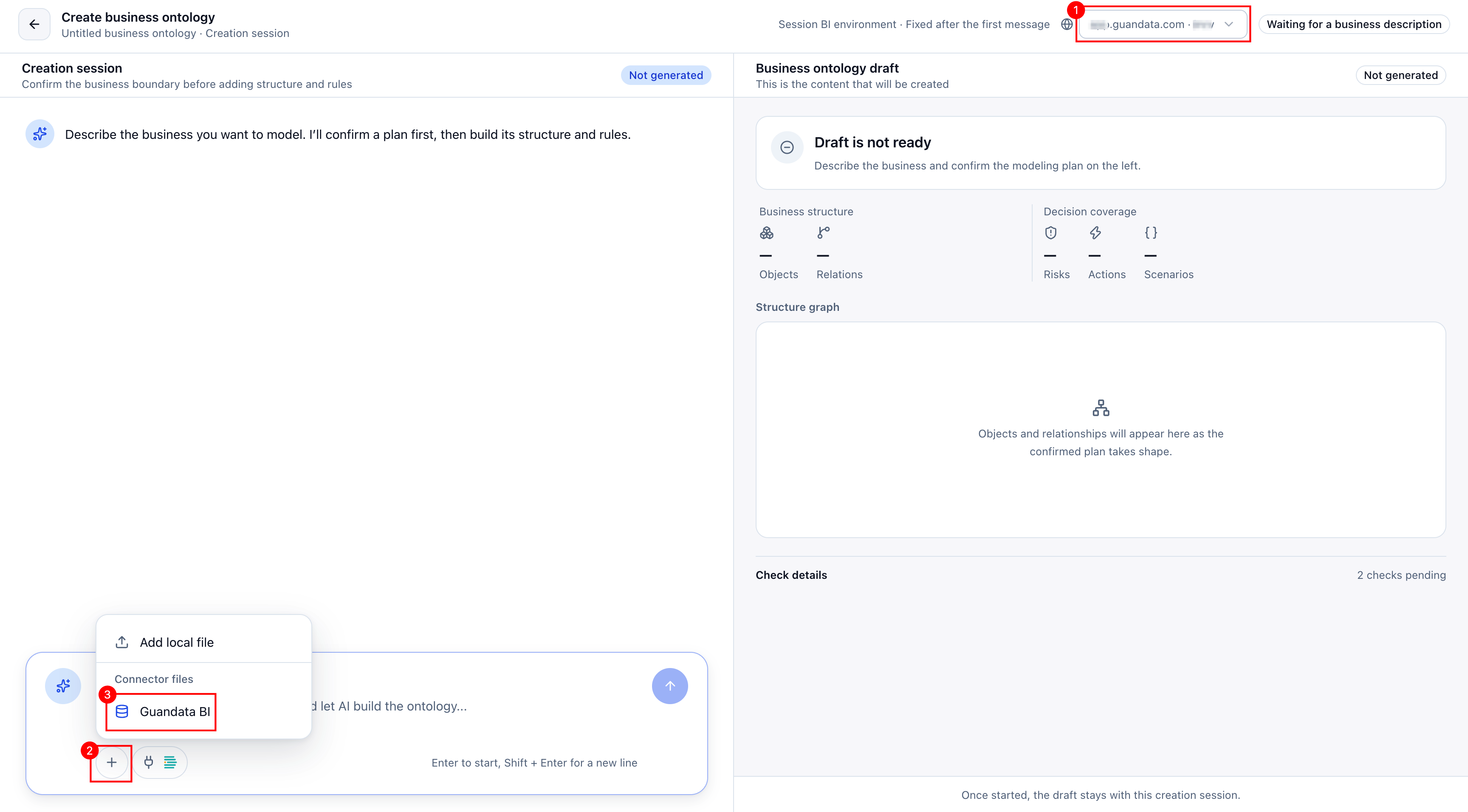
Select the BI environment in the upper-right corner before sending the first message. The environment is fixed after that message. Confirm it contains the required data and that you have access.
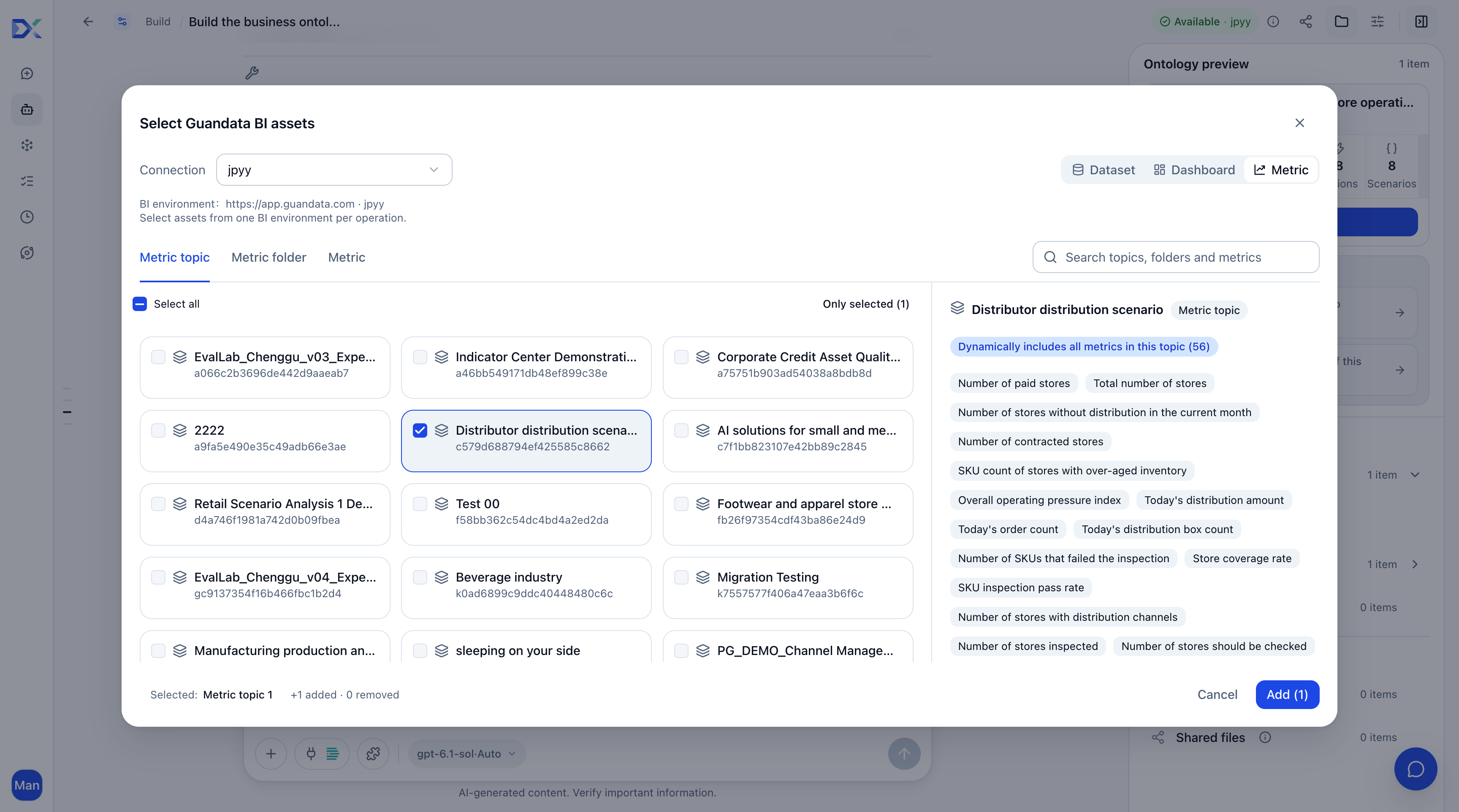
Click + > Guandata BI in the input box, select the required assets, and click Add to provide modeling evidence.
-
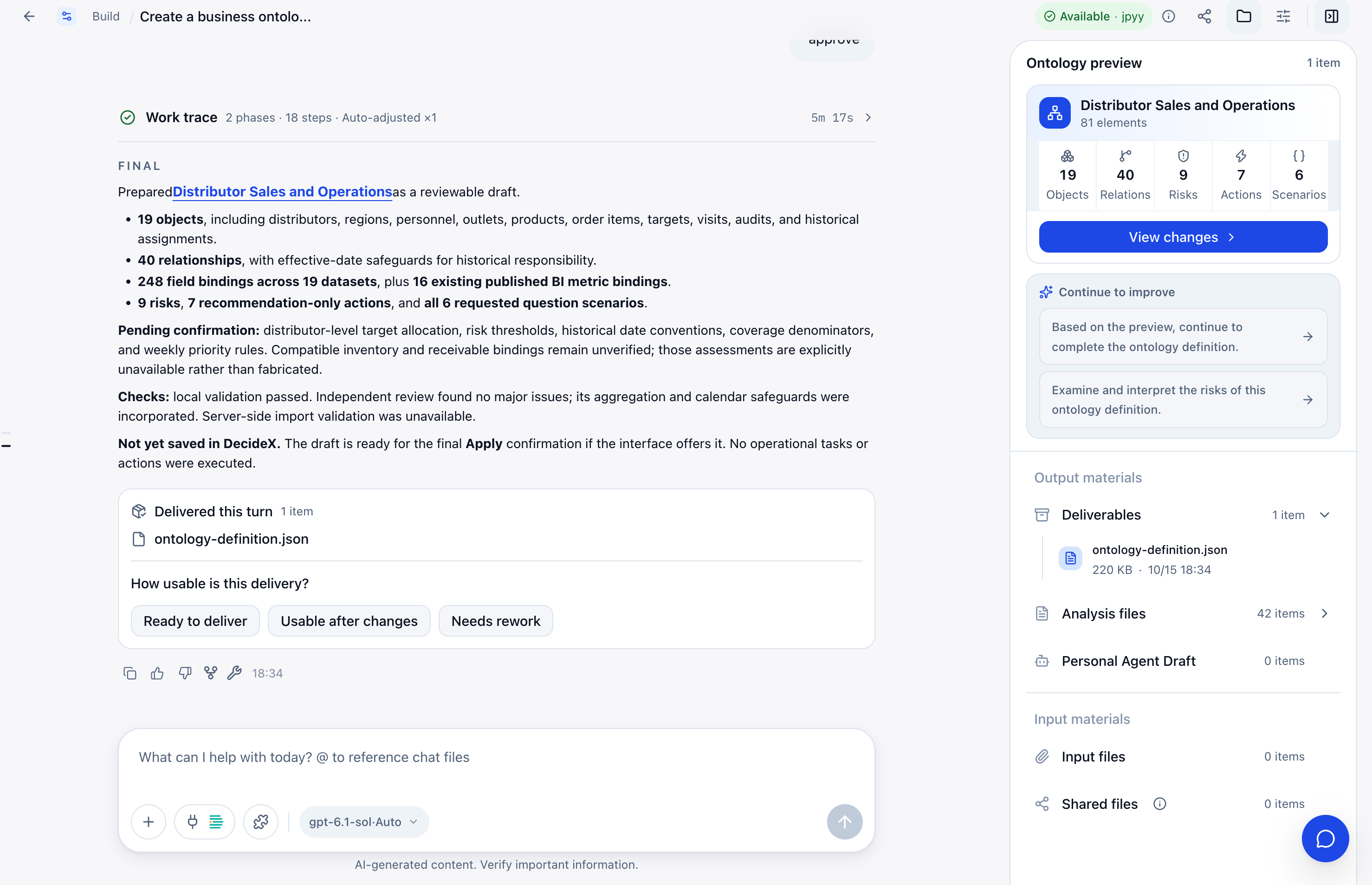
Describe your requirements and press Enter. AI confirms the modeling plan before generating objects, relationships, risks, and actions in stages. The draft panel on the right shows the business structure, decision coverage, graph, and check details as they develop.
After each delivery, rate whether it is ready, usable with changes, or needs rework. Continue refining through conversation. Once the draft is ready and passes server checks, click Create Business Ontology.
-
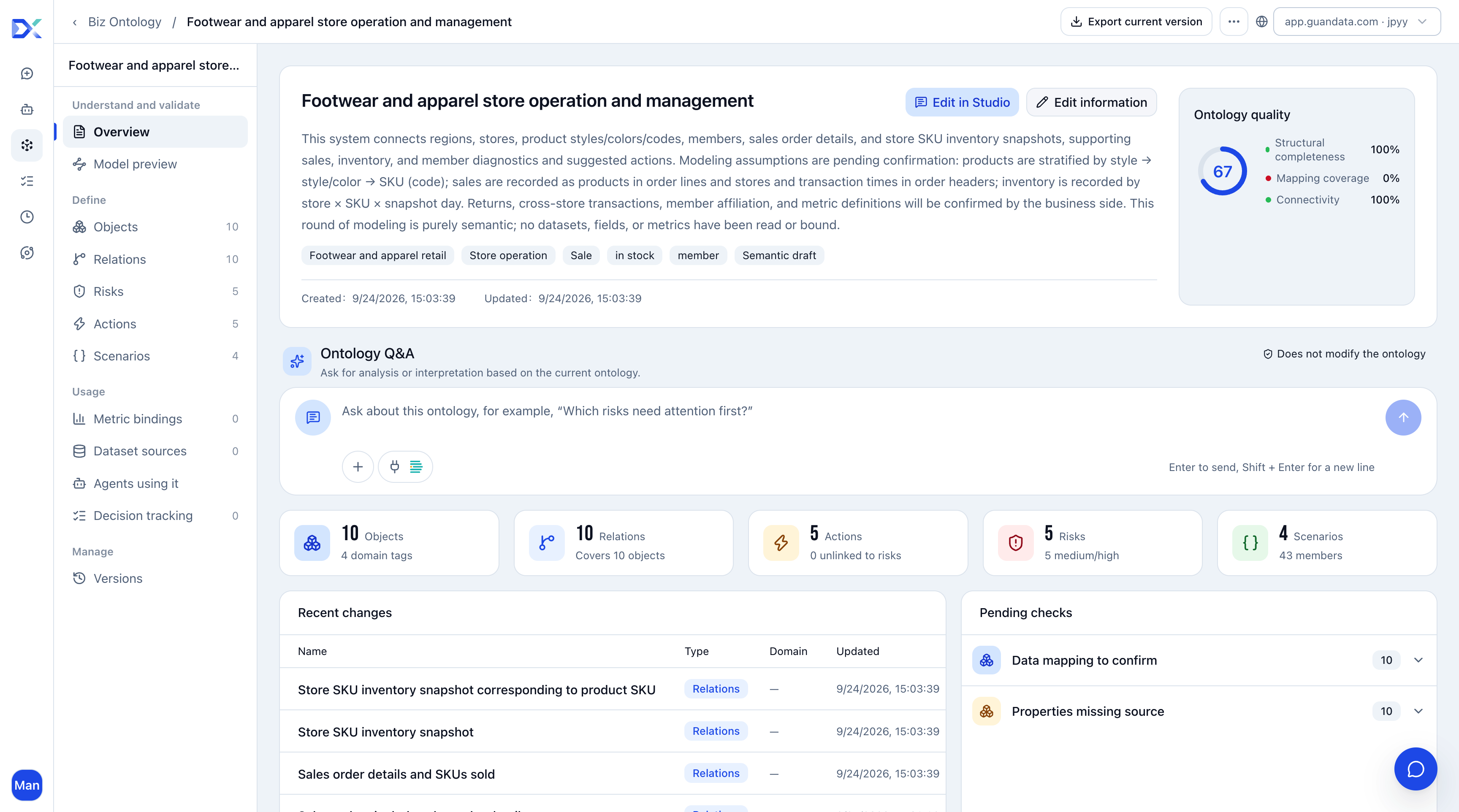
The details page opens automatically. Review the quality score and pending checks, then refine the components. See Business Ontology Components and Configuration.
Recommendations
- Select BI datasets or upload data files so the ontology is grounded in real data.
- Describe the objects to analyze, such as products, customers, stores, and channels.
- Describe frequent questions, such as abnormal product sales or declining store conversion.
- Describe risks and management goals, such as declining sales, insufficient inventory, or lower repeat purchases.
Example Prompt
You are an e-commerce operations analyst, data modeler, and ontology engineer.
The data is in the E-commerce Performance Diagnostics (Tmall) folder in BI.

Build an ontology for an e-commerce analysis agent using the selected tables,
fields, and business questions.

The ontology should help agents:
1. Understand products, SPUs, SKUs, listings, stores, channels, platforms,
   and competitors.
2. Understand sales, targets, traffic, conversion, expenses, profit, price,
   ranking, and cross-selling metrics.
3. Define calculation and attribution relationships between metrics.
4. Determine the evidence needed to assess business problems.
5. Distinguish data facts, rule-based inferences, business hypotheses,
   and matters that cannot yet be assessed.
6. Support diagnostics, prioritization, action recommendations, and reviews.

Define required metrics, including GMV, GSV, RSP GMV, units sold, buyers,
orders, refunds, and net sales.

Business questions:
- How much of this month's target has each product category achieved:
  meat floss, liver powder, walnut oil, soy sauce, and vegetable salt?
- Which SPUs have been behind target progress for 3 or 5 consecutive days?
- Which products had the largest sales declines yesterday, and which
  metrics contributed to them?
- Which products grew sales but worsened in refunds, advertising cost,
  or profitability?
- Which issues require immediate action, and which are short-term fluctuations?
- Which category-A strategic products are materially below expectations?
- At the last 7 days' sales pace, what will each SPU achieve by month-end?
Create Manually
-
Click Create in the upper-right corner.
-
Enter a name, description, and tags, and select the associated BI environment.
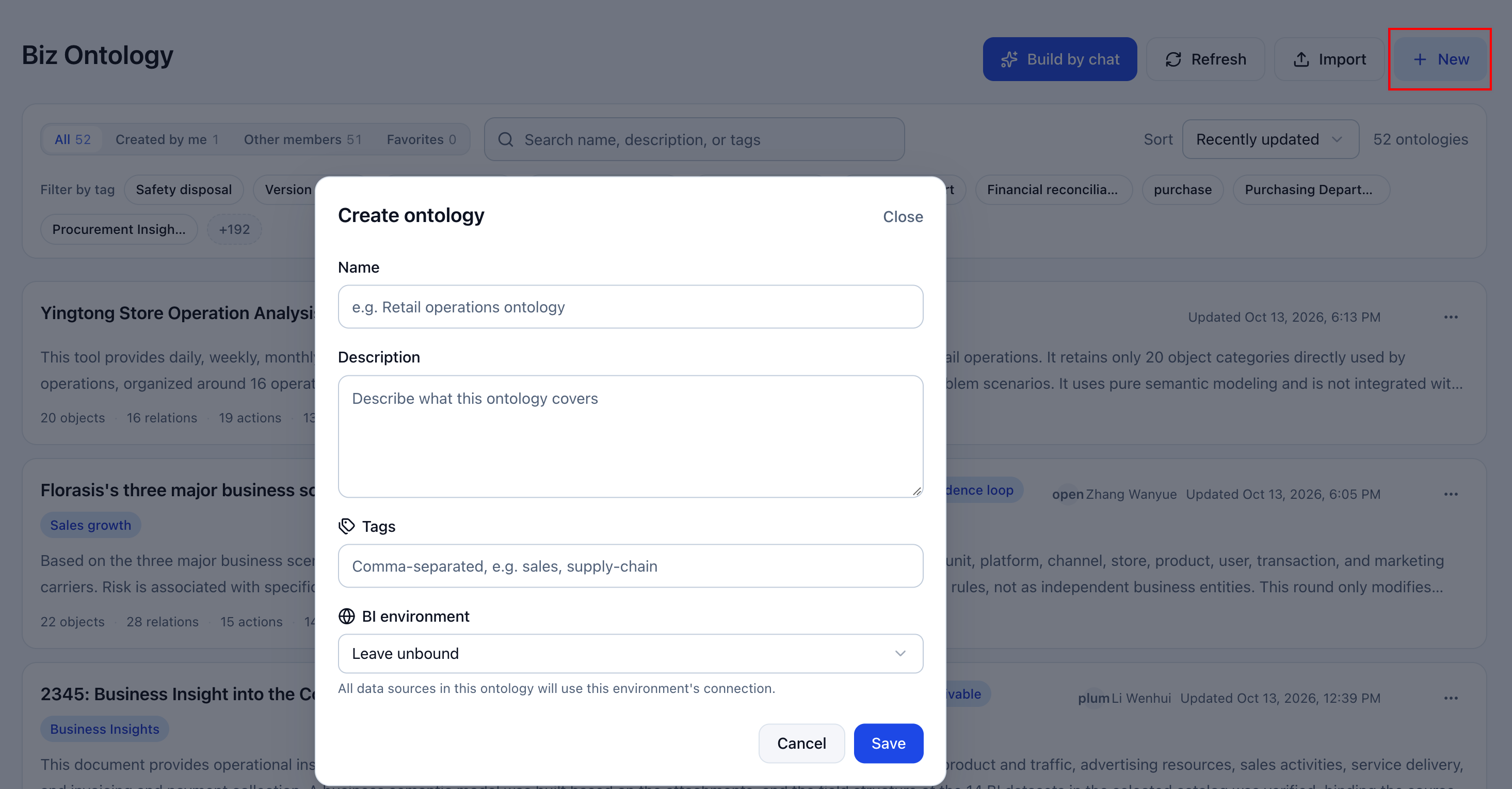
Field Description Name Use a name reflecting the business scope, such as Retail Operations Ontology. Description Explain the business boundaries and use cases. Tags Categorize and filter ontologies. Separate multiple tags with commas, for example Sales, Supply Chain. BI Environment All data sources in the ontology use this environment's connection. It determines where dataset binding searches and reads data. Confirm that it is the intended environment and you have access. -
Complete objects, metrics, relationships, risks, actions, and question scenarios on the details page. See Components and Configuration.
Import a Business Ontology
Reuse an existing definition in either of these ways:
-
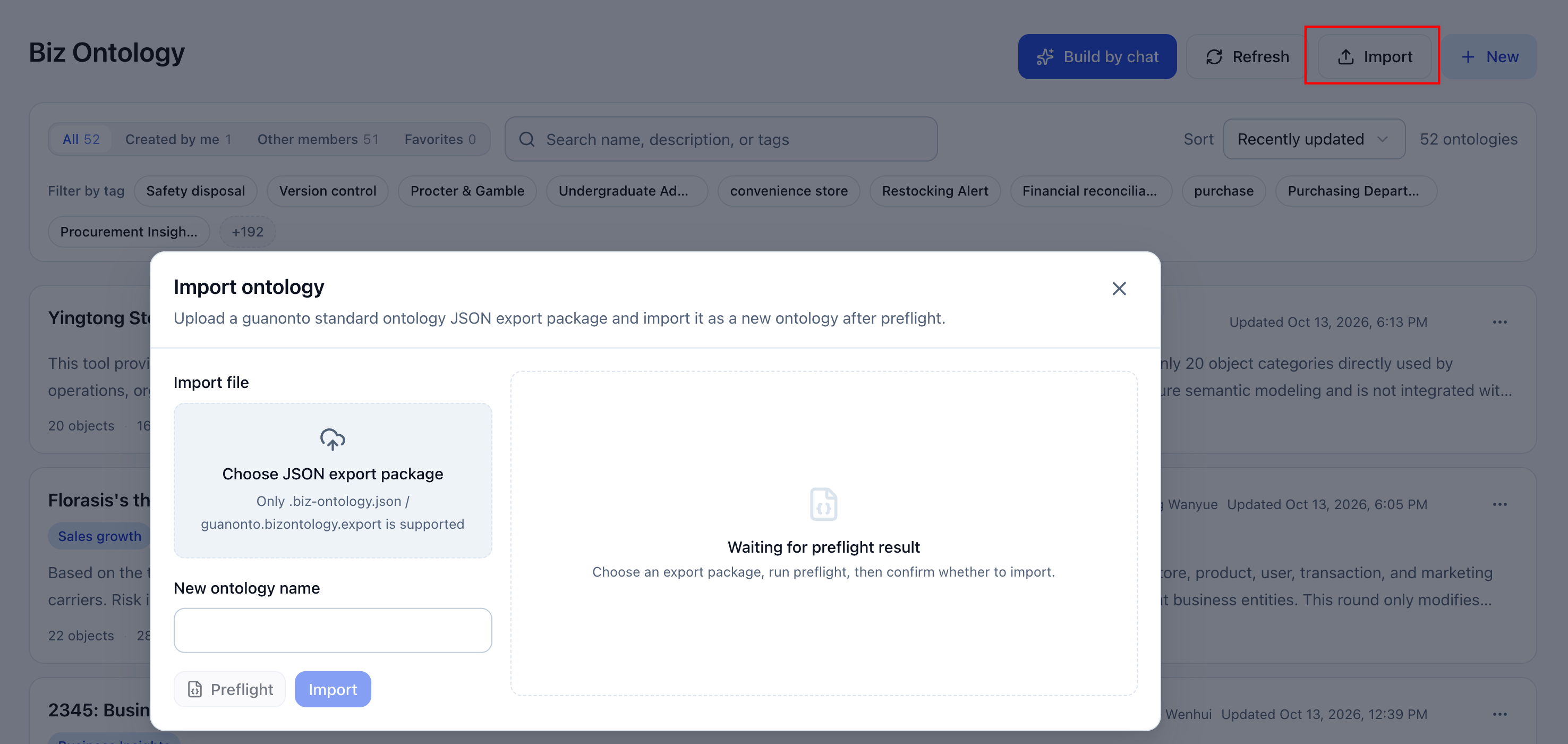
Import from the list: Click Import, upload a JSON export package, and enter a new ontology name. After prechecks pass, import it as a new ontology.
-
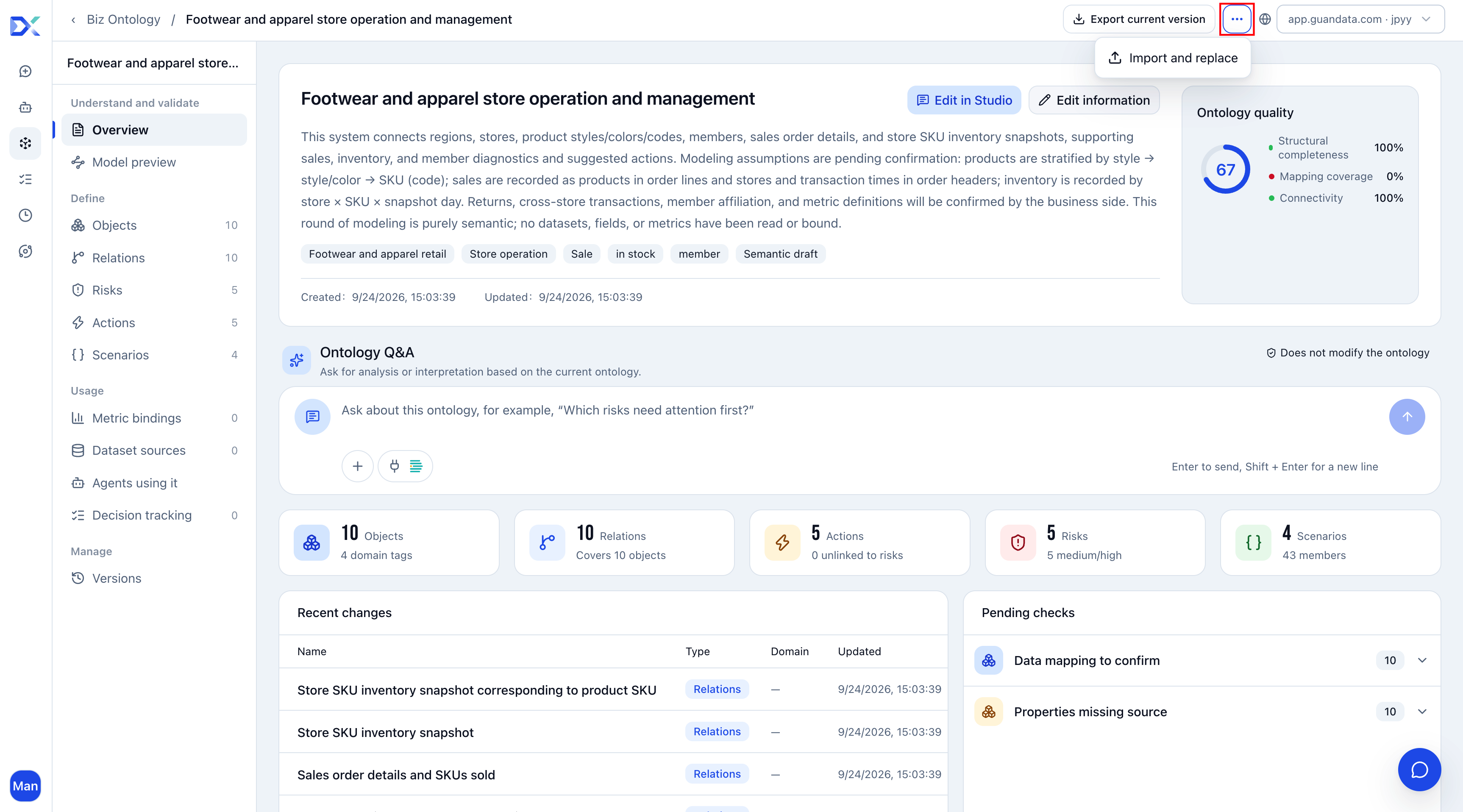
Overwrite from the details page: Click … > Import and Overwrite. Upload a JSON export package and pass prechecks to replace the current ontology.
Recommended Configuration Sequence
- Identify core objects, such as customers, products, sales representatives, and stores.
- Define attributes and associate data sources.
- Define metrics consistently.
- Define relationships between objects.
- Define risks and actions.
- Define recurring question scenarios to capture analysis experience.
- Review quality scores and pending checks.
- Create version snapshots as needed and bind the ontology to an agent.
Recommendations
- Make names and descriptions clear about scope.
- Keep metric definitions consistent with BI data sources. Confirm that Metrics Center capabilities are available when required.
- Use risk and action rules accepted by the business team.
- Base question scenarios on frequent, stable, reusable analysis questions.
- Validate responses with typical questions before using the ontology in an agent.
See Business Ontology Components and Configuration for component setup and maintenance.