Agent Self-Evolution
Agent Self-Evolution Overview
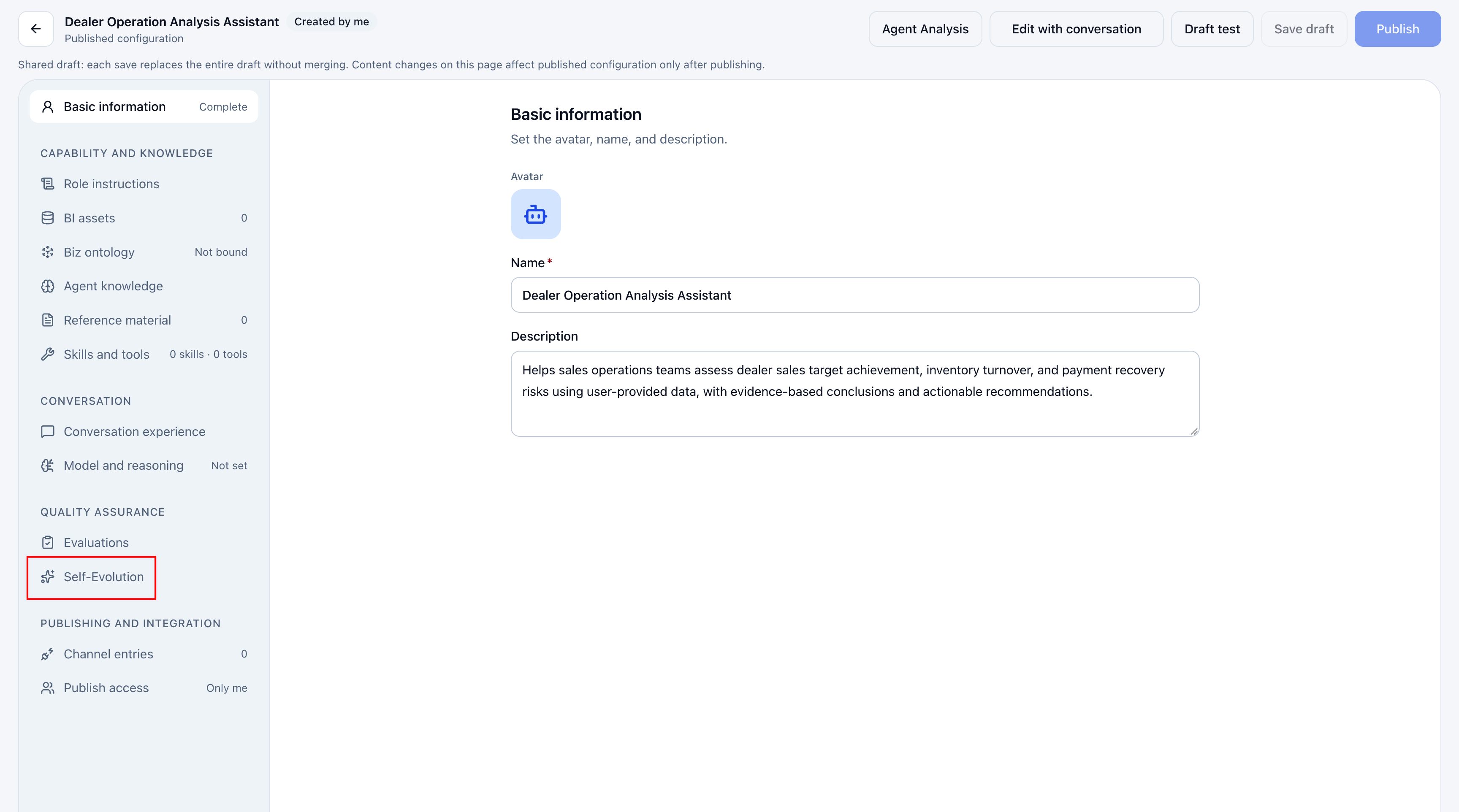
Self-Evolution generates a one-time, reviewable improvement draft from actual problem evidence. It can improve role instructions and skills and update the skills associated with an agent. Open it from the agent configuration page.
Generating a draft neither changes production resources nor reruns evaluations automatically. Review and apply the draft, then evaluate the result.
Prerequisites
Selecting sources and generating drafts requires agent edit permission, conversation review permission, and read access to the selected sources. History and draft application are scoped to self-evolution records initiated by the current user.
Start an Improvement
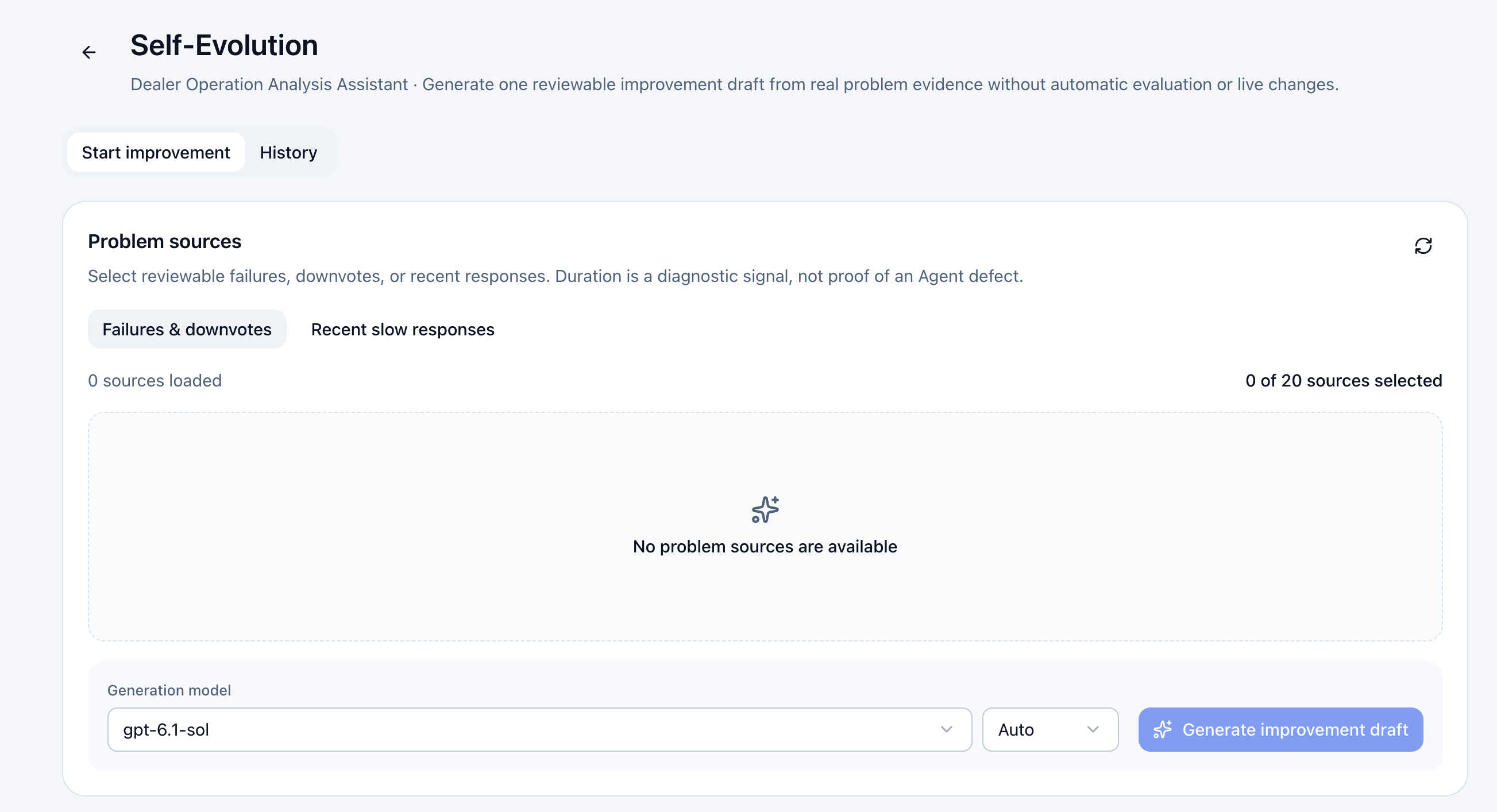
On the improvement tab, select sources and generate a draft.
| Setting | Description |
|---|---|
| Failed evaluations and disliked responses | Select readable cases from completed evaluations judged not to pass, or disliked responses. Evaluation execution errors are not failed evaluations in this context. |
| Recent slow responses | Use recent response records to investigate latency. Duration is a diagnostic signal, not proof of a defect. |
| Generation model | Select an available model and reasoning level for draft generation. |
Steps
- Choose failed/disliked results or recent slow responses, then select up to 20 sources.
- Select the generation model and reasoning level, then generate the improvement draft. If no sources are available, collect evidence through conversations or evaluations and refresh the list.
- View progress and results in History. You can stop generation while it runs.
Review and Apply a Draft
Open a history record and review these items against the source evidence.
| Content | What to check |
|---|---|
| Diagnosis and evidence | Whether evidence supports the proposed cause and the improvement fits business requirements. |
| Change diff | Compare the current baseline with the proposed draft and check the scope. |
| Skill changes | Review changed files and effects on other agents using shared skills. |
| Not reevaluated | The draft has not been validated. Successful generation does not prove effectiveness. |
Click Apply Draft after approval, or Discard Draft if rejected. For no-change or insufficient-evidence results, use the diagnosis to decide whether more sources are needed.
If production configuration or a skill changes after generation, the system blocks application to prevent overwriting. Generate a new draft. If application is partial, review completed and pending items before applying the remainder.
Applying a draft updates role instructions and skill associations. Skills you own are updated in place; skills from other sources are copied to your personal library and associated with the agent. Updating a shared skill in place may affect other agents. Review the diff and impact before applying.
After applying, rerun relevant cases in Agent Evaluation to verify the improvement.