Trim Columns
Overview
During development, source data quality may be poor and contain many unexpected spaces. The Trim Columns operator can batch-remove leading and trailing spaces from selected fields to improve data cleaning efficiency.
Procedure
Entry point: Dataflow Editing Page > Data Editing > Trim Columns
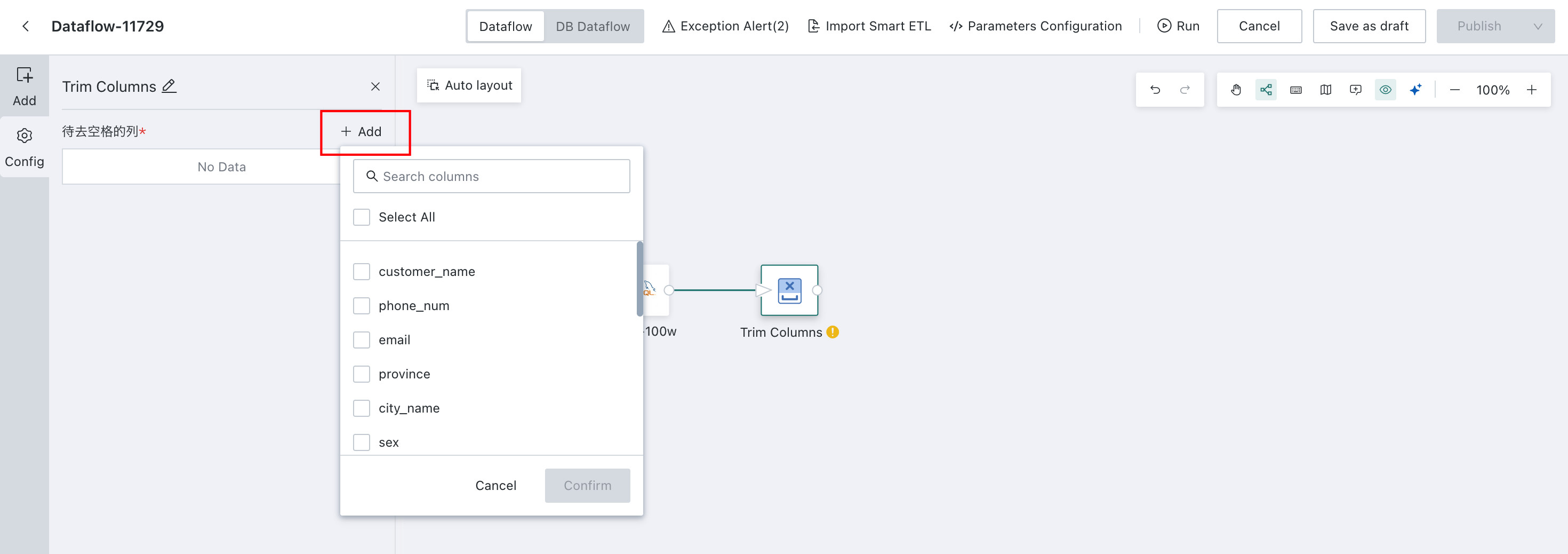
Drag the Trim Columns operator onto the canvas, connect the input, and configure the operator:
Select the columns from which spaces should be removed. The system automatically filters for text-type fields only. During execution, leading and trailing spaces are removed from all values in the selected columns.