Real-Time Sync Task Operations and Maintenance
Overview
After a Real-time Sync task is created, it needs to be managed and maintained.
Manage Real-Time Sync Tasks
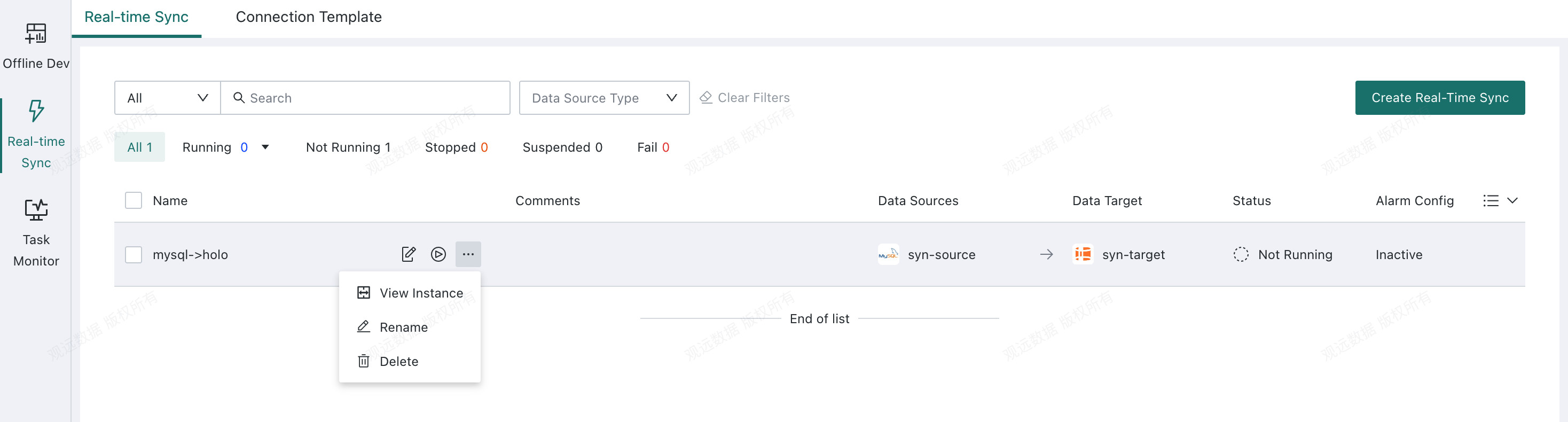
Real-Time Sync Task List
Users can edit, rename, and delete Real-time Sync tasks, and view task configuration details, task status, the latest run time, the latest modified time, and both running and historical task instances.
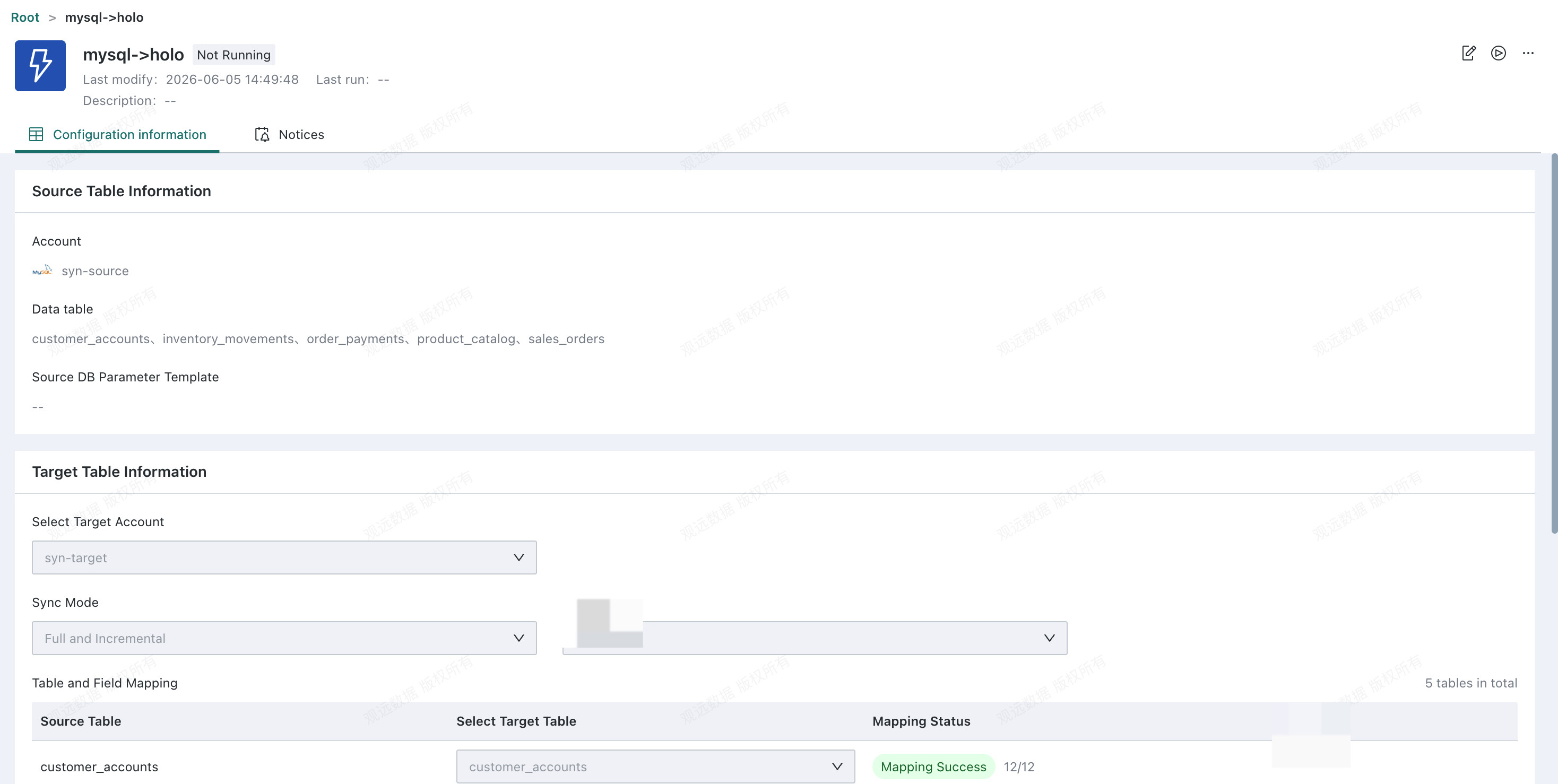
Real-Time Sync Task Status
| Status | Description |
|---|---|
| Not Running | The task is in the Not Running state immediately after it is created. |
| Running | After you click run, the task enters the Running state. |
| Paused | A running task can be paused or stopped. A paused task records the pause time, and when it is run again, synchronization resumes from 30 minutes before the recorded pause time. Pay attention to log retention time. If the pause duration exceeds the retention period, data loss may occur because the required logs can no longer be found. |
| Stopped | After the task is stopped, it can be modified and then run again using the updated configuration. |
Configure Notices
Go to the task details page and open the Notices tab to configure alerts for the Real-time Sync task.
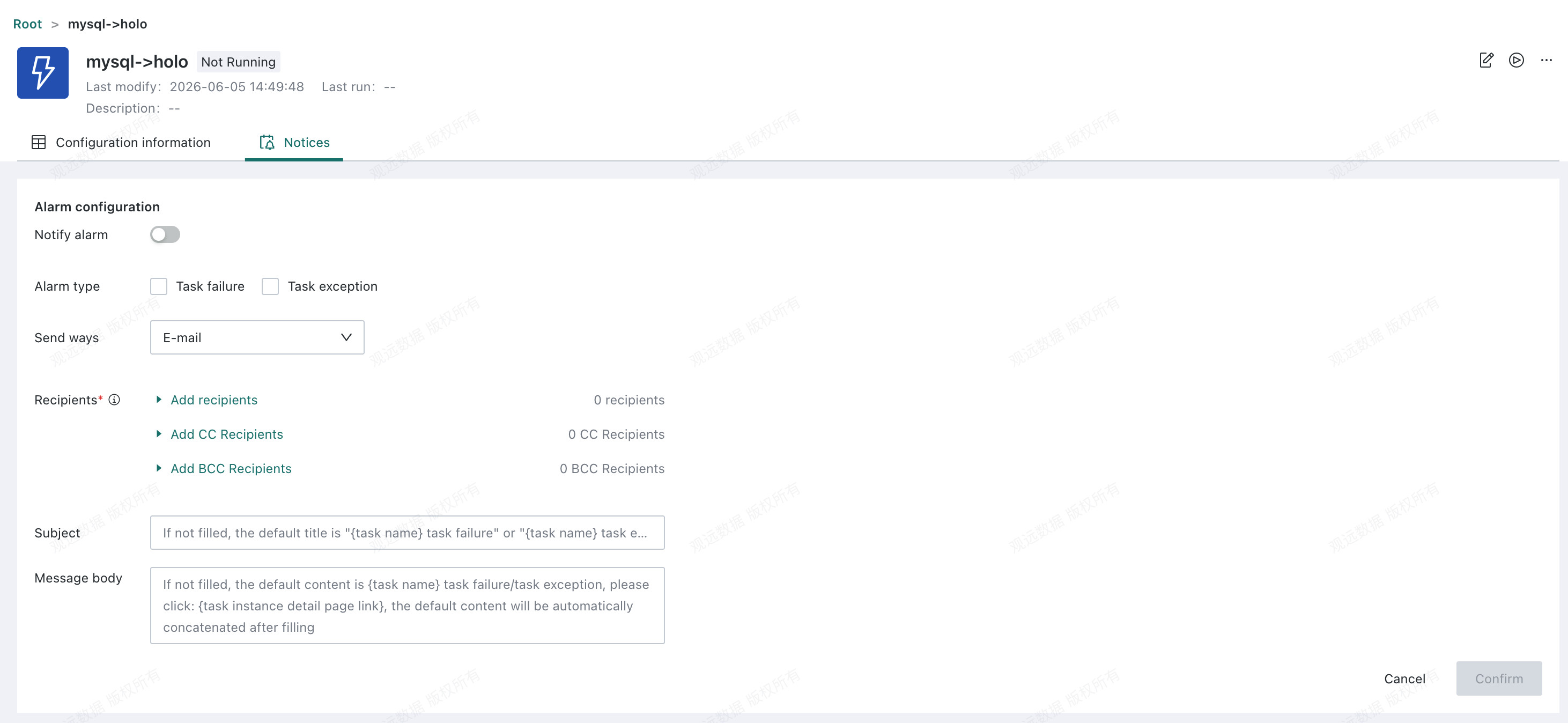
Two alert types are supported: Task failure and Task exception.
Task failure: If a Flink synchronization task still fails after multiple retries, the task status changes to failed. If a failure alert is configured, a notification is sent.Task exception: If the task becomes abnormal because of issues such as network fluctuations or sudden data spikes, but later recovers after the environment stabilizes, users may still want timely notifications during the abnormal period so they can intervene manually. In this case, enable the task exception alert so that a notification is sent immediately when an exception occurs.
Notification channels: DingTalk, Feishu, WeCom, E-mail, and custom channels are supported.
Recipients: Select the users who should receive the task alerts.
Notification title and content: Enter the Subject and Message body.
Task Monitoring
Open the real-time synchronization task details to monitor the task's runtime metrics.
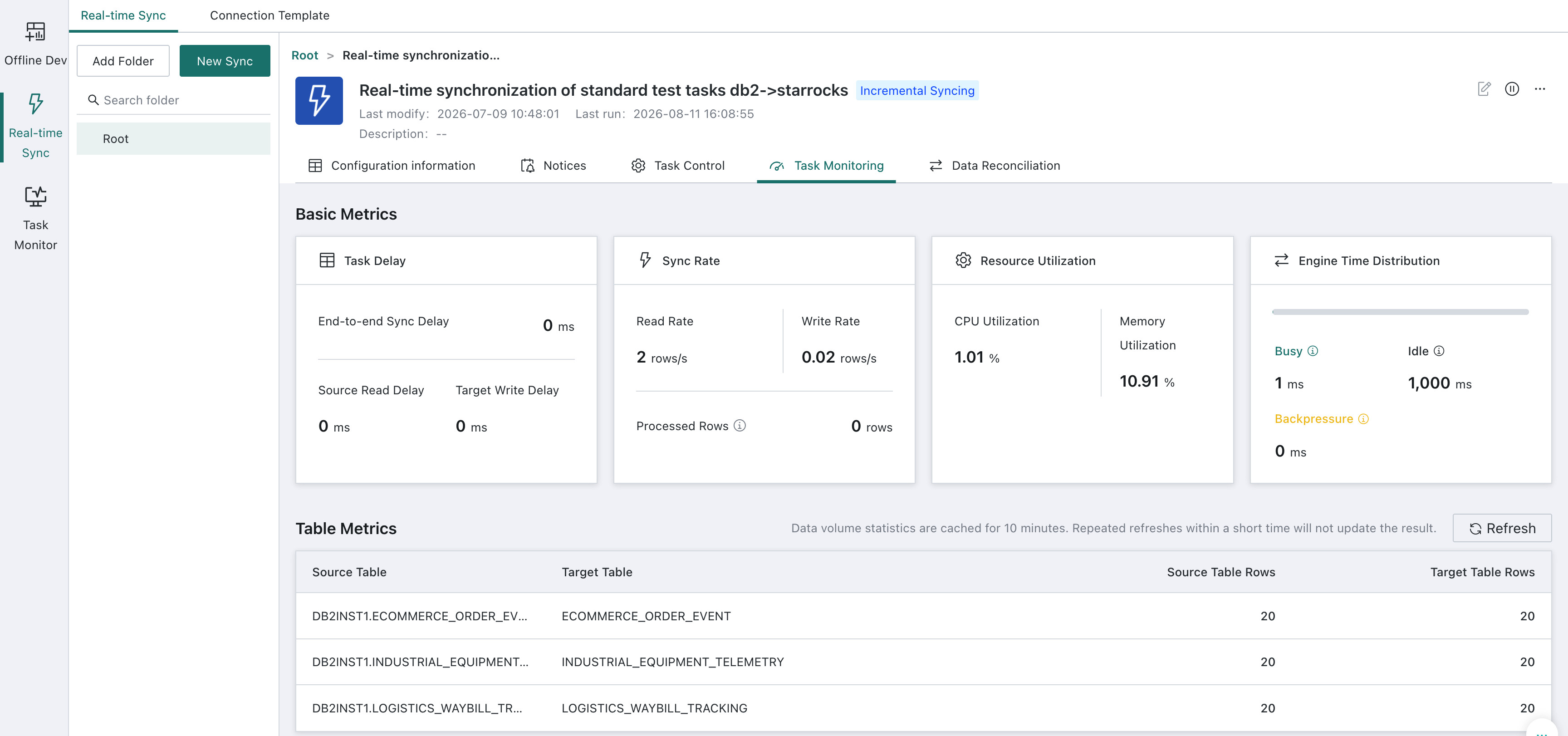
| Category | Metric | Description |
|---|---|---|
| Data Latency | End-to-End Sync Latency | The time from when a record is generated at the source until it becomes visible at the target. |
| Source Read Latency | The time required to read data from the source database. | |
| Target Write Latency | The time required for internal engine processing or writing data to the target database. | |
| Synchronization Rate | Read Rate | Indicates whether data is being synchronized and whether the synchronization speed is normal. |
| Write Rate | Indicates whether data is being synchronized and whether the synchronization speed is normal. | |
| Engine Time | Busy Time | Indicates operator utilization and helps determine whether the task has a CPU or processing bottleneck. |
| Idle Time | Helps determine whether the job has no data to process or is stuck. | |
| Backpressure Time | Helps determine whether the sink or a downstream component is slowing synchronization. | |
| Table-Level Metric | Source Table Name | - |
| Target Table Name | - | |
| Source Table Row Count | The source table row count, used as an indirect indicator of the health of the real-time synchronization task. | |
| Target Table Row Count | The target table row count, used as an indirect indicator of the health of the real-time synchronization task. | |
| Refresh | Click Refresh to recount the rows in the source and target tables. To prevent frequent refreshes from affecting database performance, row-count results are cached for 10 minutes. Repeated refreshes within this period do not update the results. |
Data Reconciliation
Open the real-time synchronization task details to view all tables configured in the task. Both scheduled and manual data reconciliation are supported.
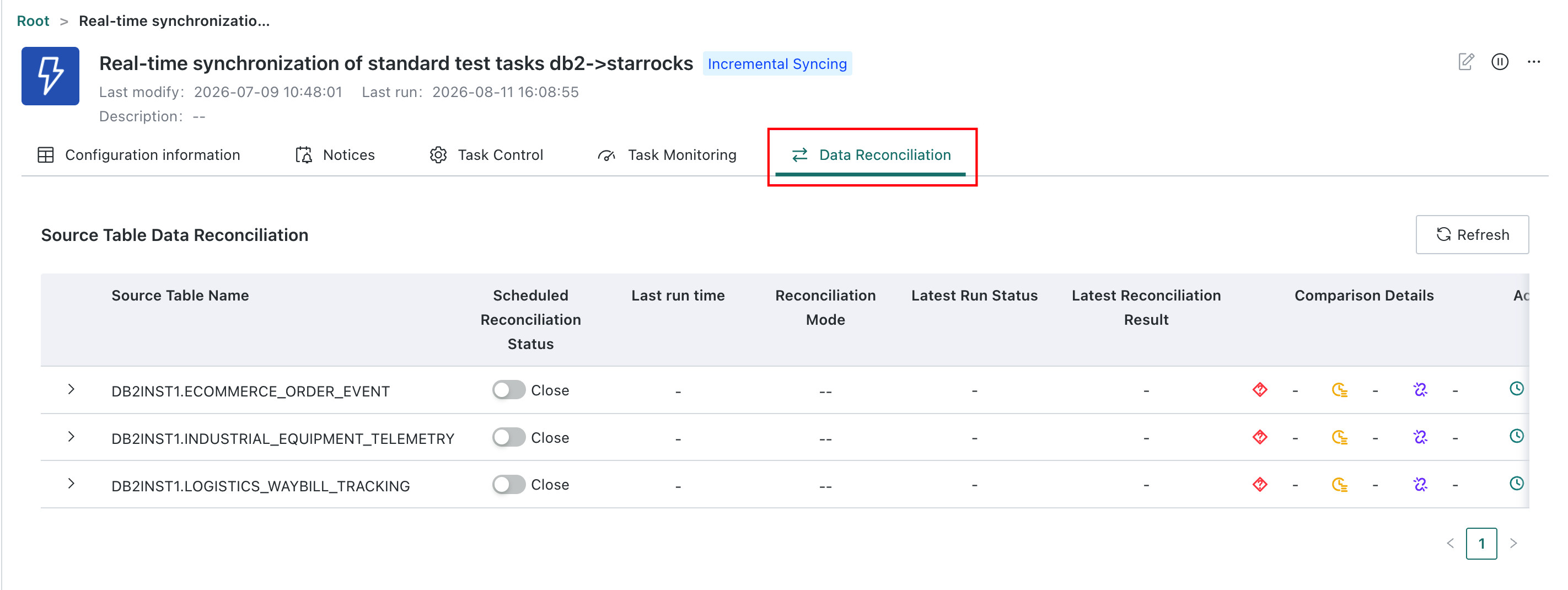
Scheduled Data Reconciliation
Scheduled data reconciliation is generally used during the incremental phase. It runs every hour to reconcile an earlier one-hour window of incremental data. Because synchronization may be delayed, each run reconciles the data from two hours earlier to avoid false alerts. For example, a reconciliation run at 9:00 checks data in the range update_time >= 6:00 and update_time < 7:00.
Click Scheduled Data Reconciliation to open the configuration page.
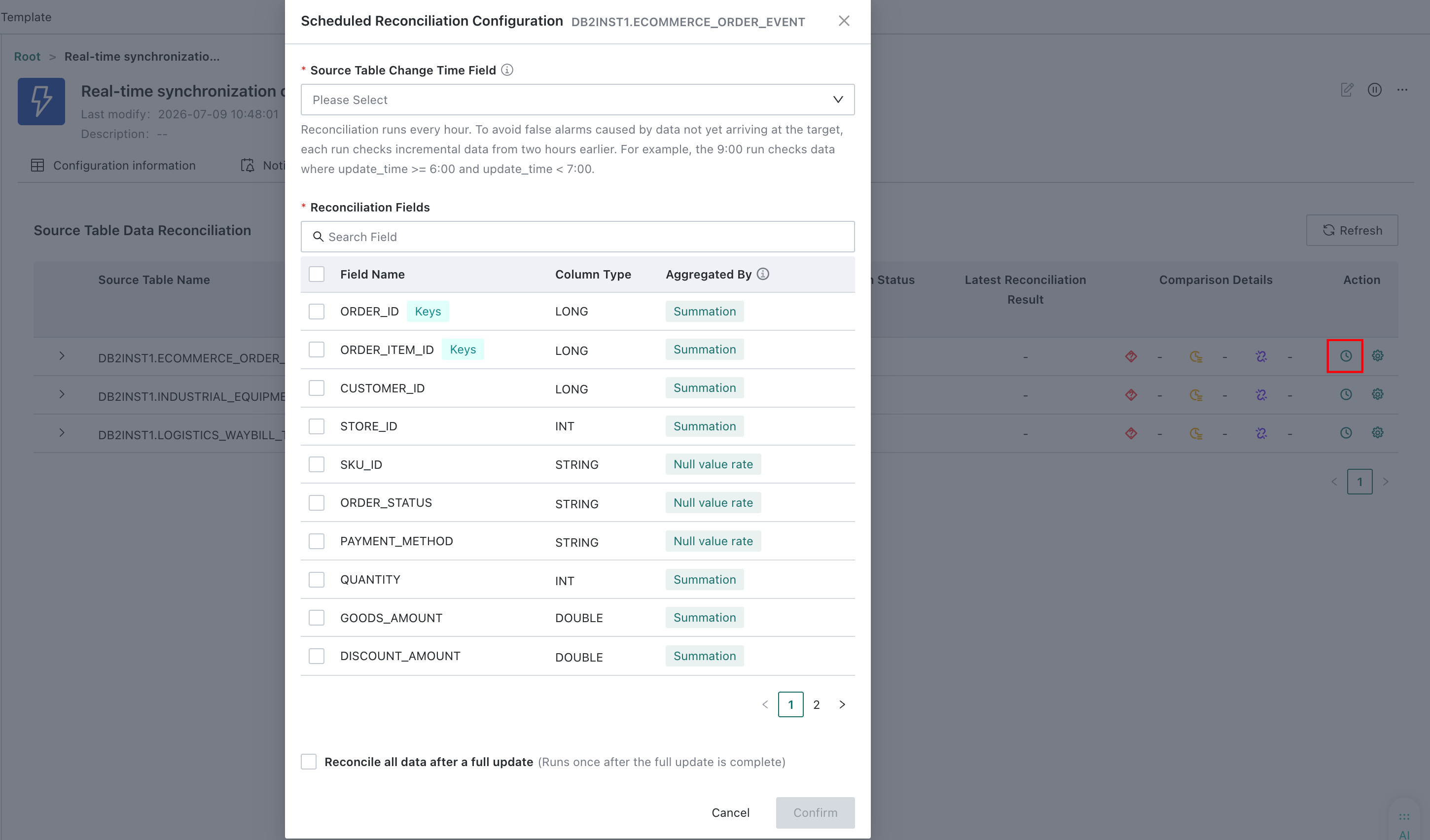
- Select the source table change-time field. Date-type fields are supported. We recommend selecting a field that records when data changes, such as
update_time. The system uses this field to define the time window for comparing data at the source and target. - Select fields that are meaningful for reconciliation. The system uses different aggregation methods for different field types. For example, it sums values in a
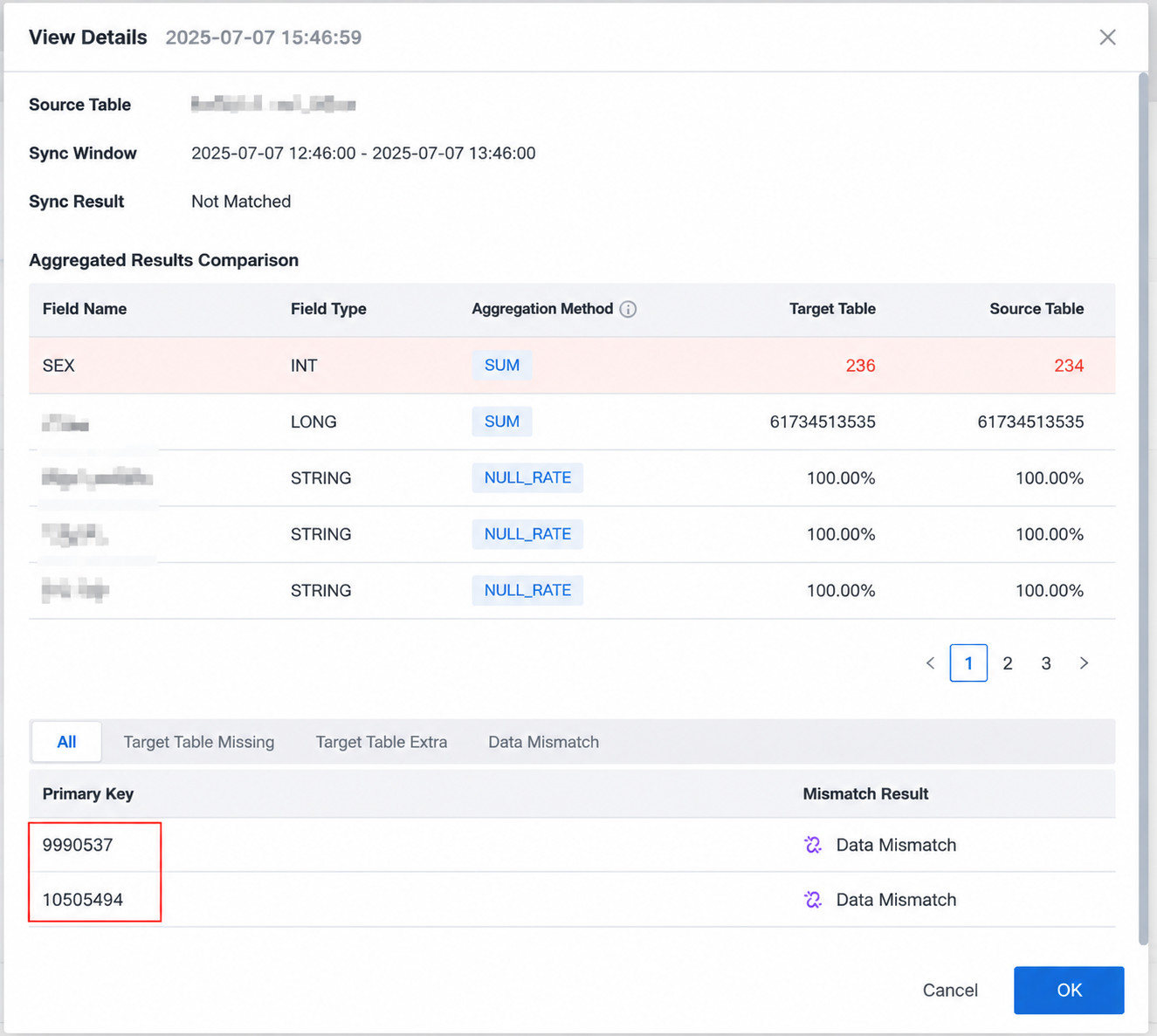
longfield to verify whether the source and target data match. If the aggregation results for all selected fields match, the data is considered consistent. If any result differs, the system compares detailed records by primary key to identify the affected data. - Select
Reconcile Full Data After Full Updatefor a task that performs full synchronization followed by incremental synchronization. When selected, the system performs one reconciliation after the full update finishes.
Manual Data Reconciliation
You can specify a time window and perform data reconciliation manually. Open the manual data reconciliation configuration page.
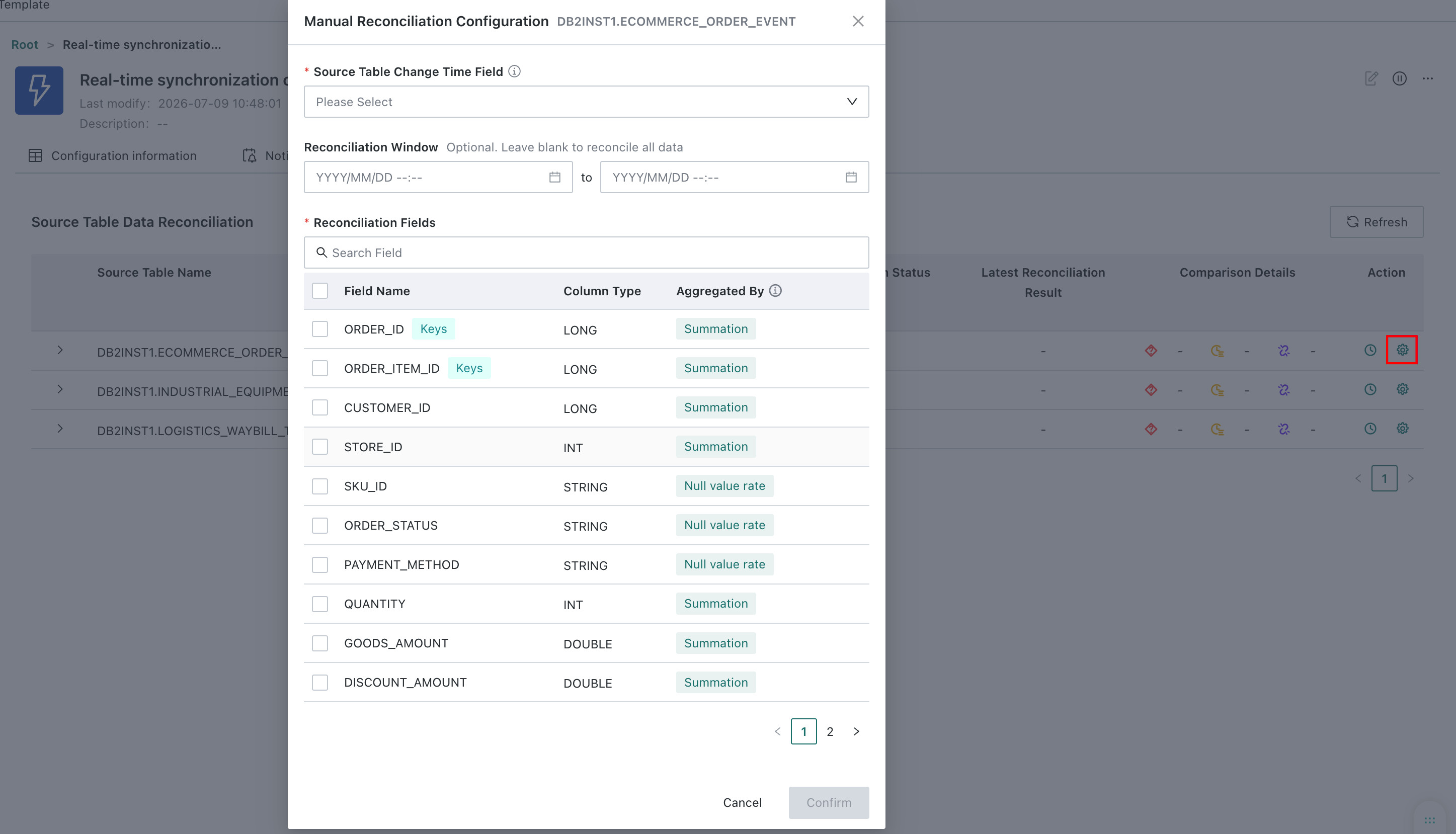
- Select the source table change-time field. Date-type fields are supported. We recommend selecting a field that records when data changes, such as
update_time. The system uses this field to define the time window for comparing data at the source and target. - Configure the reconciliation window to define the data range for the source table change-time field. Leave it empty to reconcile all data.
- Select fields that are meaningful for reconciliation. The system uses different aggregation methods for different field types. For example, it sums values in a
longfield to verify whether the source and target data match. If the aggregation results for all selected fields match, the data is considered consistent. If any result differs, the system compares detailed records by primary key to identify the affected data.
Reconciliation Results
Each table displays the results of its 10 most recent reconciliation runs, including the source and target row counts, run status, and reconciliation result. If the data is inconsistent, the system uses the primary key to identify one of the following issues: missing target records (present at the source but absent from the target), redundant target records (absent from the source but present at the target), or inconsistent data (records with the same primary key exist at both ends but their data does not match).
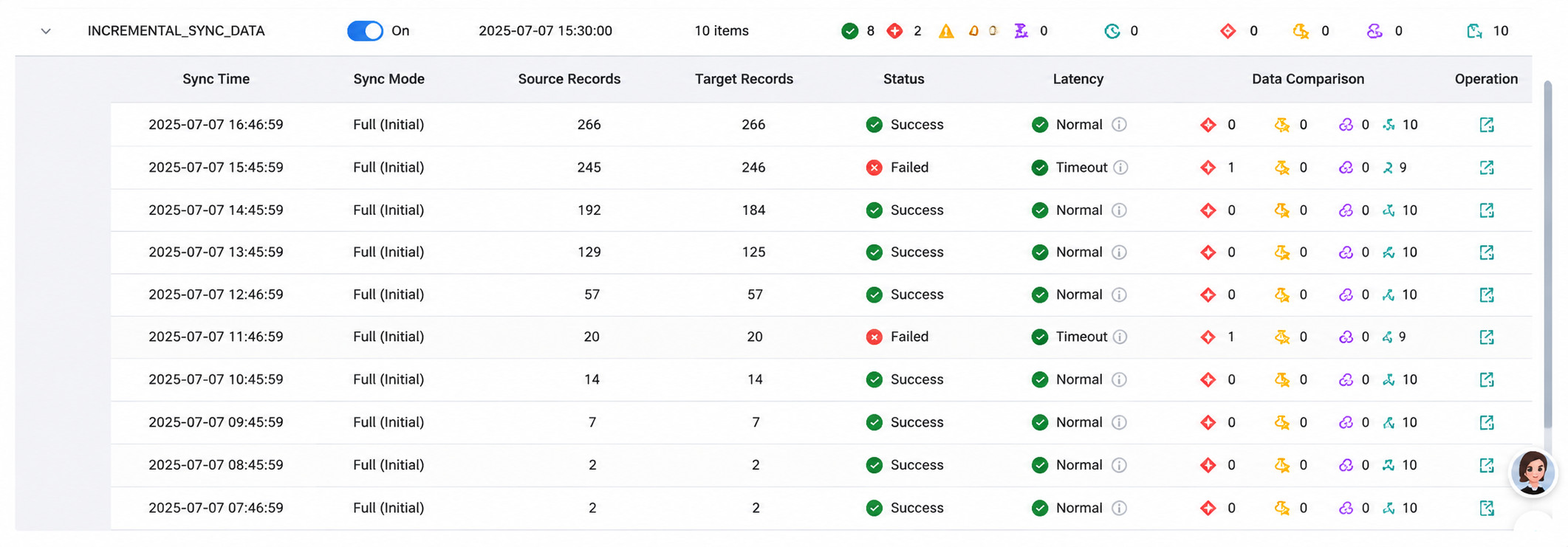
Click to view the reconciliation details:
- Consistent data
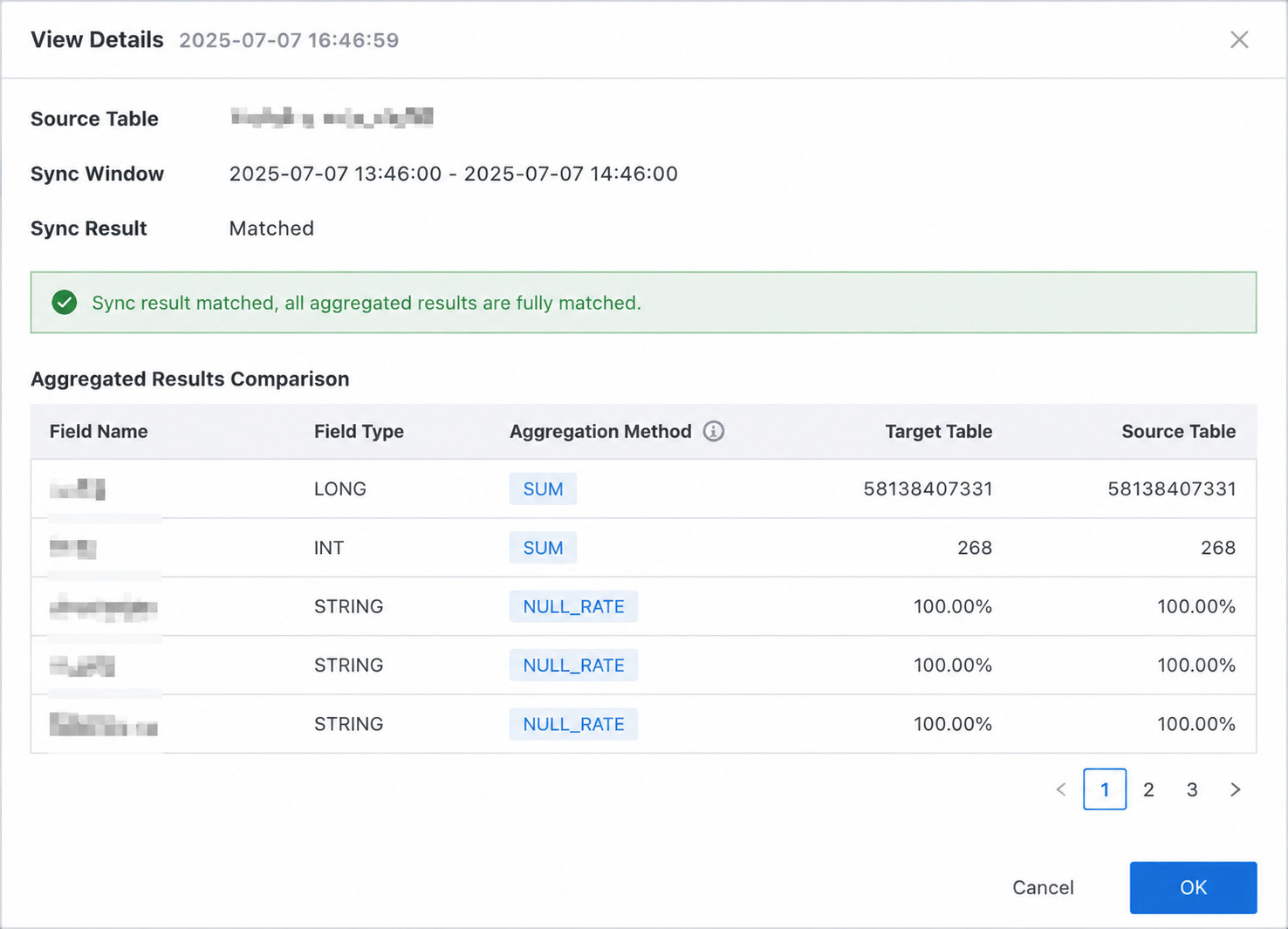
- Inconsistent data
Real-Time Sync Task Operations and Maintenance

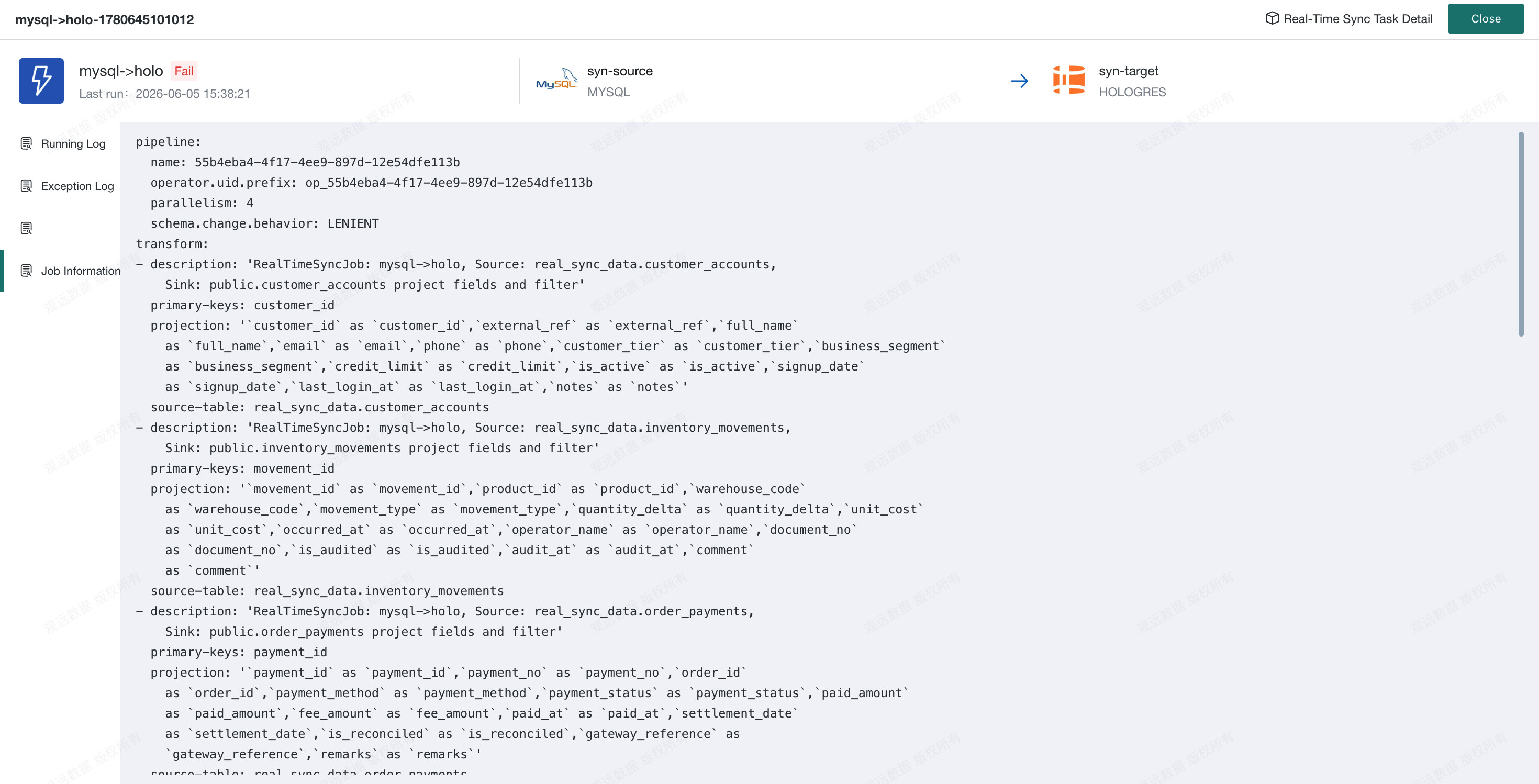
Go to Task Monitor, enter the Real-time Sync module, and view the logs of Real-time Sync tasks.
Runtime Logs: View logs generated while the task is running.
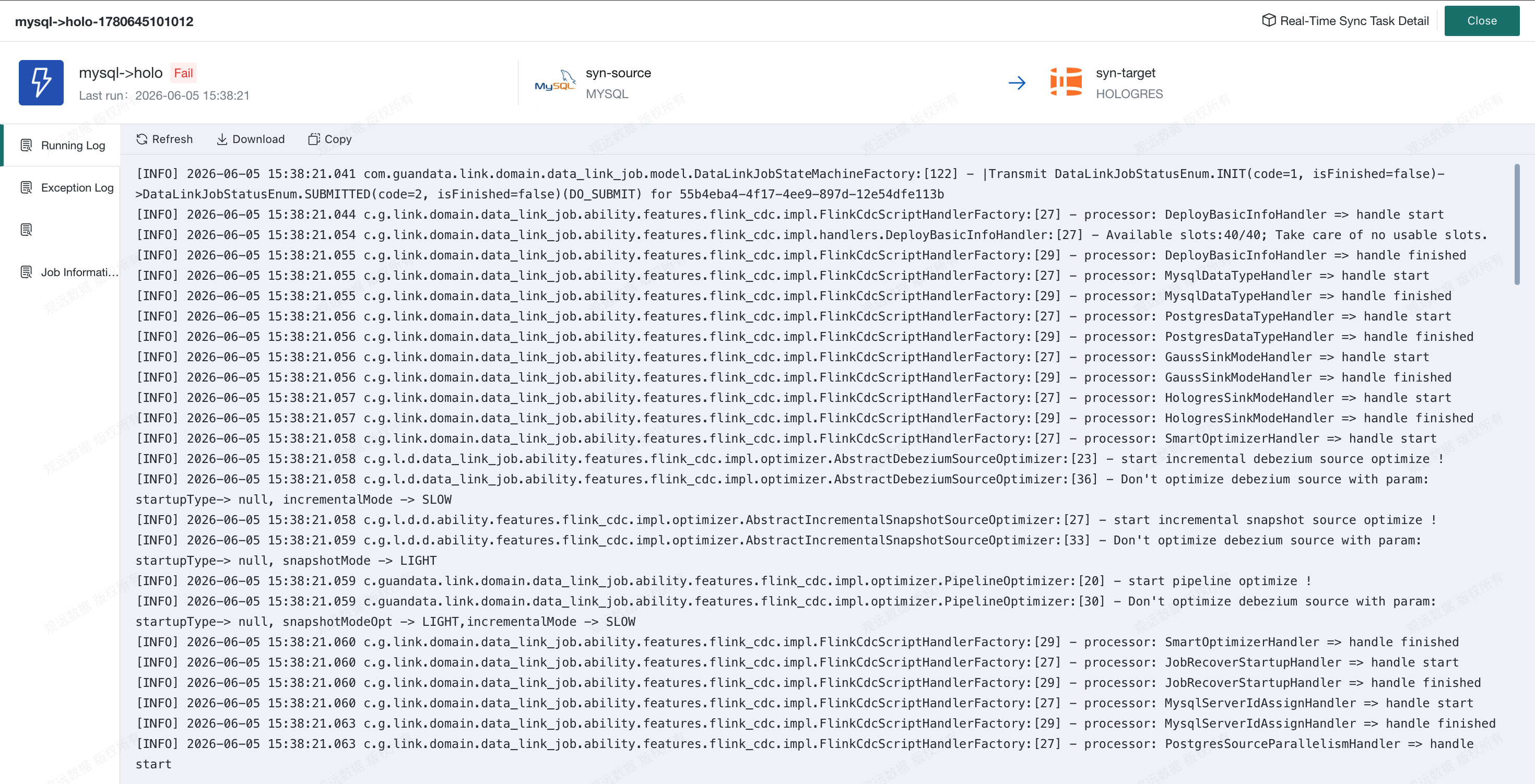
Exception Logs: When you receive an exception alert, use the exception logs to locate the abnormal information by time.
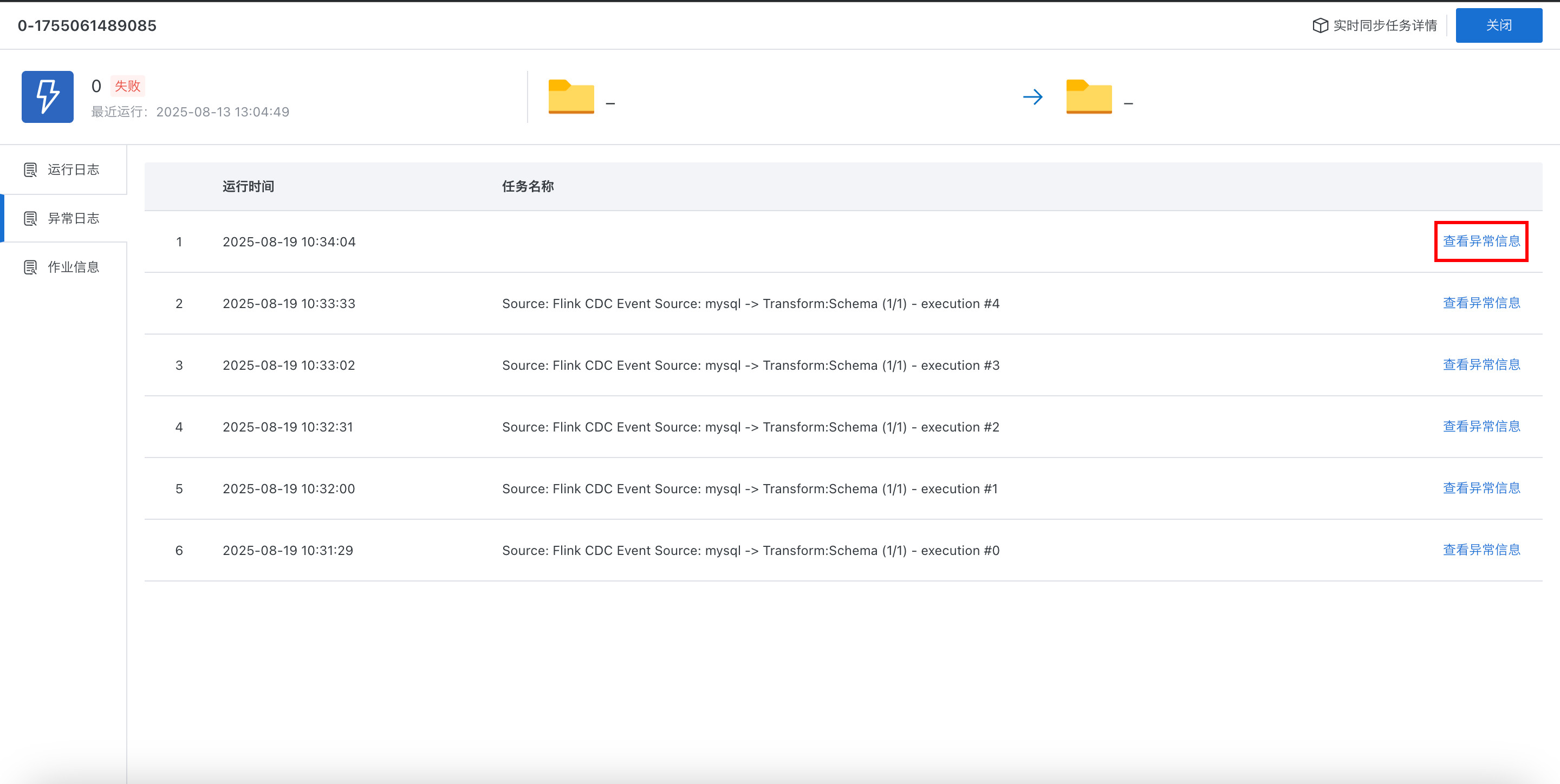
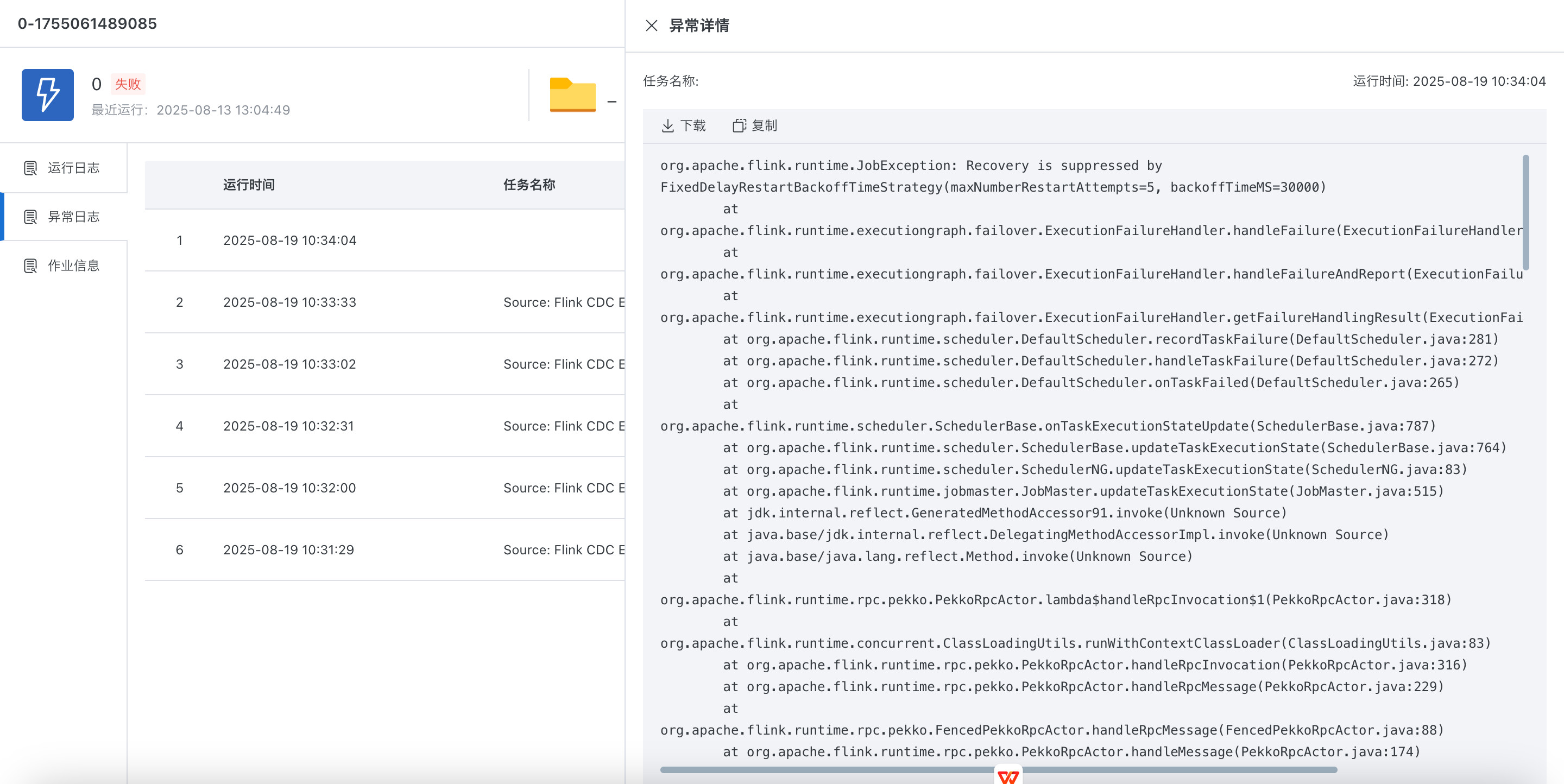
Job Information: Records the basic information of the submitted Flink task, making it easier to continue troubleshooting in Flink.