Workflow Parameter
Overview
Workflow Parameter helps coordinate nodes within an Offline Dev task, especially in scenarios such as incremental update scheduling.
The Offline Dev platform provides parameter capabilities to support custom parameter definitions.
Parameters used in business workflows are divided into three categories based on scope: global parameters, time macro parameters, and workflow parameters.
Parameter Usage Guide
Global Parameters
Global parameters can be referenced by any workflow across the entire project.
Set global parameters in Management Center > Enterprise Configuration > Global Parameters. For details, see Global Parameters.
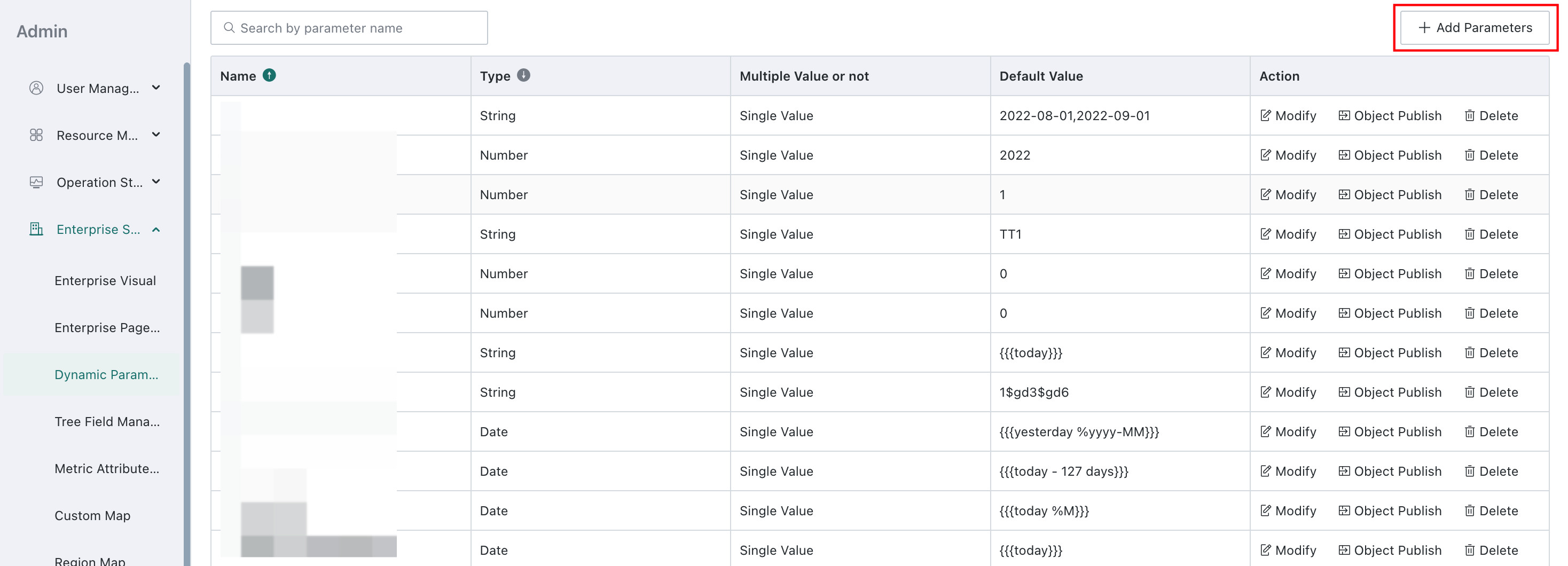
Time Macro Parameters
Time macro parameters can be referenced by any workflow across the entire project. They can be used to obtain dynamic time values for batch data processing. For details, see Time Macro Parameters.
Workflow Parameters
Workflow parameters can be referenced by any task node within the current workflow.
Global parameters and time macro parameters can be used directly in task nodes. Workflow Parameter must be configured on the Offline Dev page.
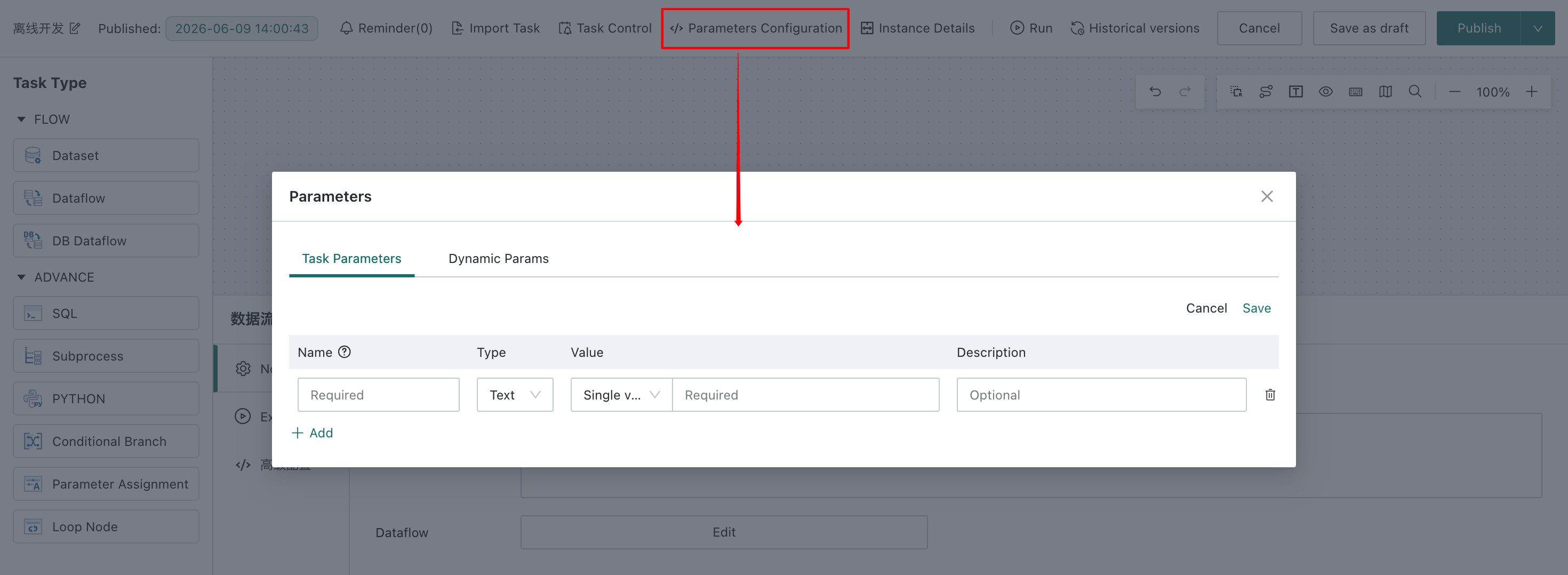
Each workflow parameter must include a parameter name, parameter type, and default value.
Supported parameter types are numeric, text, and date.
- Text parameters support single values and multiple values. Multiple values are separated with
,. - Date parameters support fixed dates and time macros.
For workflow parameter usage in the SQL Node (Advanced), see SQL Node (Advanced).
For parameter usage in the Python Node, see Python Node.
For workflow parameter usage in the HTTP Node, see HTTP Node.
Components in Dataflow Node that support SQL code include:
- For
Database Input, see Database Input (Advanced). - For
Database Output, see Database Output (Advanced). - For
Add Calculated Column, see Add Calculated Column. - For
Filter Data Rows, see Filter Data Rows. - For
SQL Input, see SQL Input. - For adding calculated fields in
Group Aggregate, see Group Aggregate.