Subscription Management
Overview
Subscription Management allows users to create and manage data subscription tasks. By configuring trigger mechanisms and recipients, users can schedule automatic data delivery and distribution. This is suitable for business scenarios that require regular data reports or continuous monitoring of key metric changes.
Prerequisites
The Analysis Specialist has already been created and enabled.
Create a Subscription
Click Create Subscription in the upper-right corner of the page to open the creation dialog.
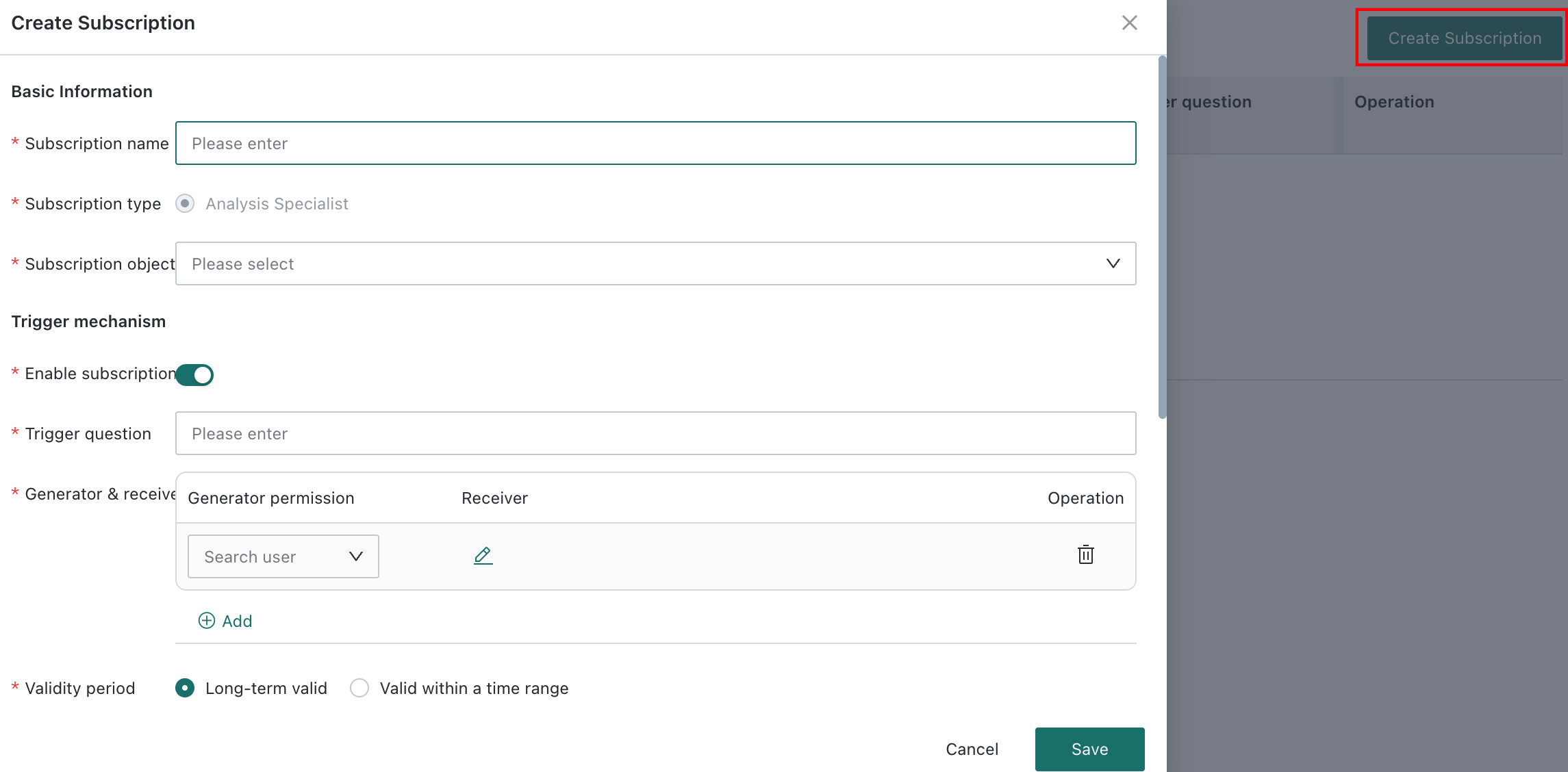
Configure a Subscription
Basic Information
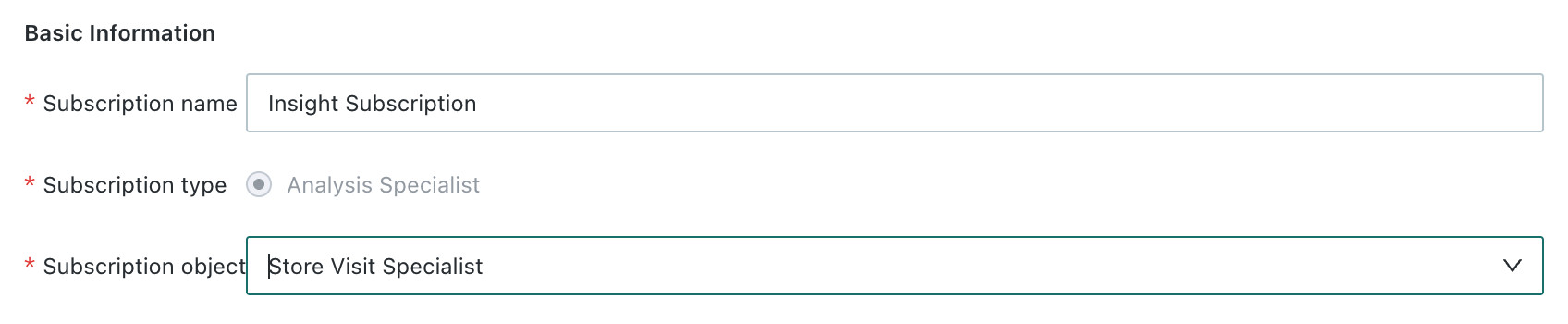
Subscription Name
Create a name for the subscription so it can be quickly identified in the subscription list.
Subscription Type
Choose the type of content for the subscription. The current default is Analysis Specialist, and it cannot be changed.
Subscription Target
Use the dropdown list to select the corresponding Analysis Specialist. Search is supported.
Trigger Mechanism
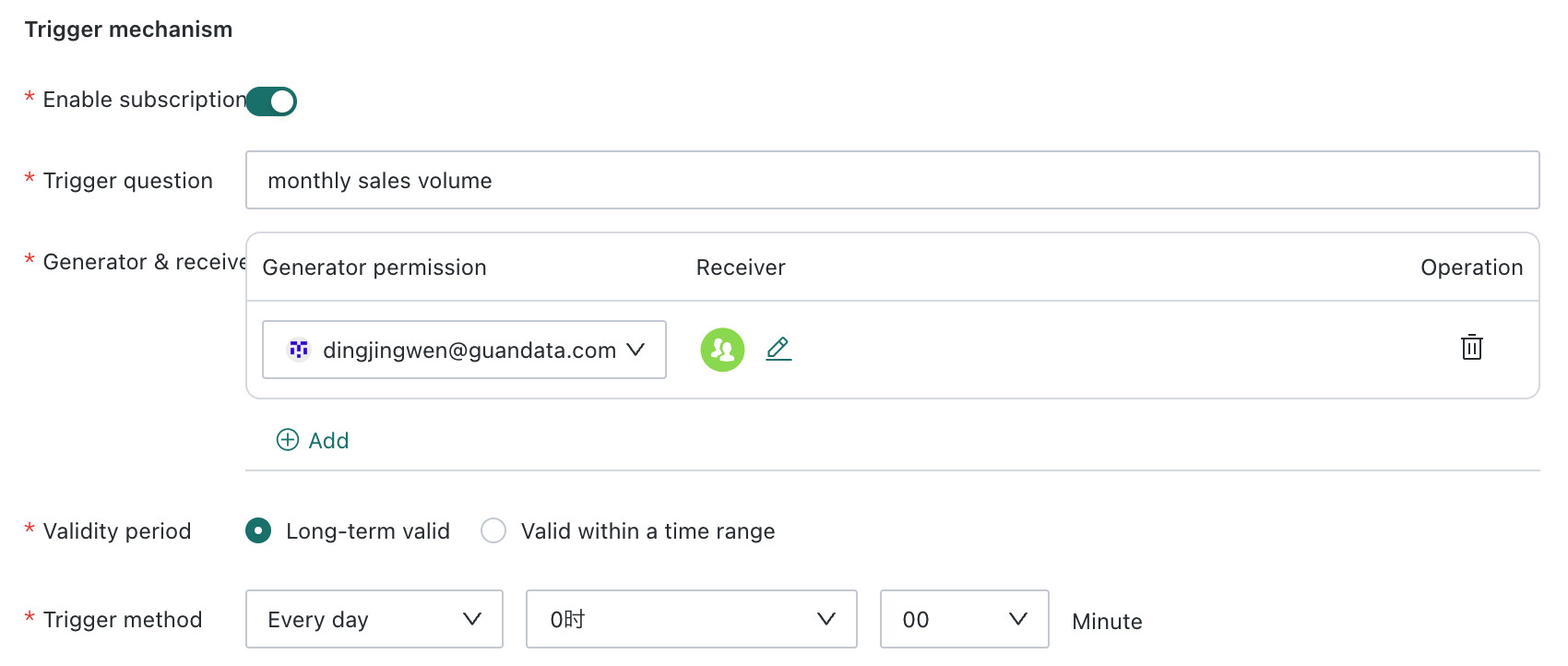
Enable Subscription
Controls whether the subscription task is active:
- Enabled: the subscription runs according to the configured trigger conditions
- Disabled: the subscription task is paused and does not send notifications
Trigger Question
Enter the data question to be queried regularly. The system uses this question to retrieve data and deliver the result.
Examples: What was yesterday's sales amount?, What is this week's order volume?
Generation and Delivery
Configure the data generator and recipient information:
| Setting | Description |
|---|---|
| Generator Permission | Select the permission scope of the data generator |
| Recipients | Enter the recipient email address or choose a system user |
| Actions | Supports adding, editing, and deleting recipient settings |
Validity Period
Set the validity period of the subscription task. You can choose Valid Permanently or Valid Within a Time Range. If Valid Within a Time Range is selected:
- You can define a start date and end date. If not configured, the task is valid permanently by default.
- After the subscription period ends,
Manual Triggerand API-based delivery can still send the subscription. - Period and enable/disable logic: if the task is enabled, delivery stops after the configured period ends. If the task is disabled, it does not send even if the configured period has not yet ended.
Trigger Method
Scheduled execution: you can set a fixed time for delivery by day, week, or month.
Subscription Content
Notification Channel
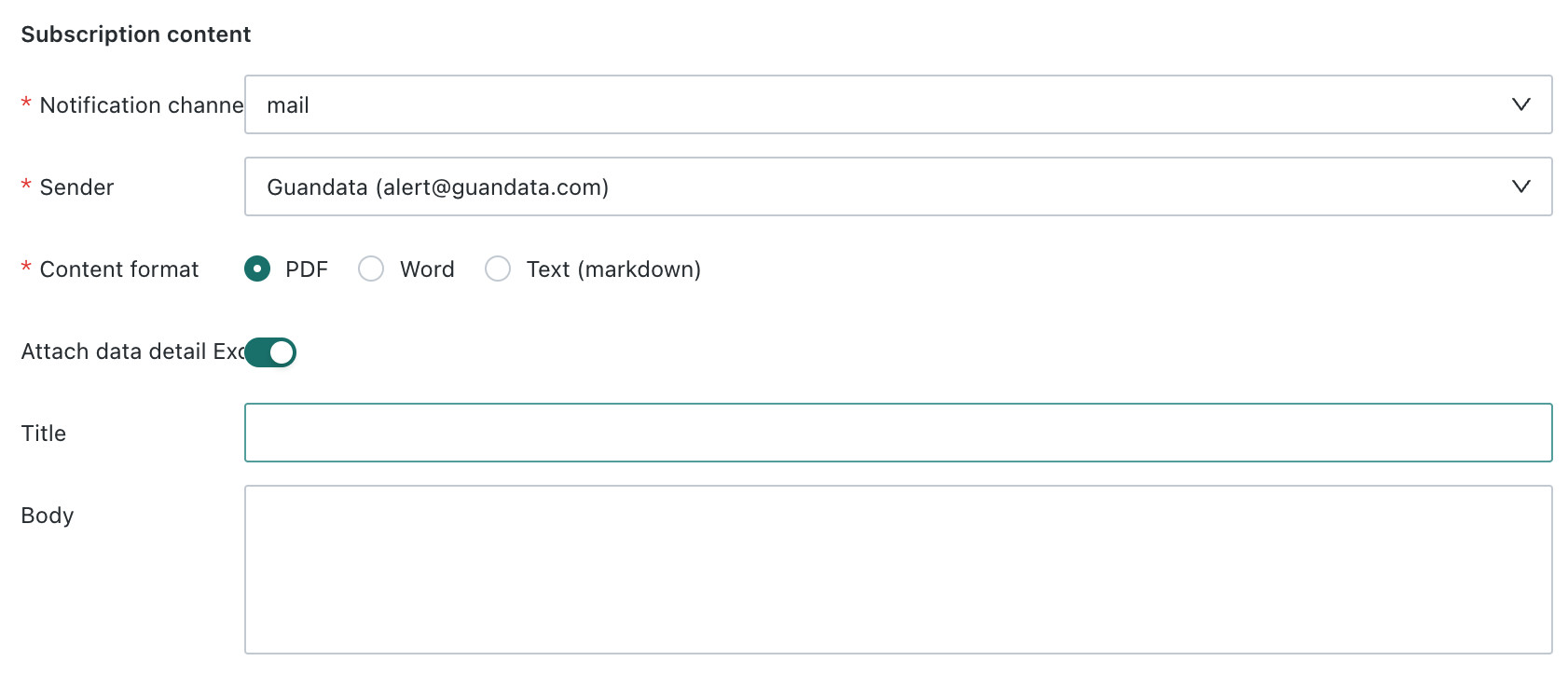
Choose the delivery channel for the subscription. Email and Custom Channel are currently supported.
- When the
Notification ChannelisEmail, you need to configure theSender. - When the
Notification ChannelisCustom Channel, the corresponding Custom Channel must be configured in advance.
Content Delivery Format
PDF, Word, and markdown are supported.
Attach data detail Excel controls whether subscription messages include an additional data-details file. When enabled, the system generates an Excel attachment from recognizable, exportable chart and table data in the current Analysis Specialist report. When disabled, it sends only the selected report format.
Attach data detail Excel exports only exportable data that appears in the current report. It does not export raw data from every dataset in the agent. The data details respect the report generator's data permissions.
Title
Set the title of the subscription message. Recipients see this as the message subject or title.
Body
Edit the detailed message content of the subscription. Custom text descriptions are supported to help recipients quickly understand the background and purpose of the delivered data.
Manage Subscriptions

On the Subscription Management page, you can view and manage all created subscription tasks. The following operations are supported:
| No. | Action | Description |
|---|---|---|
| 1 | Search Subscriptions | Search subscriptions by subscription name or status |
| 2 | Create Subscription | Create a new subscription task. For configuration details, see Configure a Subscription. |
| 3 | Enable / Disable | Switch the active state of a subscription task |
| 4 | Latest Run Status / Last Delivery | After the subscription runs, the system refreshes its execution status and most recent delivery time. |
| 5 | Actions |
|
Best Practices
Subscription Naming Conventions
We recommend using the naming pattern Business Scenario _ Data Content _ Frequency.
Examples: Sales Daily Report _ Yesterday's Performance _ Daily, Operations Weekly Report _ User Growth _ Weekly
Trigger Question Design
- Questions should be specific and unambiguous.
- Ensure the question has corresponding data support in the dataset.
- For complex queries, verify the question on the Q&A page first.
Recipient Management
- Keep the recipient scope appropriate to avoid information overload.
- Regularly remove invalid or departed recipients.
- For sensitive data, pay close attention to recipient permissions.
Validity Period Settings
- For temporary data monitoring, use a limited time range.
- For long-term business monitoring, choose permanent validity.
- Regularly review subscription tasks and clean up expired or ineffective subscriptions.
Subscription Updates
Enable Retry on Failure to retry a failed report generation up to three times. Enable Include Data Details Excel to attach exportable chart and table data from the current report; the attachment respects the report generator's data permissions.
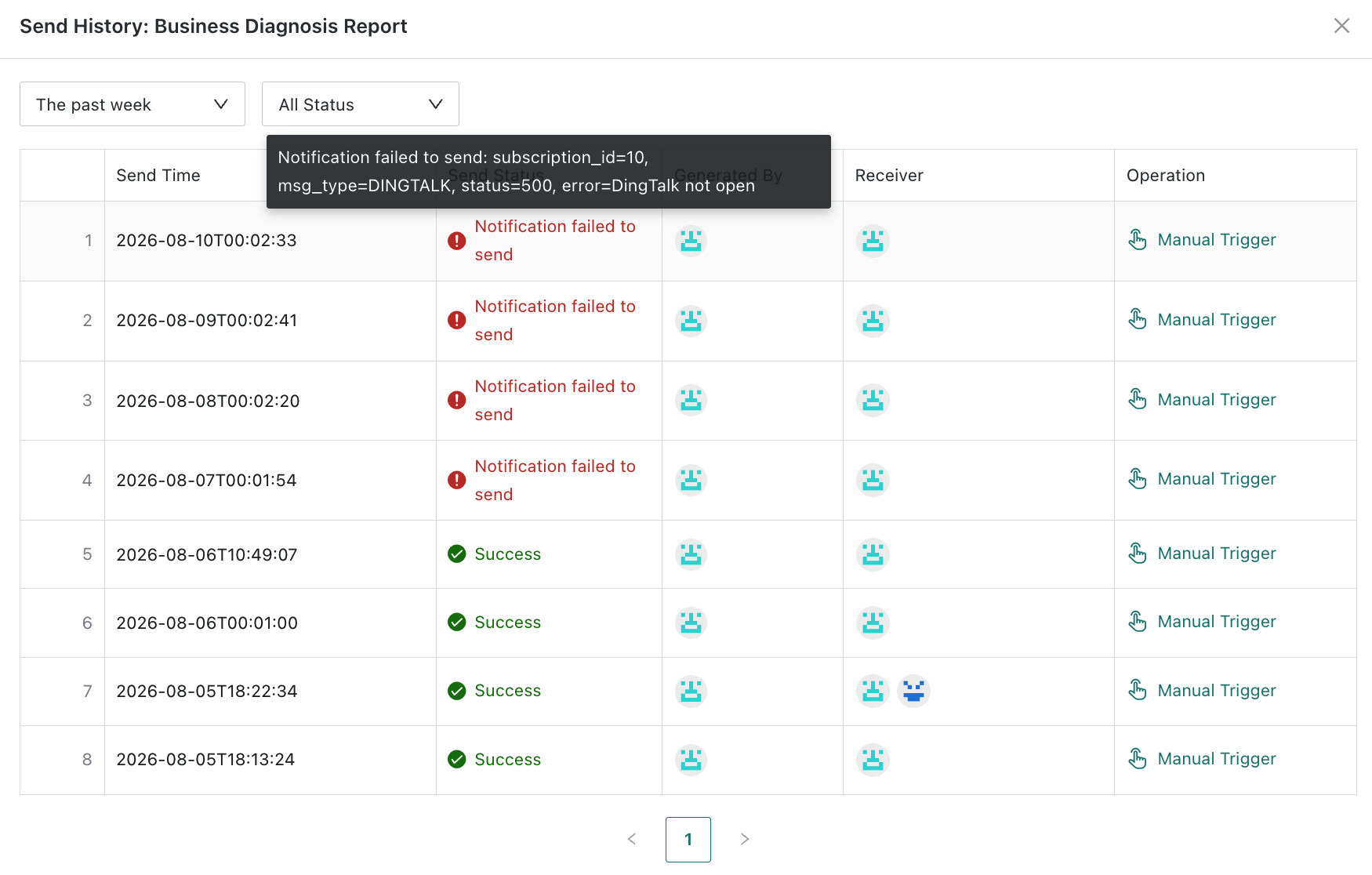
The subscription list now supports status filtering, shows the latest run status and delivery time, and supports copying a subscription. Hover over a failed delivery history entry to view its error.