Permission Management
Overview
Permission management in Data Agent has two levels:
- BI platform permission configuration: controls the user's global access to ChatBI features.
- Permission configuration on the
Data Agent > Agent Detail Settingspage: controls the user's operation permissions for specific agents.
BI Platform Permission Configuration
For BI platform permission settings, see BI Platform Permission Configuration.
Data Agent Permission Configuration
Prerequisites
The user has already been granted Edit and Authorize permissions in the BI management backend.
Usage Guide
Click Add User below, choose the permission type and the users to add, then click Add.
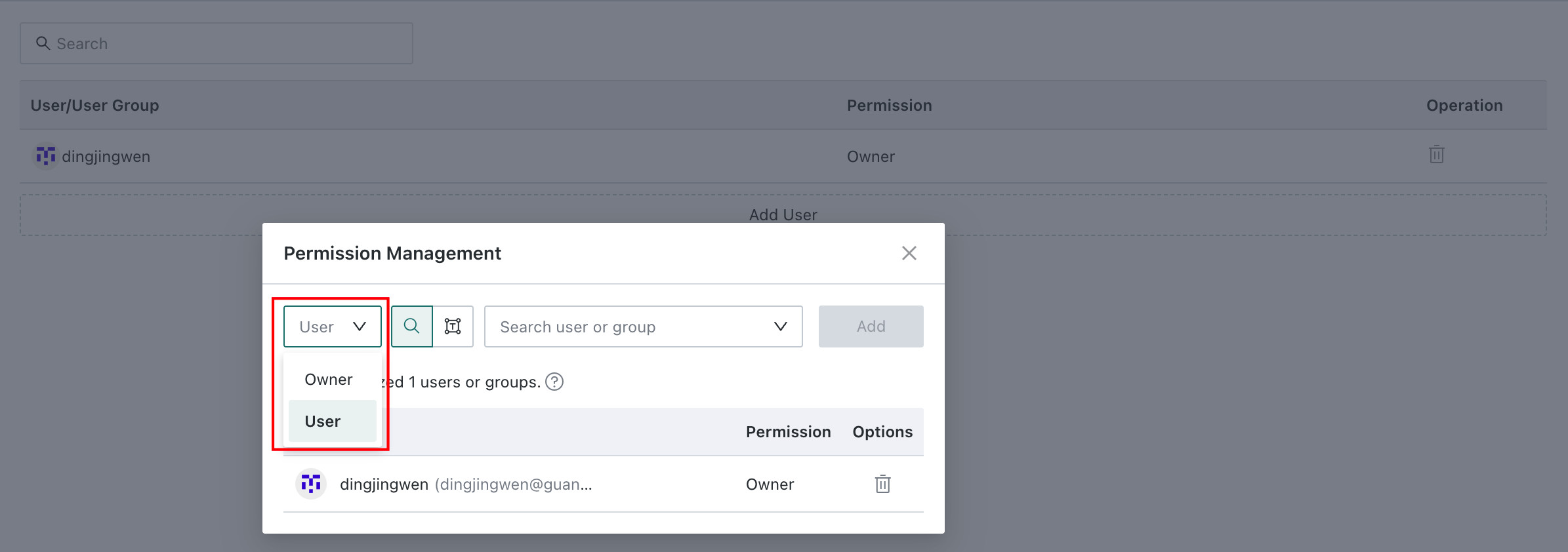
- Owner permission: the user can see the current agent on the
Agent Managementpage and modify the agent name, basic configuration, knowledge configuration, and permission configuration. The user can also ask questions to the agent in the frontendQuery Agentpage. - User permission: the user can ask questions to the agent in the frontend
Query Agentpage.