Analysis Specialist
Overview
Analysis Specialist is a professional analysis template designed for insight scenarios. By predefining the analysis approach, analysis dimensions, and output format, it helps business users quickly generate standardized, high-quality data analysis reports. Frontline business users can @ a specialist to generate reports, improving both the stability of insight reports and compliance with knowledge standards.
Applicable Scenarios
Regular business reporting:such as weekly reports, monthly reports, and quarterly analysisTopic-specific analysis:such as promotion analysis, churn analysis, and product launch evaluationStandardized analysis:business scenarios that require a specific analytical framework and metric definition standard
Create an Analysis Specialist
-
Click
Add Specialistto open theAnalysis Specialistconfiguration page.
-
Configure the analysis specialist information.
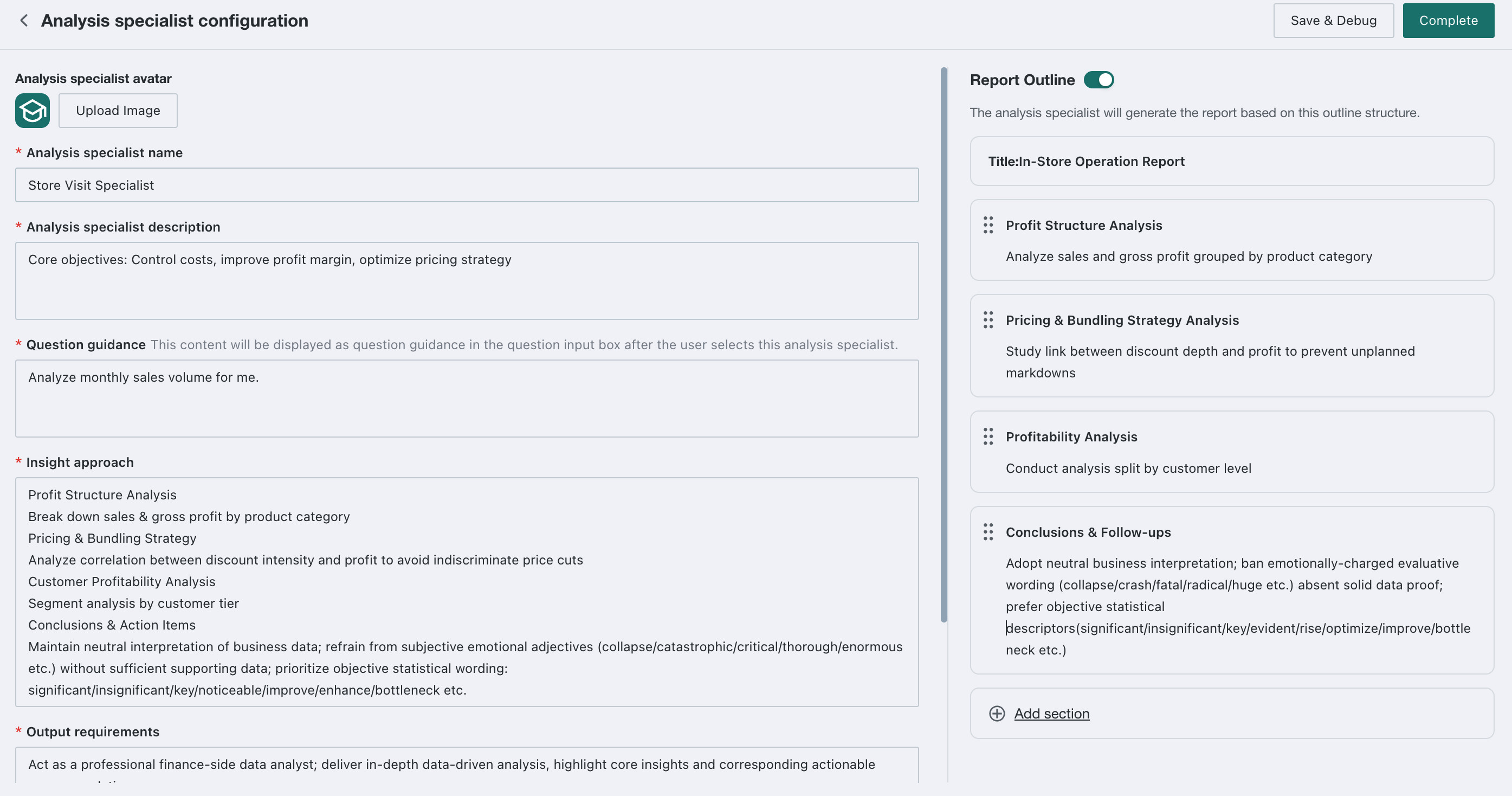
| Field | Description |
|---|---|
| Specialist Avatar | Upload an image as the specialist avatar |
| Specialist Name | Display name of the specialist, such as Store Inspection Specialist or Sales Analysis Specialist |
| Specialist Description | Briefly describe the core objective and applicable scenarios |
| Question Guidance | Displayed in the question input box after the user selects the specialist |
| Recommended Questions | When an Analysis Specialist is selected by the user, the corresponding content will be presented as a recommended question within the front-end recommended question section |
| Insight Approach | Defines the analytical logic and step-by-step framework |
| Output Requirements | Defines report role positioning, analysis depth, expression style, and other requirements |
| Report Outline | After it is enabled, the specialist generates report content by referring to a custom outline structure |
-
After the configuration is complete, click
Save & Debug. If the test does not pass, return to the configuration page and adjust it.After the test passes, click
Complete. The specialist can then be selected on theInsight Agentpage, and the system will generate reports according to the predefined analytical approach and output format configured for that specialist.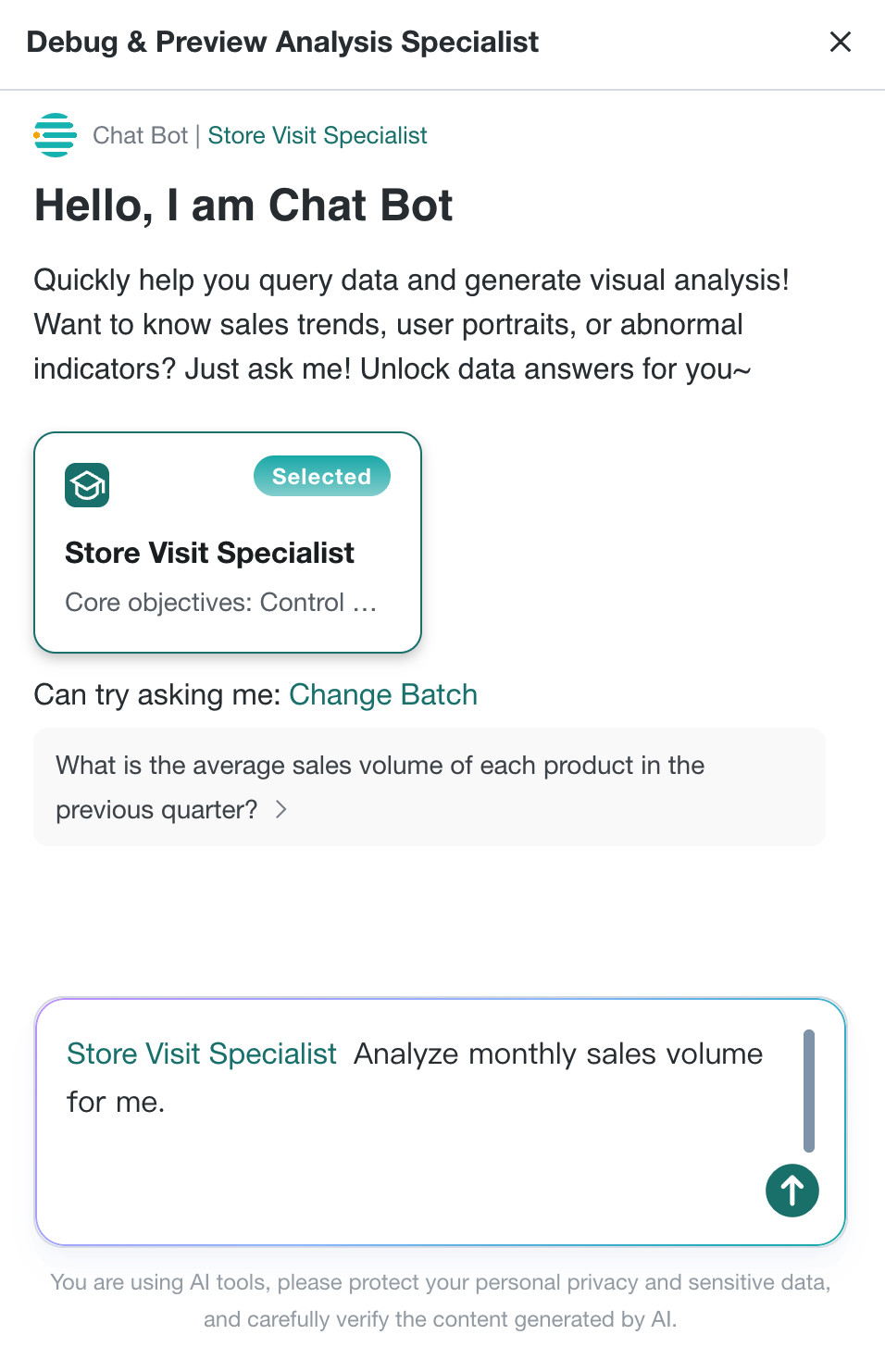
Use an Analysis Specialist
On the Insight Agent Q&A page, select an Analysis Specialist before asking a question. The system will then generate the report according to that specialist's predefined analysis approach.
- If an Analysis Specialist is selected: Display the pre-configured recommended questions of this Analysis Specialist.
- If no Analysis Specialist is selected: Display the recommended questions configured in Guess You May Ask.
Manage Analysis Specialists
On the Analysis Specialist list page, you can perform the following operations:
- Edit: modify the specialist configuration
- Enable / Disable: control whether the specialist can be invoked by users
- Delete: remove specialists that are no longer needed

Best Practices
Structure the analysis approach:break down complex analysis into clear steps and logical chains.Standardize metric definitions:explicitly define the calculation logic of each metric in the specialist configuration.Configure by scenario:create dedicated analysis specialists for different business scenarios.Continuously optimize:iterate on specialist configurations based on actual usage results.Standardize report outlines:use the outline feature to ensure report consistency and completeness.