Merged Subscription
Overview
Merged subscription combines content from multiple cards, pages, or combined reports into one email, reducing the number of messages and improving data acquisition efficiency.
Prerequisites
To send subscriptions by email, complete Email Configuration in Management Center > System Integration.
Create a Subscription
-
Click
Subscription Planin the app launcher in the upper-right corner to enter theSubscription Planpage.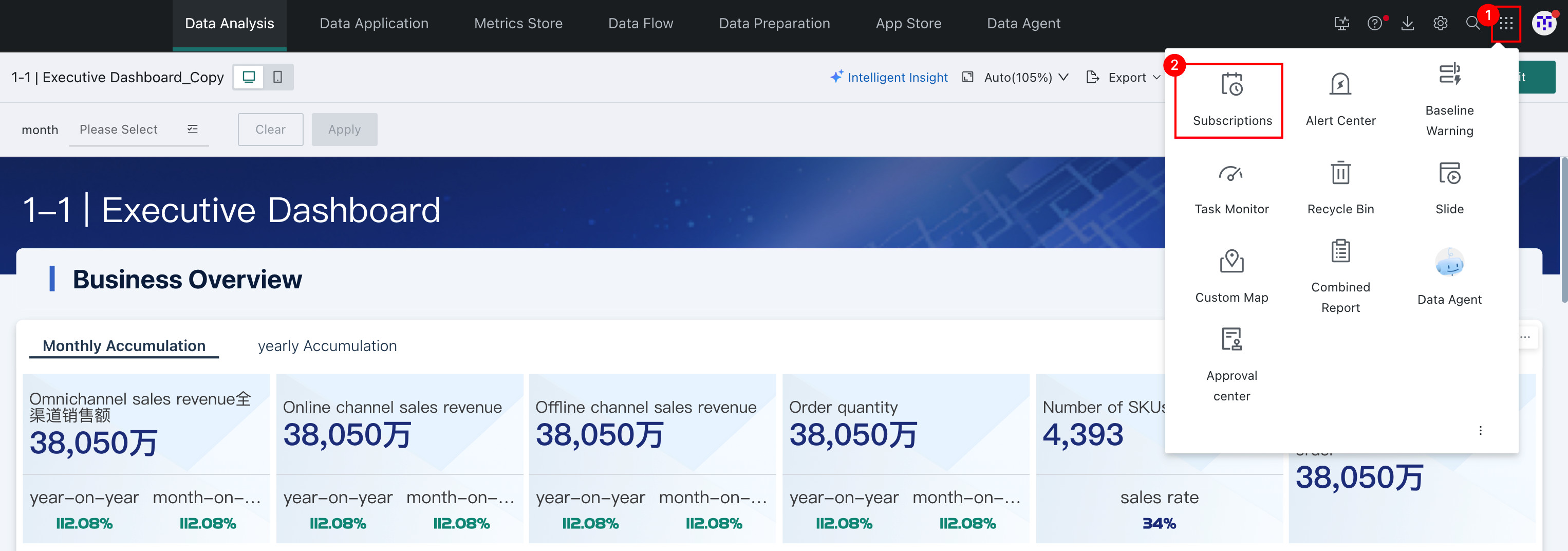
-
Select
Merged Subscriptionand clickAdd Merged Subscriptionto enter theMerged Subscriptionconfiguration page.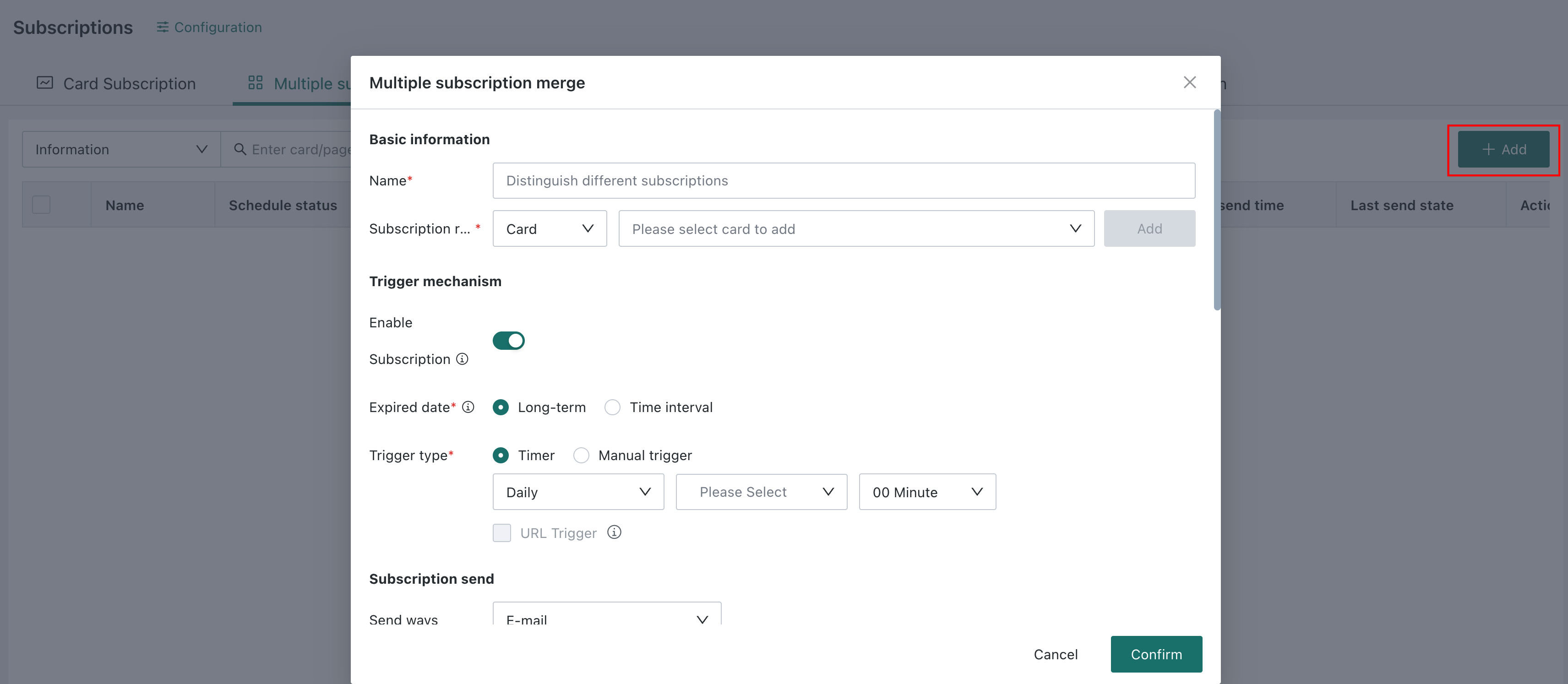
Configure a Subscription
Basic Information
Subscription name: Create a name for the subscription so it can be quickly found in subscription management.
Subscription object: Supports selecting cards, pages, or combined reports. Multiple cards, pages, or combined reports can be subscribed to here.
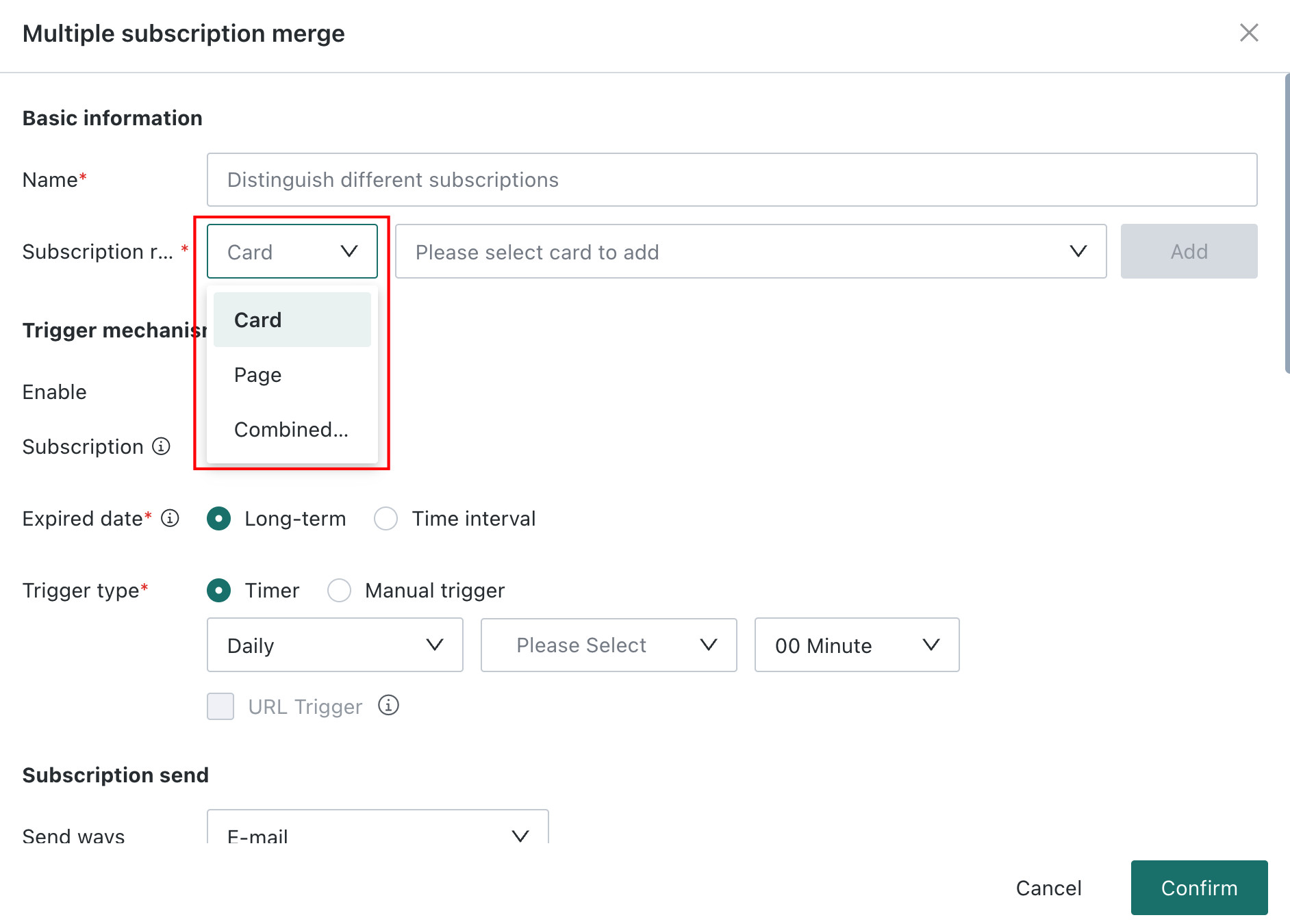
Trigger Mechanism
This is the same as Page Subscription-Trigger Mechanism.
Subscription Sending
This is the same as Card Subscription - Subscription Sending.
Subscription Content
This is roughly the same as Card Subscription - Subscription Content, with the following difference:
Images and attachments: Based on the cards, pages, or combined reports selected as subscription objects, Images and Attachments can be configured separately for each subscription object.
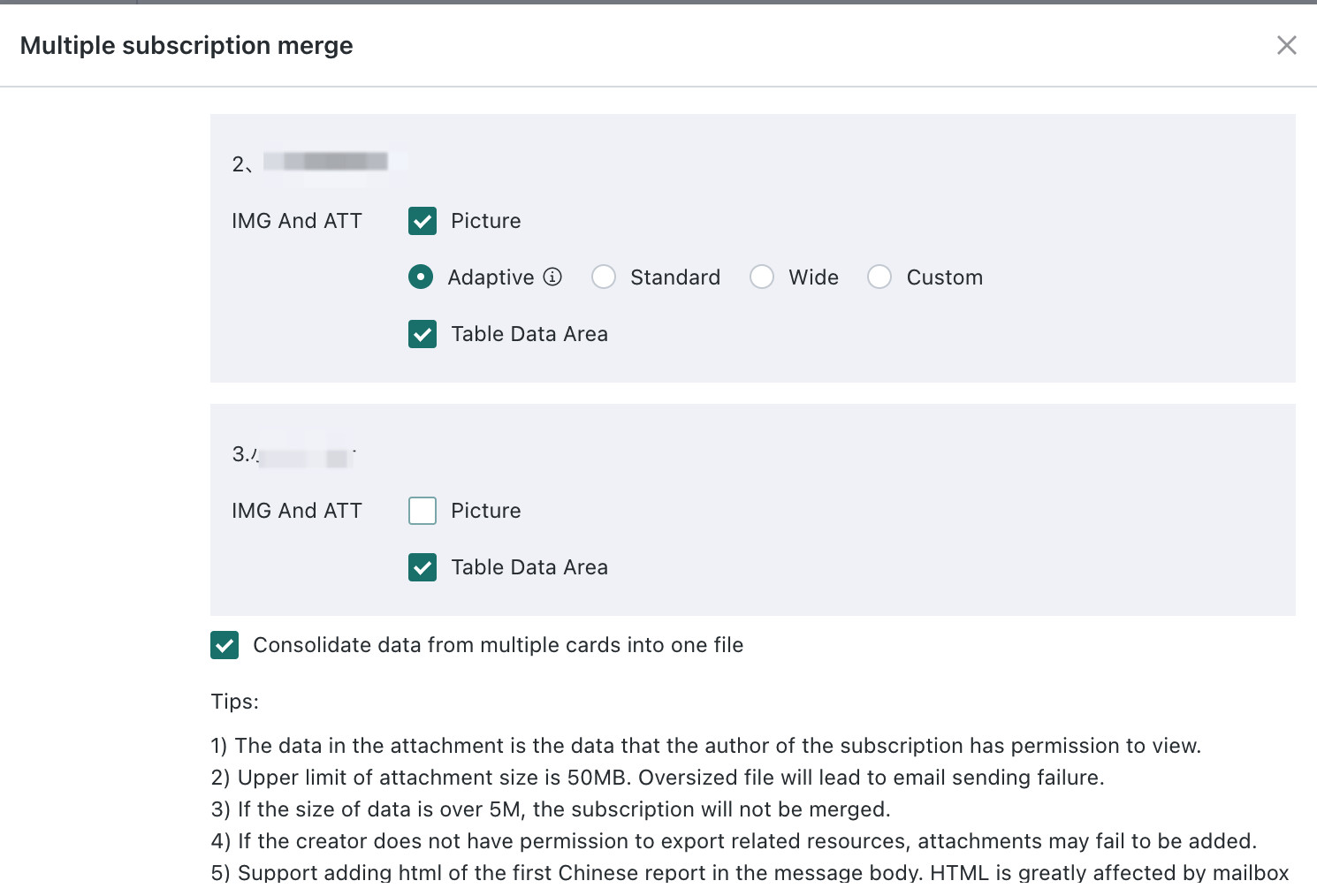
Supported notification channels and attachments are as follows:
| Notification Channel | Images and Attachments |
|---|---|
| Page PDF, page image Card table data, card image |
Failure Notification
This is roughly the same as Card Subscription - Failure Notification, with the following difference:
Failure notifications can be sent to the Subscription Creator and Specified Recipients.

Priority
This is the same as Card Subscription - Priority.
FAQs
For subscription-related FAQs, see FAQs.