Metric Attribute Management
Overview
Metric Attribute Management provides enterprises with flexible business attribute configuration capabilities. Through multiple attribute types (including single-select enumeration, multi-select enumeration, text, and multi-value text), it enriches the business dimensions of metrics and helps enterprises establish a standardized metric management system.
Configure and Manage Business Attributes
Create Business Attributes
-
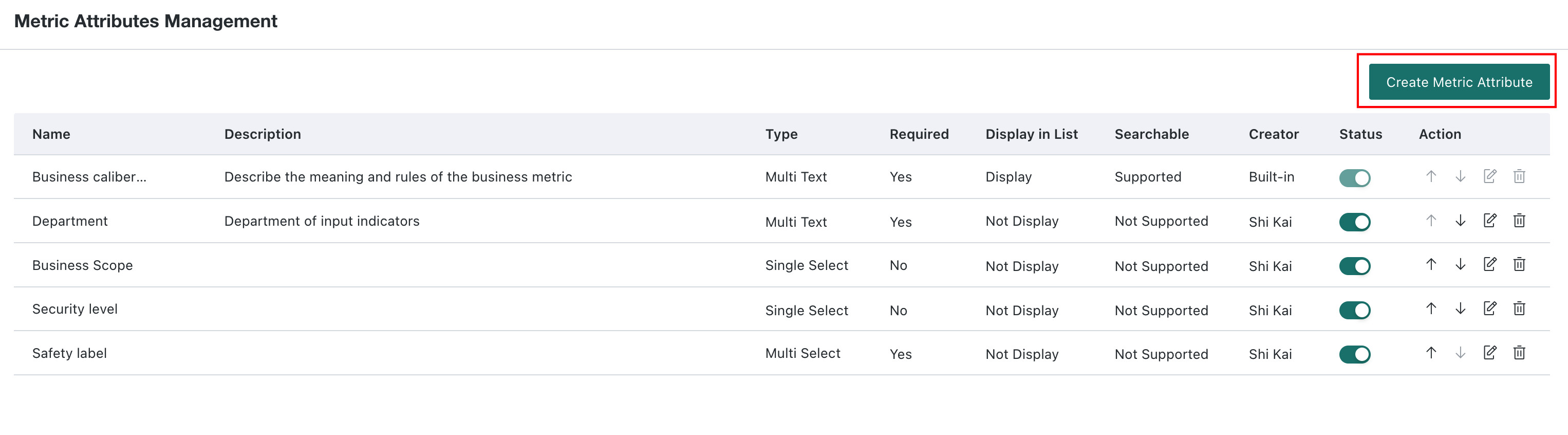
Go to Management Center > Enterprise Configuration > Metric Attribute Management to view the list of business attributes existing in the company domain.
-
Click the New Business Attribute button to enter the New Business Attribute page.
-
On the creation page, fill in parameters according to the following rules.

-
Attribute Name (required): Enter the display name of the attribute.
-
Description (optional): Enter auxiliary descriptions to help administrators identify the purpose of the attribute.
-
Attribute Type (required): Select Single-select Enumeration, "Multi-select Enumeration", Text, or "Multi-value Text". When selecting enumeration types, optional values need to be predefined in the option list.
-
Default Value (required/optional): Fill in default content according to the attribute type.
-
Set as Required: If checked, this business attribute must be selected when creating metrics in the Metric Center.
-
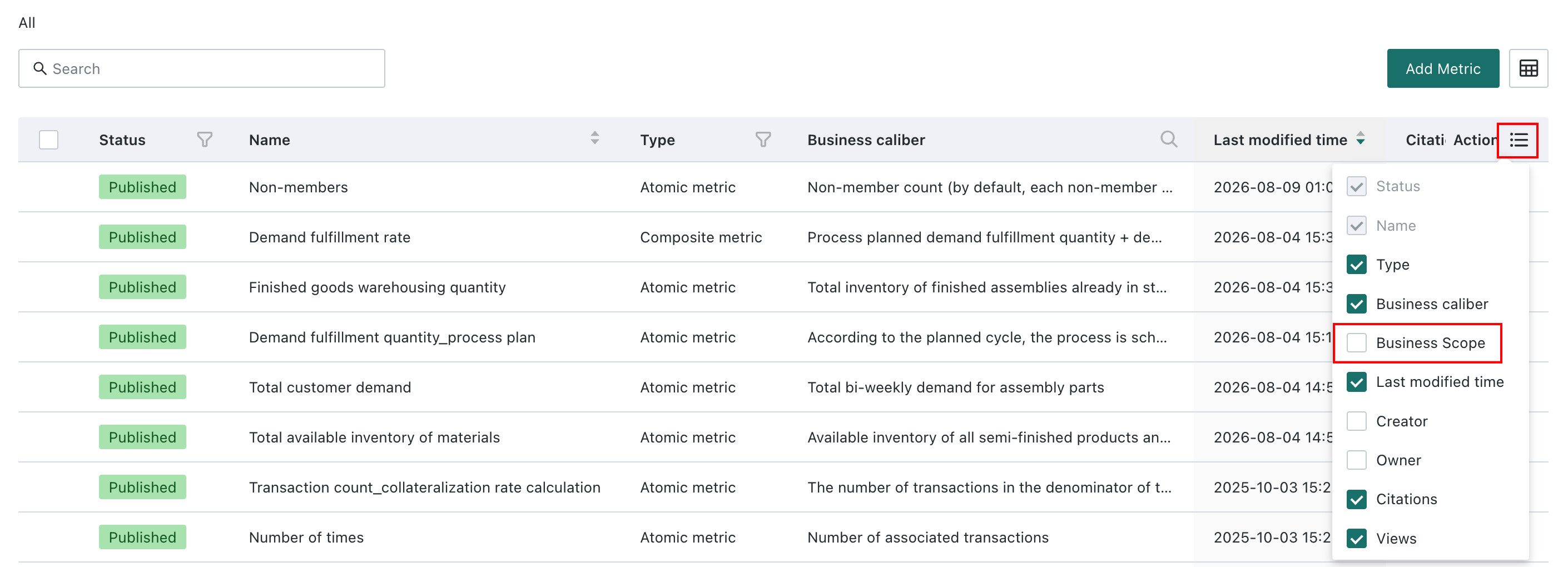
Display in List: Not checked by default. If checked, this business attribute will appear in the selectable items of the table header.
-
Support Filtering: Not checked by default. If checked, metrics can be filtered by this attribute in the table header.
-

Manage Business Attributes
Supports enabling/disabling, moving up/down, editing, or deleting business attributes in the current enterprise domain.

Notes
- After business attributes are deleted or disabled, associated metrics will no longer display the attribute values, but historical data will not be cleared.
- For enumeration-type attributes, if there are already associated metrics after creation, modifying options may cause some metric attribute values to become invalid. Please operate with caution.
- It is recommended to prioritize using enumeration types to standardize metric attribute values based on enterprise management needs, reducing arbitrary input from text types.