ETL Advanced Settings
Overview
This article explains the feature description and operations of Smart ETL advanced settings. The ETL advanced settings support four parameters: ETL Intermediate Result Cache, BroadcastJoin, Spark Single-Job Timeout (Minutes), and Custom Spark Parameters.
Entry Point: Data Preparation > Smart ETL > ETL Details Page > Advanced Settings
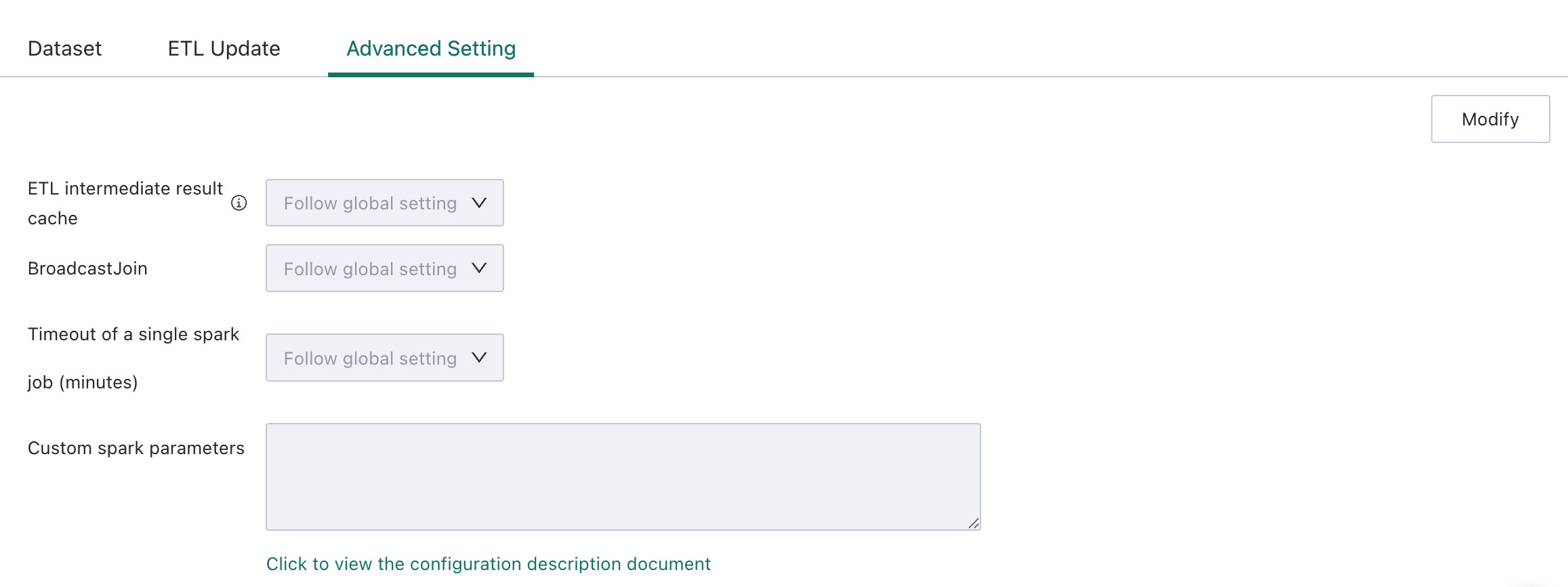
ETL Intermediate Result Cache
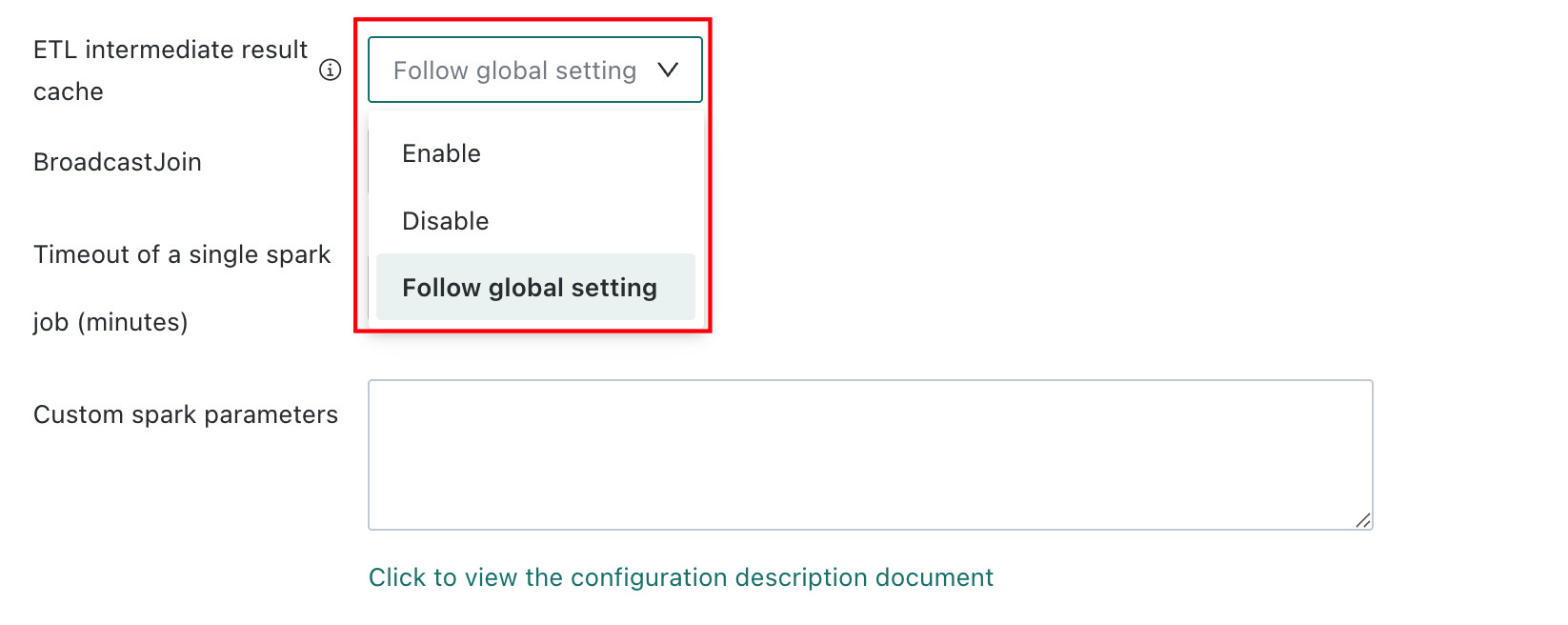
When an ETL is relatively complex, meaning it contains at least two Output Datasets and exceeds the configured complexity threshold, enabling this setting allows the system to automatically cache intermediate computation results and improve overall ETL performance. In special cases, this feature can be disabled at the ETL level.
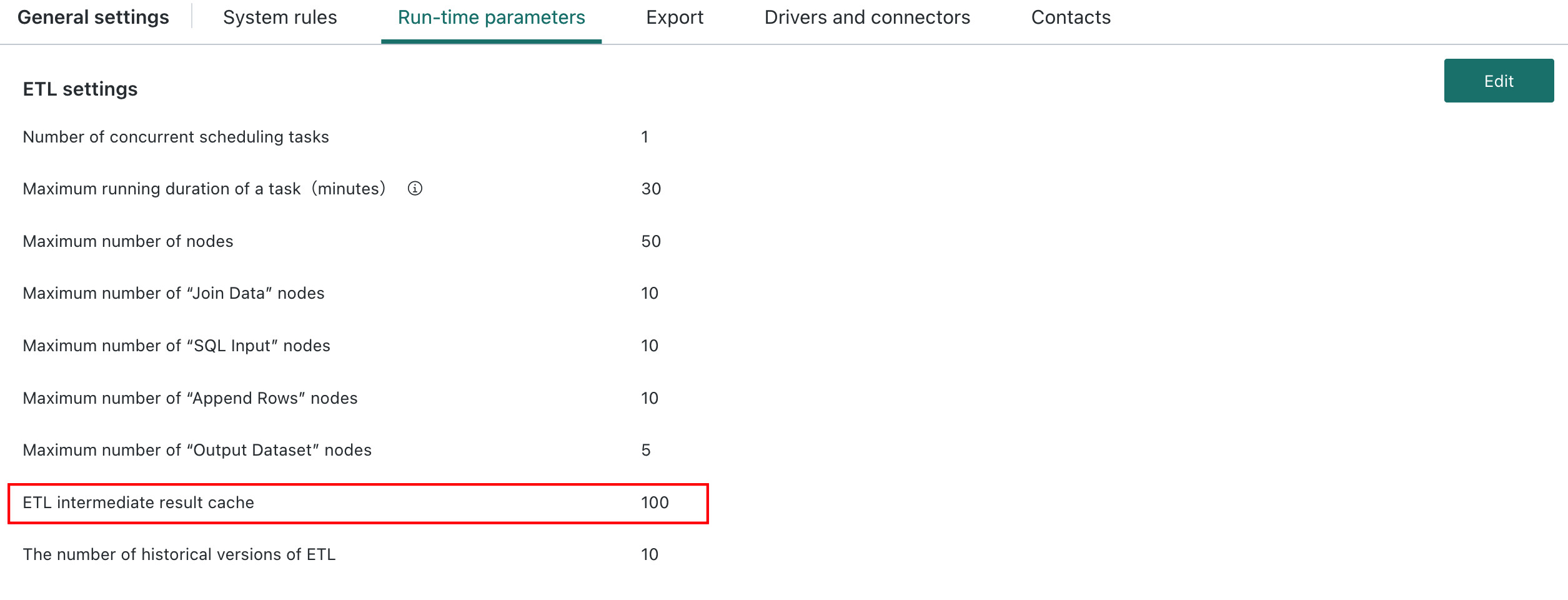
The Follow Global Setting path is: Admin Center > System Settings > General Settings > Runtime Parameters, where administrators can configure the ETL Intermediate Result Cache parameter. The recommended default system-wide complexity threshold is 100, and the adjustable range is 50-999. If the threshold is set too low, more ETLs may automatically cache intermediate results during execution.
For details about ETL complexity calculation, see ETL Intermediate Result Cache.
BroadcastJoin
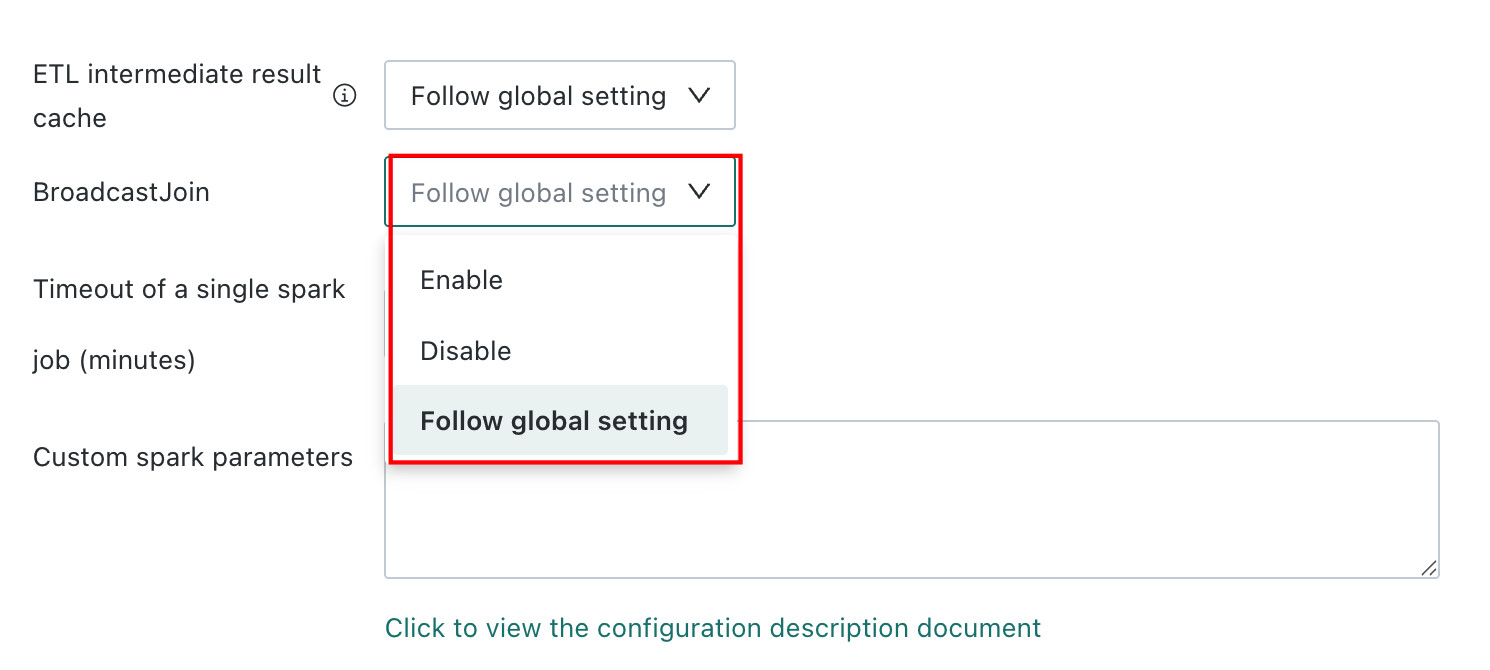
Spark is the default engine used by Guandata ETL. When both joined tables are large, Spark's BroadcastJoin is often not suitable. In this case, you can disable it through the BroadcastJoin option to reduce risk. For special cases, you can contact Guandata technical support to confirm whether it should be enabled.
Spark Single-Job Timeout (Minutes)
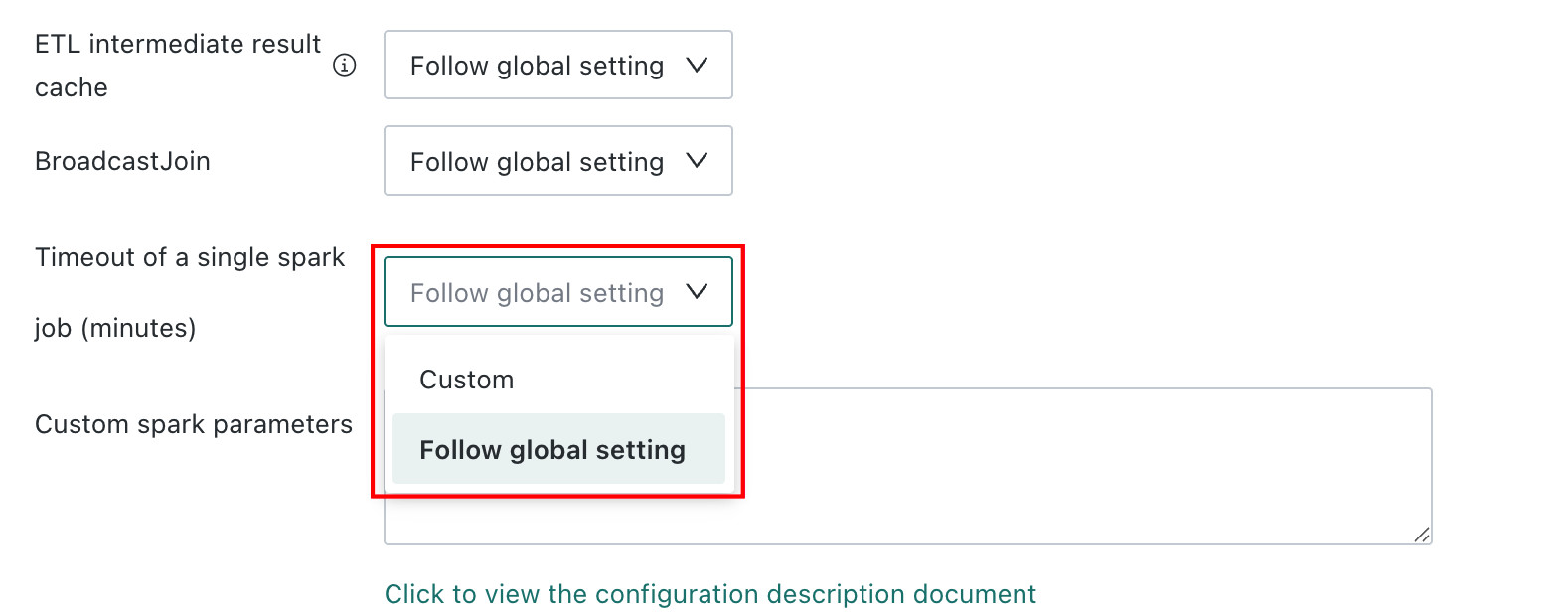
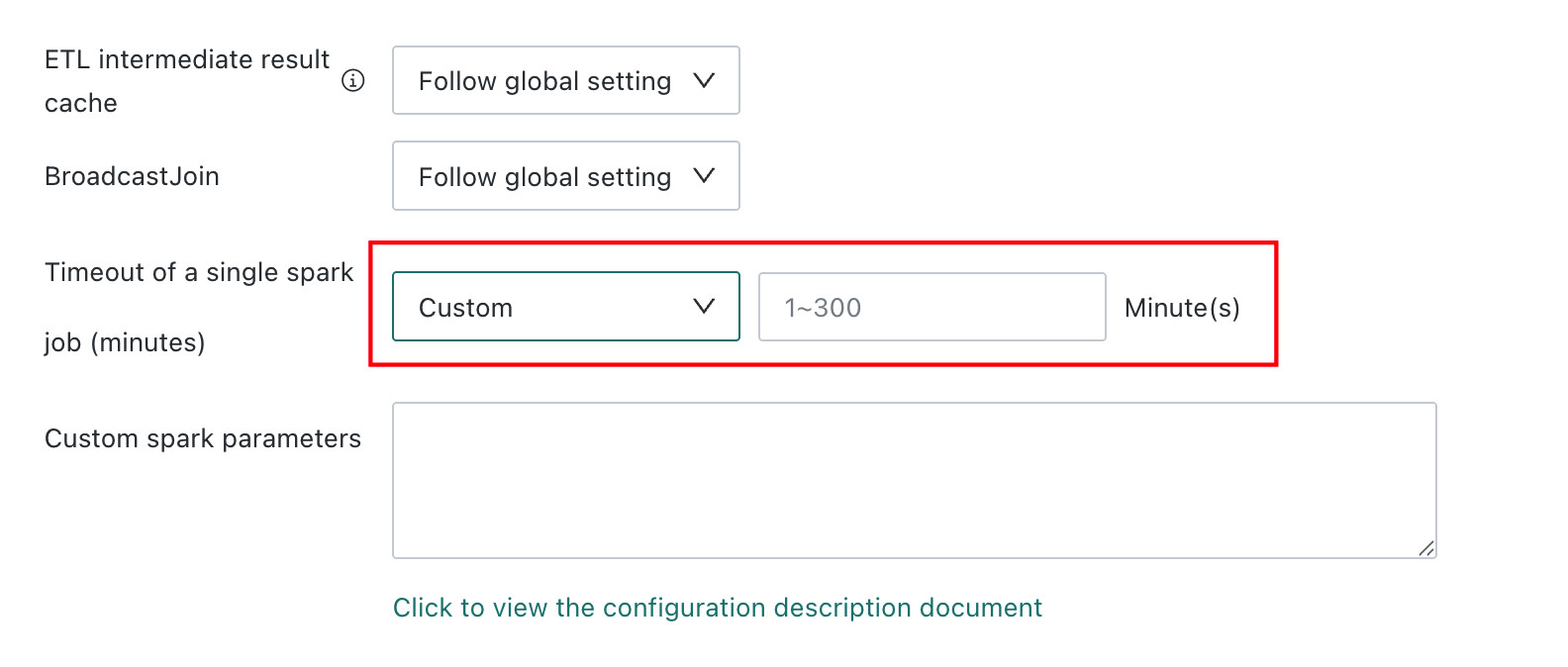
By setting a Spark runtime timeout, you can limit task execution time and ensure jobs complete within a reasonable period, avoiding delays and resource waste caused by excessive runtime and improving analysis and processing efficiency. Users can choose either Follow Global Setting or Custom. The default is Follow Global Setting.
-
Follow Global Setting: Administrators can modify
Spark Single-Job Timeout (Minutes)onAdmin Center > System Settings > General Settings > Runtime Parameters.
-
Custom: ETL owners can set a timeout between 1 and 300 minutes.
Custom Spark Runtime Parameters
Takes effect starting from version 6.5.
The ETL compute engine has some built-in Spark runtime rules. In extreme cases, some of these rules may cause certain ETLs to run abnormally. In such cases, you can configure parameters and rules specifically for those ETLs so that they run with dedicated settings. Multiple rules are supported, and different rules should be separated by line breaks.
The following parameters are currently supported:
| Configuration Item | Parameter | Unit |
|---|---|---|
| shuffleBytes | guandata.jobLimit.shuffleBytes=200 | G |
| Output Dataset Row Count | guandata.jobLimit.numOfOutputRows=1 | 100 Million Rows |
| shuffleDisk Threshold | guandata.shuffleDisk.threshold=0.85 | |
| tableExpansionRate | guandata.jobLimit.tableExpansionRate=100 | |
| Broadcast Join Threshold | spark.sql.autoBroadcastJoinThreshold=10Mb | Mb |
Configuration example:

If you are not familiar with specific parameter settings, do not configure them on your own. Contact your Guandata representative in advance if needed.
Disable Specific Spark Optimization Rules
Effective before version 6.5. No longer effective in version 6.5 and later.
The ETL compute engine includes built-in Spark optimization rules such as OptimizeRepartition and ColumnPruning. In rare cases, some of these rules may cause certain ETLs to run abnormally. In such cases, you can configure the ETL so that these built-in optimization rules are not applied during execution.
Multiple rules can be excluded or disabled at the same time. Separate different rules with English commas, as shown below:
CombineUnions,ConstantPropagation
If you encounter issues during configuration, contact your Guandata representative.