Feature Updates
Data integration and security
Improved resource-lineage node overview
Users with Resource Lineage permission can view a node's overview and owner on the lineage canvas without having permission to its upstream or downstream resource. Opening the resource or performing view, use, or edit operations still requires the corresponding resource permission.
Independent watermark control for Excel exports
The new Excel Export Watermark switch independently controls whether exported Excel files include a watermark. It is disabled by default and takes effect only when Watermark Information is also enabled.
Data analysis and visualization
Apply filter conditions when adding groups
Detail filters now include Apply When Adding Groups. When enabled, available values for a new group field are loaded under the current filters, reducing waits caused by unrestricted queries on large datasets.
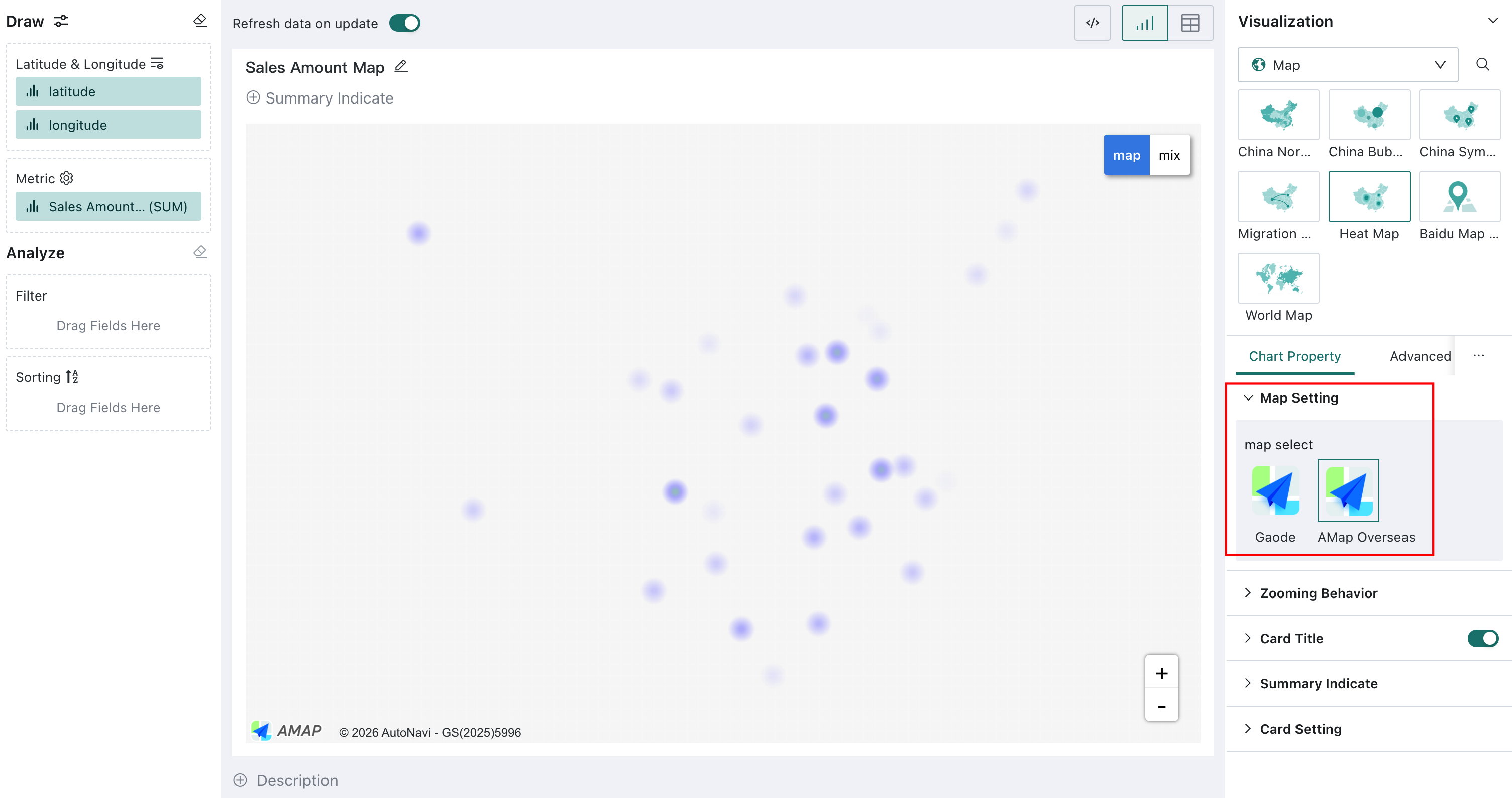
Heat maps and symbol maps support Amap Global
Heat maps and symbol maps now offer Amap Global. After an administrator configures the overseas map service, analysts can visualize heat distributions and locations for overseas regions from latitude and longitude data.
See Map Service Configuration.
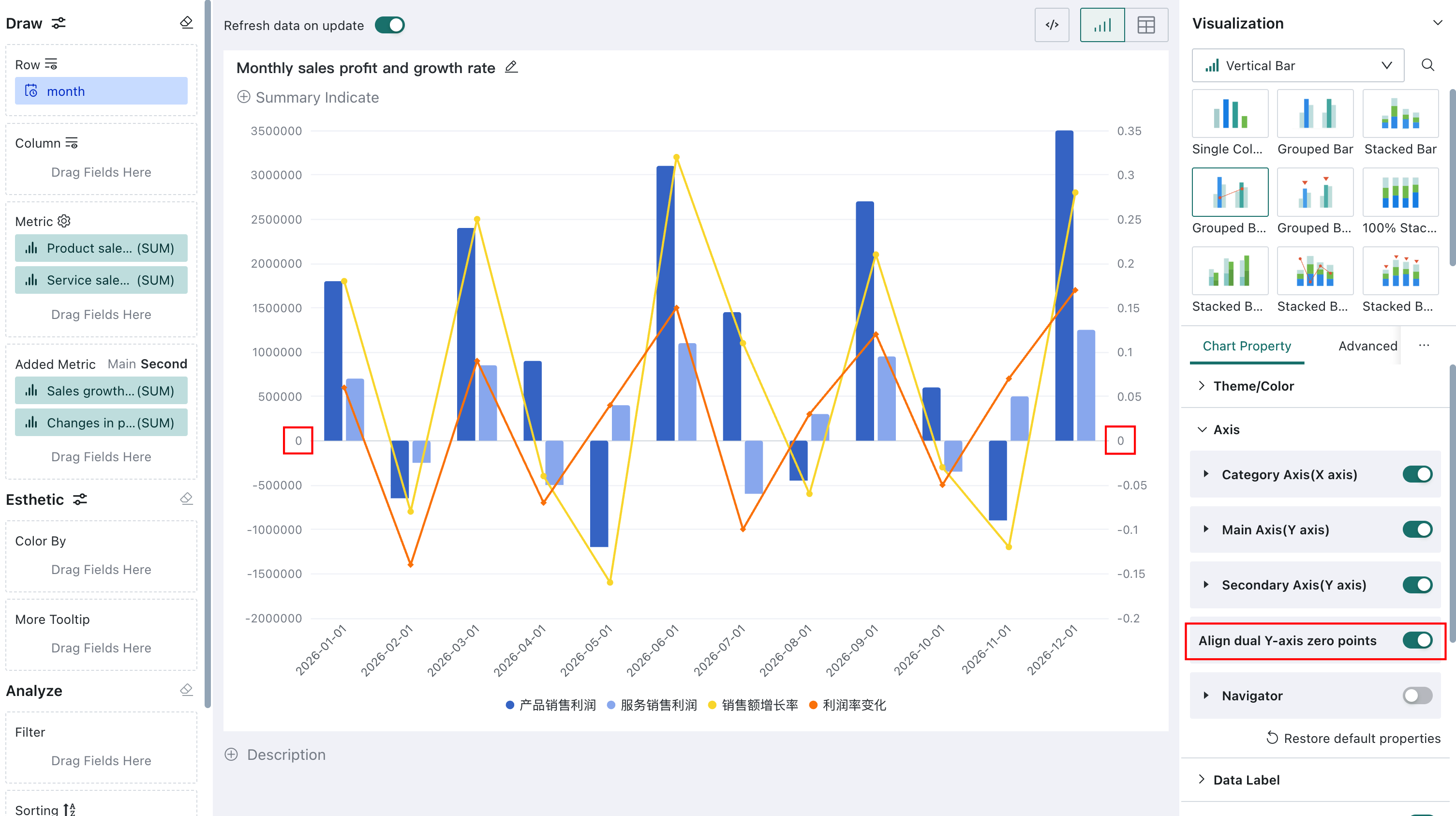
Dual Y axes support zero alignment
Clustered column-line, clustered column-symbol, stacked column-line, and stacked column-symbol charts now include Align Zero on Dual Y Axes. When the axes use different scales and contain both positive and negative values, their zero ticks can be aligned for accurate comparison.
See Axes.
Intelligent Insights
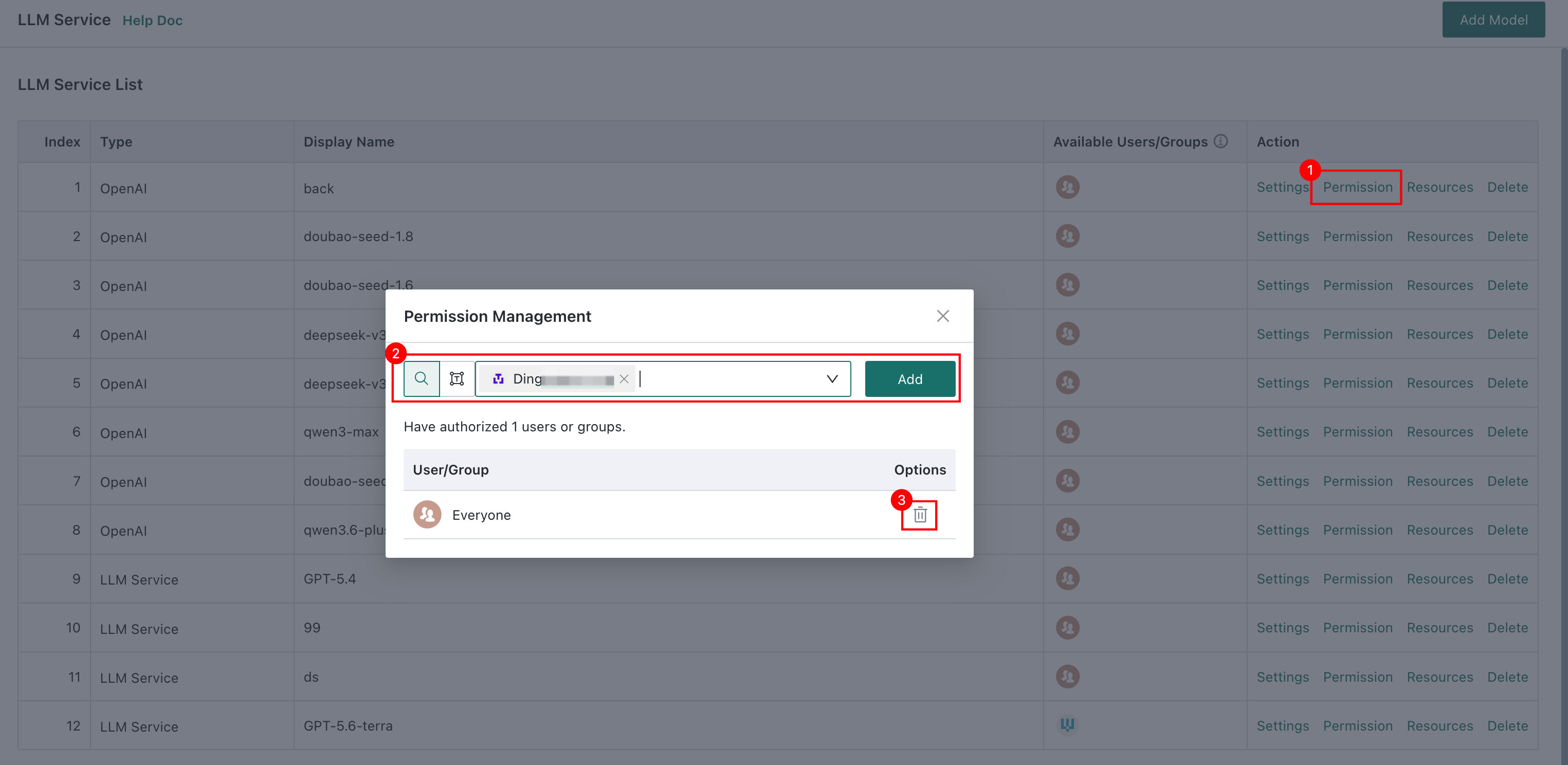
Configure permissions for each LLM service
Administrators can select users and user groups allowed to use each LLM in Dashboard Insights, Card Insights, and Insight Agent editing. A model is available to everyone by default. Model permission restricts editing but does not prevent users from viewing or using already configured insight content.
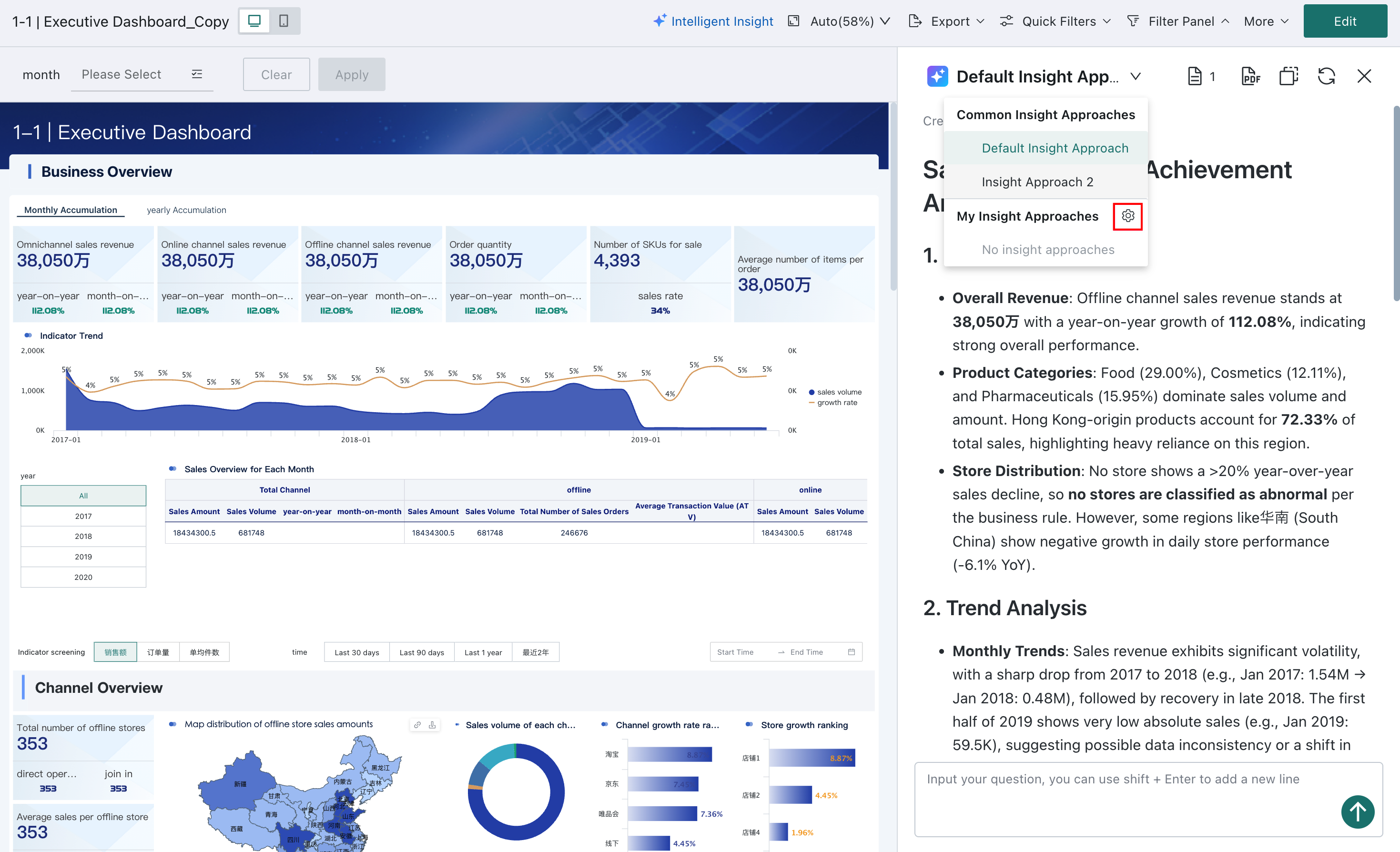
Personal analysis paths for Dashboard Insights
Data consumers can configure My Insight Approaches to adjust output requirements and analysis instructions, generate content with AI assistance, and preview the result. Personal settings are visible only to their owner and do not affect the shared analysis path configured by the dashboard producer.
See Switch Insight Logic-My Analysis Path.
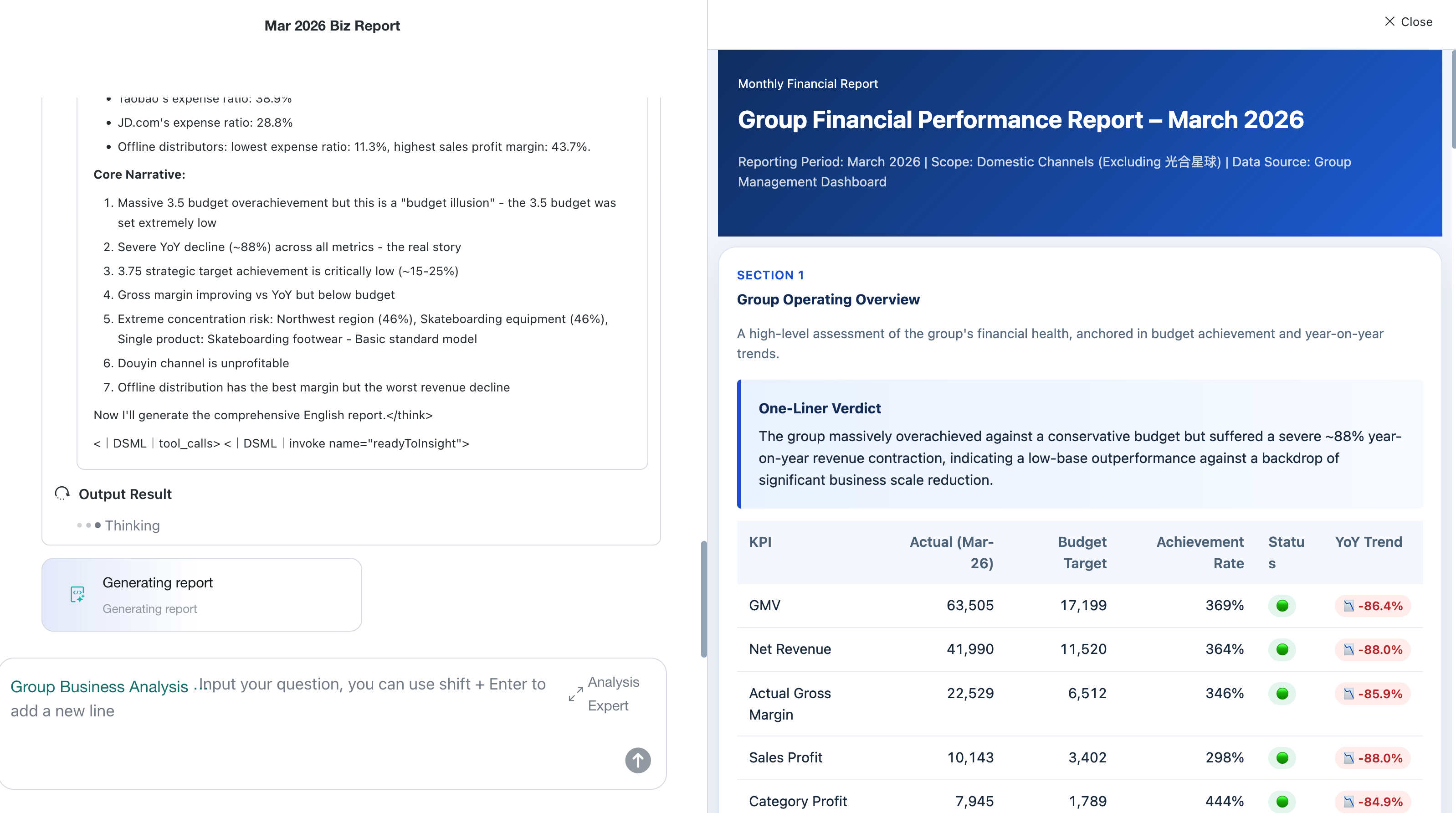
Insight Agent supports HTML reports
The report mode for analysis experts now supports HTML. Experts can configure report sections and upload an HTML sample as a color and layout reference.
-
For analysis expert configuration, see Configure Report Mode.
-
For the data consumer experience, see HTML Report.
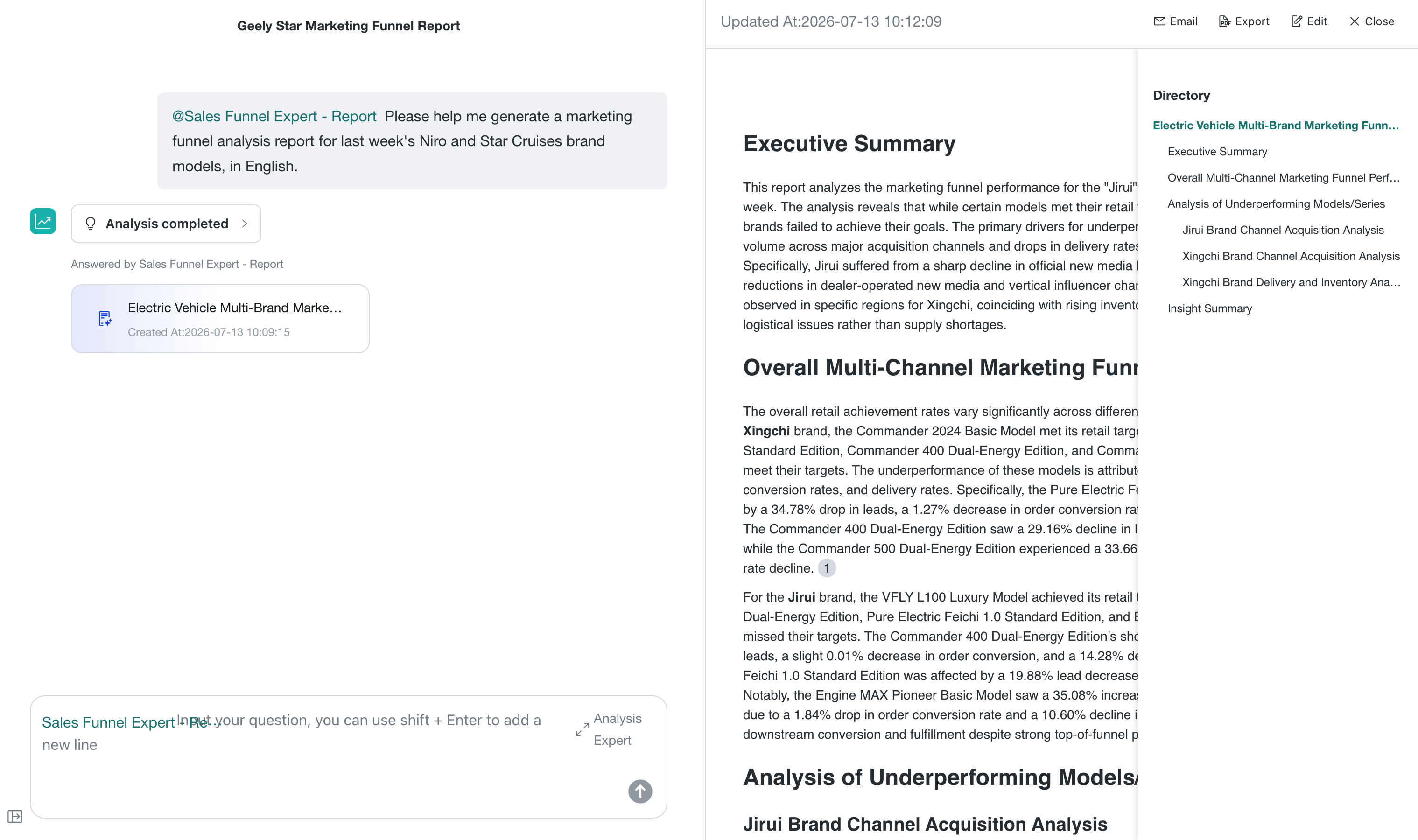
Insight Agent report navigation
For long Markdown reports, expand the navigation panel on the right and jump to sections by heading hierarchy.
View Insight Agent on mobile
Mobile now supports common dashboard-agent operations, including switching agents, starting questions from recommended prompts or analysis experts, viewing conclusions and reports, creating sessions, and reviewing conversation history.
See Mobile User Guide。
Metric Center
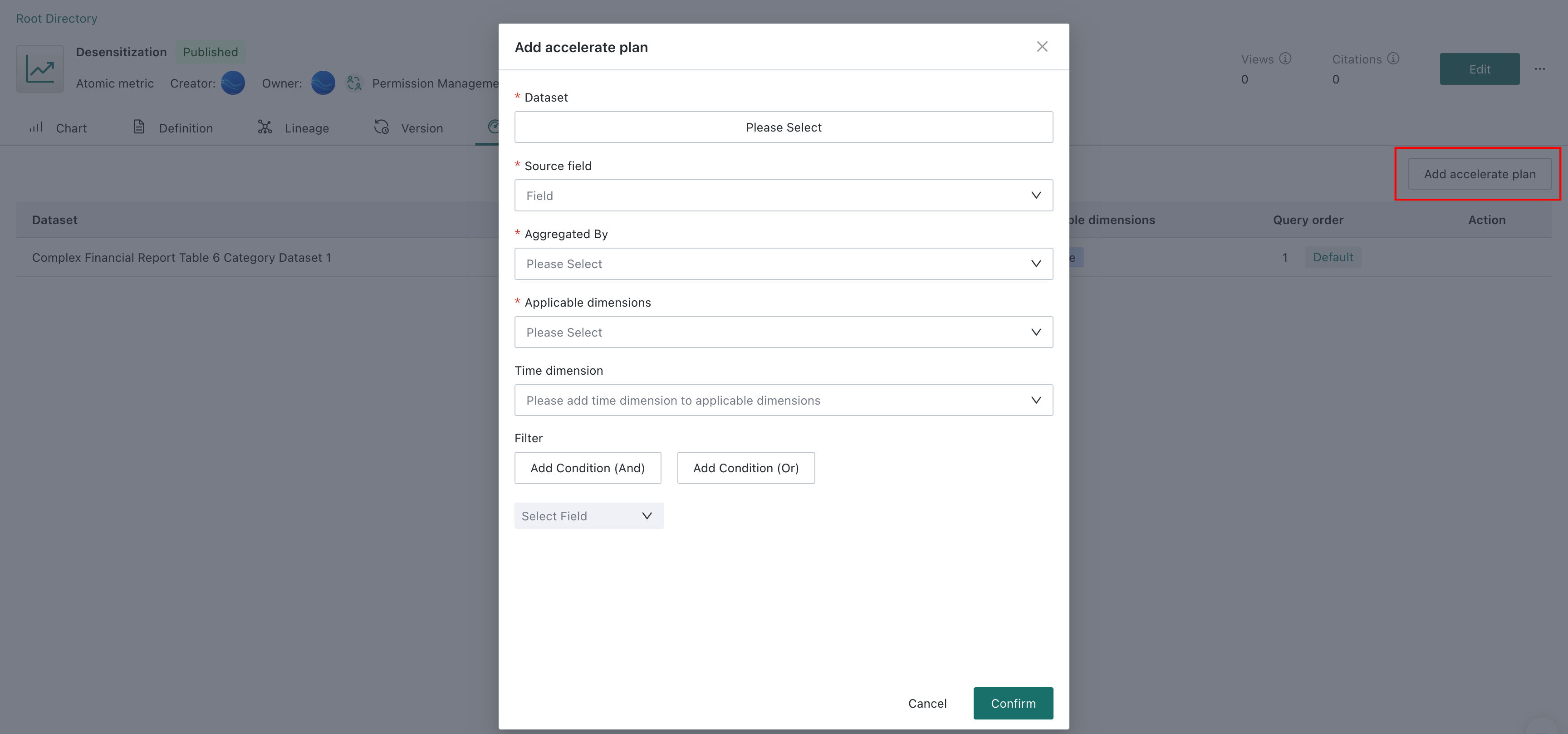
Query acceleration supports filters
An atomic metric acceleration plan can now combine multiple filters with AND or OR. Filters limit which acceleration-dataset records participate in metric calculation so the plan remains consistent with the metric's business definition.
See Query Acceleration.
GuanCLI and Open Platform
General OIDC login
Administrators can create OIDC applications in the administration console and restrict current-domain access and token lifetimes in BI Management Center. GuanCLI can sign in through OIDC in a browser and reuse the current BI user's identity and permissions in the terminal.
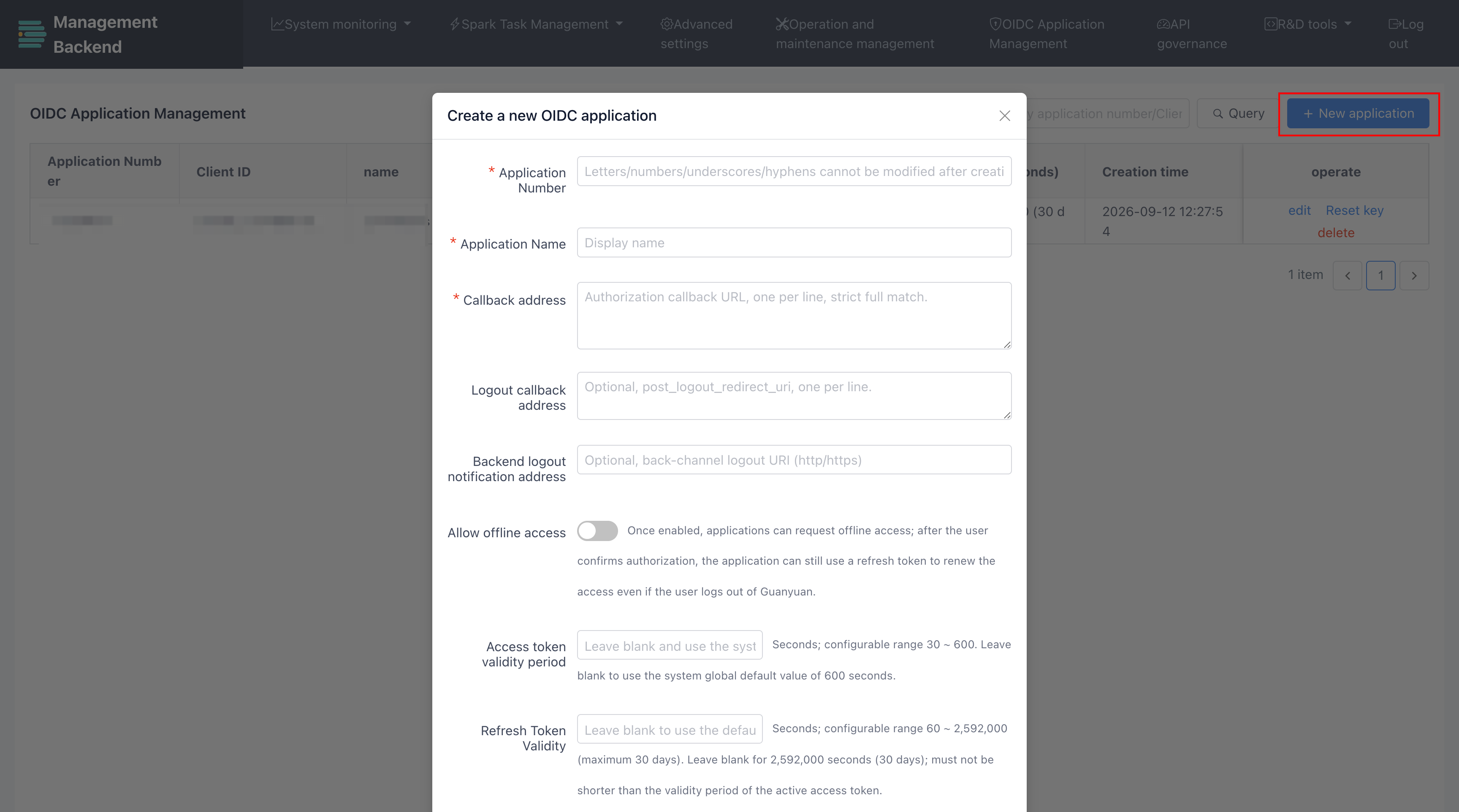
See OIDC Management and Sign in to GuanCLI.
Improved PAT and CLI permission configuration
The Personal Access Token creation and CLI login configuration interfaces have been improved, and CLI now includes Intelligent Insights permissions. Administrators set the platform-wide PAT permission ceiling on the CLI User page, and users choose only the permissions required for each token.
See Create a PAT, GuanCLI login methods, and Global PAT permission policy.
Super App entry moved
Super App and request-forwarding management moved from Management Center > Open Platform > Super App to Data Application > Super App, giving application creators a centralized place to access, publish, and manage Super Apps.
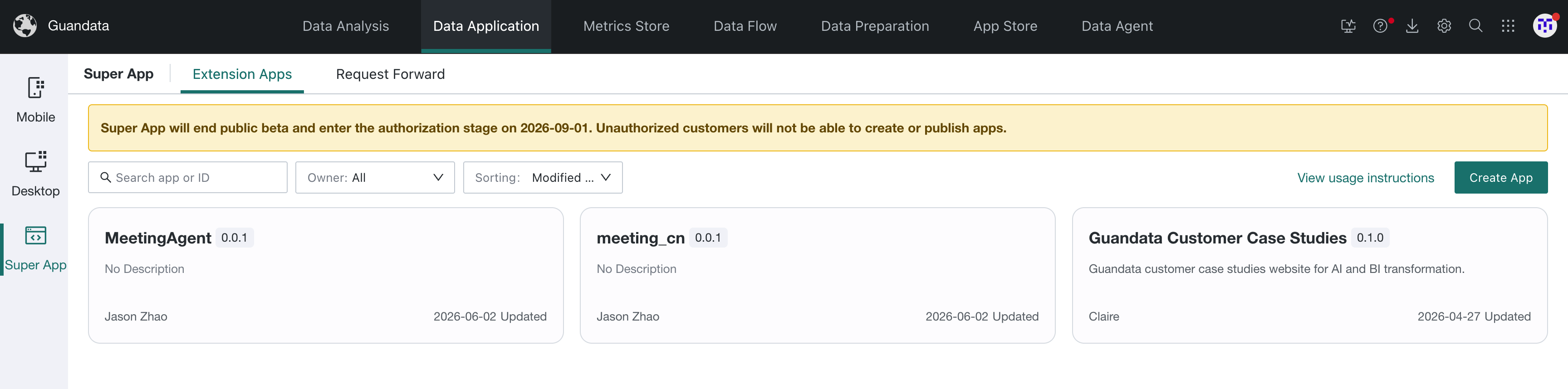
See Super App Quick Start and Request Forwarding.