Computational resources
Overview
After compute unit isolation is completed, users can configure compute resource allocation through tags on the Admin Center > Operations Management > Compute Resources page.
This feature can be used to configure scheduling rules for various BI tasks and Job Engine allocation in advance, helping customers in industries such as finance and banking avoid delays caused by unified maintenance windows.
Prerequisites
-
Go to the System-backend page and enable the Compute Resource Management switch.
For how to obtain the authorization code for
system-backend, see How to Obtain an Authorization Code. -
Contact Guandata Operations first to complete compute unit resource isolation and define how compute resources are allocated to each compute unit. The resource pool configuration backend currently reads the already configured compute units directly.
Procedure
Create a Compute Resource Tag
-
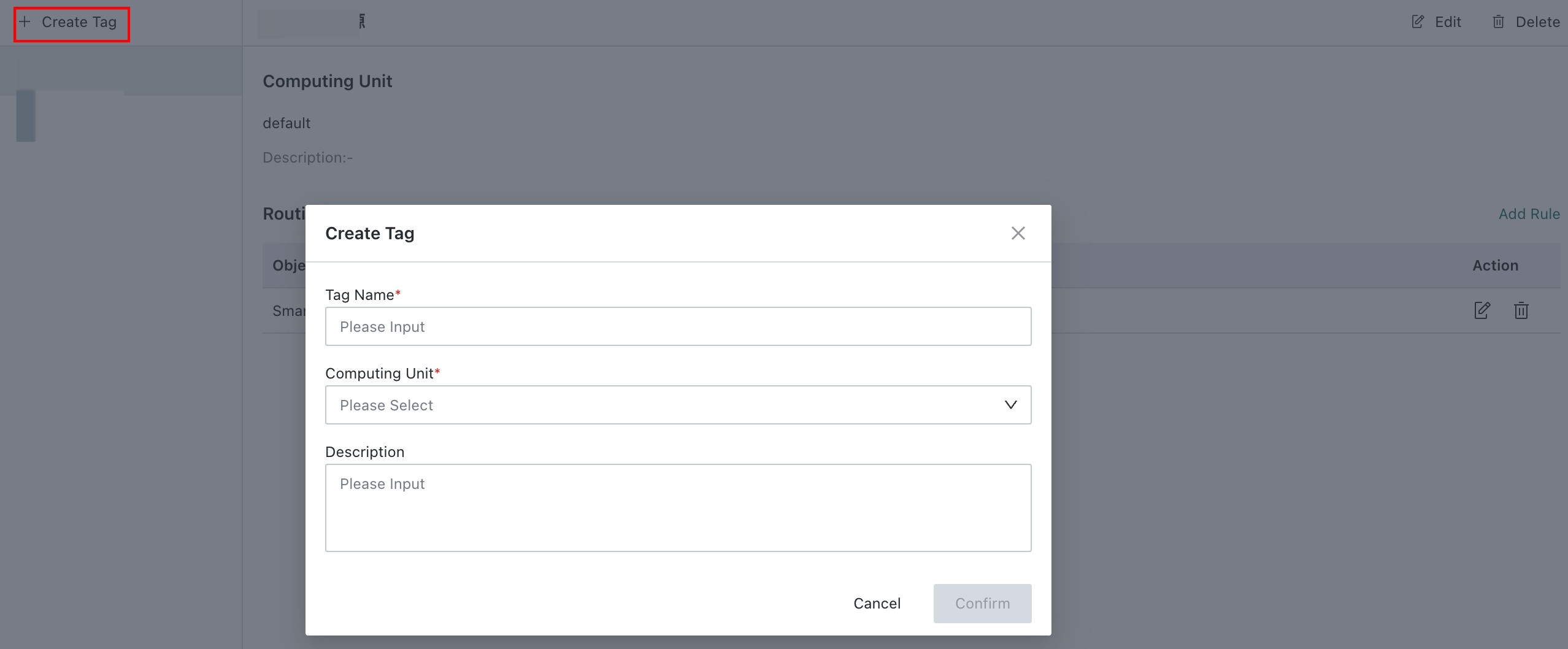
Go to Admin Center > Operations Management > Compute Resources and click Create Tag.
-
In the pop-up dialog, enter the tag name and select a compute unit.
- Compute units are configured in the operations backend.
- Each compute unit can be associated with only one tag. Compute units already associated with another tag cannot be selected.
-
Click OK to complete tag creation.
Configure Compute Resource Routing Rules
-
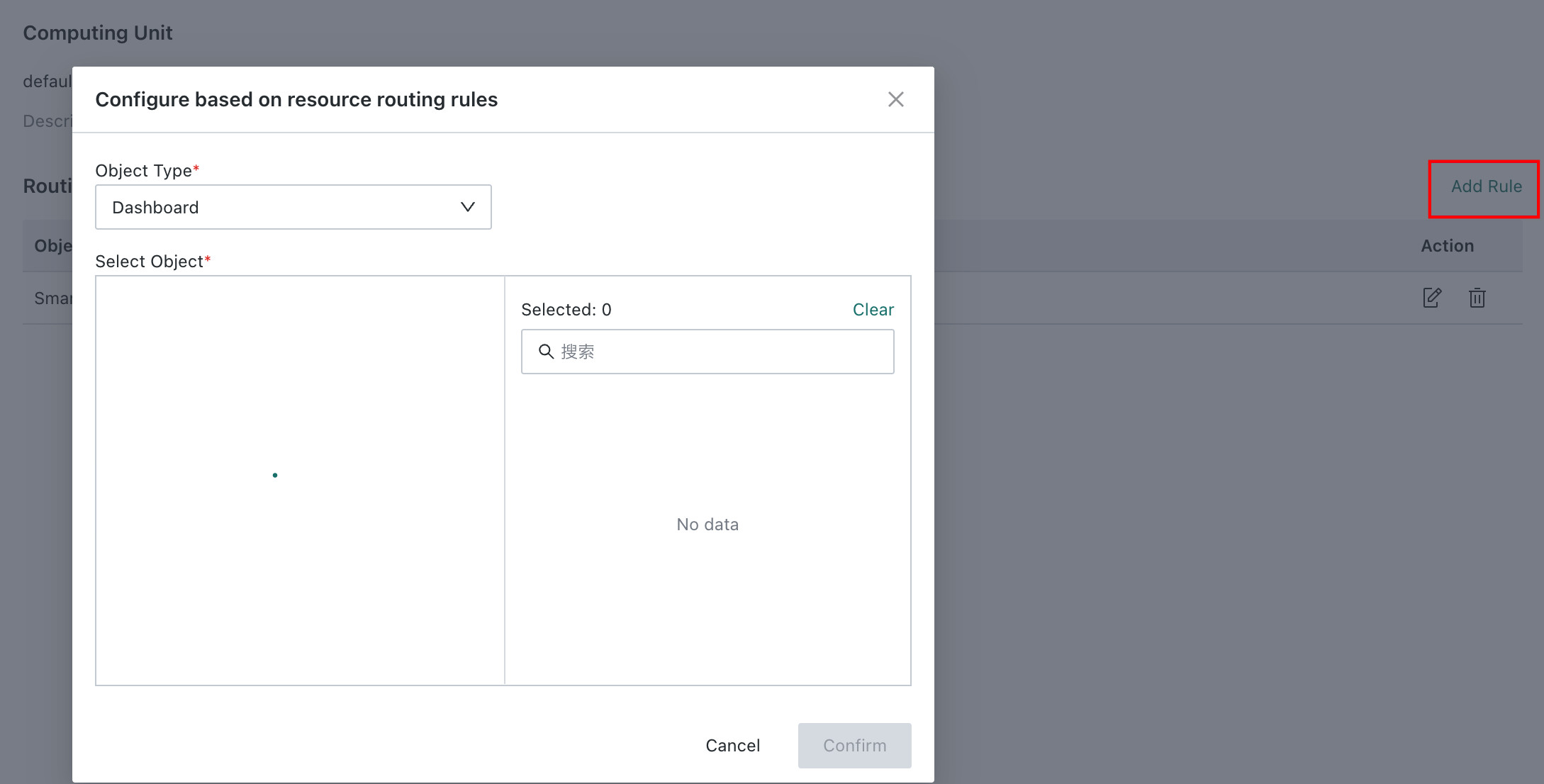
After a tag is created, click Create Rule to associate it with Resource objects such as Dashboards, ETL, and Datasets.
-
Select the objects to associate. Search is supported through the search box.
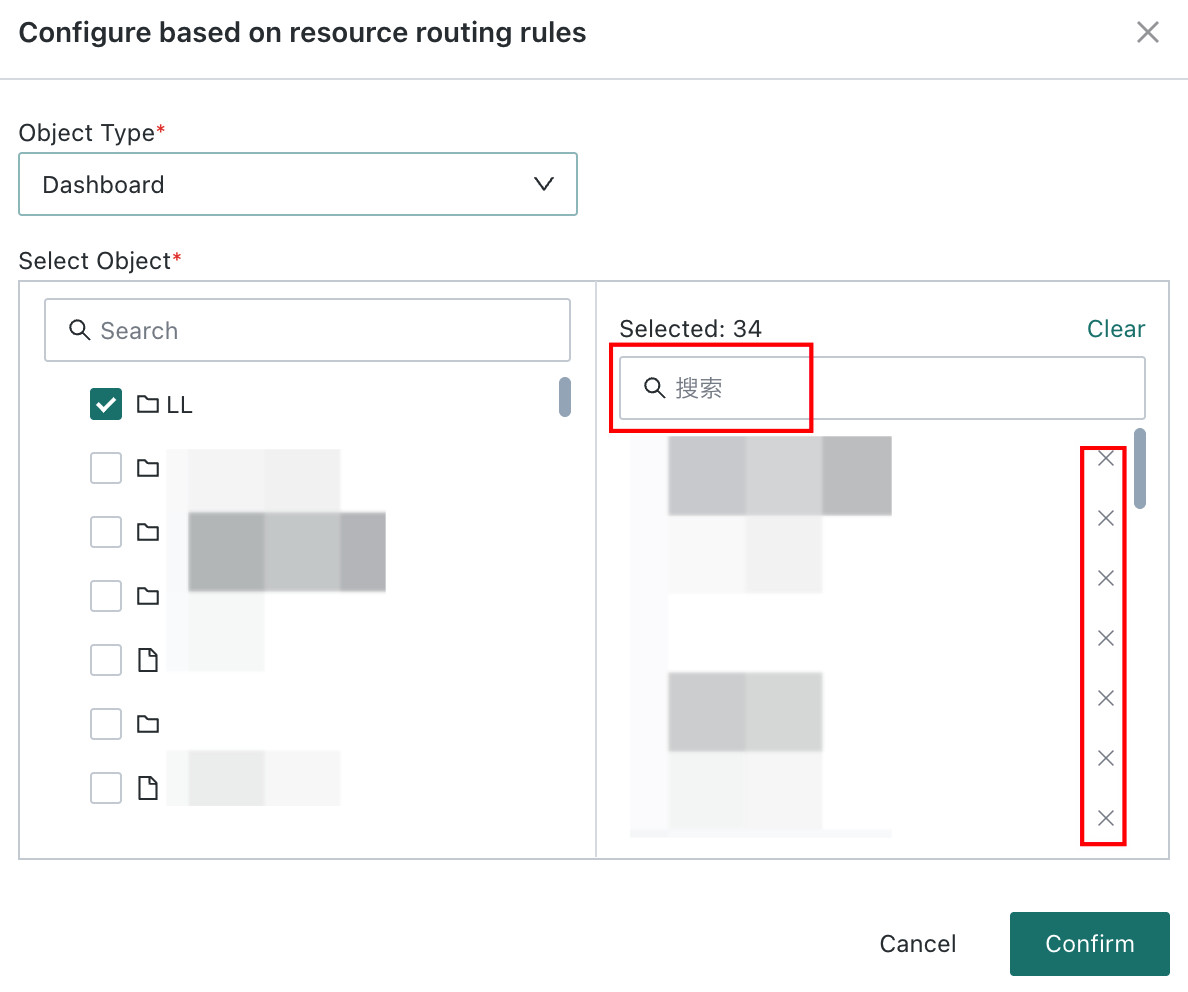
The selected objects are displayed on the right side of the page and support search and deletion.
- Search: enter keywords in the search box above the list to quickly filter target Resource objects.
- Delete: find the target Resource object in the list and delete it directly.
 Description
The same Resource object can be associated with only one rule.
-
Click OK to complete routing rule configuration.
Verify the Configuration
After the configuration is completed, when a Resource object runs a task, the system schedules the compute unit according to tag allocation:
- If the Resource object has been assigned a tag, the task runs on the compute unit associated with that tag.
- If no tag is assigned, the task runs according to the system's default resource allocation logic.
Notes
- One-to-one relationship between tags and compute units: one compute unit can be bound to only one tag. After binding, it cannot be selected by other tags. To change the tag, unbind the original tag first.
- Impact of deleting tags: after a tag is deleted, Resource objects associated with that tag are no longer scheduled according to it and automatically fall back to the system's default resource allocation logic.