Self-Service Integration for External Databases
Overview
Self-service integration for external databases is a feature provided by Guandata that supports connecting to cloud vendor databases, domestic databases, and other databases outside the BI standard database scope. It helps accelerate database POC work for presales scenarios and domestic database integration during implementation, improving flexibility and shortening onboarding time.
Prerequisites
Before configuring external database integration, gather the following information:
- Certified driver JAR and available Driver Class: obtain the corresponding Guandata-certified JDBC driver JAR and Driver Class name
- Database dialect standard: determine whether the table-list retrieval logic matches the corresponding dialect database
- Database connection information: the IP address and port of the database server
- Database information: the database name
- Authentication information: the database username and password
- Connection method: the database must support JDBC connectivity
Steps
Configure the Driver
-
Go to
Admin Center > System Settings > General Settings > Drivers and Connectors. -
Click
Driver Management > New Driver, enter the driver name, and clickSave.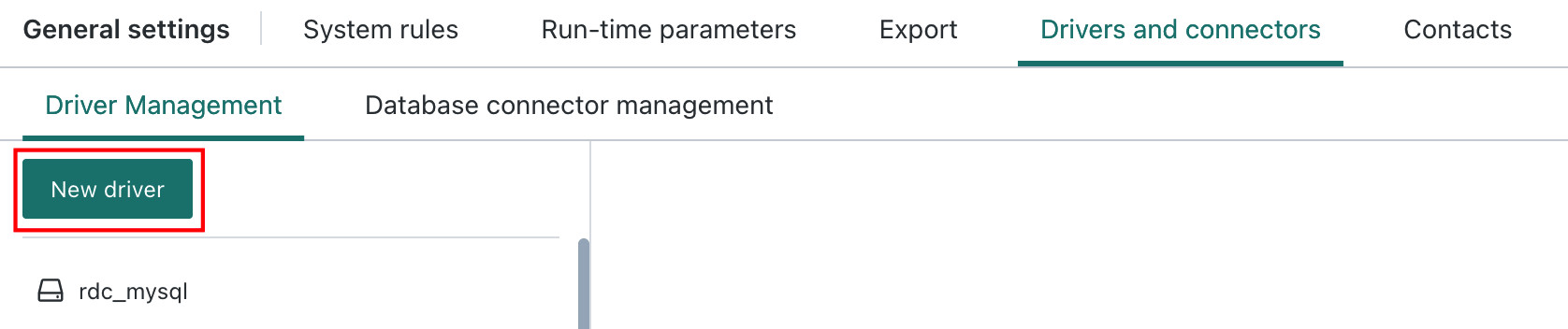
-
Open the newly created driver, upload the Guandata-certified driver JAR and available Driver Class, and click
Apply.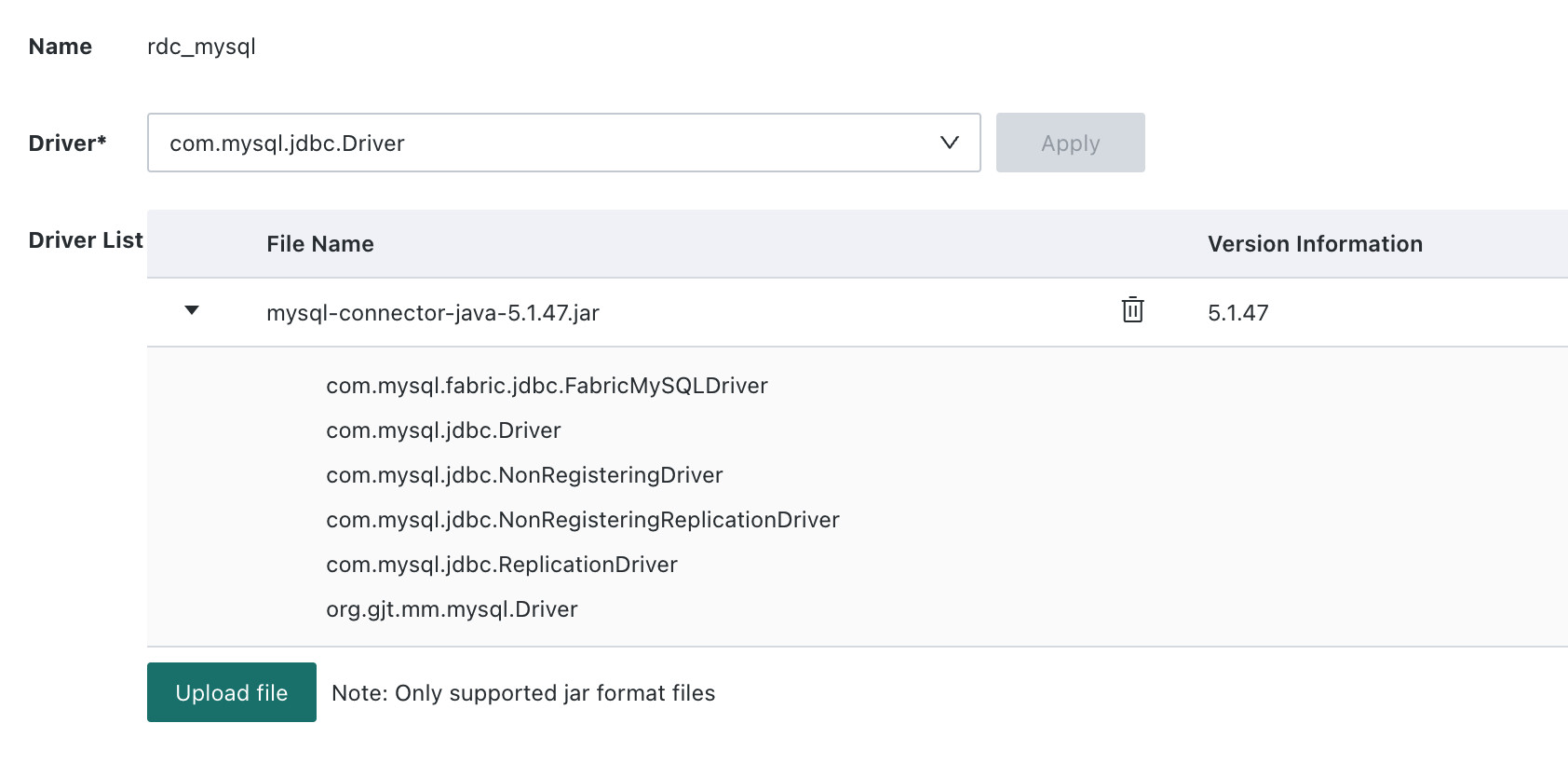
The system automatically checks whether the uploaded driver is a Guandata-certified version. If an uncertified driver is uploaded, the system displays The custom driver JAR is invalid. Please use a signed driver package. In that case, contact Guandata technical support.
Configure the Database Connector
-
On the
Drivers and Connectors Managementpage, clickDatabase Connector Management > New Database Connector.
-
Configure the connector parameters.
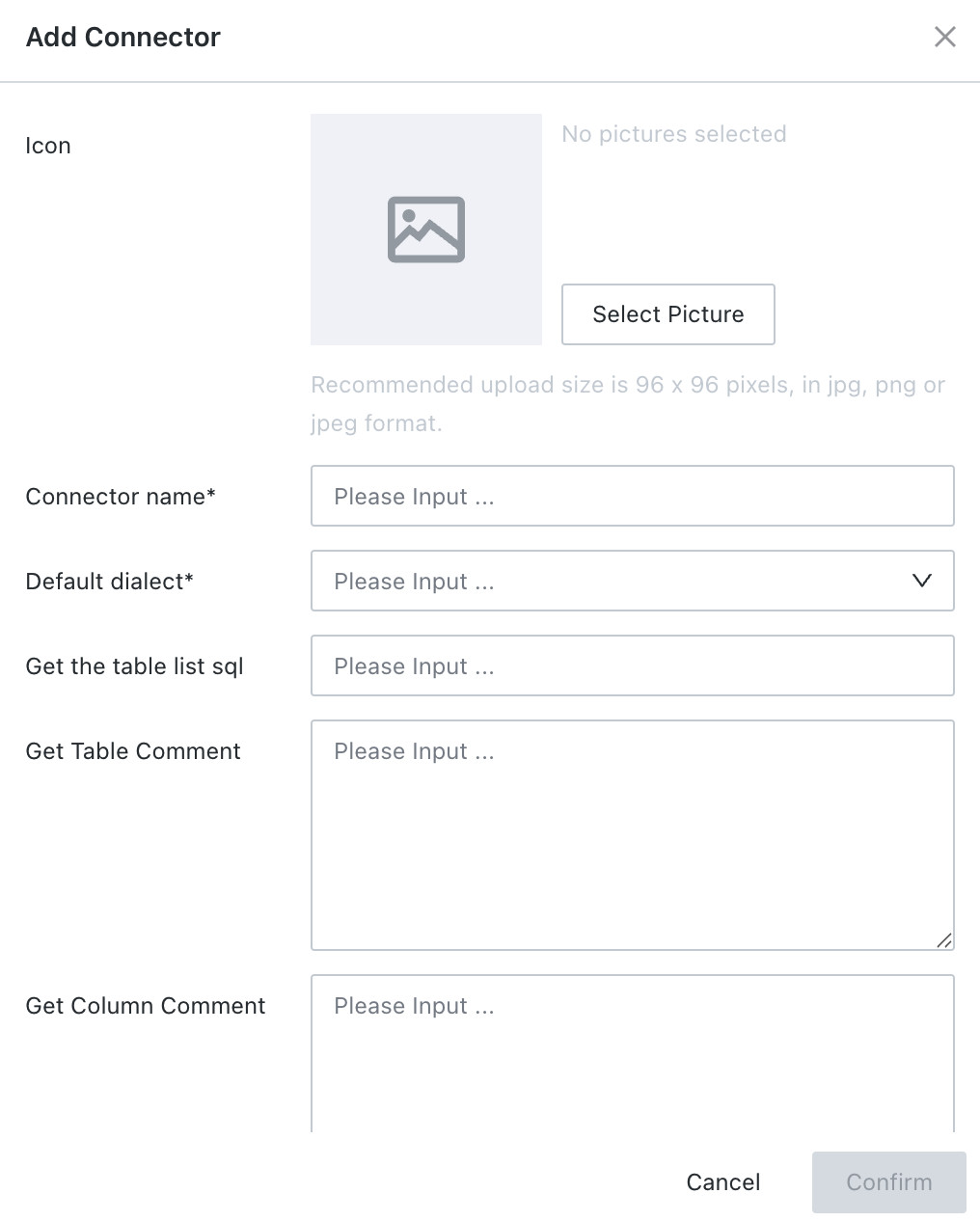
| Configuration Item | Description |
|---|---|
| Display Icon | Sets the custom image icon used for the data connection and shown when creating Data Accounts or database datasets. |
| Connector Name | Can be defined according to user preference. Special characters are not supported. |
| Default Dialect Support | Supported dialects currently include MySQL, Oracle, and POSTGRES. For validated databases, see Dialect Support. |
| Table List Retrieval SQL | Different databases may differ from the dialect database in how table lists are retrieved. This option allows users to define the retrieval SQL and the column index containing the table name. For validated databases, see Table List Retrieval SQL. If the retrieval SQL includes a schema parameter, the schema option is displayed dynamically during Data Account creation for user input. |
| Retrieve Table Comments | SQL used to query comments for all tables in the database. |
| Retrieve Field Comments | SQL used to query comments for all fields or columns in a table. |
| Username/Password Display Switch | Used for authentication methods in which username and password are already embedded in the URL, such as Azure DataBricks, and traditional parameter input is not supported. |
| Default Driver | Selects the default JDBC driver. |
| Connection Test SQL | Defines the test query used to validate whether the database connection is available. |
Create a Data Account
-
After the driver and connector are configured, go to
Data Preparation > Data Accountsand clickNew Data Account.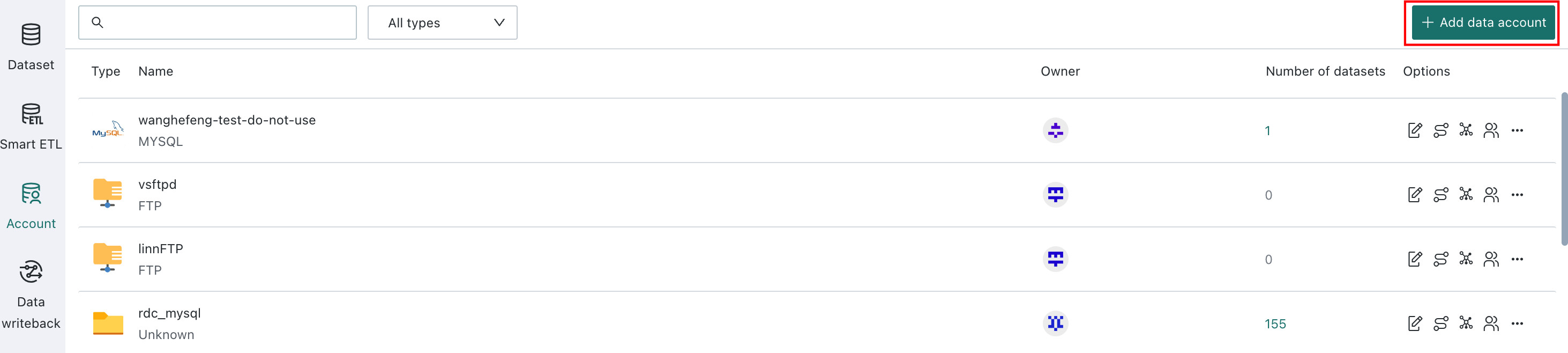
-
On the
Select Connectorpage, click the connector you just created.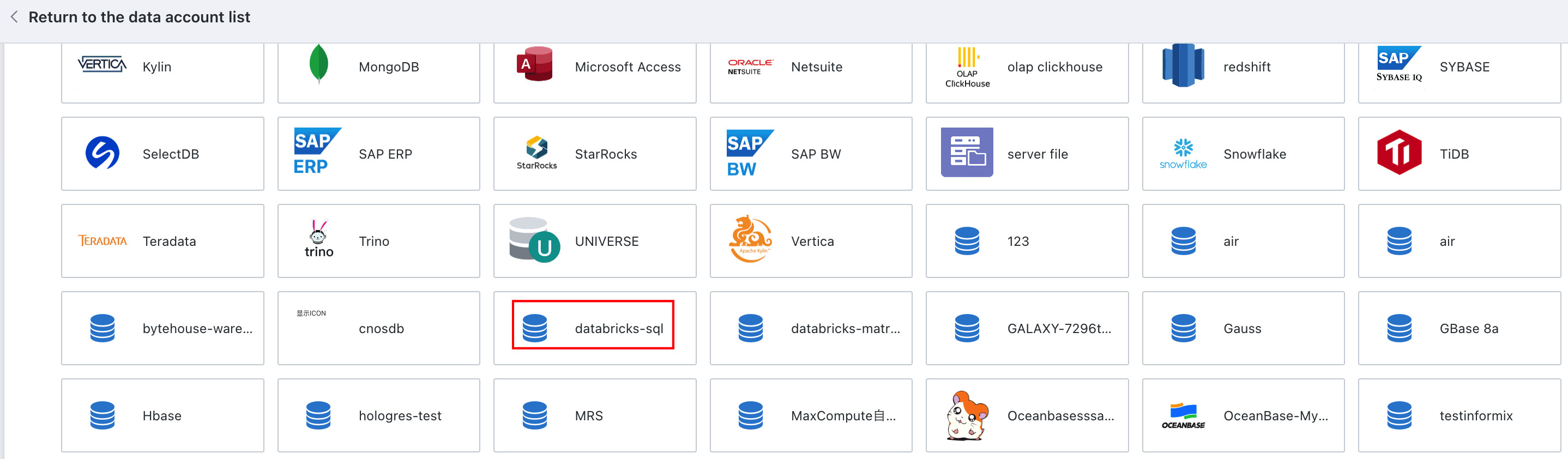
-
Enter the database
Username,Password,JDBC URL, andCustom Driver. For custom accounts, because non-JDBC URL parameter formats vary by database, only JDBC URL connection mode is currently supported.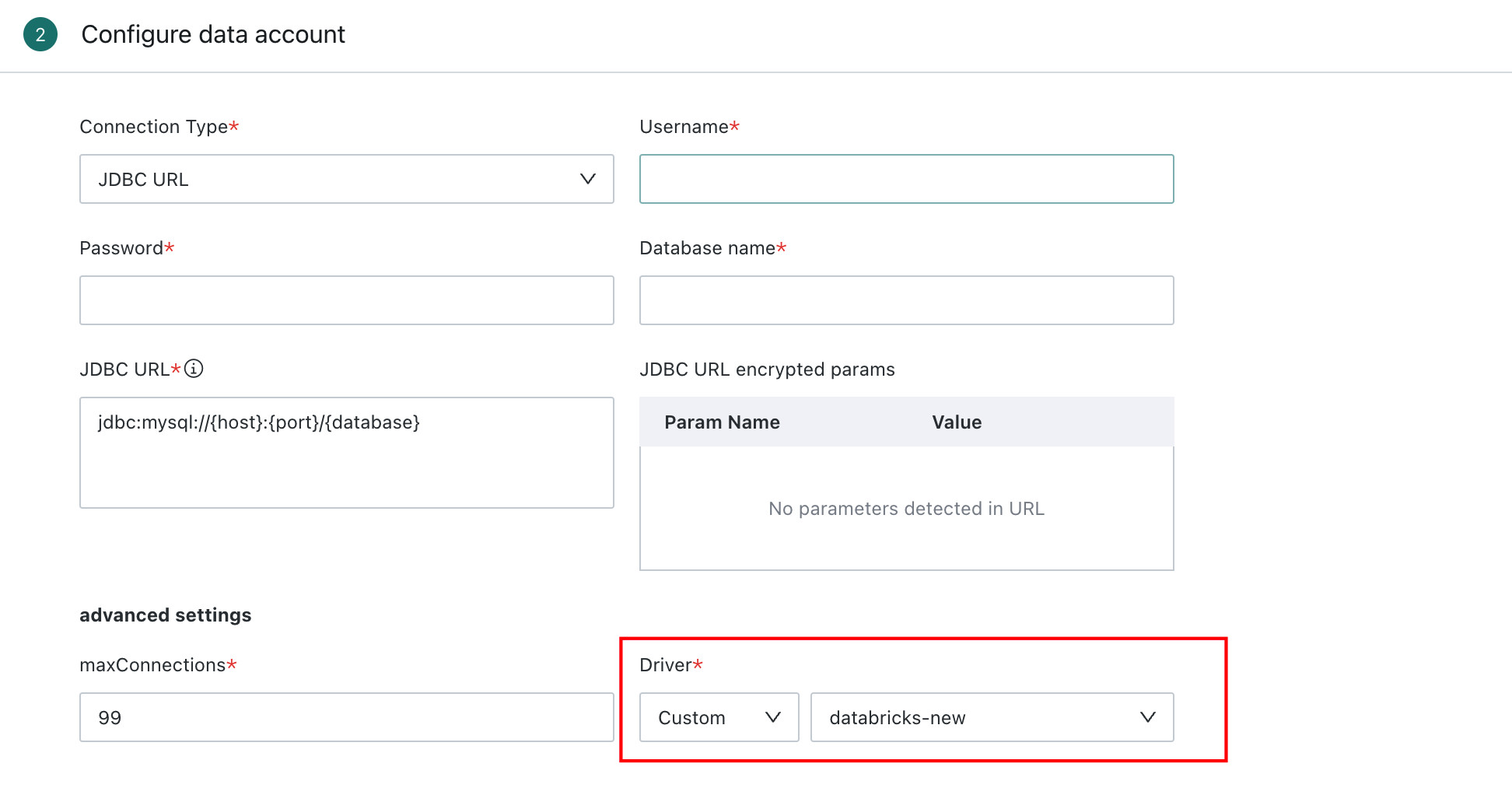
Connect the Database
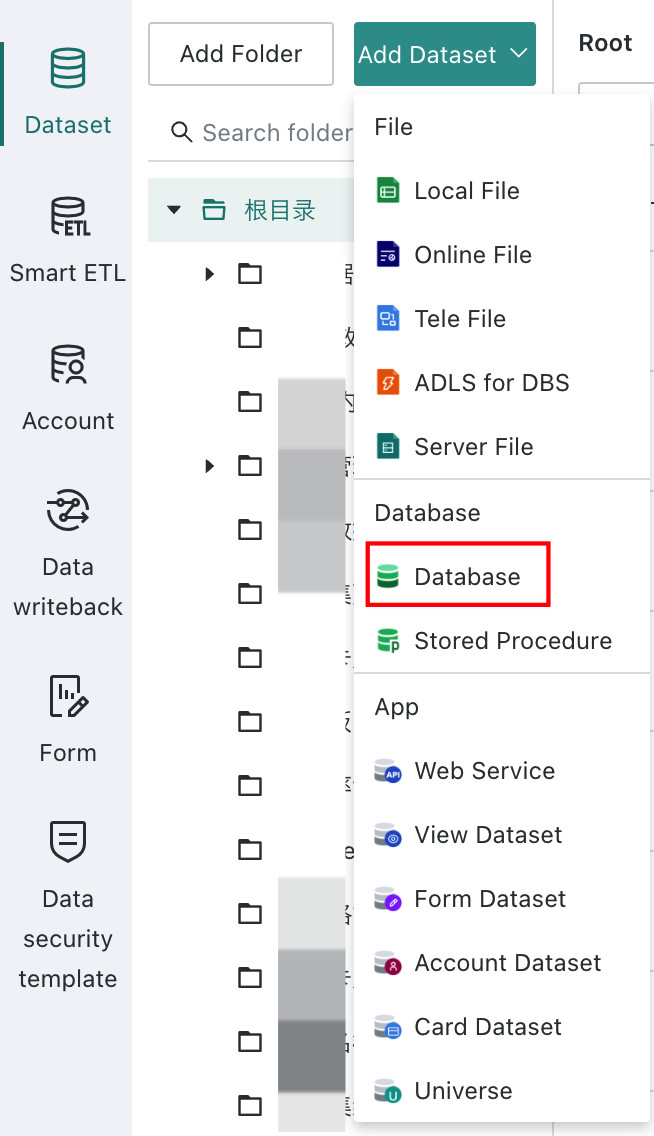
Go to Data Preparation > Datasets, click New Dataset > Database, and follow the Standard Database Connection Guide to connect the external database.
Validated Supported Databases
Dialect Support
| Dialect | Validated Supported Databases |
|---|---|
| MySQL | OceanBase (MySQL), Azure DataBricks, Yunqi LakeHouse, ByteHouse |
| Oracle | Kingbase KES, OceanBase (Oracle), Aloudata Air Engine |
| POSTGRES | GaussDB (DWS), AWS Athena, CnosDB |
Table List Retrieval SQL
| No. | Database | Driver Download | Table List Retrieval SQL |
|---|---|---|---|
| 1 | Kingbase KES | Official kingbaseES download center | {"sql": "SHOW TABLES from |database|", "tableNameIdx": 1} |
| 2 | Azure DataBricks | Official download | {"sql": "SHOW TABLES", "tableNameIdx": 2} which queries the default schema by default |
| 3 | Azure DataBricks with schema parameter | - | {"sql": "SHOW TABLES IN |schema|", "tableNameIdx": 2} and a schema field is added during account creation |
| 4 | Yunqi LakeHouse | Official download | If schema is specified in the JDBC URL, for example schema=public, use {"sql":"SHOW TABLES", "tableNameIdx": 2} |
| 5 | Yunqi LakeHouse without schema in JDBC URL | - | {"sql": "SHOW TABLES IN |schema|", "tableNameIdx": 2} and a schema field is added during account creation |
| 6 | OceanBase (MySQL) | Official download | {"sql": "SHOW TABLES", "tableNameIdx": 1} |
| 7 | OceanBase (Oracle) | Official download | {"sql": "SHOW TABLES from |database|", "tableNameIdx": 1} |
| 8 | Aloudata Air Engine | Contact official support | {"sql": "SHOW TABLES IN |schema|", "tableNameIdx": 1} |
| 9 | CnosDB | Contact official support | {"sql": "SHOW TABLES", "tableNameIdx": 2, "withSchemaPrepend": true, "schemaOrDatabaseNameIdx": 1} |
| 10 | GaussDB-DWS | Contact official support | {"sql": "SHOW TABLES from |database|", "tableNameIdx": 1} |
| 11 | AWS Athena | Official download | {"sql": "select \"table_name\" from \"information_schema\".\"tables\" where (lower(cast(\"table_catalog\" as varchar)) = |catalog| and lower(cast(\"table_schema\" as varchar)) = |database|) order by \"TABLE_NAME\"", "tableNameIdx": 1} |
| 12 | ByteHouse Cloud Data Warehouse | Official download | {"sql": "SHOW TABLES from |database|", "tableNameIdx": 1}. Note: ByteHouse enterprise edition cannot be connected through this cloud data warehouse method and should use ClickHouse connection directly. |