Upgrade Management
Overview
To improve the product upgrade experience, Guandata BI has provided self-service upgrade capabilities for administrators since version 6.5. Administrators can confirm upgrade plans, send pre-upgrade announcements and reminders, and view upgrade history.
Prerequisites
Ensure that the server hosting BI can access the following two services normally:
If you need to upgrade across major versions, such as from 6.x to 7.x, contact Guandata sales or your dedicated customer success manager to confirm the upgrade fees and terms. For details, see Version Upgrade Notes.
Usage Guide
Entry and Permissions
Entry: Admin Center > Operations Management > Upgrade Management
Permissions: accessible only to administrators and only in the primary domain environment.
Confirm the Plan
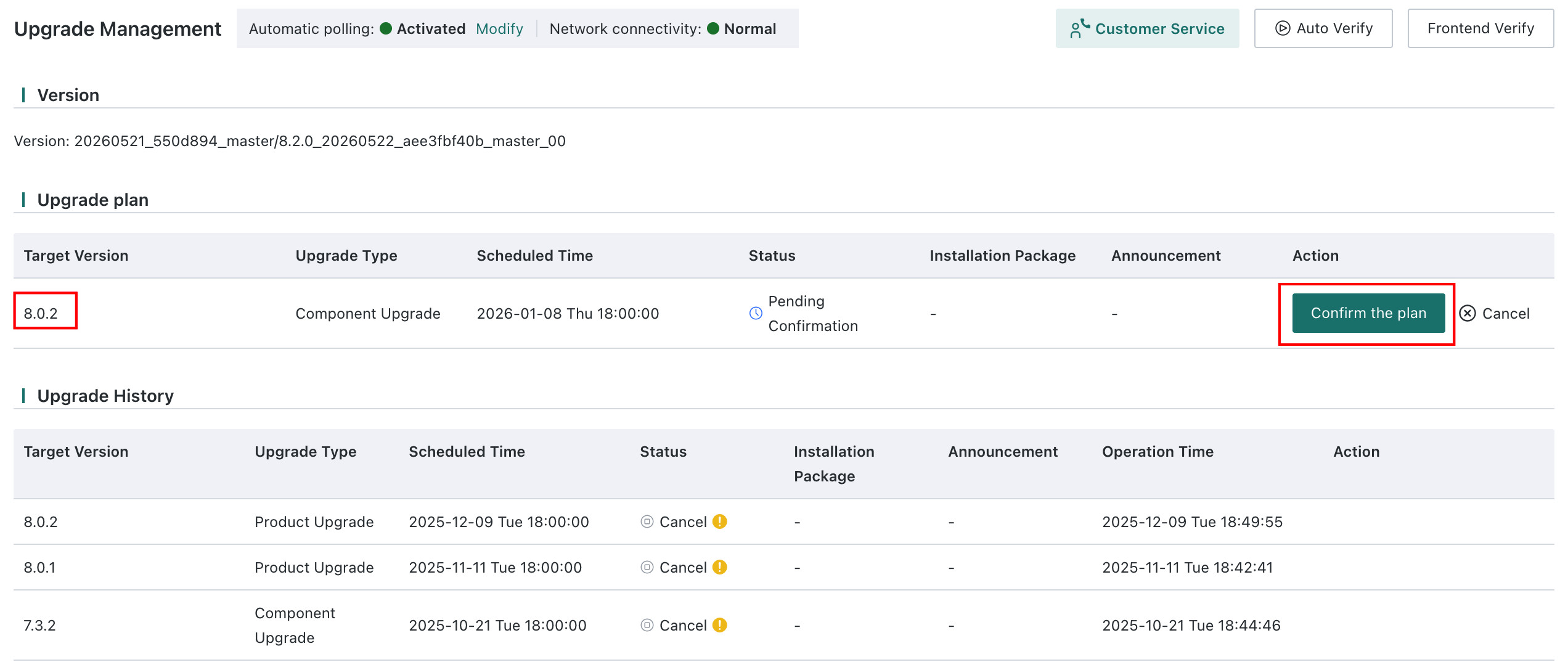
After the administrator confirms the upgrade plan with Guandata technical support or other related personnel, the BI platform sends an internal message inviting the administrator to confirm the upgrade plan after a period of time. Clicking that message opens the Upgrade Management page.
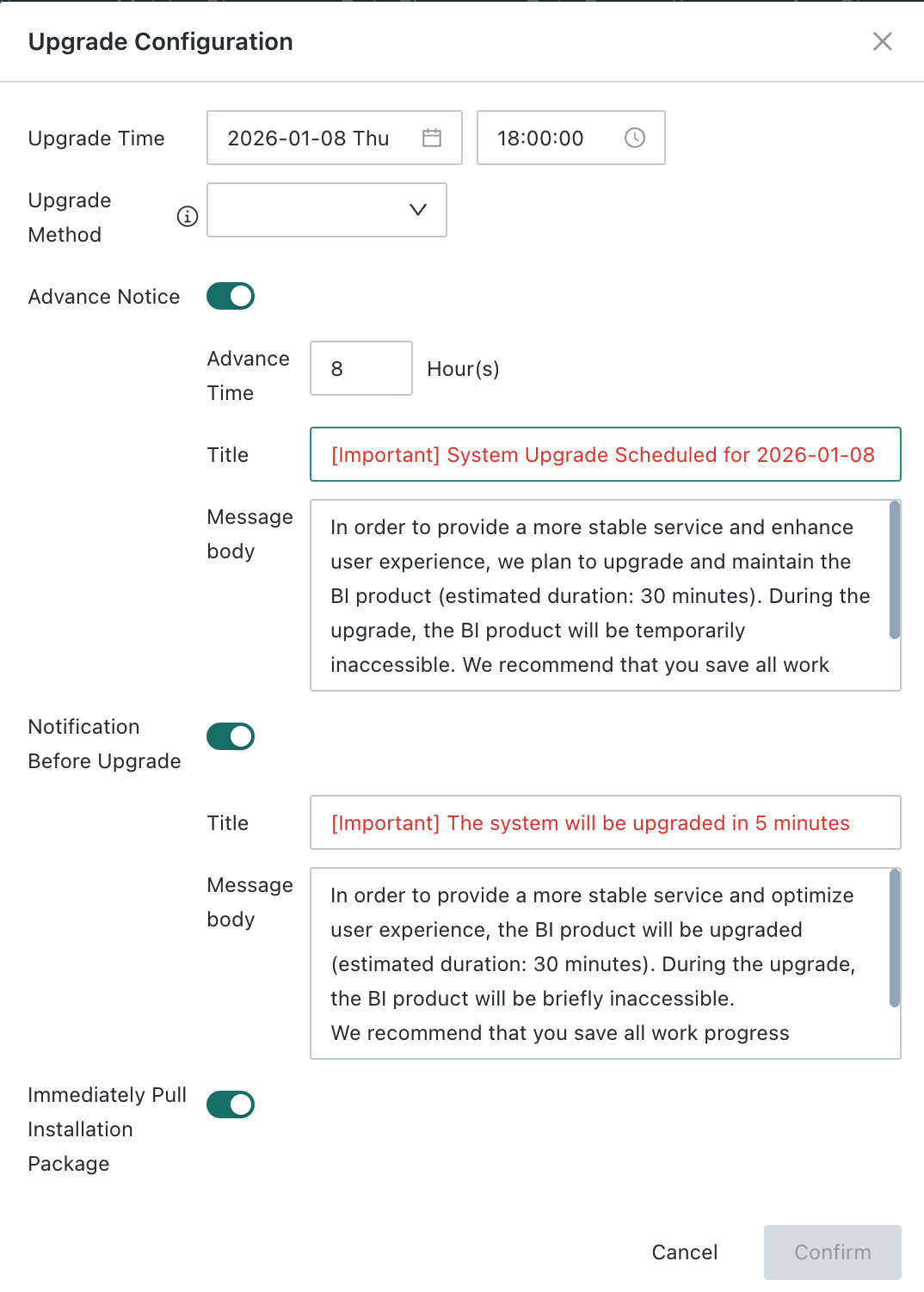
Administrators can click Confirm Plan to confirm the target version, upgrade time, and whether announcements and notifications should be sent in advance.
-
The default upgrade time supports business hours. If you have special requirements, contact Guandata technical support.
You can choose whether to upgrade automatically at the scheduled time:
- If selected, once the installation package is obtained successfully, the upgrade starts 5 minutes after the scheduled time.
- If not selected, the administrator must enter the management page at the scheduled time and click
Upgrade Now.
- If not selected, the administrator must enter the management page at the scheduled time and click
- If selected, once the installation package is obtained successfully, the upgrade starts 5 minutes after the scheduled time.
-
Pre-upgrade announcementBy default, an upgrade announcement is sent to all users `8 hours before the upgrade`. The announcement remains valid from 8 hours before the upgrade until the upgrade time. Only users visiting BI during that time period receive it, and the message disappears automatically after 5 seconds.Administrators can adjust the announcement content as needed.
-
Pre-upgrade notificationBy default, an upgrade notification is sent to all users `5 minutes before the upgrade`. The notification remains valid for 5 minutes. Only users visiting BI during that period receive it, and the message remains visible until clicked.Administrators can adjust the notification content as needed.
-
Pull installation package immediately
To improve the upgrade experience, this option must be enabled. Otherwise, self-service upgrade cannot be completed. By default, the installation package starts downloading 8 hours in advance.
After the download is complete, the package acquisition status is updated to Acquired.
- After the upgrade plan is confirmed, the server periodically reports the upgrade progress to the Guandata BI Remote Version Management Center to ensure smooth execution of the upgrade task.
- If the planned upgrade time is less than 8 hours away from the current time, an Upgrade Now button appears. After clicking Confirm, the system immediately starts downloading the installation package.
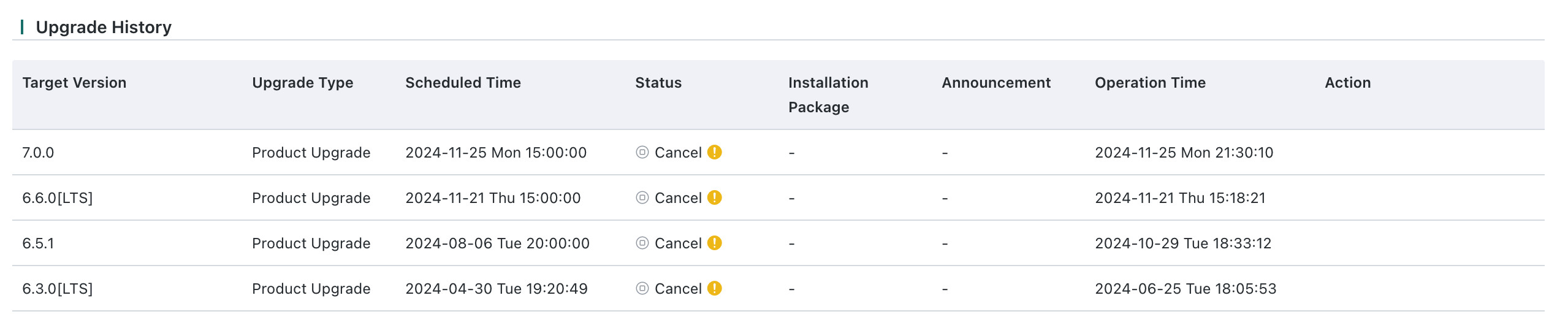
View Upgrade History
The lower part of the page displays the upgrade history list. If an upgrade fails, you can click the yellow exclamation mark to view related information. You can then copy the error details and send them to the Guandata technical support team.