System O&M Page Overview
Main Features
Advanced settings: switches for some sensitive features, such as backend circuit breaking and custom functions. For details, see Feature Updates.
O&M management: self-service version upgrades, currently operated by authorized Guandata after-sales staff.

FAQ
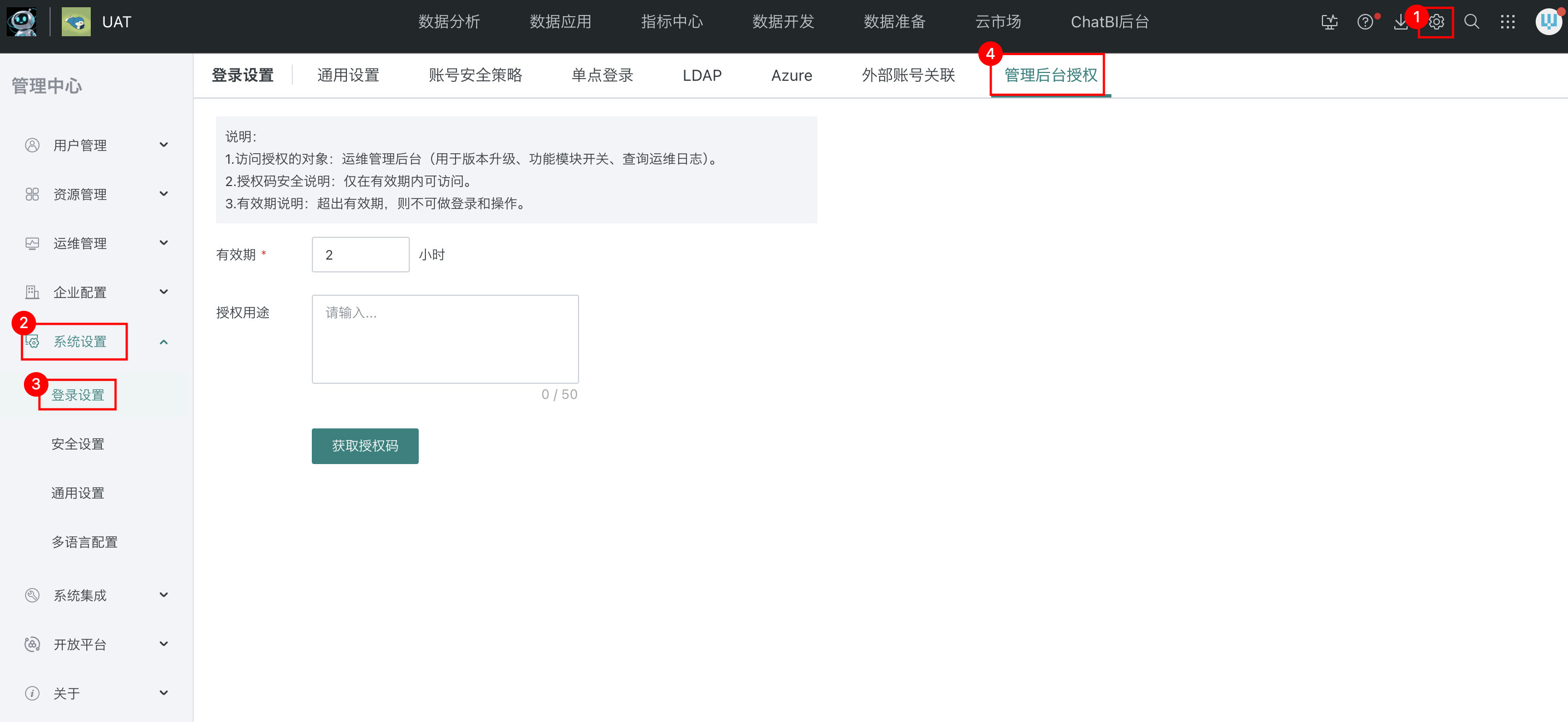
How do I obtain an authorization code?
Authorization path: Management Center > System Settings > Login Settings > Management Backend Authorization.
How do I enter the System O&M page for O&M management?
Currently, no frontend button is available. A future product iteration may add one. You can access the page directly by appending /system-backend to the domain name. For example, if the domain name is https://xxx.guandata.com/, visit https://xxx.guandata.com/system-backend.
What do other menus, such as Real-time Status and Full-link Management, mean?
These are advanced backend features. They are still in rapid iteration, so direct operations are not recommended, though you can view them. Product documentation will be released gradually.
Why does my backend not have the Management Backend Authorization menu?
This feature was released in version 5.9. Earlier versions do not include it. Upgrade the product version before using this feature.