Collapse Columns
Overview
Unpivot Columns to Rows is the reverse of Pivot Rows to Columns. By unpivoting columns, multiple metrics can be consolidated into a single column for analysis and display.
For example, the two rows Chinese and Math and the two values 89 and 100 can be converted into a row-based format with the columns Subject and Score.

Instructions
Steps
- Drag the
Unpivot Columns to Rowsoperator from the ETL operator area to the canvas on the right. - Click the
Unpivot Columns to Rowsoperator and set the label column name and value column name. - Click
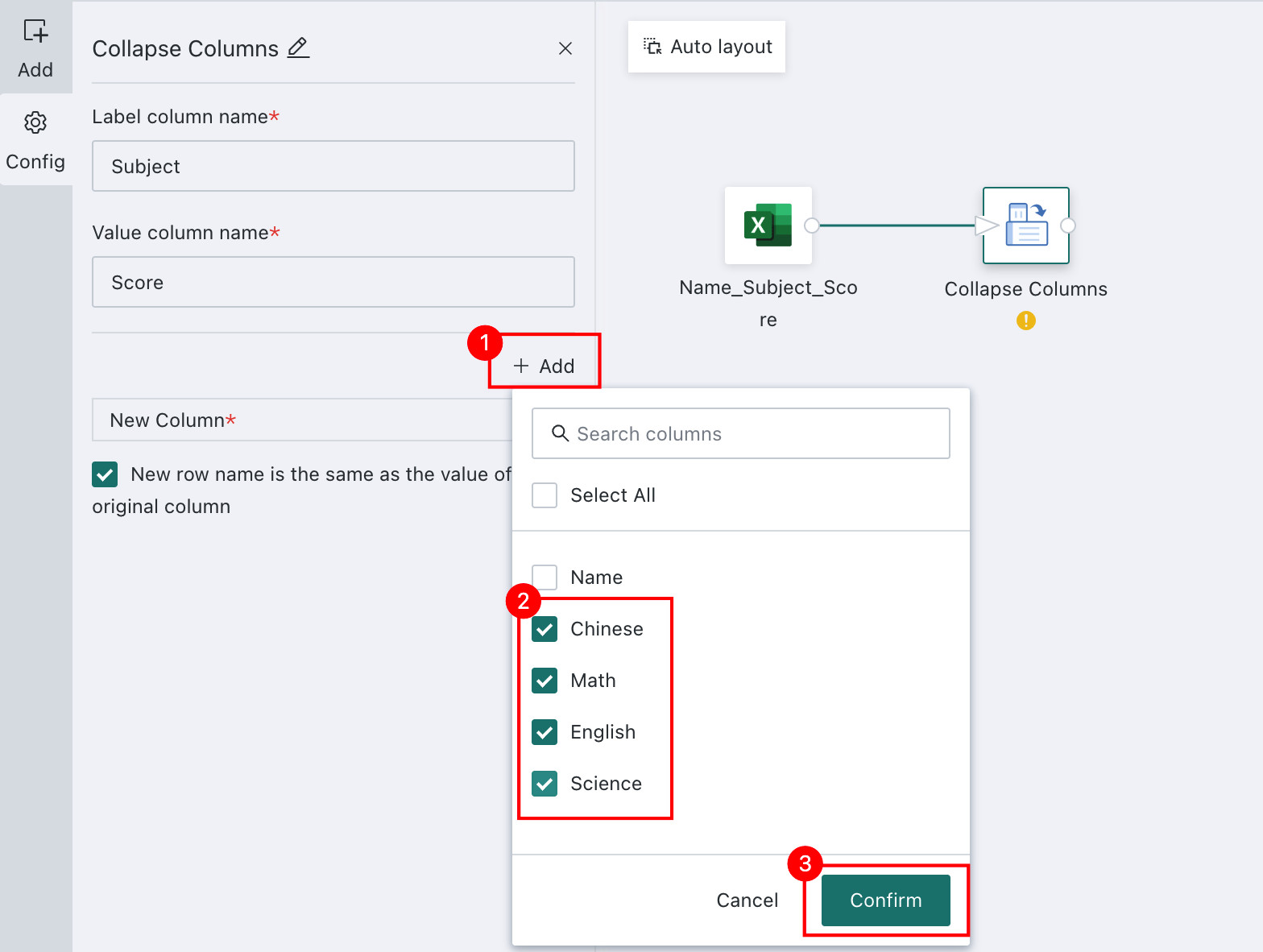
Addto select the columns that need to be unpivoted. Multiple columns are supported. - After configuration is complete, preview the data result.
Detailed Explanation
The following example shows how to configure Student Exam Score Statistics.
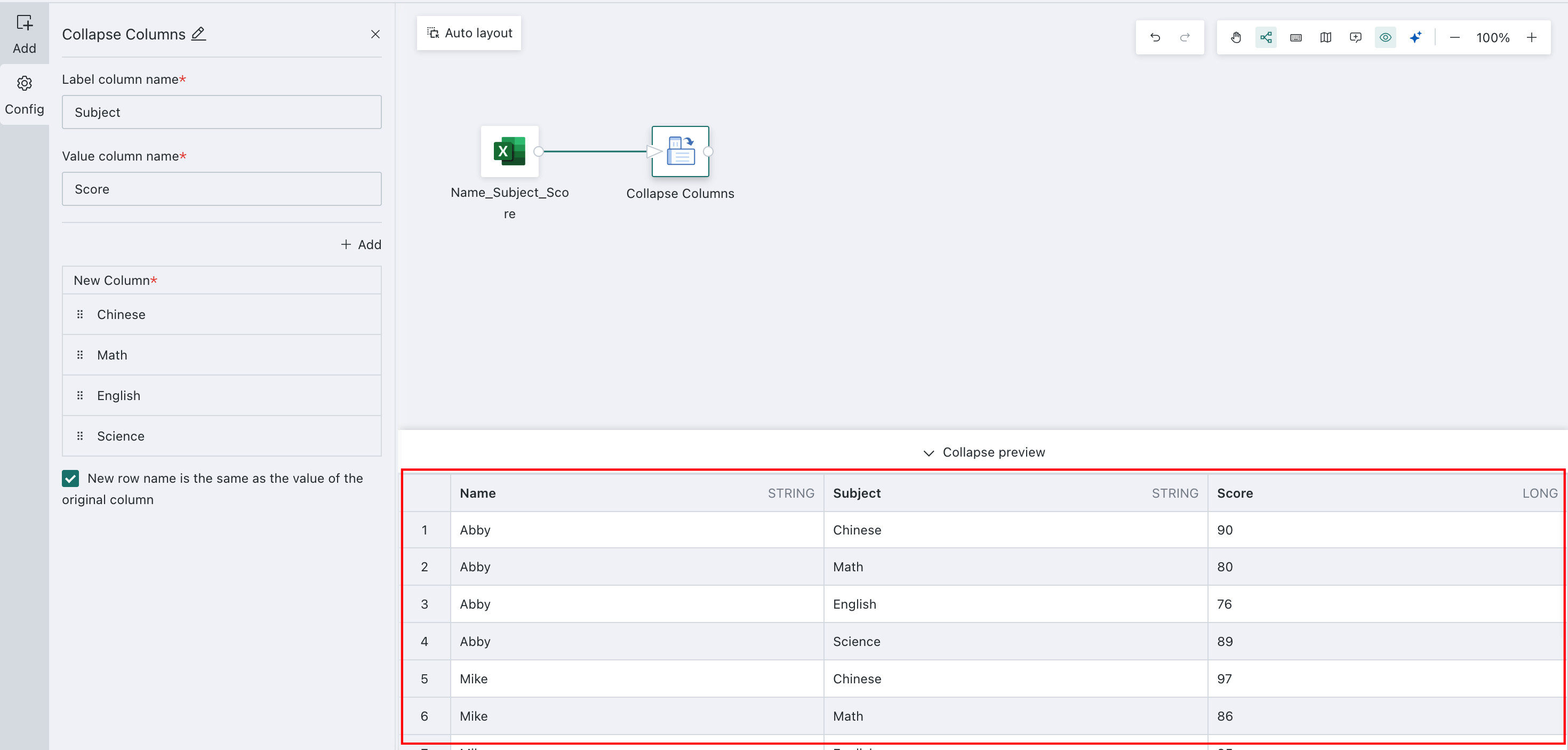
Convert the table data into a new table consisting of the three columns Name - Subject - Score. Preview before conversion:

-
Drag the
Unpivot Columns to Rowsoperator from the ETL operator area to the canvas on the right and connect it to the upstream node. -
Click the
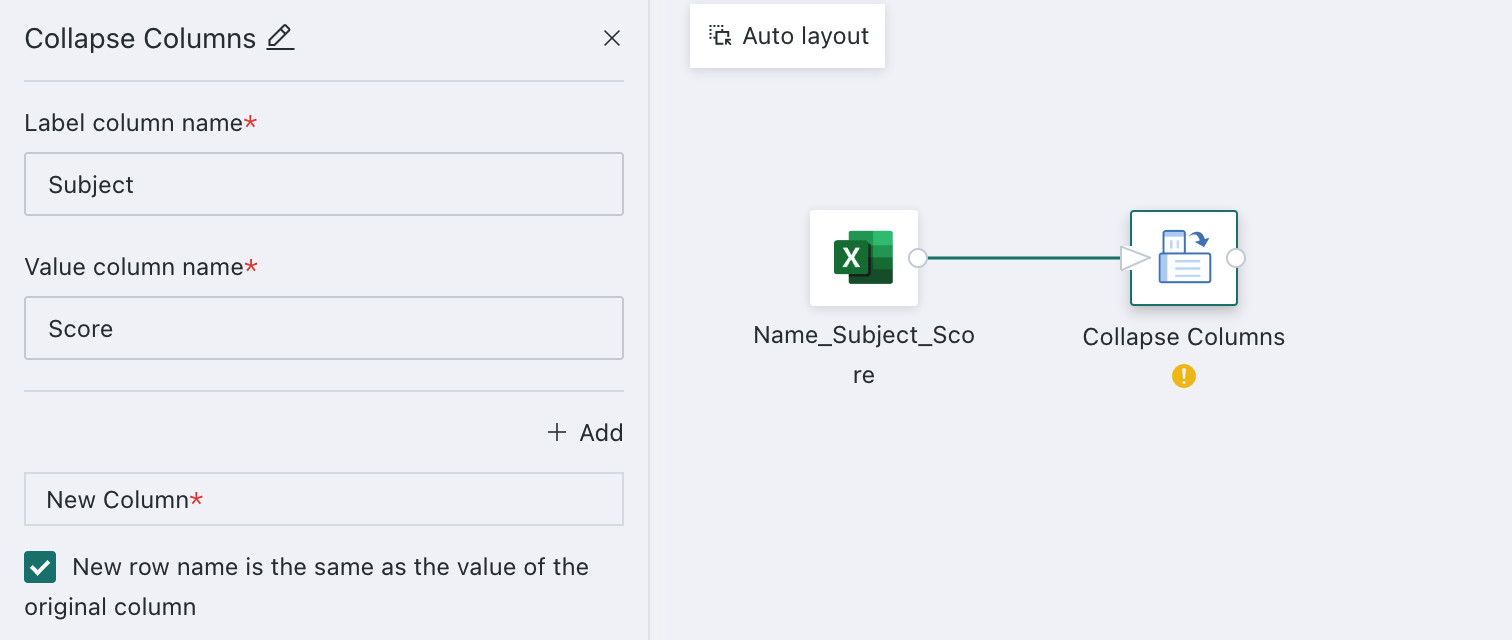
Unpivot Columns to Rowsoperator. The left panel becomes the current operator configuration area. Set the label column name and value column name:- Label Column: Subject
- Value Column: Score
-
Click Add and select the columns that need to be unpivoted.
-
Click Preview to preview the data result and ensure that the unpivoted result matches expectations and does not contain errors or abnormal values.
For other data processing operators used later, see Getting Started.